From Vibe Coding to Spec-Driven Development: The Ultimate Claude Code Workflow

Writer
Quiz available
Take a quick quiz for this article.
If you’ve been building software for any length of time, you know that AI coding assistants are a paradigm shift. But if you’ve spent hundreds of hours in the trenches with Claude Code, you’ve likely experienced its frustrating duality: it swings from a super-genius architect to a complete idiot right in the middle of a session.
You might think Anthropic is throttling the model, or that you’re writing bad prompts. You aren’t. It comes down to one fundamental flaw in how we use LLMs: Context Poisoning.
Here is the exact, step-by-step system and plugin stack required to fix Claude’s memory issues, orchestrate sub-agents, and build production-ready applications without losing your mind.
The Core Problem: Context Poisoning
When Claude boots up, it knows nothing about your project. It learns by building “context.” However, much like a human trying to memorize an endless string of random numbers, the more context you feed Claude, the more it forgets the earlier instructions.
If you let your context window fill up, Claude starts writing duplicate code, breaking features, and hallucinating. Claude gets “dumb” as the context window fills up past 50%.
The “Compact” Warning: Never use the compact command. Friends don’t let
friends compact. It’s the worst of both worlds: you lose the specific details
of what you were just working on, but you retain the “poisoned” architectural
confusion from earlier in the session.
Step 1: Mastering Context Management
The Golden Rule is simple: Never let your context creep much past 50%. To actively monitor this, you need a custom status line that keeps vital signs front and center.
Run this in your terminal before launching Claude:
Configure your lines exactly like this to maintain visibility:
- Line 1:
Model | Context % | Session Cost | Session Clock - Line 2:
Git Branch | Git Worktree
This allows you to see exactly when you are approaching the danger zone so you can reset your session with a fresh context instead of falling into the “compact” trap.
Step 2: Sub-Agent Architecture via “Superpowers”
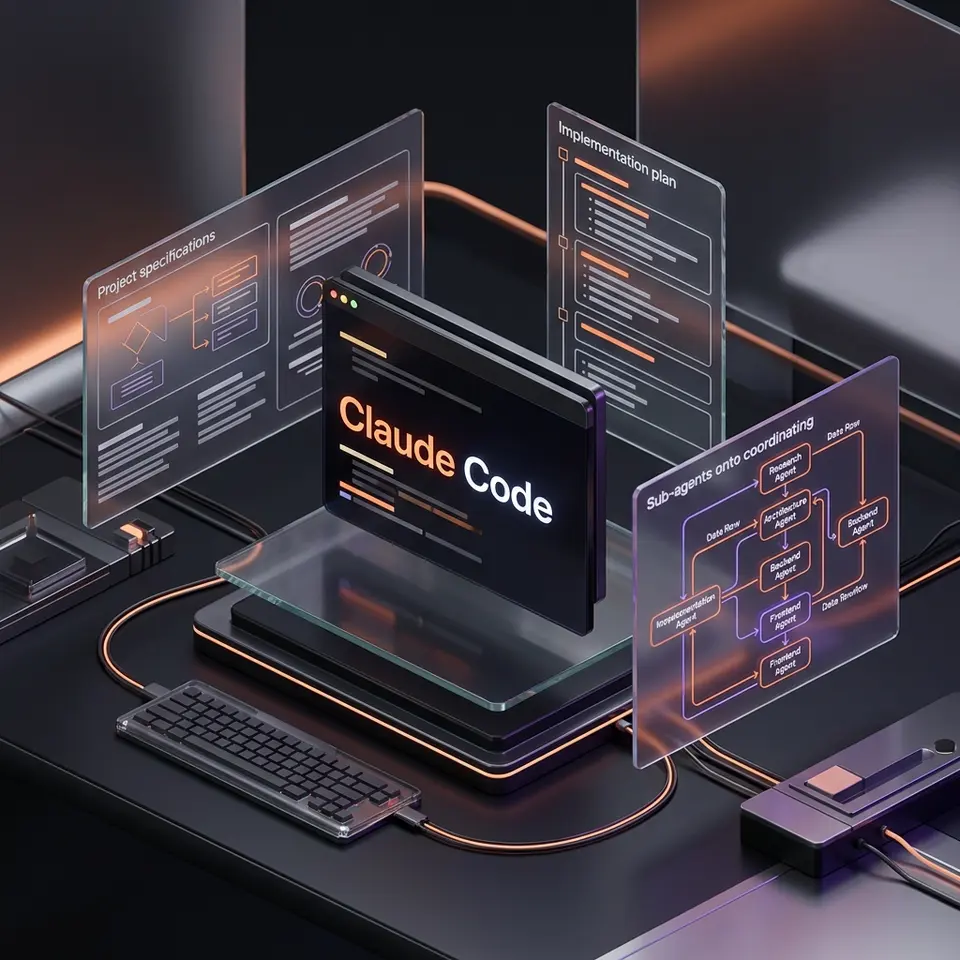
Even with perfect monitoring, modern models burn through context incredibly fast. The enterprise-grade solution—used by tech giants like Netflix and Spotify—is to stop relying on one massive Claude thread. Instead, your main terminal should act as an orchestrator, dispatching dozens of “sub-agents” to write, test, and review code in their own isolated, fresh context windows.
To do this, we use a third-party plugin officially endorsed by Anthropic called Superpowers.
Installation:
- Type
/pluginin your Claude terminal. - Look at the “Discovered” list.
- Add Superpowers (install for User Scope).
- While you are there, add Code Simplifier.
- Restart Claude.
The 3-Step Superpowers Workflow:
Instead of just telling Claude to “build a feature,” use this rigid framework:
superpowers brainstormThis replaces standard prompting. Tell Claude what you want (e.g., “Build a portfolio web page with cool CSS effects”). Superpowers will automatically explore your codebase, ask clarifying questions, propose 2-3 architectural approaches, and write a detailed design spec into a newdocs/plans/folder. (It will even initialize a Git repo if you haven’t). Critically, review this document and stay in the driver’s seat. Don’t just auto-approve.superpowers write planOnce you approve the design doc, this command translates the broad spec into a granular, line-by-line implementation plan.superpowers execute planThis is the magic. Superpowers will now automatically spin up fresh sub-agents to execute your implementation plan piece by piece, bypassing the context limit entirely. Each sub-agent gets a clean slate, ensuring they only know about the specific task they are performing.
Step 3: Supercharging Claude’s Brain & Knowledge
Superpowers makes Claude a great manager, but we need to ensure its actual coding and reasoning skills are top-tier.
Upgrade Reasoning: Sequential Thinking
Give Claude the ability to use “Chain of Thought” reasoning to think deeper and longer before outputting code.
- How to install: Simply spin up Claude and type: “Please install sequential thinking MCP server.” Claude will figure out the rest. Restart your instance to apply it.
Upgrade Knowledge: Context 7
Claude’s base memory lags 6 to 12 months behind the real world, leading to hallucinated, deprecated APIs. Context 7 solves this lag.
- How to install: Type
/plugin, find Context 7 (an official Claude plugin), and install it for everyone. This instantly gives Claude real-time, up-to-date knowledge on every API, library, and service it might use.
Step 4: The Ultimate Developer Environment
Using standard terminal windows for AI coding is like coding blindfolded. You need to see Claude’s generated spec documents and your codebase side-by-side with your chat.
Ditch your default terminal and install Warp (it’s free).
Warp Workflow Upgrades:
- Side-by-Side Viewing: Open the toggle panel to view your repository. When Superpowers writes an implementation plan, you can read the Markdown file right next to your active Claude chat.
- Multi-Instance: Press
Cmd + D(Mac) to split your pane and run multiple Claude terminals simultaneously. - Tabs: Use
Ctrl + Tto keep your workspace flawlessly organized.
Step 5: Unshackling from the Desk (Happy Engineering)
The official Claude Code mobile app is deeply flawed—it can’t access your local files and gets blocked from scraping most web pages. It only has about 10% of the power of your desktop CLI.
To code on the go, use Happy Engineering (happy.engineering). It is completely free and open-source.
- Run their install script in your computer’s terminal.
- Complete the setup on your iOS or Android device.
This creates a bridge. You are now running a real terminal on your home computer, controlled from your phone. You have 100% access to Superpowers, Context 7, and your local file system. When you sit back down at your laptop, your session is exactly where you left it.
Step 6: Build Custom Automation Skills
To transition from beginner to pro, stop repeating yourself. If you have a repetitive task—like adding a new database schema, creating a specific UI component, or formatting a new entity—turn it into a custom skill.
- Give Superpowers your exact specifications, your thought process, and the relevant file paths.
- Ask it to “Build a skill.”
- Claude will use Sequential Thinking to write a custom macro for itself.
Example: You can create a creature-forge command. The next time you type
it, Claude will automatically run the entire multi-step process perfectly.
Refine it with feedback a few times, and it will save you hours every single
week.
The Master Concept Checklist
To ensure you have everything set up for the ultimate workflow, use this checklist:
- Context Awareness: Keep context below 50% and avoid
/compact. - Monitoring: Install
npx cc status line @latestwith custom lines. - Sub-Agents: Install Superpowers and Code Simplifier plugins.
- Spec-Driven Flow: Use
brainstorm→write plan→execute plan. - Reasoning: Install Sequential Thinking MCP.
- Knowledge: Install Context 7 plugin for updated APIs.
- Environment: Use Warp Terminal for side-by-side visibility.
- Mobility: Set up Happy Engineering for true mobile coding.
- Automation: Transition repetitive workflows into Custom Skills.
Conclusion: From Vibe Coding to Spec-Driven
Vibe coding wasn’t wrong; it was just step one. Transitioning to a spec-driven development workflow with Claude Code means you stop hoping for good code and start engineering it. By managing context, using sub-agents, and automating your repetitive tasks, you can finally build production-ready applications with the speed of AI and the reliability of a senior engineer.
Read next