Mastering Agentic Architecture in Copilot Studio

Writer

Mastering Agentic Architecture in Copilot Studio
Agentic AI has a cost curve.
That is the uncomfortable truth most pilots discover too late. The first demo feels magical. The first internal rollout feels promising. Then someone asks the obvious FinOps question:
Which agents are creating value, which agents are burning Copilot Credits, and who owns the bill?
This article is not a love letter to clever prompts. It is a strategic guide for IT leaders, FinOps practitioners, tenant administrators, and platform owners who need to turn Copilot Studio from an exciting innovation playground into an operating model: governed, measurable, and financially sane.
The mental model is simple:
An agent is not a chatbot. It is a small business process with a reasoning engine, data access, and a meter attached.
If you design it like a chatbot, you optimize for conversation. If you design it like a business process, you optimize for value, control, and scale.
Executive Takeaways
| Principle | What It Means | Why Leaders Should Care |
|---|---|---|
| Route before you reason | Use short, specific descriptions so the orchestrator selects the right topic, tool, skill, knowledge source, or connected agent. | Bad routing creates unnecessary tool calls, weak answers, and avoidable consumption. |
| Credits are the new capacity unit | Copilot Studio usage is measured in Copilot Credits, not the older message-only mental model. | Budget planning must move from “number of users” to “what the agent actually does.” |
| Govern environments, not just agents | Use Power Platform environments, DLP/data policies, maker controls, publishing controls, and monitoring. | Governance must be systemic; agent-by-agent policing does not scale. |
| Pre-package repeatable work | Use skills, tools, flows, templates, and reference guidance to reduce repeated reasoning. | Repeatable work should be standardized, not rediscovered by the model every time. |
| Separate experimentation from production | Build in lower-risk environments, then promote only validated agents with known data access and estimated consumption. | Safe rollout reduces security surprises and invoice surprises. |
First, Clean Up the Vocabulary
Copilot Studio now has a few overlapping concepts that are easy to mix together. For leaders and tenant admins, the distinction matters because each option has a different governance, cost, and ownership profile.
| Concept | Plain-English Mental Model | Best Used For | Governance Question |
|---|---|---|---|
| Instructions | The agent’s operating manual. | Overall behavior, tone, boundaries, escalation rules. | Who approves the agent’s default behavior? |
| Knowledge | The library the agent can read from. | Policies, FAQs, SharePoint content, documents, websites, Dataverse, or other configured sources. | Is the source authoritative, secured, and current? |
| Tools / actions | The hands of the agent. | Calling systems, connectors, APIs, flows, prompts, or MCP servers. | What can the agent change, trigger, or expose? |
| Skills | Reusable task-specific playbooks. | Repeatable procedures that multiple agents should use consistently. | Who owns the skill package and its lifecycle? |
| Agent flows | Structured automation paths. | Repeatable single-turn or process-oriented operations where you want predictability. | Should this be deterministic automation instead of open-ended reasoning? |
| Connected or child agents | Specialist teams inside the broader operating model. | Modular agent architectures where a parent agent routes work to specialists. | Are handoffs clear and auditable? |
Microsoft’s current Copilot Studio documentation describes skills in the new agent experience as reusable capabilities defined by a name, description, and Markdown instructions. Skill packages can also include optional supporting files such as scripts, templates, and reference documents. This is preview documentation, so treat implementation details as subject to change and validate against the latest Microsoft Learn pages before production rollout: Skills overview for agents.
There is also a separate pro-code skill model where skills are deployed using the Microsoft 365 Agents SDK or supported Bot Framework approaches and registered with Copilot Studio by manifest URL. That model is closer to a hosted service integration than a simple Markdown playbook: Configure skills for use in Copilot Studio agents.
Rule of thumb: do not say “skill” in a design review without clarifying which model you mean: a Markdown/package skill in the new agent experience, or a hosted pro-code skill registered with Copilot Studio.
The Best Mental Model: The Airport Control Tower
Think of Copilot Studio as an airport control tower.

- The user request is an incoming aircraft.
- The orchestrator is air traffic control.
- Topics, tools, knowledge, skills, and connected agents are runways, gates, refueling trucks, and specialist crews.
- Copilot Credits are fuel.
- Governance policies are the safety rules that prevent enthusiastic pilots from landing wherever they want.
The tower’s first job is not to fly the plane. It is to route the plane safely.
That is why descriptions matter so much. In generative orchestration, Copilot Studio can select topics, tools, other agents, and knowledge sources based on names, descriptions, inputs, outputs, and context. Microsoft explicitly recommends clear, concise, active descriptions because they influence how the agent selects the right component: Orchestrate agent behavior with generative AI.
For the business, this means metadata is not cosmetic. Metadata is a cost and control primitive.
Classic vs. Generative Orchestration: The Governance Trade-Off
The biggest architectural decision is not “which model should I use?” It is “how much freedom should this agent have?”
| Dimension | Classic Orchestration | Generative Orchestration | Leadership Implication |
|---|---|---|---|
| Routing style | Trigger phrase or authored path. | The agent selects topics, tools, knowledge, and agents based on intent. | Generative mode is more flexible but needs stronger descriptions and testing. |
| Cost predictability | Generally easier to estimate. | Can vary depending on tool calls, knowledge use, and reasoning path. | FinOps should estimate real usage patterns, not just user count. |
| User experience | More controlled, sometimes rigid. | More natural and adaptive. | Better experience may justify higher consumption if the process value is clear. |
| Governance focus | Topic inventory and exact flows. | Descriptions, tool boundaries, data policies, activity maps, and monitoring. | Admins need controls at environment and capability level. |
| Best fit | Known, narrow, repeatable tasks. | Ambiguous, multi-intent, knowledge-rich work. | Use the simplest approach that satisfies the business case. |
Opinionated guidance: use generative orchestration where ambiguity creates business value. Use structured flows where predictability creates business value.
Do not pay an LLM to rediscover a process that a workflow can execute deterministically.
Cost Intuition: Build a Credit Budget Before You Build the Agent
Copilot Studio usage is measured using Copilot Credits. The exact commercial terms can change, so always validate the latest licensing guide and billing page. As of the Microsoft Learn documentation reviewed on July 1, 2026, examples include the following billing rates for Copilot Studio features: classic answer = 1 credit, generative answer = 2 credits, agent action = 5 credits, tenant graph grounding = 10 credits, and content processing tools = 8 credits per page. Microsoft also notes that multiple feature types can apply to the same interaction: Billing rates and management.
Directional planning aid, not a quote: the following examples are designed to build financial intuition. They are not pricing advice, contractual guidance, or a replacement for the official licensing guide.
Directional Credit Math
| Scenario | Rough Interaction Pattern | Directional Credit Intuition |
|---|---|---|
| Simple FAQ response | 1 generative answer | ~2 credits per answer. |
| Grounded employee answer | 1 generative answer + tenant graph grounding | ~12 credits per answer. |
| Process agent with actions | 1 answer + 3 agent actions | ~17 credits per run. |
| Document-heavy process | 1 answer + processing 10 pages | ~82+ credits before any additional actions. |
Why This Matters
A 2-credit experience and a 20-credit experience can look identical to the user: both are “the agent answered me.” But to FinOps, they are ten different cost profiles hiding behind the same chat bubble.
That is why agent design reviews should include a credit budget:
Use the official Copilot Studio estimator for planning, and then validate with actual consumption once the agent is live: Copilot Studio agent usage estimator.
The Credit Budget Canvas
Before production, every agent should have a one-page financial model.
| Question | Example Answer | Why It Matters |
|---|---|---|
| Who is the business owner? | HR Operations | Somebody must own value and usage. |
| Who is the technical owner? | M365 Platform Team | Somebody must own reliability and change control. |
| Who funds consumption? | HR cost center | Avoid “central IT pays for everyone’s experiments.” |
| What is the value metric? | Deflected HR tickets, faster onboarding, fewer policy escalations | Agents need business KPIs, not only usage KPIs. |
| What is the expected audience? | 8,000 employees | User count affects forecast baseline. |
| How often will users interact? | 1.5 sessions per employee per month | Frequency often matters more than headcount. |
| What is the average credit pattern? | 1 grounded answer + 1 action = ~17 credits | This is the unit economics of the agent. |
| What is the monthly guardrail? | Alert at 70%, review at 90%, pause or require approval at 110% | FinOps needs pre-agreed action thresholds. |
Rule of thumb: if you cannot describe the business value and the cost driver in the same paragraph, the agent is not ready for production.
Skill Architecture: Modularity Is a Cost-Control Strategy
The original developer instinct is to put everything into one giant instruction block. It feels efficient because there is one place to edit.
It is usually the wrong move.
A better model is the office supply cabinet:

- The agent does not carry every stapler, binder, and printer cartridge into every meeting.
- It keeps a catalog of what exists.
- It retrieves the specific item only when the task calls for it.
Skills support this modular operating model. In the new Copilot Studio agent experience, a skill has a name, description, and Markdown instructions; a package can include optional supporting files such as scripts, templates, and reference documents. The orchestration runtime invokes a skill when the request matches its purpose: Skills overview for agents.
Practical Skill Design Pattern
| Layer | What Belongs Here | What Does Not Belong Here |
|---|---|---|
| Agent instructions | Overall mission, boundaries, escalation rules, data handling principles. | Long procedural details for every possible task. |
| Skill description | Short, specific explanation of when the skill should be used. | Vague labels like “does documents” or “general support.” |
| Skill instructions | Focused task procedure, validation rules, output format, known failure modes. | Tenant-wide policy, unrelated procedures, or huge reference dumps. |
| Supporting references | Templates, examples, checklists, narrow guidance files. | Deep chains of references that become impossible to audit. |
| Tools / flows | Actual external actions or deterministic work. | Free-form reasoning where compliance requires determinism. |
A Governance-Friendly Skill Layout
The strategic point is not the folder structure itself. The point is separation of responsibility:
- Description helps the orchestrator route.
- Instructions explain what good execution looks like.
- References and templates make the execution repeatable.
- Tools and flows perform actions where deterministic execution is preferred.
The Degrees of Freedom Matrix
Agent design is really a question of freedom.
Too little freedom and the agent becomes a brittle IVR tree with better branding. Too much freedom and it becomes a very polite intern with a corporate credit card.
| Freedom Level | Design Pattern | Cost Behavior | Risk Profile | Use When |
|---|---|---|---|---|
| Low | Hard-coded topics, tight flows, explicit paths. | Predictable. | Lower reasoning risk, higher maintenance cost. | Compliance-heavy and repetitive processes. |
| Medium | Generative orchestration with clear descriptions, scoped tools, reusable skills, and validation. | Manageable with monitoring. | Balanced. | Most enterprise agents should start here. |
| High | Broad instructions, many tools, loose data boundaries, minimal routing discipline. | Variable and hard to forecast. | High risk of overuse, wrong routing, and governance gaps. | Rarely appropriate outside controlled experimentation. |
Target state: medium freedom, strong guardrails.
That is where enterprise agents become useful without becoming financially or operationally chaotic.
Naming and Description Standards That Actually Matter
Orchestration is a routing problem. Names and descriptions are routing signals.
Microsoft guidance for generative orchestration emphasizes simple, direct, active descriptions, relevant keywords, uniqueness, and specificity. It also warns that overlapping descriptions can cause multiple topics to be invoked: Orchestrate agent behavior with generative AI.
Good vs. Bad Routing Metadata
| Bad | Better | Why It Works Better |
|---|---|---|
Answer Question | Answer HR policy questions | Specific domain and intent. |
Document Tool | Review Word documents for compliance comments | Names the artifact, action, and outcome. |
Finance Help | Explain expense policy and reimbursement status | Separates policy explanation from transaction lookup. |
IT Stuff | Troubleshoot password reset and MFA sign-in issues | Uses user-facing language and clear boundaries. |
My Preferred Description Formula
Example:
This skill helps HR operations reviewers generate structured comments for Word policy documents using approved review criteria. It does not approve policy changes or publish documents.
That final sentence matters. “It does not…” is one of the cheapest governance controls you can add.
Script and Automation Strategy: Solve Repeatable Work Once
There is a dangerous pattern in agent projects:
- The agent encounters a repeatable technical task.
- The agent reasons through the task every time.
- The agent sometimes succeeds, sometimes fails, and always consumes more than needed.
- The team calls this “AI behavior.”
No. That is an architecture smell.
If the task is repeatable, standardize it. Depending on the scenario, that might mean:
- a Power Automate flow,
- an agent flow,
- a connector or API action,
- a hosted pro-code skill,
- a skill package with supporting templates or scripts,
- or a reference checklist that constrains the model’s behavior.
The strategic rule is simple:
Use reasoning for ambiguity. Use automation for repetition.
Where Copilot Studio hosted skills are involved, remember that the pro-code model expects skills to be built and deployed using supported SDK patterns, registered through a manifest, validated, and authorized. It is not a license to run arbitrary local scripts inside a production tenant: Configure skills for use in Copilot Studio agents.
Practical Governance Levers
Copilot Studio governance is not a single toggle. It is a set of levers.
Microsoft documents several relevant controls, including data policies in Power Platform admin center, maker and user authentication controls, knowledge source governance, actions/connectors/skills governance, HTTP request governance, channel publication controls, Application Insights, triggers, Purview audit logs, Sentinel monitoring, environment routing, security warnings, and customer-managed key support: Security and governance in Copilot Studio.
Governance Lever Map
| Lever | Owner | What It Controls | Why It Matters |
|---|---|---|---|
| Environment strategy | Power Platform admin / CoE | Where makers build, test, and publish. | Separates experimentation from production. |
| Data policies / DLP | Tenant admin / security | Which connectors, actions, skills, HTTP requests, and knowledge sources are allowed. | Prevents uncontrolled data movement and unsafe tool use. |
| Maker access | Tenant admin / platform owner | Who can create or modify agents. | Reduces shadow-agent sprawl. |
| Publishing controls | Platform owner / environment admin | Who can publish to Teams, web, or other channels. | Prevents accidental broad exposure. |
| Authentication model | Identity team / app owner | Whether tools run with user credentials or another identity pattern. | Determines data access blast radius. |
| Monitoring and audit | Security operations / platform team | Audit logs, runtime behavior, alerts, usage trends. | Enables incident response and optimization. |
| Cost management | FinOps / billing admin | Budgets, alerts, credit allocation, PAYG policies. | Keeps agent usage aligned to business funding. |
Safe Rollout Plan: From Prototype to Production
Do not launch a production agent because the demo worked once.
Use a staged rollout.
| Stage | Goal | Exit Criteria |
|---|---|---|
| 1. Intake | Confirm business owner, value metric, target users, data sources, and funding model. | Signed-off business case and owner. |
| 2. Architecture review | Decide orchestration mode, skills/tools/flows, knowledge sources, and identity model. | Documented design with governance decisions. |
| 3. Cost forecast | Estimate credits per session and monthly usage range. | Baseline forecast and alert thresholds. |
| 4. Controlled pilot | Test with limited users and real prompts. | Quality, safety, and consumption telemetry reviewed. |
| 5. Production hardening | Apply DLP, environment controls, monitoring, support model, and publishing approvals. | Admin controls verified. |
| 6. Scale rollout | Expand users gradually. | Consumption stays within agreed thresholds. |
| 7. Monthly optimization | Review usage, deflection, satisfaction, failures, and cost drivers. | Keep, tune, restrict, or retire decision. |
The Two Questions Every Review Board Should Ask
- What is the agent allowed to know?
- What is the agent allowed to do?
If those answers are fuzzy, pause the rollout.
Cost Control Playbook for Tenant Admins and FinOps
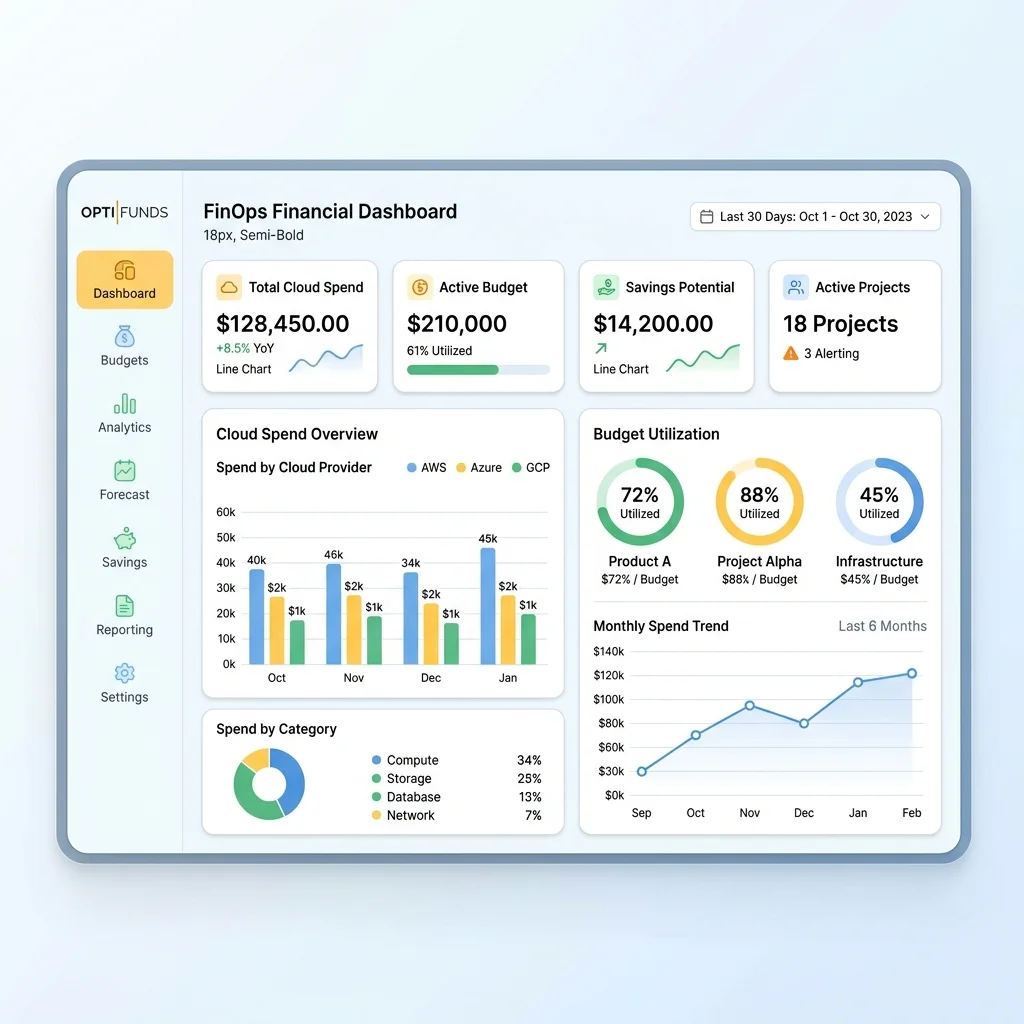
Microsoft 365 Copilot pay-as-you-go services and Copilot Credits introduce the need for billing policies, budget limits, cost management dashboards, alerts, and consumption views. Microsoft documents that admins can create billing policies, associate them with responsible groups, connect policies to Copilot services, set budgets, monitor cost in Microsoft 365 admin center, and view cost breakdowns through Azure: Microsoft 365 Copilot pay-as-you-go overview. Microsoft also describes the Cost Management dashboard for Copilot Credits as a centralized place to allocate credits, apply policy-based access and limits, monitor spending, and set safeguards such as budgets, alerts, and hard caps where supported: Usage-based billing and cost management.
Minimum Viable Cost Governance
| Control | Practical Implementation |
|---|---|
| Billing owner | Assign each production agent to a business cost center or budget owner. |
| Budget threshold | Alert at 70%, investigate at 90%, require sign-off to exceed planned monthly usage. |
| Usage review | Review credits by service, user group, or agent where reporting supports it. |
| High-cost pattern review | Investigate agents with heavy graph grounding, many actions, document processing, or reasoning-model usage. |
| Monthly optimization | Retire unused agents, narrow broad knowledge sources, simplify prompts, convert repeatable logic into flows. |
| Exception process | Allow high-cost agents only when the business value is explicit and funded. |
Anti-Patterns to Kill Early
| Anti-Pattern | Why It Hurts | Better Pattern |
|---|---|---|
| The monolithic agent | One giant agent tries to solve everything and becomes impossible to govern. | Modular agents, scoped skills, and clear ownership. |
| Vague descriptions | The orchestrator routes poorly and may invoke the wrong components. | Specific, active, unique descriptions with exclusions. |
| Unfunded consumption | Usage grows but no business owner pays attention. | Assign cost ownership before production. |
| Over-reasoning repeatable tasks | The model burns credits solving the same deterministic problem repeatedly. | Move repeatable work into flows, tools, templates, or standardized skills. |
| Governance after launch | Controls become political once users depend on the agent. | Define controls during intake and architecture review. |
| Unlimited knowledge scope | The agent searches too broadly and may produce noisy or sensitive responses. | Curated, authoritative, permission-aware knowledge sources. |
| No retirement path | Agent sprawl accumulates cost and risk. | Quarterly portfolio review: keep, improve, consolidate, or retire. |
A Simple Decision Guide
| If Your Goal Is… | Prefer… | Because… |
|---|---|---|
| Answer policy questions from approved content | Knowledge + scoped generative answers | Natural language value is high, actions are low risk. |
| Execute a predictable backend operation | Flow/tool/action | Deterministic automation beats repeated reasoning. |
| Reuse a standard procedure across many agents | Skill | Centralized procedural guidance improves consistency. |
| Handle complex multi-turn specialist behavior | Hosted skill or connected specialist agent | Ownership and lifecycle deserve separation. |
| Reduce consumption volatility | Classic orchestration or constrained generative orchestration | Limits freedom and improves forecastability. |
| Maximize user flexibility | Generative orchestration | Better for ambiguous, multi-intent tasks—but govern it carefully. |
The Operating Model: Treat Agents Like Products
The biggest shift for IT leaders is cultural.
Do not manage agents like one-off automations. Manage them like products.
Each production agent should have:
- a named business owner,
- a technical owner,
- a funding model,
- approved data sources,
- approved actions,
- a support channel,
- a usage and cost dashboard,
- quality evaluation criteria,
- a change log,
- and a retirement plan.
This sounds heavy until the first uncontrolled agent becomes popular and nobody knows who owns the spend, the prompt, the data source, or the risk.
Final Opinion: The Winning Pattern Is Governed Autonomy
The future is not rigid workflow-only automation. It is also not unrestricted agents doing whatever the user asks.
The winning pattern is governed autonomy:

- Give the agent enough freedom to understand intent.
- Give it enough structure to avoid waste.
- Give admins enough control to prevent surprises.
- Give FinOps enough telemetry to connect usage to value.
- Give the business enough ownership to decide whether the agent deserves to scale.
That is how Copilot Studio becomes more than an AI demo platform.
That is how it becomes an enterprise operating layer.
Source Notes
The claims in this article were checked against the following Microsoft documentation on July 1, 2026. Always validate against the latest Microsoft licensing guide and Microsoft Learn pages before making production or purchasing decisions.
- Copilot Studio billing rates and management
- Copilot Studio licensing
- Copilot Studio security and governance
- Orchestrate agent behavior with generative AI
- Skills overview for agents in Copilot Studio
- Configure skills for use in Copilot Studio agents
- Microsoft 365 Copilot pay-as-you-go overview
- Usage-based billing and cost management for Copilot Credits
Read next