Microsoft 365 Copilot: From Answers to Action (June 2026)

Writer

Microsoft 365 Copilot is crossing an important boundary. The original experience was largely conversational: ask a question, summarize a meeting, or draft a document. The emerging model is delegation: describe an outcome, let an agent plan and perform the work, and step in when judgment or approval is required.
Copilot Cowork is the clearest expression of that change. Microsoft made it generally available worldwide on June 16, 2026, after a three-month Frontier preview. Cowork is designed for complex, long-running, multi-tool tasks rather than a single response. It can work in the cloud while the user’s device is closed, ground itself in organizational context through Work IQ, and pause at checkpoints before consequential actions are applied.1
This is more than a feature release. It changes the mental model for Microsoft 365 Copilot. It also arrives during an unusually dense release cycle: Microsoft’s June 2026 roundup spans Cowork, the Copilot app, Notebooks, Outlook, Word, PowerPoint, Excel, agents, administration, and Purview. Availability labels need to be read carefully. A feature can be generally available as a product capability while still rolling out gradually by tenant, platform, language, or update channel; roadmap dates are targets and can change.2
Chat helps you decide what to do. Cowork helps carry the work through.
The distinction matters because execution introduces concerns that answer generation does not: plans, tools, permissions, approvals, runtime, variable consumption, auditability, and failure recovery. The value is potentially much greater, but so is the need for clear boundaries.
The architectural shift: from response generation to an execution loop
A conventional assistant interaction is short-lived:
- A user submits a prompt.
- The system retrieves relevant context.
- A model generates a response.
- The user manually turns that response into action.
An agentic interaction adds an execution loop:
- Interpret the outcome. Determine what the user is trying to achieve.
- Build a plan. Break the outcome into steps and select the required skills, tools, and sources.
- Retrieve context. Use Work IQ and attached sources to ground the task.
- Execute. Create or edit artifacts, search for information, organize files, prepare communications, or use connected systems.
- Request approval where needed. Pause before sensitive actions such as sending, posting, or scheduling.
- Observe and adjust. Show progress, accept steering, and revise the plan when new information appears.
- Deliver the result. Return completed artifacts and an observable history of the work.
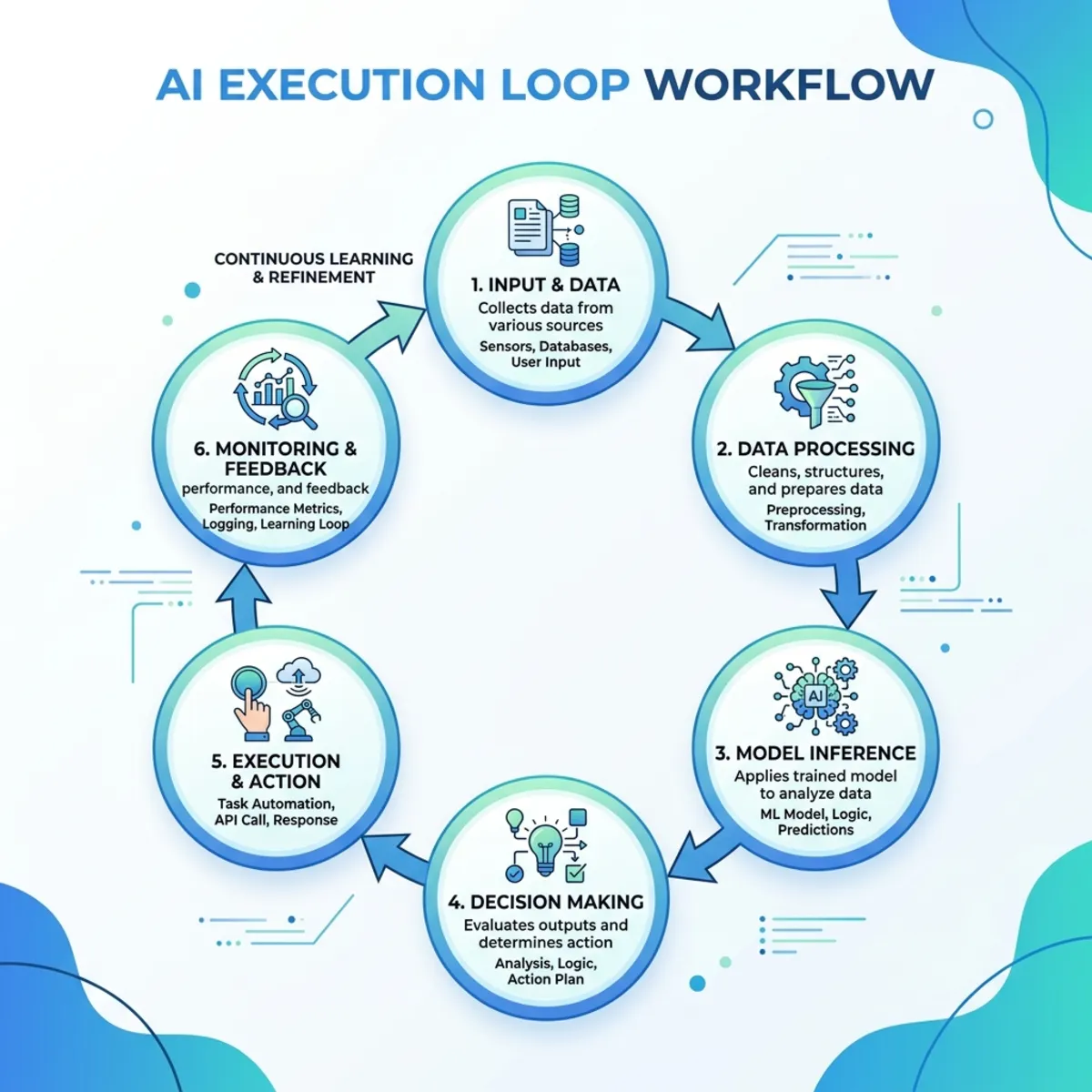
This is closer to delegating a work package than asking an isolated question. “Summarize these files” is an assistant task. “Review the files, identify dependencies, create a decision brief, build the presentation, and prepare the stakeholder email” is an agentic task.
Cowork exposes its steps in the conversation and lets the user pause, resume, cancel, or steer the task. Microsoft documents approval prompts for important actions, including risk indicators for medium- and high-risk operations.3 That human-in-the-loop design is not a cosmetic detail. It is the mechanism that separates delegation from unrestricted autonomy.
Cowork at general availability: what changed
General availability brought more than the core execution loop. Microsoft documented several additions and rollout states that help complete the picture:
- Image creation and editing: Cowork can create and edit visuals in the flow of work. Microsoft’s June roundup attributes this experience to ChatGPT Images 2.0, while the current Cowork release notes document image generation with Imagen 2. Because the official pages use different product labels, the durable point is the capability—not an assumption that one image model powers every surface.24
- Branded presentation creation: Cowork can use approved PowerPoint templates from an organization’s asset library, carrying colors, fonts, logos, and layouts into generated decks.24
- Local browser use: In the Frontier program, Cowork can use Microsoft Edge on the user’s device and work through existing sign-ins and organizational policies. This is not the same as unrestricted cloud-side access to every browser tab, and it should not be described as generally available.24
- Mobile continuity: Cowork is available through the Microsoft 365 Copilot mobile app on iOS and Android, allowing users to continue tasks across devices.24
- Long-running task notifications: Cowork can notify users when a task needs approval or input, or when it completes, reducing the need to keep the task open and watch it continuously.2
- Plugins and customization: The Customize experience brings skills and plugins into one place, while an expanded plugin catalog connects Cowork to additional Microsoft and partner systems.24
These additions reinforce the central architectural idea: Cowork is becoming a persistent execution surface, not simply a longer-running chat window.
Work IQ: the context layer, not merely a bigger prompt
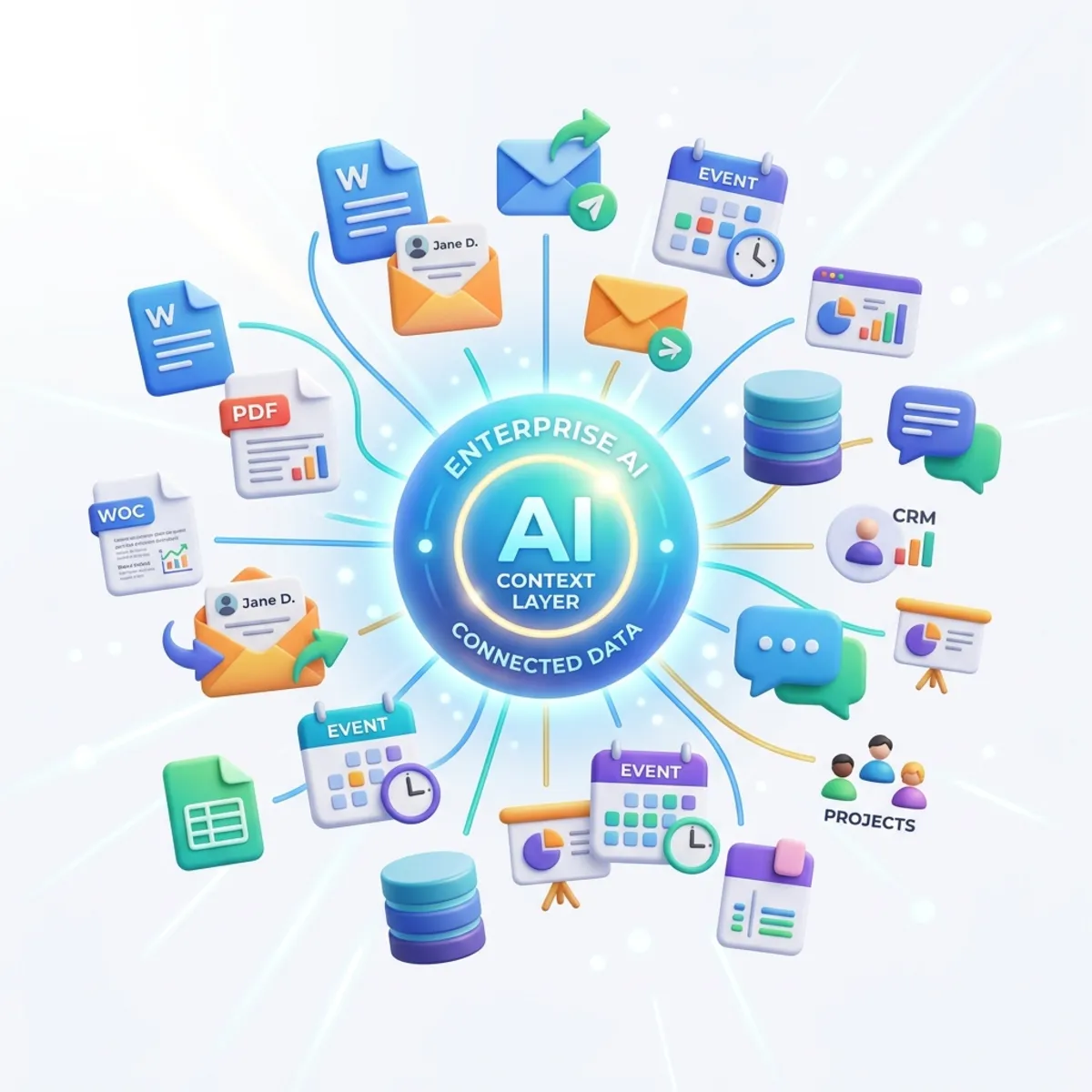
Agentic execution is useful only when the agent understands the environment in which the work is happening. Work IQ provides that organizational context.
A helpful mental model is to think of Work IQ as a context engine for work. It helps Copilot reason across Microsoft 365 signals such as email, meetings, messages, files, and organizational relationships. Cowork can use that context to find relevant material and produce work that reflects the user’s actual projects rather than the public web alone.12
Work IQ should not be described as a magical copy of the organization or as unlimited access to tenant data. The effective context still depends on the signed-in user’s access, the sources available to the experience, organizational controls, and the task itself. Grounding improves relevance; it does not eliminate the need to verify outputs.
The June 2026 release also broadened the structured business context available to Copilot. Reasoning over Power BI enterprise data entered the Frontier program, while Dataverse grounding entered public preview in June, with general availability then targeted for September 2026.2 Those release states matter: a capability announced in Frontier or preview should not be presented as universally available production functionality.
Grounding is necessary, but it is not proof
A grounded response can still be incomplete, misinterpret a source, or draw a weak conclusion. Microsoft introduced deep citations to make verification easier. Instead of linking only to a file, supported citations can take the user to a specific location in a Word or PowerPoint source. Microsoft reported the initial rollout in June 2026, with other reference types planned to follow.2
The practical rule is simple:
Treat grounding as the path to evidence, not as a substitute for review.
For consequential work, users should inspect the cited source, validate the interpretation, and review the final action—not merely trust that a citation exists.
The Copilot app: richer ways to see, verify, and refine
The Copilot app is also evolving beyond text-only interaction. The most visible example is Vision in Microsoft 365 Copilot. It lets a user share a screen or phone camera during a voice conversation, so Copilot can reason over the visual context—such as a dashboard, error message, document, whiteboard, or physical object. Microsoft lists the feature as rolling out in July 2026, and administrators have a control for whether vision can be used.2
Several smaller changes improve the path from answer to evidence:
- Deep citations initially link into specific locations in supported Word and PowerPoint files, with additional reference types planned.2
- Regenerate offers options such as trying again or switching models without rebuilding the conversation from scratch.2
- Suggested edits for Copilot Pages analyzes a page and proposes inline improvements that the user can apply.2
- Power BI grounding through Work IQ entered Frontier in June, while Dataverse search entered public preview, with general availability then targeted for September 2026.2
The source material also mentioned opening linked Word, PowerPoint, and Excel files directly inside Copilot Chat. I could not verify that specific experience in the June announcement or current release documentation, so it is not presented here as an established release capability.
Cowork skills: reusable operating procedures for the agent
Many enterprise tasks are not one-off prompts. They repeat with a recognizable structure: prepare a weekly briefing, review a pipeline, create a project update, or format an executive deck.
Cowork addresses that pattern through skills. A skill is a reusable set of instructions that guides how the agent performs a task or workflow. Microsoft provides built-in skills for areas including Word, Excel, PowerPoint, PDF, email, scheduling, enterprise search, deep research, and adaptive cards. Users can also create custom skills; Microsoft currently documents a limit of 50 custom skills per user.3
A skill is best understood as a lightweight operating procedure:
- Prompt: what I want this time.
- Skill: how I want this class of work performed repeatedly.
- Plugin: which additional system or specialized capability the agent can use.
- Work IQ: which organizational context helps make the result relevant.
That distinction is important. Skills improve consistency, but they do not automatically grant access to new systems. Plugins extend Cowork to additional Microsoft, partner, or custom services, while administrators can deploy plugins for broader organizational use.35
Custom skills therefore sit in a useful middle ground. They are more durable than repeatedly pasting the same prompt, but lighter than building a full custom application or agent. A strong skill should define the expected inputs, workflow, output format, quality checks, and points where human judgment is required.
Skills are also spreading into app-specific surfaces. Excel and PowerPoint skills rolled out in June. Contrary to the source transcript’s statement that SharePoint skills were still planned, Microsoft reported custom skills for Copilot in SharePoint as rolled out in May 2026. SharePoint skills can capture repeatable, site-specific instructions for tasks such as applying document standards, summarizing content, or reviewing processes.26
The Microsoft 365 apps are becoming agent surfaces
The agentic shift is not limited to a separate Cowork interface. The June 2026 release brought more reusable instructions, richer grounding, and direct editing into Word, Excel, and PowerPoint. The pattern is consistent: Copilot is moving closer to the object being worked on and retaining more of the user’s intent.
Word: feedback becomes executable context
Copilot in Word can now use comments as instructions and apply the requested changes to the document. A reviewer can leave feedback in the normal collaboration flow, then ask Copilot to implement it rather than manually translating every comment into an edit.2
Other June improvements included:
- Copilot Catchup cards that summarize changes since the user last opened a document;
- inline image creation during the editing flow;
- conversation continuity between Copilot Chat and the app;
- model choice, including supported Anthropic models for document editing; and
- expanded agentic editing on iOS.2
The useful mental model is not “Word writes for me.” It is Word turns review signals into a controlled revision workflow. The user still owns accuracy, tone, and acceptance of changes.
Excel: preferences, workbook rules, and reusable analysis
Excel’s update is especially interesting because it introduces layers of instruction with different scopes:
- Personalization captures standing preferences across workbooks—for example, formatting conventions, formula style, naming, PivotTable design, and report layout.
- Workbook rules store file-specific guidance in a
.Rulessheet. These rules can describe structure, formatting, formulas, ranges, and examples that should remain consistent for that workbook. - Skills package repeatable analysis, modeling, or reporting workflows so they can be invoked without rebuilding the prompt each time.2
This creates a practical hierarchy:
| Instruction layer | Scope | Best use |
|---|---|---|
| Personalization | The user’s work across workbooks | Personal style and recurring preferences |
.Rules sheet | A specific workbook | Team conventions and workbook-specific constraints |
| Skill | A repeatable workflow | Standardized analysis or reporting procedures |
| Prompt | The current task | One-time intent and exceptions |
The source material also described two coming Excel capabilities: inline summarization of text columns and a multi-agent web-research system that would search in parallel, verify findings, identify gaps, and consolidate results into columns. I could not validate either item in Microsoft’s June 2026 roundup or current Excel release documentation. They should therefore remain omitted as product claims until a roadmap entry or official documentation confirms their name, scope, and availability. Microsoft does document Researcher as a separate agent with selectable supported models and modes, but that is not the same as a generally available Excel multi-agent research engine.2
PowerPoint: better grounding and brand alignment
PowerPoint gained three practical improvements in June:
- Brand Kit Picker lets users select an administrator-approved brand kit when creating a presentation.
- Reusable PowerPoint skills capture repeatable presentation instructions.
- Folder and library references allow presentation creation to be grounded in OneDrive folders and SharePoint libraries.2
Together, these features address three common failure points in AI-generated presentations: weak source context, inconsistent process, and off-brand output.
It is still important to distinguish grounded creation from deterministic assembly. Referencing a library does not guarantee that Copilot will select every relevant file or interpret every source correctly. Review the narrative, numbers, citations, and brand compliance before treating the deck as final.
The source transcript additionally mentioned grounding presentations in Teams meetings and chats, reusing the content and style of existing presentations, and selecting an individual slide object to chat about it. Those experiences were not included in Microsoft’s June 2026 roundup. They may belong to separate roadmap waves, but without a verified release reference they should not be grouped with the confirmed June capabilities above.
Copilot Notebooks: persistent context for synthesis
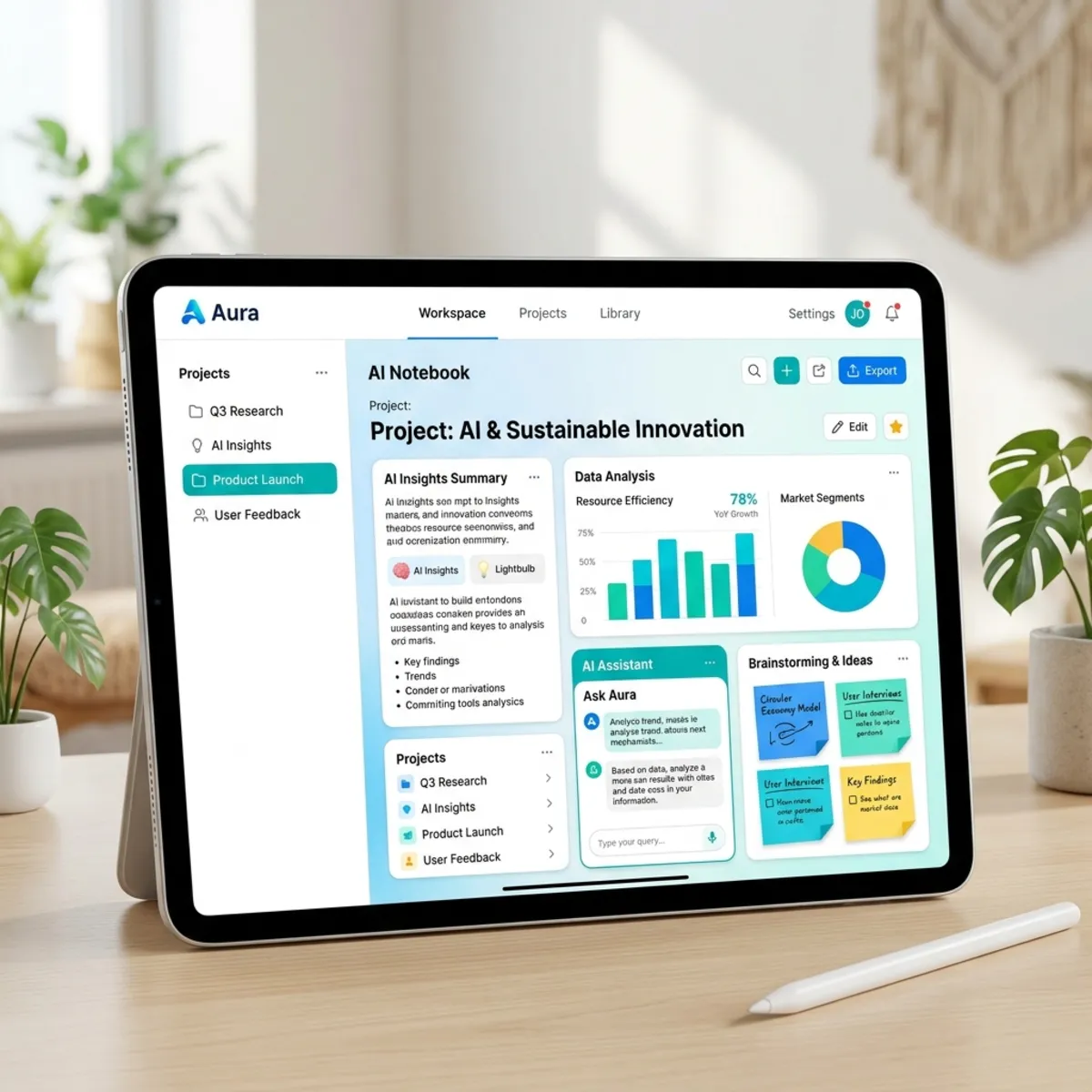
Copilot Notebooks provides a persistent workspace in which users gather reference material and work with Copilot against that curated context. Microsoft expanded Notebooks to Copilot Chat users in June 2026, rather than limiting the experience to Microsoft 365 Copilot-licensed users. The available capabilities can still vary by license and rollout channel.2
The source material’s broader “research then produce” idea is directionally correct, but the exact capabilities need to be separated:
- Excel creation from a Notebook rolled from Frontier toward worldwide availability in June. The Excel agent uses notebook references, asks clarifying questions, and creates a spreadsheet that can be refined in Excel.6
- Teams meeting references bring transcripts, notes, chats, and shared content from an individual meeting into a Notebook; Microsoft described worldwide rollout in June after a May Frontier phase.6
- Outlook email references were scheduled to begin rolling out in July 2026.2
- Mind maps and study-guide learning tools are part of the expanded Notebook experience available to Copilot Chat users.2
- OneNote synchronization allows the Microsoft 365 Copilot app and OneNote app to work with the same notebook context.6
The transcript’s stronger claim—turning any Notebook into Word, Excel, or PowerPoint in one click—goes beyond what these sources establish. The verified Excel flow should not be generalized into universal one-click production for every Office file type. I also could not verify the stated iPhone session that combines audio, images, and typed notes, so that claim remains excluded.
Outlook: useful changes, but several claims need separation
Microsoft documented targeted refinement of selected text directly in the Outlook compose canvas on the web. Access to Copilot settings from classic Outlook for Windows was scheduled to roll out in July 2026.2
The source transcript mixed those items with features from other release waves and with claims I could not verify in the June roundup:
- The account selector for users with multiple Copilot-enabled accounts in Outlook for Windows rolled out in May, not June.6
- The claim that unlicensed Outlook users can reason over their entire inbox and calendar was not substantiated by the reviewed Microsoft announcements. It should not be presented as generally available without a license-specific source.
- I could not validate the described compose-side coaching experience or Copilot integration in the iOS file previewer in the reviewed release sources.
This is a useful example of why release roundups need discipline. A collection of roadmap items can easily blur together generally available features, gradual rollouts, public previews, Frontier experiments, and future targets. Those labels are part of the technical truth.
Multi-model orchestration: capability without a single-model assumption
Cowork uses a multi-model design and can either let the user choose a supported model or select one based on the task. Current Microsoft documentation lists Claude Opus 4.8 and Sonnet 5 as model options, Claude Fable 5 as an administrator-enabled preview model with a data-retention requirement, GPT-5.5, and Imagen 2 for image generation. The June roundup separately described automatic use of GPT-5.5 Thinking and Anthropic models in Frontier.247
This corrects the model names in the original draft while also showing why a static list ages quickly. The source transcript’s references to MAI Image 2 and Flux 2 Flex were not supported by the reviewed June documentation. Microsoft instead documented other image-generation naming for Cowork, and the official sources themselves are not fully aligned on whether to label that engine ChatGPT Images 2.0 or Imagen 2.24
Think of this as workload routing. The product can match different work to different engines instead of treating one model as optimal for every task. That can improve capability and efficiency, but it also means architects must track subprocessors, model availability, regional support, policy settings, data-retention behavior, and preview boundaries.
Usage-based billing changes the operating model
Cowork’s commercial model has two layers. Microsoft states that users require a Microsoft 365 Copilot User Subscription License, while Cowork execution is billed separately on a usage basis through Copilot Credits. The credit cost of a task depends on model use, context retrieval, tool calls, and runtime.1
This is a legitimate FinOps concern because the architecture itself creates variable consumption. A long-running task that retrieves broad context, invokes multiple tools, and produces several artifacts is materially different from a short chat response.
Microsoft’s Cost Management dashboard in the Microsoft 365 admin center supports:
- credit allocation and spending policies;
- monthly limits at policy and optional user level;
- targeting through security groups;
- alerts at configured thresholds;
- visibility by user, group, service, or agent;
- prepaid credits and pay-as-you-go consumption; and
- hard stops when a configured monthly limit is reached.89
Cowork is off by default, and administrators activate usage-based billing before users can consume the service. Microsoft currently documents this management experience for Cowork and the Work IQ API, with more services expected over time.18
Microsoft also announced group- or team-level cost reporting in Insights for July 2026 and agent metrics for custom reporting in public preview in July, with broader availability then targeted for September. Those are upcoming analytics capabilities, not controls that were already available at Cowork’s June 16 general-availability date.2
Practical starting point: enable Cowork for a bounded security group, use a limited monthly budget, configure user ceilings and alerts, and review consumption by task pattern before expanding access.
That is not merely a cost-control tactic. It creates the evidence needed to compare consumption with useful work completed.
Microsoft lists pay-as-you-go at $0.01 per Copilot Credit and offers prepaid purchase plans that can provide discounts for committed volume.19 That published unit price is not enough to quote a cost per user or task. Actual cost varies with the work performed. Any forecast should therefore be labeled as an estimate and should state assumptions about user segments, task frequency, and the mix of light, medium, and heavy tasks. Microsoft provides a Cowork estimator for this purpose.18
Security and compliance: inherited controls, not blanket guarantees
Agentic work expands the importance of security and compliance because the system can create artifacts and propose actions, not merely generate text.
At general availability, Microsoft documented support for sensitivity-label inheritance and display, audit logging, Data Security Posture Management, eDiscovery, Insider Risk Management, Data Lifecycle Management, and Communication Compliance for Cowork interactions. Microsoft’s June roundup also reported that Purview DLP controls could restrict external emails from being used as grounding data in public preview, with general availability then targeted for July 2026.12
These controls should be described precisely:
- Sensitivity inheritance helps generated artifacts carry forward protection from their sources; it does not prove the generated content is accurate or appropriately classified in every scenario.
- Audit and eDiscovery improve observability and investigation; they do not prevent every undesirable action.
- DLP restrictions on external email grounding reduce one path for untrusted context; they do not make all grounding sources trustworthy.
- Approval checkpoints keep the user involved in consequential actions; they are not a replacement for least privilege or good data hygiene.
The source transcript also grouped together watermarks for AI-generated content and Endpoint DLP for Copilot and Recall snapshots. Microsoft’s May roundup documents a different watermark capability: attendee-email watermarks for sensitive Teams meeting content. That should not be generalized into universal watermarking of all AI-generated content. I also could not validate the Endpoint DLP and Recall-snapshot statement as part of this Cowork release, so it is not presented as a confirmed June capability.6
What this evolution means in practice
The move from assistance to execution creates four architectural consequences.
1. Prompts are becoming plans
A good agentic request should define the desired outcome, available sources, constraints, approval boundaries, and acceptance criteria. “Create a deck” is vague. “Create a ten-slide decision deck from this SharePoint library, use the approved brand kit, cite every external claim, and stop before sharing it” gives the system a usable contract.
2. Reusable instructions become organizational assets
Skills, workbook rules, personalization, and brand kits are all mechanisms for retaining intent. They reduce the need to restate conventions and can make outputs more consistent. They also require ownership: someone must maintain them when processes, brands, or policies change.
3. Human control moves to checkpoints
In chat, the human performs almost every action after reading the answer. In agentic work, the human increasingly defines the boundary, reviews the plan, approves sensitive steps, and validates the outcome. The role shifts from manual operator to supervisor—but accountability does not disappear.
4. Consumption follows complexity
A seat license remains important, but some agentic work introduces variable runtime consumption. This creates a direct link between task design and spend. Narrower context, clearer instructions, appropriate model choice, and reusable skills can reduce unnecessary work while improving output quality.
A practical adoption pattern
A sensible rollout should follow the architecture rather than the hype:
- Choose repeatable, reviewable work. Start with tasks that have clear inputs, outputs, and an accountable owner.
- Define completion. State what a good result contains and which actions require approval.
- Constrain context. Use the smallest reliable source set that can support the task.
- Create a skill when the pattern repeats. Capture workflow, format, checks, and escalation points.
- Enable a controlled cohort. Use security-group-scoped spending policies, ceilings, and alerts.
- Inspect both quality and consumption. Measure useful outcomes, not prompts alone.
- Expand only after observing failure modes. Review inaccurate retrieval, missing sources, excessive tool calls, user overrides, and rejected outputs.
This approach treats Cowork as a new execution surface—not as a feature that should be switched on everywhere without design work.
The real evolution: from interface to operating layer
Microsoft 365 Copilot is no longer evolving only by adding better chat responses. The deeper change is the emergence of an operating layer for knowledge work:
- Work IQ supplies organizational context.
- Cowork plans and executes multi-step work.
- Skills retain reusable procedures.
- Plugins extend the systems and expertise available to the agent.
- Microsoft 365 apps become editing and execution surfaces.
- Approvals and Purview controls provide oversight.
- Copilot Credits and Cost Management make variable consumption visible and governable.
That does not make Copilot an independent employee, and it does not make every preview capability production-ready. “Digital co-worker” is a useful metaphor only if we keep the boundaries visible: the system operates through permissions, configured tools, supported models, available context, approval gates, and explicit budgets.
The most important change is therefore not autonomy by itself. It is bounded agency—the ability to delegate meaningful work while retaining evidence, control, and accountability.
Sources
Footnotes
-
Microsoft, Copilot Cowork is now generally available, June 16, 2026. ↩ ↩2 ↩3 ↩4 ↩5 ↩6 ↩7
-
Microsoft Tech Community, What’s New in Microsoft 365 Copilot | June 2026, June 30, 2026. ↩ ↩2 ↩3 ↩4 ↩5 ↩6 ↩7 ↩8 ↩9 ↩10 ↩11 ↩12 ↩13 ↩14 ↩15 ↩16 ↩17 ↩18 ↩19 ↩20 ↩21 ↩22 ↩23 ↩24 ↩25 ↩26 ↩27 ↩28 ↩29
-
Microsoft Learn, Copilot Cowork overview, updated June 24, 2026. ↩ ↩2 ↩3
-
Microsoft Learn, What’s new in Copilot Cowork, updated July 2, 2026. ↩ ↩2 ↩3 ↩4 ↩5 ↩6 ↩7
-
Microsoft, Copilot Cowork: From conversation to action across skills, integrations, and devices, May 5, 2026. ↩
-
Microsoft Tech Community, What’s New in Microsoft 365 Copilot | May 2026, May 29, 2026. ↩ ↩2 ↩3 ↩4 ↩5 ↩6
-
Microsoft Learn, Manage Copilot Cowork for your organization, updated July 2, 2026. ↩
-
Microsoft Learn, Understand usage-based billing and cost management for Copilot Credits, updated June 26, 2026. ↩ ↩2 ↩3
-
Microsoft Learn, Managing AI experiences enabled by usage-based billing, updated July 10, 2026. ↩ ↩2
Read next