Secure Power Automate with Azure Key Vault Secrets

Writer
Secure Power Automate with Azure Key Vault Secrets: A Governance Guide for IT and FinOps Leaders
Hardcoded secrets are not a developer shortcut. They are an operational liability.
A SQL password inside a Power Automate flow may feel harmless when a team is moving fast. But at enterprise scale, that password becomes a governance problem: it follows the flow into every environment, appears in places administrators did not intend, complicates audits, and creates expensive rework when credentials rotate.
The better model is simple:
Power Platform should know where the secret lives. Azure Key Vault should own the secret itself.
That distinction matters. For IT leaders, it reduces blast radius. For tenant administrators, it creates a repeatable control pattern. For FinOps practitioners, it prevents the slow and silent growth of unmanaged premium automations, duplicate vault designs, and emergency remediation work.
Microsoft supports this model through Power Platform environment variables of type Secret, backed by Azure Key Vault. The real secret is stored in Key Vault. Dataverse stores a reference to the vault location, and Power Automate retrieves the value through a Dataverse unbound action when the flow runs. Microsoft documents that Key Vault-backed environment variable secrets are available for Power Automate flows and custom connectors, while the actual secret remains in Azure Key Vault rather than being stored directly in Power Platform. 1
This article reframes the setup as a strategic operating model, not just a configuration checklist.
The mental model: hotel safe, room key, and audit desk

Think of secret handling like a hotel:
| Concept | Analogy | Platform equivalent |
|---|---|---|
| The valuable item | Passport locked in the hotel safe | API key, SQL password, connection string |
| The safe | Secure storage controlled by hotel staff | Azure Key Vault |
| The room key card | Reference that lets you request access | Secret environment variable in Dataverse |
| The front desk access check | Identity and permission validation | Azure RBAC and Dataverse service principal access |
| Security camera logs | Evidence of who accessed what and when | Flow run history, Azure audit logs, Power Platform monitoring |
The flow should never carry the passport around in its pocket. It should request the secret only when needed, with the right identity, and with logging controls that avoid exposing the value.
That is the governance pattern.
What changes when you use Secret environment variables?
Standard environment variables are excellent for configuration values such as site URLs, feature flags, region codes, or queue names. Secret environment variables are different: they point to Azure Key Vault instead of storing the sensitive value directly in Power Platform.
Standard Power Platform environment variables support several data types, including:
- Decimal number
- JSON
- Text
- Yes/No
- Data source
- Secret
The important governance point is that these are not just technical types. They are control choices. A Text variable is fine for a SharePoint URL. A Yes/No variable is useful for a feature flag. A Secret variable is the right pattern for API keys, SQL connection strings, passwords, and other values where exposure creates business risk.
| Requirement | Standard environment variable | Secret environment variable backed by Azure Key Vault |
|---|---|---|
| Store non-sensitive configuration | Yes | Possible, but unnecessary |
| Store credentials or API keys | No | Yes |
| Appears in Power Automate dynamic content | Yes | No, by design |
| Secret stored directly in Dataverse | Not applicable for normal text values | No, Dataverse stores a reference to the Key Vault secret location |
| Recommended for ALM across dev, test, and production | Yes | Yes, with separate vaults and secrets per environment |
| Requires Azure permission configuration | No | Yes |
| Requires care with flow run history | Sometimes | Always |
Rule of thumb:
- If a business user can read it without causing risk, use a normal environment variable.
- If rotating it would trigger an incident bridge, put it in Key Vault.
- If it unlocks a production system, treat it as a secret even if the team calls it “just a config value.”
Why this matters to IT leaders
The business value is not “we used Key Vault.” The business value is controlled automation at scale.
When Power Automate adoption grows, the risk profile changes. The issue is no longer one developer accidentally pasting a password into a flow. The issue is hundreds or thousands of automations created by different teams, with inconsistent ownership, inconsistent logging practices, and unclear cost accountability.
A Key Vault-backed environment variable pattern gives you four concrete levers:
| Governance lever | What it controls | Why leadership should care |
|---|---|---|
| Secret ownership | Secrets live in Azure Key Vault, not inside individual flows | Easier rotation, clearer accountability, cleaner audits |
| Environment separation | Dev, test, UAT, and production can point to different vaults or secret names | Reduces accidental production access from non-production flows |
| Role-based access | Only approved identities can retrieve secrets | Shrinks blast radius |
| Run history masking | Secure Inputs and Secure Outputs prevent accidental exposure | Prevents “secure storage, insecure logging” failures |
This is one of those patterns where the technology is simple, but the governance impact is large.
Directional cost intuition, not a quote
Let’s address the FinOps angle directly: Key Vault-backed secrets are usually not expensive. Poor design patterns are.
As of Microsoft’s public Azure Key Vault pricing page, Standard and Premium vault secret operations are listed at $0.03 per 10,000 transactions. Microsoft also states that Azure prices are estimates and not actual quotes because final pricing depends on agreement, date of purchase, currency, and other factors. 2
Use the following as a directional planning aid only, not a pricing quote:
| Scenario | Monthly secret reads | Directional Key Vault secret operation cost |
|---|---|---|
| Small departmental automation | 10,000 | About $0.03 |
| 100 flows, each reading a secret 100 times per month | 10,000 | About $0.03 |
| 500 flows, each reading a secret 1,000 times per month | 500,000 | About $1.50 |
| Bad pattern: high-volume flow reads a secret on every transaction, 10 million transactions per month | 10,000,000 | About $30.00 |
The lesson is not “Key Vault is expensive.” It usually is not. The lesson is:
Cost follows architecture. Fetch secrets intentionally, not accidentally.
For most Power Automate scenarios, the larger cost and licensing conversations are more likely to come from premium connector usage, Power Automate licensing model, process licensing, operational support, and remediation effort, not from Key Vault secret operation charges alone. Microsoft’s Power Automate licensing documentation distinguishes between user licensing and capacity or process licensing, and notes that flows with premium capabilities require the appropriate license model. 3 4
The strategic architecture

Here is the architecture in plain English:
- Azure Key Vault stores the real secret.
- Azure RBAC grants read access to the right human administrators and the Dataverse service principal.
- Dataverse environment variable stores a reference to the Key Vault secret location.
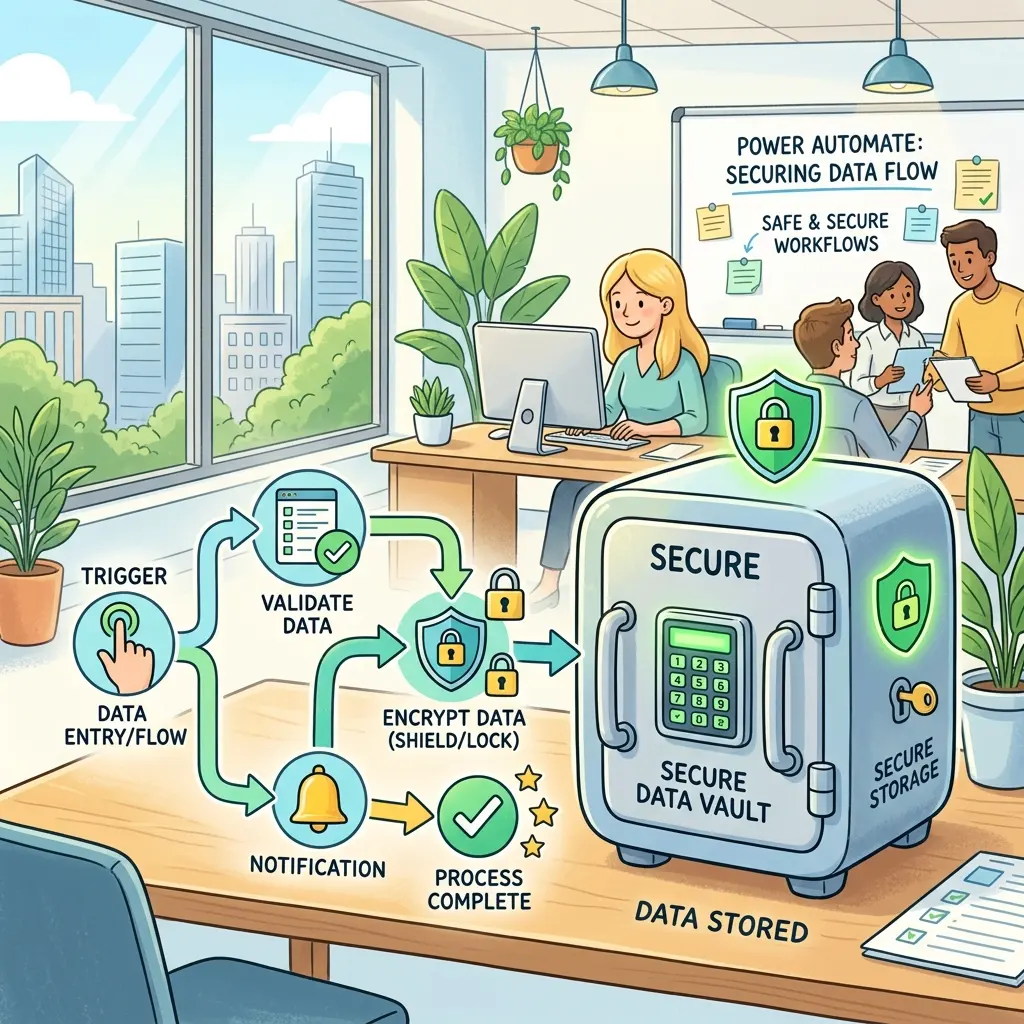
- Power Automate retrieves the secret through the Dataverse action
RetrieveEnvironmentVariableSecretValue. - Secure Inputs and Secure Outputs prevent the secret value from appearing in flow run history.
- ALM pipelines move the solution across environments, while each environment points to the correct vault and secret reference.
This gives you separation of duties:
| Responsibility | Owned by | Typical control |
|---|---|---|
| Vault creation and security posture | Azure platform team | Azure RBAC, subscription policies, diagnostics |
| Environment variable definition | Power Platform admin or solution owner | Managed solution governance |
| Secret value and rotation | Security, platform, or workload owner | Key Vault versioning and rotation process |
| Flow design | Maker or automation team | Secure Inputs/Outputs, connector policy compliance |
| Cost monitoring | FinOps and platform operations | Azure cost analysis, Power Platform inventory, environment strategy |
Prerequisites: what must be true before makers start
Before you ask makers to build with Key Vault-backed secrets, set the platform foundation.
| Prerequisite | Why it matters | Governance recommendation |
|---|---|---|
| Azure subscription access | Key Vault lives in Azure | Use a platform-owned subscription or workload subscription with clear ownership |
| Key Vault provisioned | Stores the real secret | Prefer separate vaults per environment for production isolation |
| Microsoft.PowerPlatform resource provider registered | Allows Power Platform integration with the Azure subscription | Make this part of your platform landing zone checklist |
| Azure RBAC permissions assigned | Lets users and Dataverse retrieve the secret | Use least privilege and avoid broad contributor access |
| Power Platform environment with Dataverse | Secret environment variables are Dataverse solution components | Use managed environments for governed production scenarios where appropriate |
| Licensing model understood | Dataverse connector usage and premium automation patterns can affect licensing | Review licensing before broad rollout, not after adoption |
Microsoft’s documentation states that the Azure subscription containing the vault must have the Microsoft.PowerPlatform resource provider registered, and that users who create or use secret environment variables need appropriate permissions to retrieve the secret contents. 1
Step 1: Create the vault with environment separation in mind
A common anti-pattern is one shared “enterprise secrets vault” used by every app, every environment, and every team. It looks efficient at first. It becomes painful later.
A better starting model:
| Environment | Recommended vault pattern | Why |
|---|---|---|
| Development | Dedicated dev vault or workload-specific dev vault | Allows experimentation without production exposure |
| Test or UAT | Separate test/UAT vault | Supports realistic validation without using production secrets |
| Production | Dedicated production vault | Strongest access control and audit posture |
Microsoft itself recommends considering a separate vault for every Power Platform environment to reduce risk if a breach occurs. 1
Practical naming pattern:
kv-contoso-claims-devkv-contoso-claims-uatkv-contoso-claims-prod
Keep the names boring. Boring is good. Boring survives audits.
To create the secret itself in Azure Key Vault, open the vault, go to Secrets, select Generate/Import, provide the secret name and value, optionally set expiration metadata, and create it. Capture the exact Subscription ID, Resource Group, Key Vault name, and Secret name because those values are needed when you map the Dataverse environment variable.
Step 2: Register the Power Platform resource provider
If the Azure subscription is not prepared, creating the secret environment variable can fail with an authorization or verification error. The root cause is usually that the Azure and Power Platform control planes have not been explicitly connected.
In the Azure portal:
- Open the target Azure subscription.
- Select Resource providers.
- Search for
Microsoft.PowerPlatform. - If it is not registered, select Register.
This is not a maker task. Treat it as a platform setup task owned by Azure or Power Platform administrators.
Step 3: Assign the right permissions
There are two identities to think about.
| Identity | Why it needs access | Recommended permission pattern |
|---|---|---|
| Configuring user | Validates and configures the environment variable reference | Grant the minimum Key Vault permissions required to retrieve the secret during setup |
| Dataverse service principal | Retrieves the secret value at runtime for Power Platform | Grant Key Vault Secrets User on the vault or the required scope |
Microsoft documentation notes recent changes around the security role used to assert access permissions, and recommends adding the Key Vault Secrets User role so both users and Microsoft Dataverse have sufficient permissions to retrieve secrets. It also recommends using the Azure role-based access control permission model for simpler configuration. 1
Expert note: The Dataverse first-party enterprise application is commonly
identified by application ID 00000007-0000-0000-c000-000000000000. If
multiple Dataverse identities appear during assignment, validate the identity
carefully and remove incorrect entries rather than granting broad access.
Admin note: Some older guidance mentions Key Vault Reader. Do not rely
on old blog screenshots alone. Validate against current Microsoft
documentation and your organization’s Azure RBAC model.
Step 4: Create the Secret environment variable in a solution
In Power Apps:
- Open the target unmanaged solution.
- Select New > More > Environment variable.
- Set the data type to Secret.
- Select Azure Key Vault as the secret store.
- Provide the vault reference details, including subscription, resource group, vault name, and secret name.
You are not pasting the secret value into the solution. You are creating a reference.
That distinction is the whole point.
Standard text variables: the easy path
Before discussing the secret retrieval pattern, it is worth showing the normal maker experience. For a standard text environment variable, such as a Dev, Test, UAT, or Production SharePoint URL, makers can usually retrieve it directly from the Power Automate designer:
- Add a Compose action or another action that needs the value.
- Open Dynamic content.
- Expand Parameters or select See more.
- Choose the environment variable.
That is the experience makers expect. It works because the value is normal configuration, not protected secret material.
Secret variables intentionally break that pattern. They do not appear in the same dynamic content list because exposing them there would make accidental leakage too easy.
Step 5: Retrieve the secret in Power Automate
Here is the part that surprises many makers: Secret environment variables do not appear in the normal Power Automate dynamic content picker. Microsoft documents this behavior: environment variables referencing secrets are not currently available from the dynamic content selector in Power Automate flows. 1
To retrieve the value, use the Microsoft Dataverse connector:
- Add a new step in the flow.
- Choose Microsoft Dataverse.
- Select Perform an unbound action.
- Choose
RetrieveEnvironmentVariableSecretValue. - Provide the environment variable logical name, not the display name.
| Name type | Example | Use it here? |
|---|---|---|
| Display name | SQL Connection String | No |
| Logical name | contoso_sqlconnectionstring | Yes |
Key takeaway: If the action cannot find the variable, check the logical name before you check everything else.
Step 6: Mask the run history immediately

This is the most important operational control in the entire article.
If your flow retrieves a secret securely from Key Vault but then writes it into Power Automate run history, you have not solved the problem. You have moved the leak.
For the unbound action and any later action that consumes the secret:
- Open the action settings.
- Turn on Secure Inputs where the action receives secret material.
- Turn on Secure Outputs where the action returns secret material.
- Save and publish the flow.
- Confirm the run history masks the value after testing.
| Flow action | Secure Inputs | Secure Outputs | Why |
|---|---|---|---|
| Dataverse unbound action retrieving the secret | Recommended | Required | Prevents the retrieved secret from appearing in run history |
| HTTP action using the secret in a header | Required | Depends on response content | Prevents bearer tokens, API keys, or passwords from being logged |
| Compose action used only for debugging | Avoid in production | Avoid in production | Compose is where secrets often get accidentally exposed |
| Error handling step | Review carefully | Review carefully | Failure payloads can leak request details |
Rule of thumb: Any action that touches the secret inherits the secret-handling obligation.
Safe rollout plan for tenant administrators
Do not roll this out as a loose tip in a Teams chat. Roll it out as a control pattern.
| Phase | Goal | Admin actions | Success signal |
|---|---|---|---|
| 1. Define the pattern | Create one approved way to handle secrets | Publish a short standard covering Key Vault, environment variables, secure outputs, and naming | Makers stop asking, “Where should I put this password?” |
| 2. Pilot with one workload | Validate the pattern end to end | Choose one flow, one vault, one environment variable, one production owner | Secret retrieval works and run history is masked |
| 3. Add guardrails | Prevent inconsistent implementations | Create DLP policies, managed environment strategy, solution review checklist | New production flows follow the same pattern |
| 4. Scale by environment | Apply across dev/test/prod | Use environment-specific vaults and deployment variables | Non-production does not use production secrets |
| 5. Monitor and optimize | Keep cost and risk visible | Review Key Vault operations, premium connector inventory, flow ownership | No orphaned secret flows or unmanaged vault sprawl |
Governance decision guide
Use this quick guide when deciding how strict to be.
| Situation | Recommended approach |
|---|---|
| Personal productivity flow using SharePoint and Outlook only | Normal environment variables may be enough |
| Departmental flow calling an external API | Use Key Vault-backed Secret environment variable |
| Flow connects to production finance, HR, identity, or customer data | Use Key Vault, secure run history, formal owner, and production review |
| Secret value must rotate regularly | Use Key Vault and document rotation ownership before go-live |
| High-volume flow retrieves secret repeatedly | Review caching and design. Avoid retrieving secrets inside unnecessary loops |
| Maker wants to paste a password into Compose “for testing” | Block the pattern. Use controlled test secrets and make masking mandatory |
Platform routing strategy: where should the secret be retrieved?
Not every automation should retrieve secrets the same way.
| Pattern | When to use | Governance comment |
|---|---|---|
| Power Automate retrieves Key Vault-backed environment variable | Best for low-code flows needing a secret at runtime | Good default pattern for governed Power Platform automations |
| Custom connector uses environment variable secret | Useful when centralizing API access behind a connector | Stronger reuse model, but requires connector governance |
| Azure Function or API layer retrieves Key Vault secret | Best when business logic already belongs in Azure | Keeps secrets out of maker-authored flows, but adds engineering ownership |
| Direct secret stored in flow action | Avoid | Usually fails governance and audit expectations |
The strategic decision is not just “Can Power Automate do it?” The better question is:
Which platform should own the responsibility for secret retrieval, audit, throttling, and failure handling?
For many enterprise automations, Power Automate can safely orchestrate the process while Azure or a custom connector owns the more sensitive integration boundary.
Common mistakes and how to prevent them
| Mistake | Why it happens | Prevention |
|---|---|---|
| Secret stored as a text environment variable | Team understands ALM but not secure secret handling | Add a review rule: credentials must use Secret type |
| Production and dev point to the same vault secret | Fast setup, weak environment strategy | Require one secret reference per environment |
| Secure Outputs left off during testing | Maker wants to inspect the value | Use temporary test secret, then enforce masking before production |
| Display name used instead of logical name | UI hides implementation detail | Document logical names in the solution design |
| One vault shared by every workload | Centralization mistaken for governance | Separate by environment and critical workload where appropriate |
| Nobody owns rotation | Secret setup treated as project work, not lifecycle work | Assign a named platform or workload owner |
Troubleshooting without weakening controls
“This variable didn’t save properly” or permission verification fails
Check the likely causes in this order:
- Is
Microsoft.PowerPlatformregistered in the Azure subscription? - Does the configuring user have permission to retrieve the secret?
- Does the Dataverse service principal have the required Key Vault secret access?
- Is the vault using the expected permission model?
- Are the subscription ID, resource group, vault name, and secret name correct?
The secret variable does not appear in Dynamic Content
That is expected behavior. Secret environment variables are not exposed through the normal dynamic content selector in Power Automate. Use the Dataverse unbound action instead. 1
The unbound action cannot retrieve the value
Check these first:
- You entered the logical name, not the display name.
- The flow is running in the expected environment.
- The Dataverse service principal has Key Vault secret retrieval access.
- The secret name exists in the vault and has not been disabled or expired.
You need to test the value
Use a non-production secret value and a non-production environment. If you temporarily disable Secure Outputs to validate retrieval, re-enable it before the flow is shared, exported, or promoted.
A better practice is to test with a harmless sentinel value such as test-secret-retrieved, prove the plumbing works, and then move the production secret behind the same pattern.
Power Automate opens the Classic designer instead of the modern interface
If the flow keeps opening in the Classic interface, use a low-risk reset pattern: create a new simple flow, add a single Compose action with dummy text, save it, exit, and reopen the flow. In many tenants this nudges the designer back into the modern experience. Treat this as a UI workaround, not an architectural dependency.
Manual testing fails with a Common Data Service UI error
During manual testing, some makers have seen an error similar to cannot read properties of undefined reading common data service for app. If the configuration is otherwise correct, cancel the test, return to Edit, select Test manually again, and rerun it. If it still fails, continue with the normal checks: environment, logical name, Dataverse permissions, and Key Vault access.
Cost and control checklist for FinOps
For FinOps teams, the question is not whether Key Vault costs a few cents or a few dollars. The better question is whether the automation estate is measurable and governed.
Ask these questions during review:
| FinOps question | Why it matters |
|---|---|
| How many flows retrieve secrets? | Establishes inventory and operating risk |
| Are secrets fetched per run, per transaction, or inside loops? | Determines operation volume |
| Which flows use premium connectors such as Dataverse? | Affects licensing and adoption cost |
| Are production flows owned by service accounts, users, or process licenses? | Prevents orphaned automation and licensing surprises |
| Are vaults tagged by workload, owner, environment, and cost center? | Supports chargeback/showback |
| Are stale secrets and unused environment variables reviewed? | Reduces hidden operational debt |
Directional math shortcut:
Again, this is a planning aid based on public list pricing, not a quote. Validate pricing against your Microsoft agreement and region before budgeting. 2
What I would standardize in every tenant
If I were defining the enterprise standard, I would keep it opinionated:
- No production secrets in plain text environment variables.
- No production secrets directly embedded in flow actions.
- Separate vaults for dev, test/UAT, and production unless there is a documented exception.
- Dataverse service principal gets only the access it needs.
- Secure Inputs and Secure Outputs are mandatory for any action that touches a secret.
- Every production secret has an owner, rotation expectation, and recovery path.
- Every solution design includes a licensing check, especially when Dataverse or other premium capabilities are involved.
- Makers get a template flow and checklist, not a blank page.
This is how you turn a secure configuration into a repeatable operating model.
Final takeaway
Azure Key Vault-backed environment variables are not just a security trick for Power Automate. They are a governance pattern.
They let IT leaders separate automation design from secret ownership. They help tenant administrators reduce blast radius. They give FinOps teams a clearer view of which automation patterns drive cost. And they give makers a safer path to build useful flows without turning every credential into a future incident.
The punchline is simple:
Do not teach makers to hide secrets better. Teach the platform to avoid holding them in the first place.
Sources
Footnotes
-
Microsoft Learn, “Use environment variables for Azure Key Vault secrets.” https://learn.microsoft.com/en-us/power-apps/maker/data-platform/environmentvariables-azure-key-vault-secrets ↩ ↩2 ↩3 ↩4 ↩5 ↩6
-
Microsoft Azure, “Key Vault pricing.” https://azure.microsoft.com/en-us/pricing/details/key-vault/ ↩ ↩2
-
Microsoft Learn, “Power Automate licensing FAQ.” https://learn.microsoft.com/en-us/power-platform/admin/power-automate-licensing/faqs ↩
-
Microsoft Learn, “Types of Power Automate licenses.” https://learn.microsoft.com/en-us/power-platform/admin/power-automate-licensing/types ↩
Read next