Protecting a Web API and MCP Server with Microsoft Entra ID

Writer
Protecting a Web API and MCP Server with Microsoft Entra ID
Enterprise web applications have called protected business APIs for years. The frontend signs in a user, obtains an API access token, and calls a backend that enforces business authorization, data access, and audit controls.
An HTTP Model Context Protocol server introduces a new client path into that architecture:
The MCP server should not bypass the API or reimplement its authorization rules. It should authenticate the user, expose carefully designed tools, and call the same protected API under the user’s delegated identity.
This guide focuses on that path:
- Protect the business API with Microsoft Entra ID.
- Protect the HTTP MCP server with Microsoft Entra ID.
- Allow the MCP server to call the API through OAuth 2.0 On-Behalf-Of delegation.
- Validate the user, resource, scope, and calling application at the correct boundary.
The web application remains part of the architecture, but its sign-in implementation is outside this article.
Scope: This guide uses a single-tenant workforce deployment, delegated user access, an HTTP MCP transport, OAuth authorization code flow, and an MCP server operating as a confidential client.
The architecture and token boundaries
The design uses two Entra app registrations:
| Registration | Purpose |
|---|---|
Example Business API | Represents and protects the business API |
Example MCP Server | Represents the protected MCP resource and authenticates the MCP server for OBO |
Each registration represents a different OAuth resource and therefore has a different token audience.
The complete flow is:
- An MCP client connects to the public MCP endpoint.
- The MCP server directs the client through its OAuth authorization process.
- Microsoft Entra ID authenticates the user.
- The MCP server obtains an Entra access token intended for the MCP resource.
- When a tool needs business data, the MCP server exchanges that token through OBO.
- Entra issues a second access token intended for the business API.
- The MCP server calls the API with the API token.
- The API validates the token and applies business authorization.
The important rule is:
A token issued for the MCP server must not be sent directly to the business API.
Access tokens are resource-specific. The MCP token proves delegated access to the MCP resource. The OBO exchange produces a separate token for the API.
Use the following worksheet. The values are separated by ownership so that each setting can be mapped directly to the correct Entra app registration and runtime component.
Shared tenant value
This value is used by both the Business API and the MCP Server because both applications are registered in the same Microsoft Entra tenant.
| Property | Example value | Used by |
|---|---|---|
| Directory (tenant) ID | 11111111-1111-1111-1111-111111111111 | Business API and MCP Server |
Business API settings
These values belong to the Example Business API app registration and the API codebase.
| Property | Example value | Where it is used |
|---|---|---|
| Application (client) ID | 22222222-2222-2222-2222-222222222222 | API token audience validation and MCP-to-API scope construction |
| Application ID URI | api://22222222-2222-2222-2222-222222222222 | OAuth resource identifier configured under Expose an API |
| Delegated scope name | Api.Access | Scope definition created on the Business API registration |
| Fully qualified delegated scope | api://22222222-2222-2222-2222-222222222222/Api.Access | Scope requested by the MCP Server during the OBO exchange |
MCP Server settings
These values belong to the Example MCP Server app registration and the MCP Server codebase.
| Property | Example value | Where it is used |
|---|---|---|
| Application (client) ID | 33333333-3333-3333-3333-333333333333 | MCP token audience validation and confidential-client authentication |
| Application ID URI | api://33333333-3333-3333-3333-333333333333 | OAuth resource identifier configured under Expose an API |
| Delegated scope name | Mcp.Access | Scope definition created on the MCP Server registration |
| Fully qualified delegated scope | api://33333333-3333-3333-3333-333333333333/Mcp.Access | Scope requested when a user connects to the protected MCP Server |
| Public MCP resource URL | https://mcp.example.com/mcp | Public HTTP MCP endpoint and OAuth protected-resource identity |
| Entra redirect URI | https://mcp.example.com/auth/callback | Fixed Web callback registered under Authentication |
Do not interchange the two client IDs or Application ID URIs. A token for the MCP Server has the MCP client ID as its audience, while the token produced by OBO for the Business API has the API client ID as its audience.
All values in this article are synthetic.
Level 1: The required working configuration
Level 1 creates the minimum complete chain:
Step 1: Register and expose the business API
In the Microsoft Entra admin center, open:
Entra ID → App registrations → New registration
Create:
| Setting | Value |
|---|---|
| Name | Example Business API |
| Supported account types | Accounts in this organizational directory only |
| Redirect URI | Leave blank |
A resource-only API does not require a redirect URI. It validates bearer tokens but does not perform an interactive browser sign-in.
Record:
- Application (client) ID
- Directory (tenant) ID
Expose a delegated API scope
Open Expose an API.
Set the Application ID URI:
Add a scope:
| Field | Value |
|---|---|
| Scope name | Api.Access |
| Who can consent? | Admins only |
| Admin consent display name | Access the business API |
| Admin consent description | Allow this application to call the business API on behalf of the signed-in user. |
| State | Enabled |
The fully qualified scope becomes:
The Application ID URI is an OAuth identifier. It is not the network address of the API.
Request v2 access tokens
In the API manifest, set the API’s requested access-token version to 2.
Depending on the current manifest interface, the property appears under the API configuration as:
Merge this setting into the existing manifest. Do not replace the entire api object.
For a v2 token issued to the API, expect:
The aud value is the API client GUID, not the complete scope URI.
Step 2: Protect the API code
The API is responsible for validating the token. The MCP server does not make a token safe merely by forwarding it.
At minimum, validate:
- cryptographic signature;
- issuer;
- tenant;
- audience;
- token lifetime;
- delegated scope.
For ASP.NET Core, Microsoft.Identity.Web provides the normal protected-API integration:
Example configuration:
Do not decode a JWT and then trust its payload. Token decoding is not token validation.
Use a supported JWT or identity library that validates the signature against Entra’s published signing keys and handles signing-key rotation.
Step 3: Register the MCP server
Create a second app registration:
| Setting | Value |
|---|---|
| Name | Example MCP Server |
| Supported account types | Accounts in this organizational directory only |
| Redirect platform | Web |
| Redirect URI | https://mcp.example.com/auth/callback |
The redirect URI is where Entra returns the authorization response to the MCP server’s OAuth proxy.
It is not:
- the
/mcpprotocol endpoint; - the business API endpoint;
- the callback of Cursor, Claude, VS Code, or another MCP client.
Record the MCP application’s client ID.
Expose the MCP resource
Under Expose an API, configure:
Set the MCP registration’s requested access-token version to 2.
The access token initially obtained for the MCP server should contain:
Create a development credential
Under Certificates & secrets, create a client secret for the MCP application.
Copy the secret value, not the secret identifier, and store it in an approved secret store.
The MCP application uses this credential when authenticating itself during the OBO exchange.
For production, prefer a certificate or a supported workload identity federation configuration. That is covered under Level 3.
Step 4: Give MCP delegated access to the API
Open:
App registrations → Example MCP Server → API permissions
Add:
- My APIs
- Example Business API
- Delegated permissions
Api.Access
Grant administrator consent for the tenant.
This creates the client-to-resource relationship:
This is a delegated permission. It does not give the MCP application unrestricted app-only access to the API.
If the MCP server’s sign-in implementation requires its own Mcp.Access permission to be included in declared permissions, include that permission and grant the corresponding consent as well. The exact declaration depends on the MCP authorization provider or proxy implementation.
Step 5: Protect the HTTP MCP endpoint
An authenticated HTTP MCP server has responsibilities beyond displaying an Entra login page.
The server must:
- advertise how clients discover authorization;
- protect the
/mcpendpoint with bearer authentication; - validate tokens against the expected issuer and audience;
- require the MCP scope;
- return an appropriate bearer challenge when authentication is missing;
- ensure tokens issued for another resource are rejected.
The MCP authorization model treats the MCP server as an OAuth protected resource. For HTTP transports, clients discover the authorization server through protected-resource metadata rather than relying on a normal web-page redirect.
Conceptually, the server publishes metadata similar to:
The exact routes and metadata shape should be generated by the MCP framework rather than hand-built where framework support exists.
FastMCP with Microsoft Entra ID
FastMCP’s Azure provider uses an OAuth proxy because Entra app registrations do not expose general-purpose Dynamic Client Registration for arbitrary MCP clients.
The proxy separates two relationships:
A representative configuration looks like:
Confirm the constructor and deployment options against the FastMCP version used by the project. Authentication interfaces are still evolving, and production code should pin the framework version.
Do not place MCP_CLIENT_SECRET in source control, an MCP client configuration file, or a browser-delivered environment.
Step 6: Exchange the MCP token for an API token
When a tool needs to call the business API, the MCP server performs OBO.
The assertion must be the user’s Entra access token for the MCP resource. Do not use:
- an ID token;
- a gateway-issued session token;
- an API token from another user;
- an access token whose audience is Microsoft Graph.
The protocol request is:
In production code, use MSAL or framework-native OBO support instead of manually maintaining this request:
A tool can then call the API:
get_current_entra_access_token() represents the framework-specific method for retrieving the validated upstream Entra token associated with the current MCP request. Do not substitute an unvalidated client-supplied string.
Step 7: Verify the token chain
A successful browser sign-in does not prove that OBO or API authorization works.
Verify both tokens.
Token presented to MCP
Expected properties:
Token presented to the API
Expected properties:
The exact claim set can vary. The API should rely only on documented claims necessary for its authorization decisions.
At the end of Level 1, you have a complete delegated identity chain:
Level 2: Add business authorization and access governance
Level 1 answers whether the client may call the API.
Level 2 answers what the user may do after reaching it.
Define API app roles
Create roles on the business API registration:
| Display name | Value | Allowed members |
|---|---|---|
| API Reader | Api.Reader | Users/Groups |
| API Operator | Api.Operator | Users/Groups |
| API Administrator | Api.Admin | Users/Groups |
Assign users or groups through the API’s Enterprise application.
The API can then enforce both delegation and business privilege:
For a modifying operation:
Scopes and roles are not interchangeable:
scpanswers whether the client has delegated permission to call the resource.rolesanswers what the signed-in user may do inside the application.
Require Enterprise application assignment
For an internal restricted deployment:
- Open the API’s Enterprise application.
- Set Assignment required? to Yes.
- Assign approved users or groups to API roles.
- Optionally require assignment on the MCP Enterprise application as well.
The assignments serve different purposes:
- MCP assignment controls who can connect to the MCP service.
- API assignment and roles control who can access business capabilities.
Restrict approved calling applications
A valid API token can still have been acquired by an unintended client that has permission to request the API scope.
The API should therefore validate the calling application when the design requires a fixed client allowlist.
For v2 tokens, inspect azp:
If the same API is also called by a web application or another approved client, add its client ID deliberately.
Preauthorizing a client under Expose an API → Authorized client applications can simplify consent. It does not replace API-side caller validation.
Keep tool authorization thin
An MCP tool should not become a second business-authorization system.
A good pattern is:
The business API remains responsible for:
- tenant isolation;
- row or object authorization;
- role evaluation;
- approval requirements;
- business validation;
- durable audit logging.
The MCP layer may apply additional restrictions, such as omitting dangerous tools or requiring confirmation, but it should not weaken API controls.
Level 3: Production hardening and advanced delegation
Replace static secrets
A client secret is acceptable for development when properly stored, but production deployments should consider:
- X.509 client certificates;
- workload identity federation;
- a user-assigned managed identity trusted by the app registration.
Workload identity federation does not merge a managed identity and an app registration. It configures the application to trust an external workload assertion and use it as confidential-client authentication.
Confirm that the selected identity library and MCP framework support client assertions for the OBO request before choosing this model.
Support Conditional Access challenges
Conditional Access may require MFA, authentication strength, device compliance, or another claim condition.
When an API returns a claims challenge, preserve the 401 and WWW-Authenticate semantics through the chain. The calling client must repeat authorization using the requested claims.
A custom tool response such as "MFA required" can explain the failure, but it does not complete the OAuth claims-challenge protocol.
Before promising step-up authentication, test whether the selected MCP client and OAuth proxy can:
- receive the bearer challenge;
- preserve the claims value safely;
- restart authorization;
- return to the interrupted operation.
Call downstream services from the API
If the business API must call Microsoft Graph or another protected API, the API performs a second OBO exchange:
Configure the downstream delegated permissions on the business API registration, not on the MCP registration.
The API must use its own confidential-client credential for that exchange. It submits the access token whose audience is the business API as the user assertion.
Keep this extension out of the core deployment until MCP-to-API delegation works reliably.
Separate environments
Use separate app registrations and credentials for:
- development;
- test;
- staging;
- production.
Do not mix localhost callbacks, test scopes, or development secrets into the production registration.
Secure the HTTP boundary
Entra registration does not configure:
- DNS;
- TLS;
- reverse-proxy trust;
- forwarded headers;
- CORS;
- host-header validation;
- rate limiting;
- request-size limits;
- network isolation.
Ensure the internal MCP application cannot be reached through an unprotected path that bypasses its authentication middleware.
Troubleshooting by boundary
Authentication failures are easier to diagnose when you first identify which trust boundary failed:
- MCP client to MCP server
- MCP server to Microsoft Entra ID
- MCP server to business API
- Business API authorization
- Business API to downstream services
Microsoft Entra ID error matrix
| Error or symptom | Failing boundary | Most likely cause | Check first |
|---|---|---|---|
AADSTS50011 | Entra ID → MCP callback | The redirect URI in the authorization request does not exactly match a Web redirect URI registered on the MCP application. | Verify the protocol, hostname, port, path, letter case, and trailing slash under MCP app registration → Authentication → Web. |
AADSTS7000215 | MCP server → Entra ID | The MCP server submitted an invalid client secret, used the secret ID instead of its value, or used a credential belonging to another registration. | Confirm the secret value, MCP client ID, tenant ID, expiry date, and secret-owning app registration. |
invalid_client | MCP server → Entra ID | Entra could not authenticate the MCP confidential client. | Check the MCP client ID, credential, tenant-specific token endpoint, and the client-authentication method supported by the identity library. |
AADSTS65001 | MCP server → API consent | The required delegated permission has not been consented to for the client-to-resource relationship. | Verify that the MCP registration has delegated Api.Access and that administrator consent is shown as granted. If the OAuth proxy requires the MCP self-scope to be declared, verify Mcp.Access separately. |
AADSTS50105 | User → Enterprise application | Assignment is required, but the user or one of their supported assigned groups has not been assigned to the Enterprise application. | Check Enterprise applications → MCP Server or Business API → Users and groups. Remember that MCP assignment and API-role assignment are separate. |
AADSTS50076 or AADSTS50079 | Conditional Access or OBO | The current authentication does not satisfy an MFA, registration, authentication-strength, or related Conditional Access requirement. | Inspect the Entra sign-in log and returned claims challenge. Confirm that the MCP OAuth proxy and client can repeat authorization with the required claims. |
OBO returns invalid_grant | MCP server → Entra ID | The assertion is invalid, expired, intended for the wrong audience, or is not an access token Entra can use for this OBO exchange. | Confirm that the assertion is the current user’s Entra access token with aud = <MCP_CLIENT_ID>, not an ID token, gateway session token, Graph token, or API token. |
MCP endpoint returns 401 Unauthorized | MCP client → MCP server | The access token is missing, expired, incorrectly signed, or issued for another resource or tenant. | Validate signature, issuer, tenant, lifetime, aud = <MCP_CLIENT_ID>, and scp containing Mcp.Access. |
Business API returns 401 Unauthorized | MCP server → Business API | The API bearer token failed authentication. | Validate signature, tenant-specific issuer, lifetime, and aud = <API_CLIENT_ID>. Confirm that the MCP server sent the OBO result rather than the original MCP token. |
Business API returns 403 Forbidden | Business API authorization | The token is valid, but the delegated scope, approved caller, app role, or business authorization requirement was not satisfied. | Check scp for Api.Access, azp for the approved MCP client ID, roles for the required API role, and resource-level authorization in the API. |
| MCP authorization cannot be discovered | MCP client → MCP server | Protected-resource metadata, the bearer challenge, or the externally advertised MCP URL is missing or incorrect. | Check the public resource URL, OAuth protected-resource metadata, WWW-Authenticate response, TLS termination, and reverse-proxy forwarding. |
| One MCP client works but another fails | MCP client compatibility | The failing client does not support the discovery, PKCE, redirect, registration, resource-indicator, or refresh behavior required by the MCP OAuth proxy. | Compare the clients’ authorization requests and configured callback behavior. Do not solve the problem by adding wildcard redirects to Entra ID. |
| API token works, but Microsoft Graph fails | Business API → downstream API | The second OBO exchange, downstream consent, token audience, or user authorization is missing. | Confirm that the permissions are configured on the Business API registration, administrator consent is granted, and the Graph token was requested by the API using the API-audience token as its assertion. |
Use Microsoft Entra sign-in logs and correlation IDs to identify the application, service principal, Conditional Access policy, and token request associated with the failure.
Decode tokens only in a trusted local environment for diagnostic inspection. Decoding does not validate a token. Never place live access tokens, authorization codes, refresh tokens, client secrets, or claims-challenge values in public issue reports or online token decoders.
Final validation checklist
Business API
- Separate single-tenant app registration created.
- Application ID URI configured.
-
Api.Accessdelegated scope exposed. - v2 access tokens requested.
- API validates signature, issuer, tenant, audience, lifetime, and scope.
- Business authorization remains in the API.
- Approved calling applications enforced where required.
MCP server
- Separate single-tenant app registration created.
- Exact Entra Web callback configured.
- MCP Application ID URI configured.
-
Mcp.Accessexposed. - v2 access tokens requested.
- Confidential credential stored securely.
- MCP authorization discovery and bearer challenges implemented.
- MCP tokens validated for the MCP audience and scope.
Delegation
- MCP registration has delegated
Api.Access. - Administrator consent completed.
- MCP uses an access token, not an ID token, as the OBO assertion.
- OBO requests the API scope.
- API receives a separate API-audience token.
- Wrong-audience and wrong-client tokens are rejected.
- Unassigned and insufficiently privileged users are denied.
Closing
An MCP server does not need a parallel enterprise authorization model. It needs a secure place in the existing one.
Microsoft Entra ID authenticates the user and issues resource-bound tokens. The MCP server validates its own token, translates an approved tool invocation into an API request, and uses OBO to obtain a new token for the business API. The API then applies the same authorization and business rules regardless of whether the request originated from a web application or an AI assistant.
The result is not a privileged AI backdoor. It is another governed client operating through the same protected business boundary.
References
- Microsoft identity platform On-Behalf-Of flow
- Microsoft access-token claims reference
- Microsoft guidance for validating token claims
- Microsoft.Identity.Web downstream API guidance
- Microsoft Entra workload identity federation
- Microsoft guidance for claims challenges
- FastMCP Microsoft Entra integration
- FastMCP OAuth proxy architecture
- Model Context Protocol authorization specification
Image production notes
Hero image
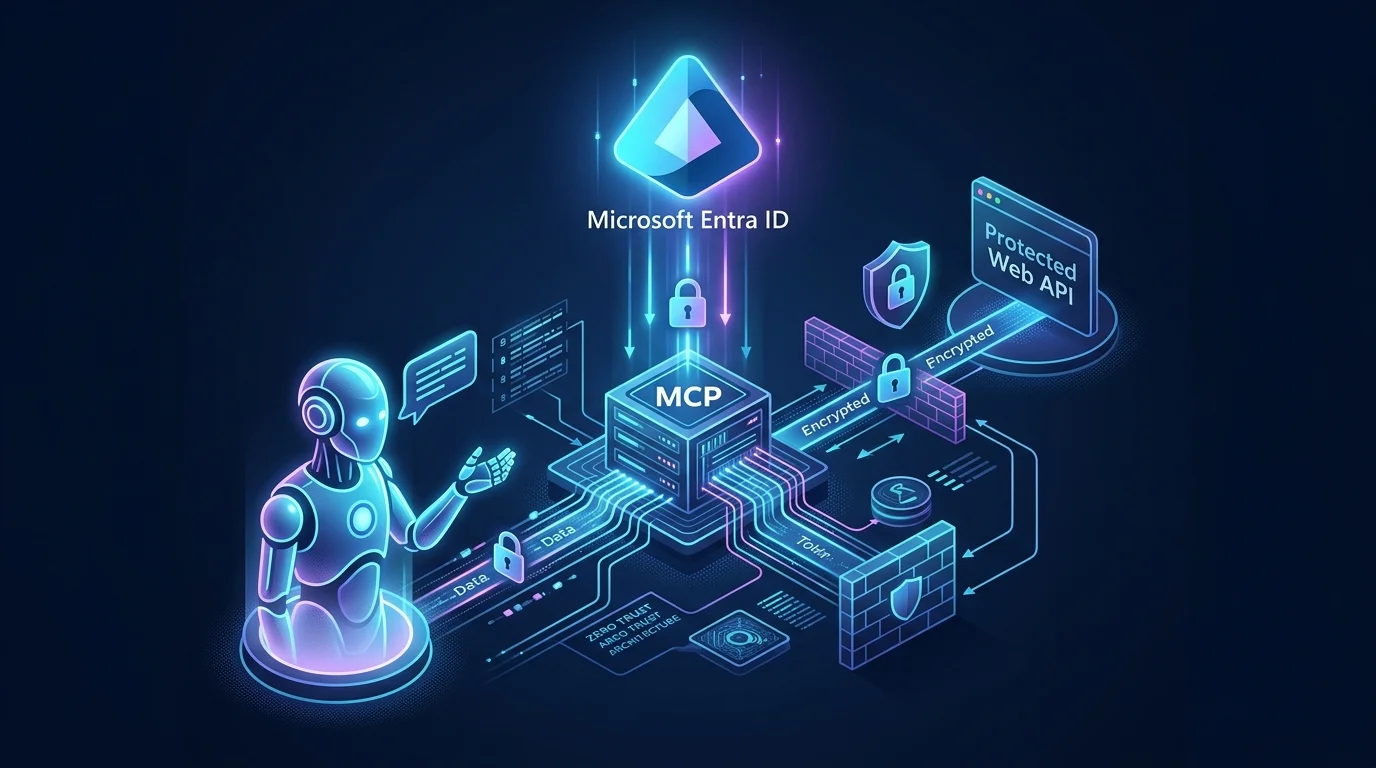
Enterprise technical editorial illustration showing a secure AI assistant connecting through an MCP server to a protected business API, with Microsoft Entra ID acting as the identity authority above the token exchange. The MCP server and business API are the dominant elements. A conventional web application appears only as a small secondary client of the same API. Dark navy and Microsoft-style blue palette, subtle purple AI accents, modern zero-trust security aesthetic, polished technical blog hero, no text, no logos, no empty space, wide cinematic composition.
Core architecture diagram
Show the MCP client connecting to a protected MCP server through OAuth discovery and authorization. Show the MCP server performing an OBO exchange through Microsoft Entra ID and calling the protected business API. Show the web application only as a small secondary client that calls the same API.
Entra configuration map
Show two app registrations. The Business API registration contains the Application ID URI, Api.Access, and v2 token configuration. The MCP registration contains the Web callback, Application ID URI, Mcp.Access, confidential credential, and delegated Api.Access. Place administrator consent between the two registrations. Place app roles and user assignment in a visually separate optional-governance section.
Token transformation sequence
Clearly distinguish the two access tokens:
The diagram should make it immediately clear why forwarding the MCP-audience token directly to the API is incorrect and why the OBO exchange is required.
Read next