M365 Workforce Insights: Architecting Team Planning

Writer

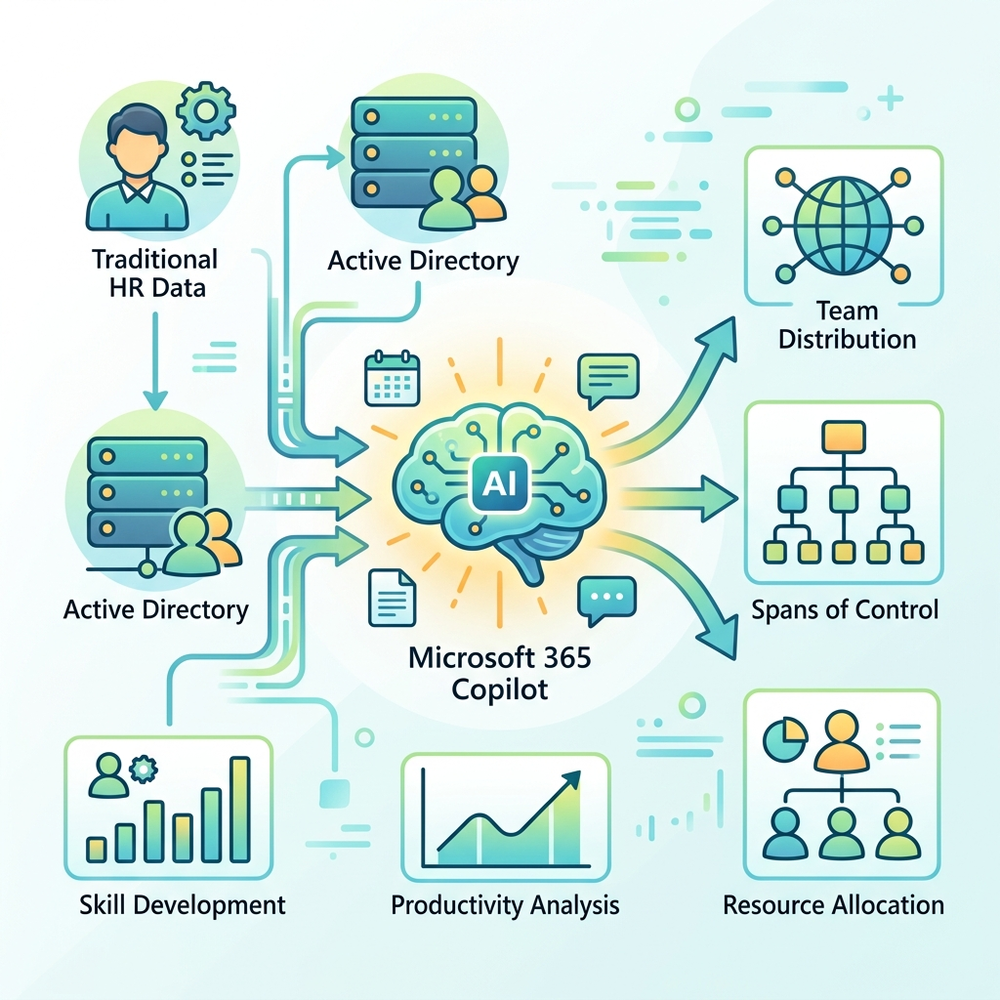
Effective workforce planning and organizational hygiene have traditionally required pulling reports from isolated HR systems and manually analyzing Active Directory data. With the introduction of the Workforce Insights Agent in Microsoft 365 Copilot—currently part of the Frontier program—that paradigm is shifting.
This agent transforms static tenant data into a dynamic, interactive conversational interface, allowing leaders, delegates, and individual contributors to make fast, data-informed decisions about team structure, skill gaps, and career trajectories. Here is a technical teardown of what the agent can do, how to leverage its prompt capabilities, and how to navigate its current limitations.
What is the Workforce Insights Agent?
At its core, the Workforce Insights Agent is an AI assistant designed to provide a real-time, comprehensive view of an organization based on Microsoft Graph data. It indexes attributes such as role, tenure, function, and location to provide actionable summaries and best practices. It features a helpful navigation header for conversation history and built-in suggested prompts.
Primary Use Cases
- Reorganization Planning: Understand spans of control and team distribution before restructuring.
- Hiring Trends: Monitor organizational growth and identify geographical or functional bottlenecks.
- Organizational Hygiene: Ensure team structures and reported skill sets align with actual business needs.
Deployment and Access
The agent is built directly into the Microsoft 365 Copilot ecosystem.
- Navigate to
cloud.microsoft. - Open the All Agents menu.
- Locate and add Workforce Insights (built by Microsoft) to your Copilot tenant.
The Consent Gate (Data Privacy) Because this agent interacts with sensitive organizational structures, it operates on a strict permission model. By default, it will only show generalized company-wide attributes. To unlock detailed insights (like leader-organization data), users must click Request Data Access to explicitly grant the agent permission to analyze their specific organizational purview.
Advanced Prompting and Workflows
The true power of this agent lies in how you query it. Below are the core capabilities and the strategic prompts required to unlock them.
1. Organizational Diagnostics
You can bypass complex PowerShell scripts and immediately query team compositions.
- “What are the top 5 countries by employee count in my team?”
- “What is the distribution of my team by function?”
- “What is the span of control in my current organization?”
| Methodology | Speed | Interface | Output Format |
|---|---|---|---|
| Traditional Active Directory | Slow | PowerShell / IT Tickets | CSV Extracts |
| Workforce Insights Agent | Instant | Conversational Chat | Summarized Analytics |
2. Skills Gap Analysis and Visualizations
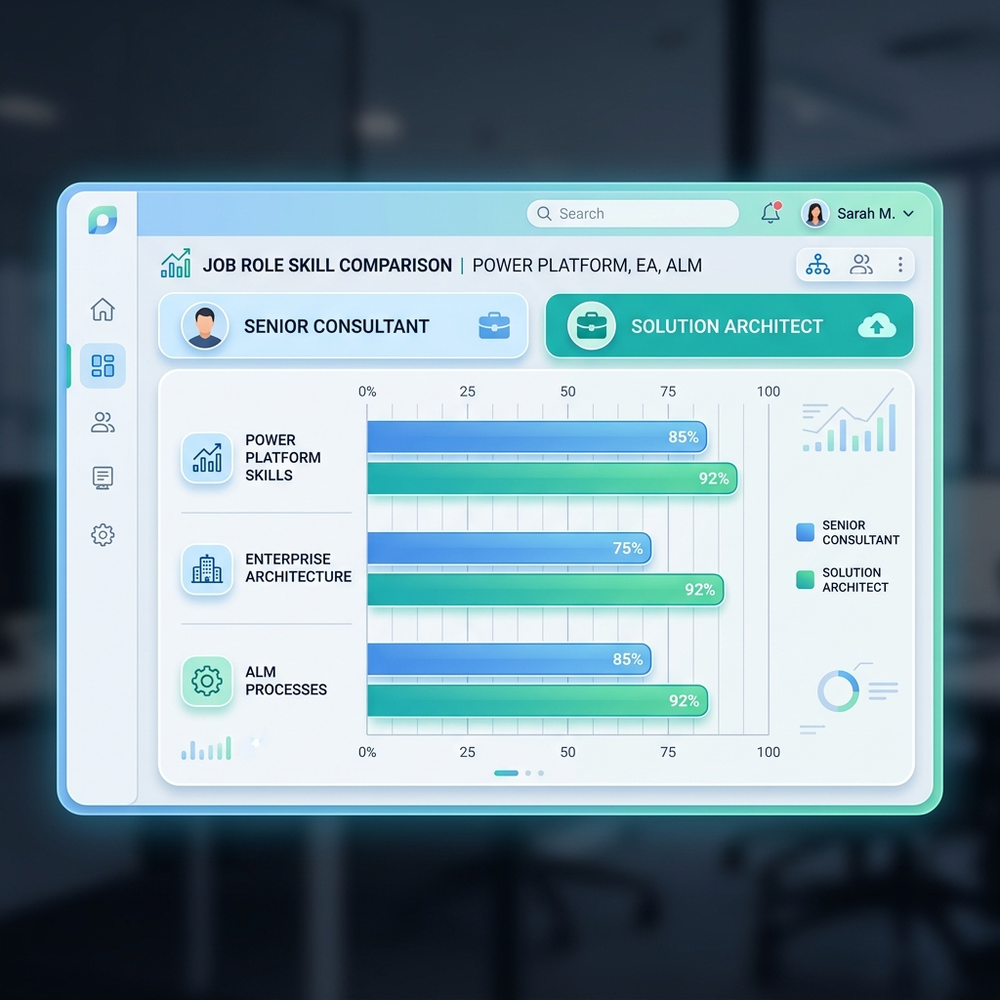
The agent can dynamically compare roles. For example, if you prompt: “Show me a skills gap analysis for transitioning from a Senior Consultant to a Solution Architect,” Copilot will analyze the delta between the two profiles.
It generates visual bar charts comparing competencies across required workloads—such as Power Platform development, Enterprise Architecture principles, and Application Lifecycle Management (ALM)—clearly highlighting the specific areas where skill-building is required.
Skill Discovery If you aren’t sure what your core skills officially are, you can ask the AI to infer them directly from your M365 profile data if they are not explicitly listed!
3. Mentorship and AI Task Delegation
The agent can map relationships and suggest workflow optimizations based on your Graph profile:
- Mentorship: “Identify potential mentors for me within my skip-level manager’s team.”
- AI Adoption: “Which of my daily tasks are good candidates for AI assistance? Use my profile to suggest where Copilot can help.”
4. Career Pathing & Profile Inference
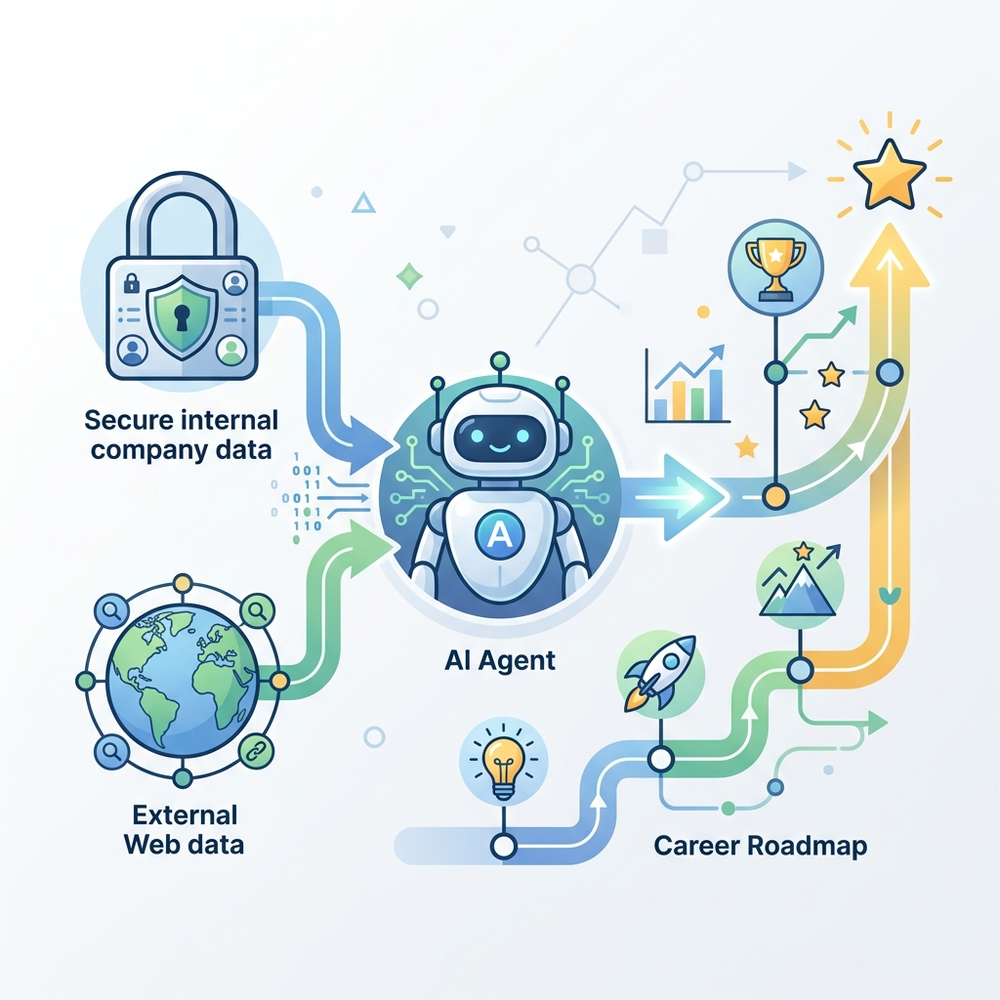
Users can ask the agent to “Break down my skills” or “Help me explore potential future career paths.” The agent will analyze the organizational hierarchy, your team structure, and your specialization to suggest logical next steps.
Navigating Limitations: Tips and Tricks
As with any tool reliant on internal directories, the output is only as good as the input. However, there are intelligent workarounds if your tenant’s data isn’t perfectly curated.
Dealing with Outdated Active Directory Profiles If your actual day-to-day responsibilities don’t match your official HR title in AD, you do not need to wait for an IT ticket to resolve it before using the agent. Simply override the context in your prompt: “Assume I am currently a Senior Consultant in the Power Platform team. What career paths could I take moving forward, and what do these different jobs entail?”
Bridging Internal and External Data The agent is explicitly sandboxed to your organization’s composition and skills data. It is programmed not to provide definitive industry-wide career coaching on its own. However, if you hit this limitation, you can explicitly grant it permission to look outside the tenant. If the agent states it cannot provide a full industry breakdown, simply reply: “Yes, please provide a full breakdown of this career path using outside work data.” The agent will then securely pivot to web-based information, combining Microsoft 365 context with broader industry standards to give you a complete answer.
The Verdict
The Workforce Insights Agent is a powerful step forward in agentic engineering for internal HR and operations. By flattening the distance between raw organizational data and actionable intelligence, it allows M365 users to map their careers, understand contextual role/team insights, and structure their teams with unprecedented speed.
Read next