Next-Gen Agent Orchestration in Copilot Studio

Writer
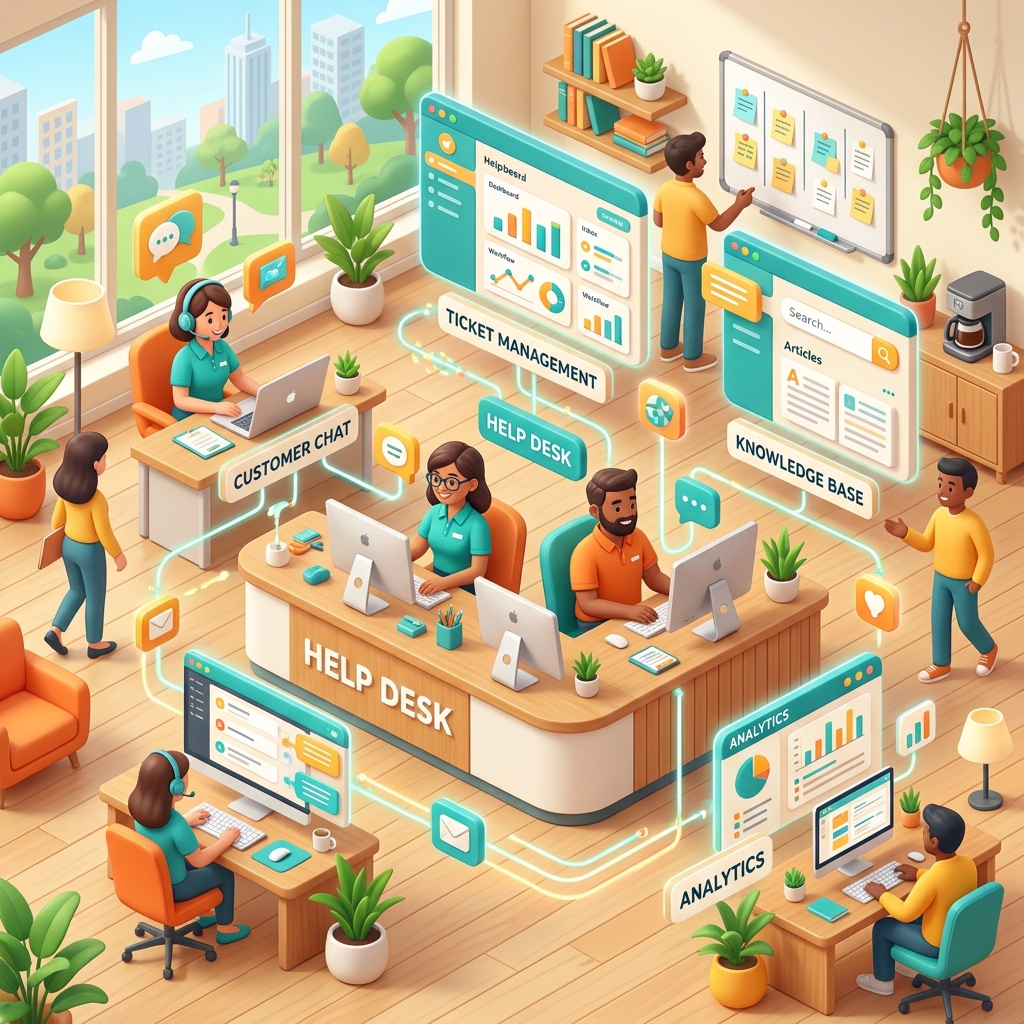
Next-Gen Agent Orchestration in Copilot Studio: Build the Help Desk Agent Without Losing Control of Cost, Governance, or Trust
Enterprise AI has moved past the cute demo phase.
The real question is no longer, “Can we build an agent?” Of course we can. The better question is: Can we build an agent that reduces help desk pressure without becoming a hidden cost center, compliance headache, or production support nightmare?
That is the lens I want to use for Copilot Studio.
If you are an IT leader, tenant administrator, FinOps practitioner, or platform owner, treat a Copilot Studio help desk agent like a new digital employee. It needs a job description, permissions, budget, audit trail, promotion path, and performance review. Otherwise, you are not deploying automation. You are deploying ambiguity at scale.
This article uses the IT Help Desk Agent as the anchor scenario and walks through the strategic patterns that matter: orchestration, security boundaries, cost intuition, ALM, analytics, Teams rollout, and practical operating controls.
Main idea: Copilot Studio is becoming less like a chatbot builder and more like an enterprise agent control plane. The winning architecture is not the smartest single topic. It is the most governed end-to-end operating model.
The Mental Model: Your Help Desk Agent Is an Airport, Not a Chatbot
Most teams start with the wrong mental model.
They imagine a chatbot as a single counter where users ask questions and receive answers. That works for simple FAQs. It breaks down the moment the agent must classify requests, check systems, create tickets, trigger approvals, enforce security boundaries, and escalate to a human.
A better model is an airport control tower.
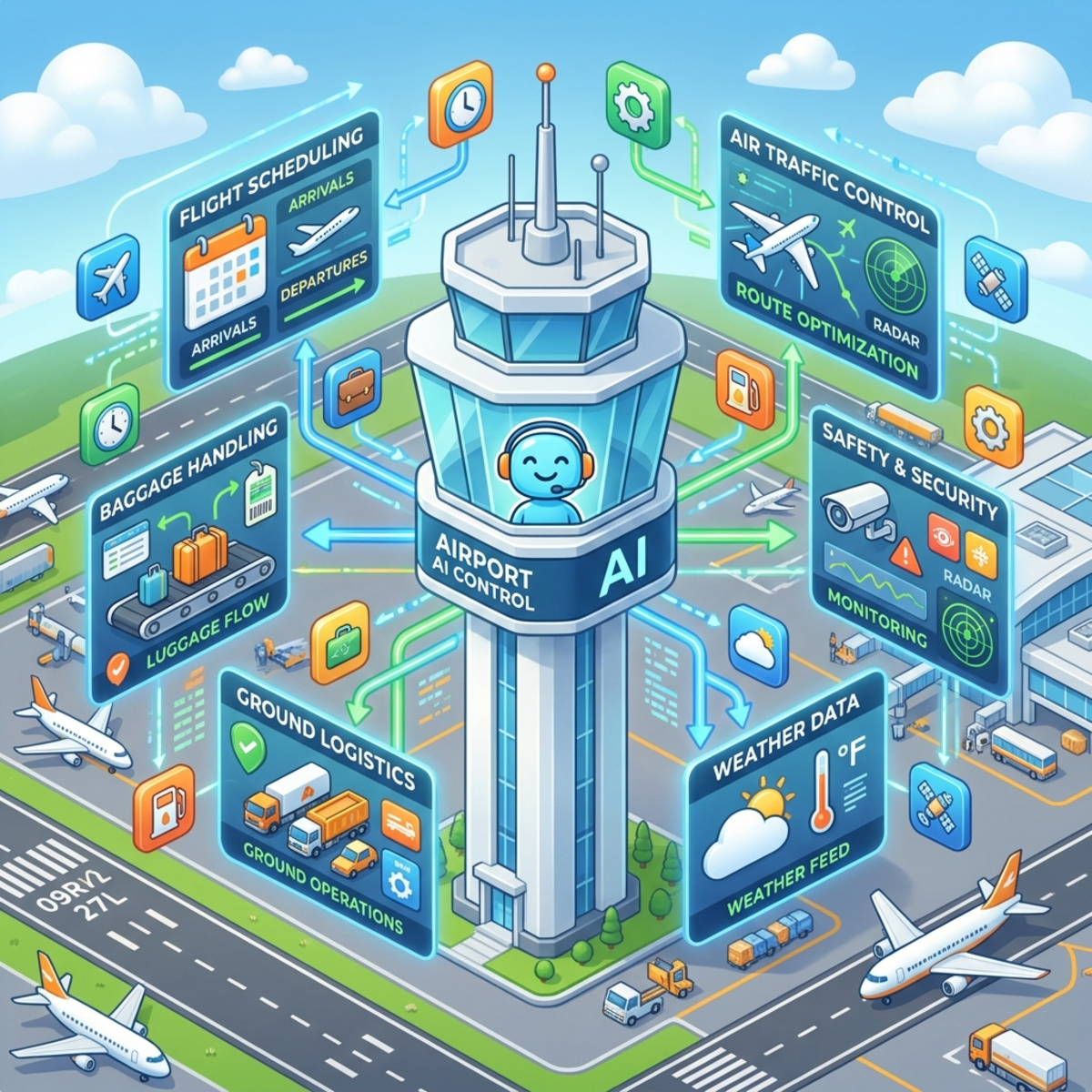
| Airport concept | Copilot Studio equivalent | Why it matters |
|---|---|---|
| Control tower | Orchestration logic | Decides where each user intent should go. |
| Runways | Topics and tools | Separate paths for tickets, assets, approvals, status checks, and escalation. |
| Air traffic rules | Governance policies | Determines which connectors, actions, data sources, and models are allowed. |
| Fuel meter | Copilot Credits and Azure consumption | Every route has a cost profile. Complex flights burn more fuel. |
| Flight recorder | Conversation transcripts and analytics | Lets admins inspect what happened after the session. |
| Security gates | Authentication, Teams policies, DLP, ACP, environment access | Prevents the agent from being used by the wrong people or calling the wrong systems. |
| Maintenance hangar | ALM and managed solutions | Keeps production stable while makers improve future versions. |
That is the architecture we are building toward: a governed help desk control tower, not a glorified FAQ bot.
Part 1: What Changed in Copilot Studio and Why IT Leaders Should Care
Copilot Studio has been evolving quickly across orchestration, model choice, governance, analytics, ALM, and deployment. The strategic impact is simple: agents can now do more, but administrators need stronger guardrails before scaling them.
The Executive Summary
| Area | What changed | Why it matters for a help desk agent |
|---|---|---|
| Agent orchestration | Agents can use topics, knowledge, tools, flows, and in some scenarios other agents or computer-use capabilities. | The help desk agent can answer, act, escalate, and automate, not just chat. |
| Billing model | Copilot Studio usage is measured with Copilot Credits, with different features consuming credits at different rates. | FinOps teams need to forecast consumption by scenario, not by user count alone. |
| Governance | Power Platform controls such as DLP, connector endpoint filtering, and Advanced Connector Policies help restrict what makers can use. | Tenant admins can create safe lanes for agent builders. |
| Model selection | Copilot Studio supports model selection across Microsoft-provided models and, where enabled, external providers such as Anthropic, Mistral, and xAI. Preview or experimental models should not be treated as production defaults. | Platform owners can route workloads by risk, cost, latency, and data-handling requirements. |
| Teams deployment | Agents can be published to channels such as Microsoft Teams and Microsoft 365 Copilot, with admin-controlled availability and app distribution options. | Rollouts can move from pilot group to department to enterprise without a tenant-wide big bang. |
| ALM | Copilot Studio aligns with Power Platform ALM using solutions, environments, connection references, environment variables, and pipelines. | Production agents can be managed like enterprise applications. |
| Analytics | Transcripts are saved to Dataverse in supported environments and can be analyzed for trends, quality, escalation, and operational insight. | IT leaders can measure deflection, cost, adoption, and failure patterns. |
What the User Group Session Actually Demonstrated
The original session had two big threads, and both matter for the final help desk design.
First, Girish walked through the platform update layer: new workflow capabilities, the Agent Node, Advanced Connector Policies, Copilot Credit consumption reporting, Computer Use, Work IQ, model selection, the refreshed Copilot Studio UI, session details, feedback, evaluation, memory, connected agents, skills, and authoring improvements.
Second, Vishnu walked through the implementation layer: how to start with a quick SharePoint knowledge agent, when to move to Copilot Studio, how to create the IT Help Desk Agent with intent-based topics, how to use Power Automate for business logic, how to store help desk artifacts in Dataverse, how to notify Teams with adaptive cards, how to publish to Teams, and how to package the agent as a solution for promotion across environments.
That is the important point: the platform updates are not random feature news. They become useful when they help you build, govern, measure, and safely roll out the help desk agent.
The Updated Copilot Studio Builder Experience: Why Admins Should Care
The new Copilot Studio experience is more than a UI refresh. It changes how makers discover agents, workflows, tools, models, sessions, feedback, and publishing actions.
| New experience area | What was shown in the session | Why it matters for the help desk agent |
|---|---|---|
| Home screen | Makers can create an agent or workflow from the new landing page. | Lowers friction, which is good for innovation and risky without governance. |
| Old/new experience toggle | Makers can switch between experiences during transition. | Useful while the admin team updates build standards and screenshots. |
| Environment selector | Makers can see and switch environments. | Reinforces why Dev/Test/Prod naming and security groups matter. |
| Session details | More session parameters are visible and usable. | Helps builders use runtime context instead of asking users for information already known. |
| Feedback button | Makers can send product feedback to Microsoft from the surface. | Useful during preview/rapid-change periods where platform behavior changes quickly. |
| Agent list actions | Agents can be updated, deleted, and in some cases published from the list. | Makes lifecycle actions easier, but also raises the need for role discipline. |
| Agent evaluation | The “agent of” / evaluation area surfaces pass rate, coverage, credit used, and conversation history signals. | Turns testing into an operating discipline, not a one-time demo. |
| Connected agents | Makers can see or connect agents as part of the design. | Supports modular architecture, where asset lookup, knowledge, or ticketing can become separate agents. |
| Memory and instructions | Memory can be turned on and instructions can be shaped more explicitly. | Requires admins to decide where memory is useful, allowed, or too risky. |
| Skills | Makers can upload a skill or create one from blank. | Useful for reusable capabilities, but should be governed like connectors and actions. |
Governance implication: as authoring becomes easier, tenant admins need stronger environment strategy, connector policy, review process, and publishing gates. The platform is lowering the cost of creation. Your operating model must lower the risk of creation.
Workflows and the Agent Node: The Orchestration Layer
The workflow update is one of the most important platform changes for complex help desk scenarios. In the session, Girish showed that workflows can be created with different triggers, including manual, recurrence, connector-based triggers, and when an agent calls the flow. When a workflow is called by an agent, it includes a response step so the workflow can send a result back to the conversation.
The strategic pattern is simple:
Inside a workflow, makers can:
- Use data operation functions such as compose or transformation steps.
- Switch between vertical, horizontal, and free-form layout views.
- Call another Copilot Studio agent as a workflow step.
- Create a lightweight agent on the fly by providing instructions.
- Invoke an agent built in Microsoft 365 Copilot through the Microsoft 365 agent path.
- Return structured output back to the calling agent.
For a help desk agent, this enables a more modular operating model:
| Help desk need | Workflow/agent pattern |
|---|---|
| Categorize a request | Main agent routes to a classification topic or specialized agent. |
| Create a ticket | Main agent calls a workflow that validates fields and writes to Dataverse or ITSM. |
| Check ticket status | Agent calls a flow that queries by current user or ticket ID. |
| Request software | Agent calls an approval workflow and returns the request status. |
| Investigate an issue | Agent can call a diagnostic agent or workflow step where the risk is acceptable. |
Rule of thumb: Use the agent for conversation and intent. Use flows and workflows for deterministic business operations. Use specialist agents only when separation improves governance, reuse, or quality.
Work IQ and MCP: Powerful Context, Useful Only With Boundaries
Work IQ was shown as a workplace intelligence layer that can connect the agent to organizational context such as mail, calendar, files, chats, Teams, OneDrive, SharePoint, and activity. In the session, enabling Work IQ added Work IQ-related MCP capabilities, and the tool list also showed MCP options such as Azure Foundry IQ, Fabric IQ Ontology, Work IQ Calendar, Work IQ Mail, Work IQ OneDrive, SharePoint, Teams, Work IQ Copilot MCP, and Work IQ User MCP.
For the help desk agent, Work IQ should not be treated as a default-on magic button. It is a context amplifier. That means it can improve relevance, but it also increases the importance of permission boundaries, transcript handling, and data minimization.
| Work IQ scenario | Good use | Governance caution |
|---|---|---|
| Calendar-aware support | Help user schedule follow-up with IT. | Avoid exposing calendar details unnecessarily. |
| Mail-aware support | Find a recent IT notification the user references. | Be careful with mailbox content in transcripts. |
| File-aware support | Ground on documents the user can access. | Respect existing SharePoint and OneDrive permissions. |
| Teams-aware support | Use team context for collaborative support. | Avoid cross-team oversharing. |
| Fabric ontology or Azure Foundry IQ | Support analytics or enterprise data scenarios. | Treat as higher-impact data access, not casual knowledge. |
For an initial IT Help Desk Agent, I would start with curated SharePoint knowledge and Dataverse/ITSM actions before enabling broad Work IQ. Add Work IQ only when the use case clearly needs personal or organizational context.
Part 2: Cost Intuition Before Architecture Decisions
Do not start by asking, “How many users will use the agent?”
Start by asking, “What kind of work will the agent do?”
An agent that answers a static FAQ has a different cost profile than an agent that grounds on tenant data, calls tools, triggers agent flows, generates summaries, or automates a legacy application through a UI.
Think of Copilot Credits like utility electricity. A light bulb, a washing machine, and an elevator all use electricity, but nobody budgets them the same way.
Directional Cost Model: The Credit Burn Ladder
The exact commercial terms can change, so treat the following as a directional planning aid, not a quote. Always validate against the Microsoft Copilot Studio licensing guide and your commercial agreement before making procurement decisions.
| Agent capability | Directional credit intensity | Practical interpretation |
|---|---|---|
| Classic answer | Low | Good for predictable FAQ-style responses and simple routing. |
| Generative answer | Medium | Useful when the agent must synthesize from knowledge sources. More expensive than classic answers. |
| Agent action or tool call | Higher | The agent is doing work, not just answering. Expect more consumption per resolved case. |
| Tenant graph grounding | Higher again | Powerful for Microsoft 365-contextual answers, but should be used intentionally. |
| AI tools, deep reasoning, premium model scenarios, voice, or computer use | Variable to high | Use only where the business value justifies the extra capability. |
Quick Planning Example: 5,000 Help Desk Conversations per Month
Let us model three possible designs. Again, this is directional planning math, not pricing guidance.
| Scenario | Typical design | Directional monthly consumption intuition |
|---|---|---|
| Basic FAQ deflection | Mostly classic answers and controlled knowledge responses | Lowest consumption. Good starting point for policy, password reset guidance, VPN FAQs, and device enrollment instructions. |
| Transactional ITSM agent | FAQ plus ticket creation, status lookup, Teams notification, and Dataverse writes | Moderate consumption. You pay more per conversation, but you may reduce manual triage and improve SLA discipline. |
| Advanced agentic support | Multi-step reasoning, tool calls, graph grounding, app automation, and human handoff | Highest consumption. Use for high-value workflows where automation replaces expensive manual handling. |
What the Copilot Credit Report Gives You
The session showed Copilot Credit usage reporting in the Power Platform admin center under Licensing > Copilot Studio. The important admin story is that cost is no longer just a procurement question. It is an operational telemetry question.
A tenant admin can use the report to inspect:
| Report view | What it gives you | How to use it |
|---|---|---|
| Capacity summary | Purchased, assigned, and consumed Copilot Credits. | Know whether the tenant is inside budget before users complain or capacity runs out. |
| Daily usage | Which days consumed credits. | Tie spikes to rollout waves, incidents, testing, or misuse. |
| User usage | Which users triggered consumption. | Separate normal pilot activity from unexpected usage. |
| Agent usage | Which agents consumed credits. | Find expensive or noisy agents. |
| Billable feature | Classic answers, generative answers, agent actions, and other chargeable feature types. | Understand which design choices are driving cost. |
| Command-level detail | Low-level command activity such as shell/tool/view/respond style operations where surfaced. | Useful for troubleshooting and forensic analysis, not necessarily executive reporting. |
For FinOps, the report becomes the feedback loop:
Do not wait until enterprise rollout to look at consumption. Cost control should begin during the pilot.
Rule of Thumb for FinOps
Do not measure agent ROI by conversation volume. Measure it by cost per successful resolution.
A cheap agent that fails often is expensive. A more capable agent that resolves high-friction tickets can be a bargain.
A practical FinOps scorecard should include:
| Metric | Why it matters |
|---|---|
| Cost per conversation | Useful baseline, but incomplete. |
| Cost per resolved issue | Better measure of actual business value. |
| Deflection rate | Shows how much work moved away from human agents. |
| Escalation rate | Helps identify where automation is not mature enough. |
| Repeat contact rate | Detects low-quality answers that create more work later. |
| Agent action volume | Shows which automations are driving consumption. |
| Peak consumption days | Helps connect spikes to rollout events, incidents, or misuse. |
Part 3: The Help Desk Agent Design That Actually Scales
For a real IT Help Desk Agent, I would avoid the “one giant topic that does everything” pattern.
That design feels fast in a demo and becomes painful in production. Instead, use a multi-lane service desk model.
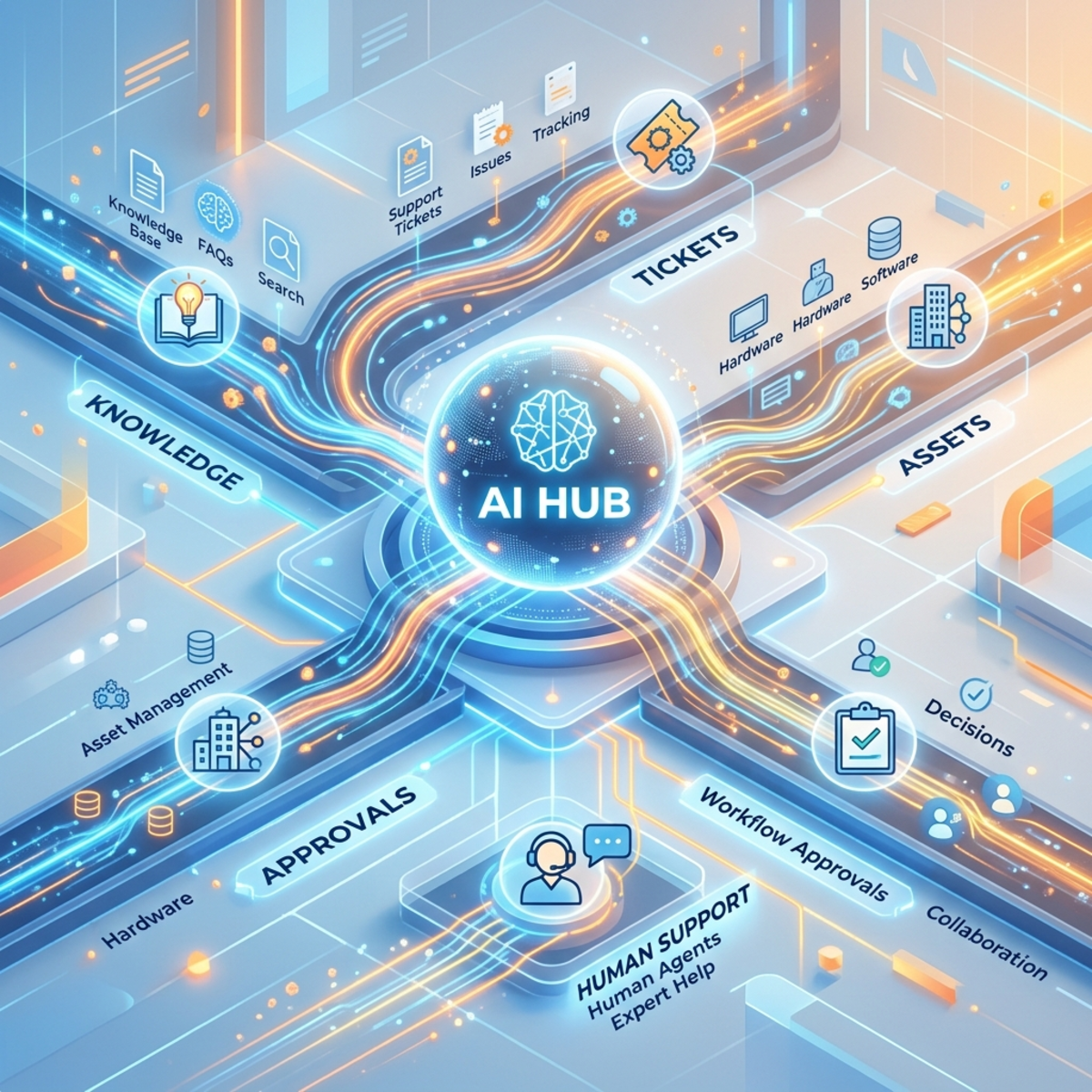
The Five Lanes of a Governed Help Desk Agent
| Lane | Purpose | Governance question |
|---|---|---|
| Knowledge lane | Answer known questions from approved IT content. | Is the source authoritative and is public web fallback disabled when inappropriate? |
| Ticket lane | Create and classify support tickets. | Are required fields validated before writing to Dataverse or the ITSM system? |
| Asset lane | Show assigned devices or services. | Is the agent enforcing user-context access so employees see only their own assets? |
| Software request lane | Capture request, justification, cost center, and approval path. | Are approvals deterministic and auditable? |
| Human escalation lane | Hand off to engineer or queue when confidence is low or risk is high. | Is escalation treated as a success path, not a failure? |
This is how you keep the main goal clear: create a help desk agent that can triage, answer, transact, and escalate with control.
Part 4: Start with SharePoint Agents, but Do Not Stop There
A SharePoint-based agent can be a fantastic first step. In the session, Vishnu showed the fastest path: open a SharePoint document library that already contains help desk articles, SOPs, policies, or FAQs, select Copilot > Create agent, name the agent, and let the document library become the selected knowledge source. Additional libraries can be added where appropriate.
This is excellent for organizations that already store MFA setup guides, VPN instructions, laptop setup documents, finance policies, or SOPs in SharePoint. It gives you a quick knowledge assistant without starting with a complex Copilot Studio implementation.
But for a serious help desk scenario, you will eventually hit the ceiling.
| Capability | SharePoint-style knowledge agent | Full Copilot Studio help desk agent |
|---|---|---|
| Answers from curated documents | Strong | Strong |
| Custom intent routing | Limited | Strong |
| Ticket creation | Limited or requires additional design | Strong with Power Automate, Dataverse, or ITSM connectors |
| Approval workflows | Limited | Strong |
| Human escalation | Limited | Strong |
| ALM through solutions | Limited | Stronger with Power Platform ALM patterns |
| Governance and analytics | Basic | Stronger with environment, policy, transcript, and dashboard design |
Practical Guidance
Use the simple route for simple jobs.
Use Copilot Studio when the agent must become part of your IT operating model.
A good enterprise sequence is:
- Start with curated knowledge: VPN, MFA, password reset, device enrollment, software catalog, printing, meeting room FAQs.
- Add ticket creation: Capture category, urgency, description, user identity, and impacted service.
- Add status lookup: Let employees check where their ticket stands without emailing the service desk.
- Add approvals: Route software or access requests to the right approver.
- Add analytics: Monitor deflection, escalation, failed intents, and consumption.
- Only then add advanced tools: Graph grounding, external models, computer use, or deeper automation where ROI is clear.
Permission Reality: The Agent Is Not a Magic Access Bypass
Vishnu also demonstrated an important point during testing: when the user connects to SharePoint or Dataverse-backed content, the experience should respect the permissions of the signed-in user. That means the help desk design must include content readiness, permission hygiene, and source governance before launch.
For SharePoint knowledge sources, check:
- Are help desk articles in the correct site or library?
- Are permissions inherited cleanly or broken in confusing ways?
- Can pilot users access the documents the agent needs to cite?
- Are sensitive admin-only documents excluded from broad employee knowledge grounding?
- Are stale SOPs archived or clearly marked?
For Dataverse-backed data, check:
- Are row-level and table permissions aligned to the scenario?
- Can a user see only their own tickets and assets?
- Are service accounts or connections scoped correctly?
- Are ticket, software request, and asset tables included in the solution and security design?
Governance principle: The quality of an agent is capped by the quality, freshness, and permissions of the sources behind it.
Part 5: Build the Ticket Creation Flow Like a Business Process, Not a Demo
The ticket creation flow is the heart of the agent. If this part is sloppy, the rest does not matter.
A production-grade flow should capture enough information to reduce human triage, but not so much that users abandon the experience.
Recommended Ticket Creation Flow
| Step | What the agent does | Why it matters |
|---|---|---|
| 1. Classify issue | Ask for category such as hardware, software, access, network, device, Microsoft 365, security. | Enables routing and reporting. |
| 2. Capture urgency | Ask for business impact, not just “low/medium/high.” | Users overuse “high” unless you anchor it to impact. |
| 3. Capture description | Ask for the issue in the user’s words. | Preserves context for engineers. |
| 4. Confirm summary | Show a short summary before submission. | Reduces garbage-in ticket creation. |
| 5. Create record | Write to Dataverse or the ITSM platform through a controlled flow. | Keeps the agent from directly owning business logic. |
| 6. Notify IT | Send an adaptive card or message to Teams if appropriate. | Makes triage visible. |
| 7. Return receipt | Give the user a ticket ID and next step. | Builds trust in the automation. |
Urgency: The Small Detail That Saves Your Queue
Do not ask users, “What is the urgency?”
Ask this instead:
| User choice | Better description |
|---|---|
| Low | I can continue working, but I need help when possible. |
| Medium | My work is partially blocked or delayed. |
| High | I cannot complete a business-critical task. |
| Critical | Multiple users or a production service are impacted. |
This small change improves triage quality and reduces the classic “everything is urgent” problem.
What the Demo Ticket Flow Included
The demo help desk agent followed a practical service desk pattern:
- The user selected Raise a ticket from the main menu.
- The agent asked for issue type, such as hardware or software.
- The agent asked for urgency or priority.
- The user described the issue.
- The agent called a Power Automate flow.
- The flow created the ticket record in Dataverse.
- The flow sent an email notification.
- The flow posted a Microsoft Teams adaptive card.
- The agent returned the generated ticket ID to the user.
The demo generated a sample ticket ID and posted an adaptive card. Vishnu also called out that buttons such as “Claim ticket” or “View in Dataverse” should be designed intentionally, because a demo card is not a production workflow. If the button does not have a reliable action behind it, remove it.
Dataverse, SharePoint Lists, Model-Driven Apps, and Canvas Apps
The demo used Dataverse tables for IT tickets, assets, software requests, and potential feedback or analytics artifacts. That is a strong enterprise pattern, especially when you need relationships, security roles, reporting, model-driven app views, and lifecycle management.
But the session also made a useful practical point: not every scenario must use Dataverse. For a very lightweight scenario, a SharePoint list can work, especially where premium licensing is a constraint and the process is simple. The trade-off is governance depth, relational modeling, and long-term scalability.
| Storage option | Good fit | Watch out for |
|---|---|---|
| SharePoint list | Small/simple ticket intake, lightweight pilots, low-complexity tracking. | Can become messy for relational ITSM, complex security, and analytics. |
| Dataverse | Enterprise help desk app, assets, software requests, approvals, model-driven apps, Power BI analytics. | Requires stronger data model, security, and licensing planning. |
| Existing ITSM platform | Mature ServiceNow, Dynamics, Jira Service Management, or other help desk backend. | Connector/API governance, authentication, data mapping, and cost. |
Vishnu also showed a model-driven app connected to the Dataverse tables so IT administrators could view created tickets and assets. A canvas app could also be used where a tailored frontline experience is better. The important architecture decision is not the app type. It is that the agent should write structured operational data somewhere administrators can manage and report on.
Part 6: Governance Levers That Matter Before You Publish
Governance should not arrive after the agent becomes popular. That is how cost and risk escape.
Use this governance stack before you move from pilot to production.
Governance Lever 1: Environment Strategy
At minimum, use three environments:
| Environment | Purpose | Recommended posture |
|---|---|---|
| Development | Build and experiment | Sandbox, restricted makers, unmanaged solutions. |
| Test/UAT | Validate with pilot users and IT operations | Sandbox, controlled security group, production-like data where approved. |
| Production | Serve employees | Production environment, managed solution, restricted admin access. |
Governance Lever 2: DLP, ACP, and Endpoint Controls
Power Platform governance is moving toward stronger, more granular controls. Classic DLP remains important, while Advanced Connector Policies provide a default-deny style approach for certified connectors. Endpoint filtering can help restrict specific endpoints for supported connectors, but it has limitations and should not be treated as a complete runtime security boundary.
| Control | What it helps with | Practical help desk example |
|---|---|---|
| Classic DLP policies | Separate or block connector categories. | Prevent makers from combining corporate data with risky consumer connectors. |
| Advanced Connector Policies | Allow only approved certified connectors and actions. | Permit Teams notifications and Dataverse writes, block unapproved connector actions. |
| Connector endpoint filtering | Restrict supported connectors to specific endpoints. | Allow HTTP only to approved internal API endpoints where supported. |
| Environment security groups | Limit who can build or use an environment. | Keep pilot agent access limited to IT and a small business group. |
| Teams app policies | Control who can install, pin, or access the agent in Teams. | Deploy to Service Desk Pilot Users first, then expand. |
Governance Lever 3: Public Web Grounding Control
For a help desk agent, public web grounding is not automatically bad. It is just frequently unnecessary.
If the agent is supposed to answer your company’s IT policies, device standards, VPN instructions, security controls, or internal software catalog, the public internet should not be treated as an equal source of truth.
| Agent purpose | Public web grounding recommendation |
|---|---|
| Corporate IT policy assistant | Usually disable public web grounding. |
| Product support assistant for public documentation | Consider controlled public domains or Bing Custom Search. |
| Internal help desk ticketing agent | Prefer curated internal knowledge. |
| Research assistant | Public web may be valuable, but label confidence and sources clearly. |
Rule of thumb: If the agent speaks on behalf of IT, it should answer from IT-approved sources.
Part 7: Platform Routing Strategy: Use the Right Engine for the Right Job
Model choice is powerful, but it is also a governance decision.
The mistake is letting every maker choose a model because it sounds impressive. The better approach is to create a routing policy.
| Workload type | Recommended routing principle |
|---|---|
| Simple FAQ | Use the lowest-cost reliable path. Do not over-engineer. |
| Ticket intake | Use deterministic prompts and flows. Accuracy and structure matter more than creativity. |
| Complex troubleshooting | Consider stronger reasoning models or richer knowledge sources, but test cost and latency. |
| Sensitive internal policy | Keep data-handling and residency requirements front and center. |
| Legacy UI automation | Use computer use only when no API or connector exists and the business value justifies risk. |
| Experimental model testing | Keep in sandbox or limited pilot. Do not make preview or experimental models your production default. |
The Model Portfolio Mental Model
Think of models like transportation:
| Vehicle | Model usage analogy |
|---|---|
| Bicycle | Cheap, simple, reliable for short trips. Great for simple answers. |
| Car | General purpose, balanced cost and capability. Good default for many agent interactions. |
| Truck | More expensive but useful when carrying heavy reasoning or tool workloads. |
| Helicopter | Powerful and impressive, but you do not use it to buy milk. Reserve for high-value scenarios. |
The platform owner’s job is not to pick the fanciest vehicle. The job is to route work safely and economically.
Part 8: Computer Use: Powerful, but Treat It Like a Robotic Intern With a Mouse
Computer use is one of the more interesting Copilot Studio capabilities because it allows an agent to interact with websites and desktop applications through a virtual mouse and keyboard. It is designed for scenarios where APIs or connectors do not exist.
That unlocks legacy automation paths, but it also changes the risk model.
When Computer Use Makes Sense
| Scenario | Good fit? | Why |
|---|---|---|
| Legacy application with no API | Yes, with controls | It may be the only viable automation path. |
| Repetitive data entry | Yes, if low risk and well tested | Can reduce manual effort. |
| High-value invoice or form processing | Maybe | Needs strong validation and exception handling. |
| Security administration across critical systems | Be very cautious | UI automation can take unintended actions if instructions or screen context are ambiguous. |
| Anything with irreversible financial or access impact | Avoid or require human approval | Keep humans in the loop for high-risk actions. |
Practical Control Pattern
Use computer use like this:
- Start in a sandbox machine or hosted environment.
- Use least-privilege accounts.
- Make instructions narrow and explicit.
- Add confirmation before final submission.
- Log each run.
- Monitor failures and unexpected actions.
- Prefer APIs and connectors whenever they exist.
Opinionated take: Computer use is not a shortcut around integration architecture. It is the exception path for systems that refuse to modernize.
Part 9: Analytics: The Flight Recorder for Your Digital Help Desk
If you publish an agent and do not inspect transcripts, failed intents, escalations, and cost patterns, you are flying blind.
Copilot Studio conversation transcripts can be retained in Dataverse in supported environments. Those transcripts include the interaction record and metadata. They can support analytics, debugging, compliance review, and operational improvement.
What to Measure After Launch
| Question | Useful signal |
|---|---|
| Are users adopting the agent? | Conversation volume by day, department, and channel. |
| Is the agent reducing tickets? | Deflection rate and ticket creation trend. |
| Is it creating better tickets? | Percentage of tickets with category, urgency, complete description, and correct routing. |
| Where does it fail? | Fallback topics, abandoned sessions, repeated questions. |
| Is cost aligned to value? | Copilot Credit consumption by agent, feature, day, and interaction type. |
| Are users escalating too often? | Escalation rate by topic. |
| Is knowledge content weak? | High-volume questions with poor answer quality or repeated fallback. |
The Practical Dashboard
For IT leaders and FinOps teams, I would build a dashboard with four sections:
| Dashboard section | What it shows |
|---|---|
| Adoption | Active users, conversations, channel usage, peak days. |
| Value | Tickets deflected, tickets created, estimated hours saved, escalation rate. |
| Quality | Resolved intents, fallback rate, repeated questions, sentiment where appropriate. |
| Cost | Credit consumption, high-cost actions, usage spikes, cost per resolved issue. |
The real value is not the transcript table itself. The value is the management loop it enables:
This is how the agent becomes better every month instead of becoming shelfware.
Part 10: ALM: Do Not Build Straight in Production Unless You Enjoy Pain
A help desk agent is now part of your service management fabric. Treat it like an application.
That means solutions, environments, connection references, environment variables, deployment gates, and managed production packages.
The ALM Golden Path
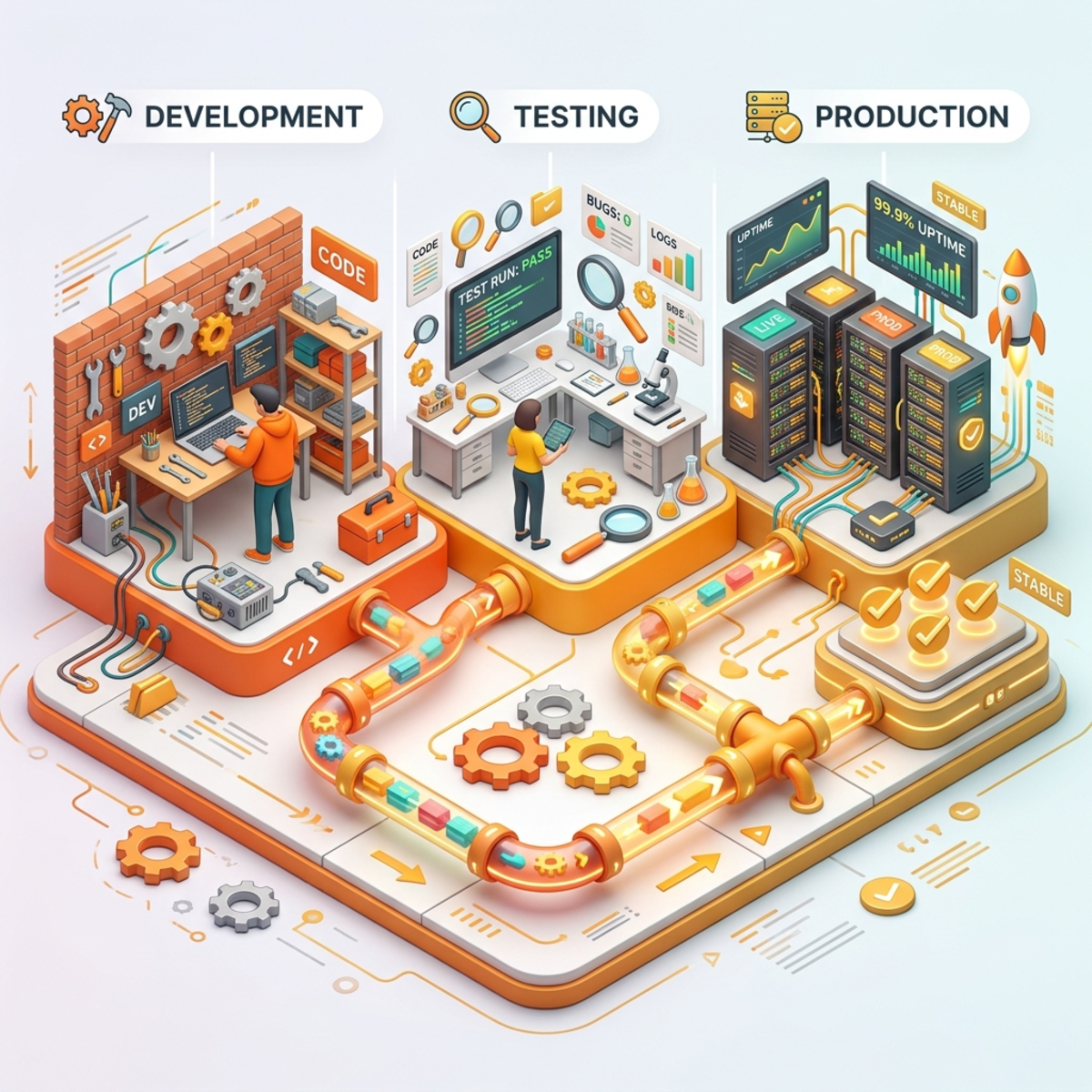
| Step | Action | Why it matters |
|---|---|---|
| 1 | Create the agent inside a dedicated solution. | Keeps components transportable and discoverable. |
| 2 | Use a custom publisher and naming standard. | Helps identify ownership and lifecycle. |
| 3 | Store environment-specific values in environment variables. | Avoids hardcoded URLs, site paths, and tenant-specific settings. |
| 4 | Use connection references. | Lets each environment map to the right service account or connection. |
| 5 | Keep Dev unmanaged. | Makers can iterate. |
| 6 | Export to Test and Prod as managed solutions. | Prevents casual production edits. |
| 7 | Validate post-import settings. | Connection references, knowledge sources, and authentication can break if ignored. |
| 8 | Publish only after testing. | Deployment and publishing are related, but not the same operational checkpoint. |
What Gets Packaged With the Agent
When Vishnu added the agent to a solution, Copilot Studio and Power Platform pulled in the related dependencies: topics, cloud flows, connection references, Dataverse tables, knowledge-related components, and agent artifacts. That is exactly why the solution container matters. A standalone export mindset creates fragile deployments. A solution mindset creates repeatable releases.
Before export, check for missing components. After import, validate every dependency in the target environment.
| Component | Why it matters after import |
|---|---|
| Agent and topics | Conversation behavior must match the tested version. |
| Cloud flows | Ticket creation, asset lookup, status checks, approvals, and Teams notifications depend on them. |
| Connection references | Must be remapped to target environment connections. |
| Environment variables | Must point to target environment URLs, lists, sites, or configuration values. |
| Dataverse tables | Ticket, asset, and software request storage must be present. |
| Knowledge sources | Must point to the correct target SharePoint library or source. |
| Teams channel/app package | Must be configured for the target rollout audience. |
Import Gotcha: Modern UI vs. Classic Mode
The session included a practical troubleshooting note: solution import can sometimes fail in the modern interface. If the import fails unexpectedly, switch to the classic solution experience and retry. This is not a business architecture pattern, but it is useful field knowledge when you are under pressure during a customer or production deployment.
Treat this as a workaround, not a design principle. If imports repeatedly fail, inspect solution dependencies, connection references, missing components, and environment-specific settings.
Managed vs. Unmanaged: The Simple Explanation
| Package type | Where it belongs | Mental model |
|---|---|---|
| Unmanaged solution | Development | A workshop where builders can edit parts. |
| Managed solution | Test and Production | A sealed appliance that should not be casually modified. |
Rule of deployment: Dev is where you create. Production is where you operate.
The Connection Reference Trap
When you move a solution across environments, connections do not magically become production-ready. They must be mapped intentionally.
For a help desk agent, this commonly affects:
- Dataverse connections
- SharePoint connections
- Teams connectors
- Outlook notifications
- Approval workflows
- ITSM connectors
- HTTP or custom connector calls
Use service accounts or managed identity patterns where supported and appropriate. Avoid using a maker’s personal connection for production operations.
The Knowledge Source Reality Check
Knowledge sources deserve special attention during ALM.
If your dev agent points to a development SharePoint library, do not assume the promoted production agent will automatically point to the production library. Validate this as part of deployment.
A practical deployment checklist:
| Item | Check |
|---|---|
| SharePoint knowledge source | Points to production IT knowledge library. |
| Permissions | Users can read only what they are allowed to read. |
| Search indexing | Newly published documents are discoverable. |
| Naming | Dev/Test/Prod agent names are clearly differentiated. |
| Public web setting | Disabled unless specifically approved. |
| Authentication | Microsoft Entra authentication is enabled for internal use cases. |
| Connections | Production flow actions use approved production identities. |
Part 11: Fallbacks and Escalation: Failure Paths Are Product Features
A bad agent pretends to know everything.
A good agent knows when to stop, clarify, or escalate.
Design the Fallback Path Explicitly
For the help desk scenario, the fallback path should not be:
“Sorry, I cannot help with that.”
It should be:
- Ask one clarifying question.
- Try the approved knowledge lane.
- Offer ticket creation if confidence is still low.
- Offer human escalation for urgent or repeated failures.
- Log the missed intent for improvement.
Fallback Decision Table
| Situation | Recommended behavior |
|---|---|
| User asks vague question | Ask a clarifying question. |
| User asks outside IT scope | Redirect politely and explain scope. |
| User asks about a missing knowledge article | Offer ticket creation and log knowledge gap. |
| User reports outage or business-critical issue | Escalate quickly. |
| User asks for restricted action | Refuse or route to approved access request process. |
| Agent confidence is low after two turns | Stop guessing and offer escalation. |
Two Negative Test Cases From the Session
The demo intentionally exposed two issues that every production team should test.
1. The missing knowledge answer problem. When the user asked about something not present in the internal knowledge source, the agent returned an answer sourced from the public internet. That is dangerous for an internal IT support agent because the agent may cite irrelevant or incorrect public content. The fix is to review generative answer settings and disable public web discovery unless the use case has explicitly approved public sources.
2. The fallback dead-end problem. In the demo, some unsupported prompts caused the agent experience to stall or require a restart. The recommended fix was to route the fallback path to the built-in Start Over topic or an intentional main-menu reset. That way, the user gets back to supported options instead of being abandoned.
A production fallback should not merely apologize. It should actively recover the conversation.
Opinionated take: Escalation is not failure. Guessing is failure.
Part 12: Teams Rollout: Publish Like a Product, Not a Link
Microsoft Teams is where the help desk agent becomes visible to employees. That visibility needs a rollout plan.
Publishing Details That Matter in Real Life
The session showed a realistic publishing sequence:
- Publish the agent after changes.
- Review warnings and fix credential or flow issues before channel rollout.
- Connect the Microsoft Teams channel.
- Edit Teams app details such as icon, color, display name, short description, long description, developer name, and permissions.
- Use availability options to test with a pilot group before broad deployment.
- Copy a link for a targeted Teams channel scenario where appropriate.
- Download the Teams app ZIP package when the app must be uploaded and governed through Teams Admin Center.
- Use Teams Admin Center to make the app available to selected users, groups, or the organization.
The practical difference is important:
| Deployment path | Best fit |
|---|---|
| Link shared to a Teams channel | Narrow channel-level pilot or quick validation. |
| Availability options / security group | Controlled pilot group. |
| Teams app ZIP uploaded to Teams Admin Center | Enterprise app catalog governance, admin approval, broader app availability, and policy-based rollout. |
| Setup policies / app policies | Pinning or making the agent easy to discover for targeted users. |
Also remember the publishing nuance: after changes, the latest content is not available to users until you publish. If you are testing in persistent channels such as Teams, restarting the conversation or starting a new session may be required to see the latest version quickly.
Rollout Stages
| Stage | Audience | Goal | Exit criteria |
|---|---|---|---|
| Stage 0: Builder test | Makers and platform admins | Validate flows, topics, authentication, knowledge. | Core paths pass. No critical connector failures. |
| Stage 1: IT pilot | Service desk and selected IT users | Test real support scenarios. | Ticket quality acceptable. Fallbacks understood. |
| Stage 2: Business pilot | One or two departments | Measure adoption and deflection. | Positive feedback, predictable cost, low critical failure rate. |
| Stage 3: Controlled enterprise release | Authorized employee groups | Scale with monitoring. | Dashboard and support process ready. |
| Stage 4: Tenant-wide availability | Broad organization | Make it a standard support channel. | Executive, support, and FinOps sign-off. |
Teams Deployment Controls
For Teams and Microsoft 365 Copilot channels, publish the agent, configure the channel, customize the app details, and use availability or admin approval paths appropriate to your organization.
A practical pattern is:
- Publish the latest agent.
- Connect the Teams and Microsoft 365 Copilot channel.
- Customize icon, name, short description, long description, and support metadata.
- Share with a pilot security group first.
- Submit for admin approval when ready for broader organization visibility.
- Use Teams Admin Center app policies for controlled installation, availability, or pinning.
- Monitor adoption, failed intents, and consumption after each rollout wave.
Naming Tip
Do not let Dev, Test, and Prod agents all appear in Teams as “IT Help Desk Agent.”
Use clear display names:
| Environment | Suggested name |
|---|---|
| Development | IT Help Desk Agent DEV |
| Test | IT Help Desk Agent TEST |
| Production | IT Help Desk Agent |
Users should never need to guess which agent is safe to use.
Part 13: The Practical Build Blueprint
Here is the implementation plan I would use for a governed Copilot Studio IT Help Desk Agent.
Step 1: Define the Agent Charter
Write this before building:
| Charter item | Example |
|---|---|
| Mission | Help employees resolve common IT issues and create high-quality support tickets. |
| Primary audience | Internal employees. |
| Supported channels | Microsoft Teams and Microsoft 365 Copilot. |
| Approved knowledge | IT SharePoint knowledge library. |
| Allowed actions | Create ticket, check ticket status, show assigned assets, request software, escalate. |
| Not allowed | Public policy speculation, access grants without approval, unsupported system changes. |
| Success metric | Reduced repetitive tickets and improved ticket quality. |
Step 2: Build the Core Topics
| Topic | Purpose |
|---|---|
| Main menu / router | Presents supported actions and handles intent routing. |
| Knowledge answer | Answers questions from approved IT documents. |
| Raise ticket | Captures structured ticket fields and calls a flow. |
| Check ticket status | Retrieves ticket state for the current user. |
| My assets | Shows assigned devices or services where authorized. |
| Request software | Starts an approval-driven request. |
| Talk to engineer | Escalates through Teams or ITSM queue. |
| Fallback / start over | Prevents conversation dead ends. |
Step 3: Create the Data Model
For a lightweight ITSM implementation, Dataverse is usually better than a SharePoint list when you expect relationships, security, lifecycle, and reporting needs.
| Table | Example fields |
|---|---|
| IT Ticket | Ticket ID, requester, category, urgency, description, status, assigned team, created date. |
| IT Asset | Asset ID, assigned user, device type, serial number, status. |
| Software Request | Requester, software name, justification, cost center, approver, status. |
| Agent Feedback | Conversation ID, rating, comment, topic, timestamp. |
Step 4: Put Business Logic in Flows, Not in Prompt Soup
Use Power Automate for deterministic operations:
| Operation | Why flow is better |
|---|---|
| Create ticket | Ensures validation, duplicate checks, and consistent writes. |
| Send Teams notification | Keeps channel and card logic manageable. |
| Request approval | Maintains auditability. |
| Query ticket status | Applies permissions and filters. |
| Route by category | Keeps routing rules transparent. |
Step 5: Add Guardrails
| Guardrail | Implementation idea |
|---|---|
| Scope control | Agent instructions clearly state supported IT scenarios. |
| Source control | Use approved SharePoint knowledge and disable broad public web search unless required. |
| Connector control | Apply DLP, ACP, and endpoint controls as appropriate. |
| Cost control | Monitor Copilot Credit consumption and set rollout gates. |
| Security control | Use Entra authentication for internal scenarios. |
| Human control | Require approval for high-impact actions. |
Step 6: Pilot With a Scorecard
Pilot feedback should not be vibes-only.
Use a scorecard like this:
| Area | Green signal | Red signal |
|---|---|---|
| Adoption | Users return and use the agent naturally. | Users try once and abandon. |
| Ticket quality | Tickets include useful category, urgency, and description. | IT still needs to ask basic follow-up questions. |
| Deflection | Common FAQs are answered without tickets. | Agent creates tickets for everything. |
| Escalation | Escalation happens when appropriate. | Agent guesses on risky topics. |
| Cost | Consumption aligns to expected scenarios. | Unexpected spikes or expensive tool overuse. |
| Trust | Users understand what the agent can and cannot do. | Users complain about hallucinated or stale answers. |
Part 14: Decision Guides for IT Leaders and Tenant Admins
Should This Be a Simple Knowledge Agent or a Full Copilot Studio Agent?
| If you need… | Choose… |
|---|---|
| Answers from one document library | Simple SharePoint-style knowledge agent may be enough. |
| Ticket creation | Copilot Studio. |
| Approval workflow | Copilot Studio. |
| Teams rollout with enterprise governance | Copilot Studio with admin controls. |
| Cross-environment ALM | Copilot Studio in Power Platform solutions. |
| Dataverse analytics and business KPI dashboard | Copilot Studio with transcript and operational data model. |
Should You Enable External Models?
| Question | If yes | If no |
|---|---|---|
| Do you have a business reason for a non-default model? | Pilot in sandbox with clear metrics. | Stay with approved default model. |
| Have legal, privacy, and data-handling requirements been reviewed? | Scope access to specific groups. | Do not enable broadly. |
| Is the model preview or experimental? | Keep it out of production unless explicitly approved. | Use production-ready options. |
| Can you measure quality, cost, and latency? | Run side-by-side evaluations. | Do not standardize yet. |
Should You Use Computer Use?
| Question | Recommendation |
|---|---|
| Is there a stable API or connector? | Use the API or connector first. |
| Is the process repetitive and low-risk? | Computer use may be reasonable. |
| Can a wrong click cause financial, security, or operational harm? | Require human approval or avoid. |
| Can you test in a controlled machine context? | Proceed to pilot. |
| Are instructions vague or broad? | Do not deploy until narrowed. |
Part 15: What to Extend Next
The demo was intentionally not positioned as a fully production-ready solution. The important value was the pattern. If you use a sample solution or GitHub starter from a community session, treat it as a learning accelerator, not a production baseline.
Recommended extensions:
| Extension | Why it matters |
|---|---|
| Search ticket by ID | Users should be able to check a specific ticket, not only all open tickets. |
| Better fallback handling | Prevent abandoned sessions and route to Start Over or escalation. |
| Admin dashboard | Use Dataverse and transcript data to monitor usage, quality, and cost. |
| Feedback capture | Store user ratings and comments for continuous improvement. |
| Software approval workflow | Replace notification-only patterns with Power Automate approvals where appropriate. |
| Production adaptive cards | Remove demo buttons and wire every action to a real operational process. |
| Permissions review | Validate SharePoint, Dataverse, and channel access for each rollout group. |
| Environment-specific naming | Prevent Dev/Test/Prod agents from looking identical in Teams. |
Part 16: Final Architecture Reference

Final Takeaways
A Copilot Studio help desk agent is not successful because it can answer a question in a demo.
It is successful when it can operate inside the enterprise:
- It answers from approved knowledge.
- It creates better tickets.
- It escalates safely.
- It is deployed through ALM.
- It is monitored through analytics.
- It is governed through policies.
- It has a cost model that FinOps can understand.
- It improves every month based on real usage.
That is the difference between a chatbot and a digital service desk capability.
The goal is not to build the most magical agent. The goal is to build the most trusted, measurable, and economically sustainable help desk agent your organization is willing to depend on.
And yes, once you get that right, then you can say it:
Coverage Checklist Against the Original Session Source
| Source topic from session | Covered in this article |
|---|---|
| Copilot Studio user group context and platform update framing | Yes, summarized as the platform update layer. |
| Workflows and Agent Node | Yes, covered as orchestration layer with workflow triggers and agent calls. |
| Existing Copilot Studio agents, on-the-fly agents, and Microsoft 365 agents | Yes, included in workflow orchestration patterns. |
| Advanced Connector Policies and DLP comparison | Yes, covered in governance levers. |
| Copilot Credit usage consumption reports in PPAC | Yes, expanded with FinOps interpretation. |
| Computer Use Tool | Yes, covered with governance and use-case boundaries. |
| Work IQ and MCP servers | Yes, covered with examples and cautionary guidance. |
| New Copilot Studio UI, old/new toggle, environment selector, session details, feedback | Yes, covered in builder experience section. |
| Agent evaluation / “agent of” pass rate, coverage, credit used, and conversation history | Yes, covered as quality and evaluation discipline. |
| Model selection with OpenAI, Anthropic, Mistral, preview/external settings | Yes, covered as platform routing and model governance. |
| Memory, connected agents, skills, upload/create skill | Yes, covered in new builder experience and governance implications. |
| Quick SharePoint document library agent | Yes, covered as the starting point before full Copilot Studio. |
| SharePoint agent limitations | Yes, contrasted with full help desk agent capabilities. |
| Help desk main menu: raise ticket, check status, search knowledge, my assets, software request, escalation | Yes, included in the multi-lane help desk model and topic blueprint. |
| Topic-based intent routing | Yes, central to the architecture. |
| Power Automate for actions | Yes, positioned as deterministic business logic. |
| Dataverse tables for tickets, assets, software requests, feedback/logs | Yes, included in the data model and analytics sections. |
| Teams adaptive cards and email notification | Yes, included in the ticket creation flow. |
| Model-driven app and canvas app options | Yes, added in the operational data section. |
| Ticket status lookup and possible search by ticket ID extension | Yes, included as current pattern and recommended extension. |
| Asset lookup based on logged-in user | Yes, included in the lanes, data model, and permission sections. |
| Software request with manager email/Teams notification and future approvals | Yes, included with approval extension guidance. |
| Escalation to IT team / Teams channel | Yes, included as a first-class lane. |
| Fallback issue and Start Over pattern | Yes, explicitly covered. |
| Internet/public source leakage in generative answers | Yes, explicitly covered as a negative test case. |
| ConversationTranscript / Dataverse analytics after session ends | Yes, covered in analytics and flight recorder section. |
| Publish changes, warnings, channels, Teams/Microsoft 365 Copilot | Yes, covered in Teams rollout. |
| Availability options and pilot groups | Yes, covered in rollout stages and controls. |
| Teams ZIP package and Teams Admin Center upload | Yes, covered in publishing details. |
| Solution export/import, dependencies, managed/unmanaged | Yes, covered in ALM. |
| Connection references after import | Yes, covered in ALM. |
| Knowledge source cannot simply be edited after import in the demo experience | Yes, covered as deployment validation and recreation guidance. |
| Avoid hardcoded secrets/API keys | Yes, covered in ALM guardrails. |
| Modern UI import failure and classic mode workaround | Yes, covered as an import gotcha. |
| GitHub/community sample as learning accelerator | Yes, covered as extension guidance, not production baseline. |
Selected References for Validation
- Microsoft Learn: Copilot Studio billing and licensing
- Microsoft Learn: Billing rates and management for Copilot Studio
- Microsoft Learn: Manage Copilot Studio credits and capacity
- Microsoft Learn: Publish and deploy your agent
- Microsoft Learn: Connect and configure an agent for Teams and Microsoft 365 Copilot
- Microsoft Learn: Establish an ALM strategy for Copilot Studio
- Microsoft Learn: Advanced connector policies
- Microsoft Learn: Connector endpoint filtering
- Microsoft Learn: Use public websites to improve generative answers
- Microsoft Learn: Search public data or use Bing Custom Search for generative answers
- Microsoft Learn: Control transcript retention and access
- Microsoft Learn: Extract and analyze agent conversation transcripts
- Microsoft Learn: Automate web and desktop apps with computer use
- Microsoft Learn: FAQ for the computer use tool
- Microsoft Learn: Select a primary AI model for your agent
- Microsoft Learn: Choose an external model as the primary AI model
Read next