Governing Copilot Studio Agents with Dataverse Security Roles

Writer

Enterprise agent adoption creates a familiar tension: organizations want more people to build useful agents, but they cannot treat every maker, administrator, auditor, and end user as if they need the same access.
For Copilot Studio agents, a large part of that separation is enforced through Microsoft Dataverse. Security roles define which operations a principal can perform on a table and how far those privileges reach. Copilot Studio then adds product-specific sharing, analytics, transcript, data-policy, and publishing controls around that foundation.
The important mental model is this:
Dataverse security roles govern access to environment data and records. Copilot Studio controls govern agent authoring and runtime behavior. Microsoft 365 administration governs how agents are discovered, approved, assigned, blocked, and managed across the tenant.
These layers cooperate, but they are not interchangeable. A tenant administrator role does not automatically grant access to every Dataverse record, and sharing an agent does not necessarily grant permission to inspect its transcripts or edit its underlying components.
This article explains how those layers fit together, how to reason about built-in roles, and how to design custom access without relying on brittle assumptions about internal tables.
1. Start with the Dataverse access equation
Dataverse uses role-based security. A security role combines:
- A privilege: what operation is allowed.
- An access level: how broadly that privilege reaches.
- A principal and ownership context: which user or team owns the target record, which business unit it belongs to, and whether it was shared.
The standard table privileges are:
- Create
- Read
- Write
- Delete
- Append
- Append To
- Assign
- Share
For user- or team-owned tables, those privileges can have one of five access levels:
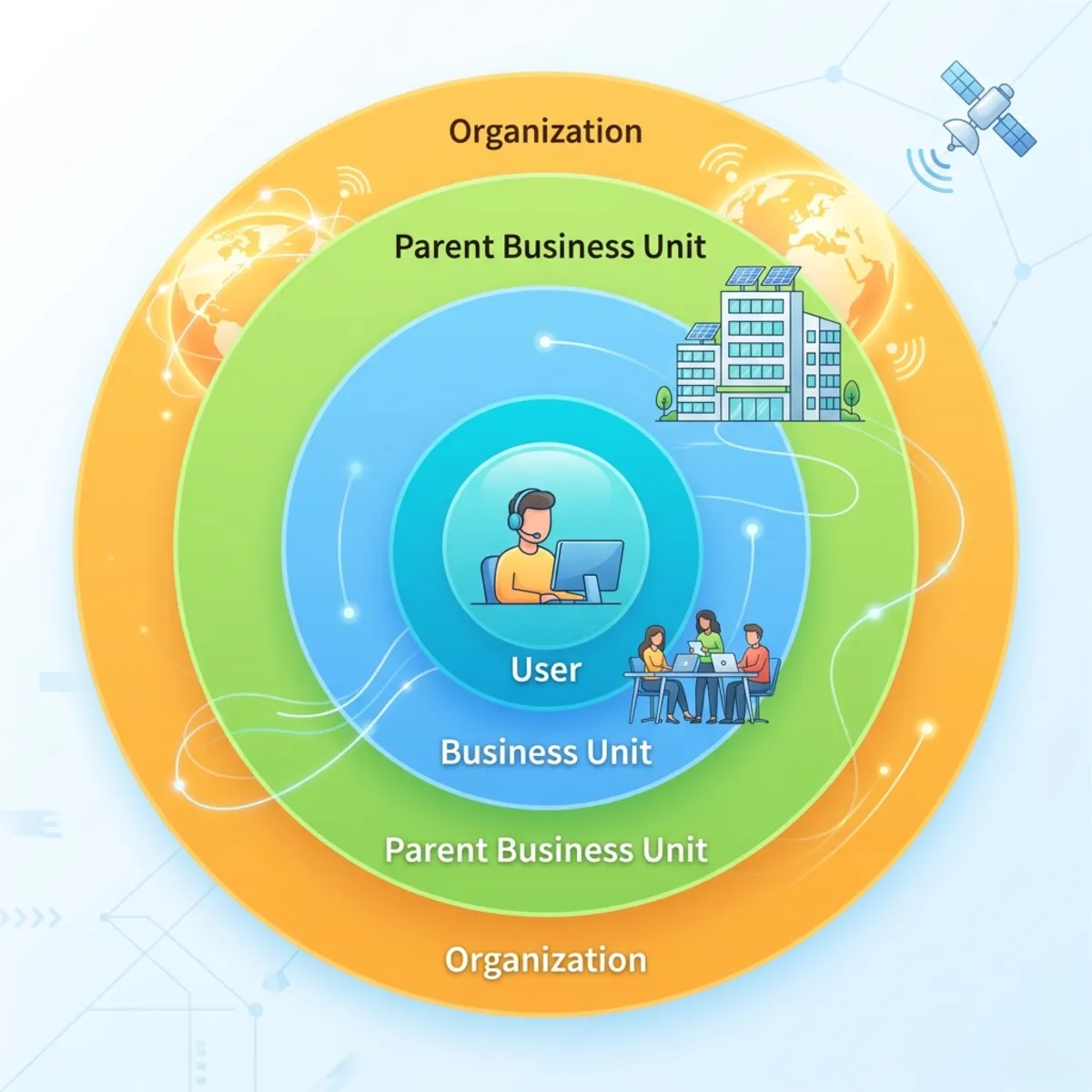
The labels in the modern interface and the labels used in developer documentation sometimes differ, but the model is the same:
| Access level | Practical meaning |
|---|---|
| None | The role does not grant the privilege. |
| User / Basic | Records owned by the user or one of their teams, plus records shared with them. |
| Business Unit / Local | Records owned within the principal’s business unit. |
| Parent: Child Business Units / Deep | Records in the principal’s business unit and its descendants. |
| Organization / Global | All records in the environment for that table. |
Organization-owned tables behave differently: the applicable privilege is effectively either available across the environment or not granted. There is no meaningful per-user ownership boundary to apply.
The effective-access calculation is also cumulative. If a user receives User-level Read from one role and Organization-level Read from another, the broader grant wins. Dataverse does not provide a subtractive “deny” role that can claw back access granted elsewhere.
A useful way to express the evaluation is:
This is why troubleshooting cannot stop at the role currently visible on screen. You must inspect every route through which the user gains access.
2. Security roles are environment-scoped—not tenant admin roles
Power Platform exposes several role types, and confusing them leads to over-permissioning:
| Role type | Scope | What it controls |
|---|---|---|
| Microsoft Entra or Microsoft 365 admin role | Tenant | Administrative services and tenant-wide settings |
| Power Platform environment role | Environment | Environment creation and resource-making capabilities |
| Dataverse security role | Dataverse environment | Access to tables, records, apps, and data operations |
| Product- or app-specific role | Dataverse environment | Permissions required by a particular installed workload |
A Power Platform Administrator, Dynamics 365 Administrator, or other tenant-level administrator does not automatically receive unrestricted Dataverse data access in every environment. When direct access to an environment’s data is required, the relevant Dataverse role must also be present.
That separation is deliberate. Administering the service is not the same as being authorized to read its business data.
3. How to interpret Copilot and agent-related built-in roles
Copilot Studio and connected services install product-specific security roles in Dataverse. The exact set can differ by environment type, region, installed solutions, and product release. Microsoft can also update managed roles as the service evolves.
That makes a static internet list of every role, table, and privilege a poor operational source of truth. Use documentation to understand intent, but use the role definition in the target environment to verify effective permissions.
The most useful way to classify the roles is by job rather than by memorizing every internal table.
Agent authoring and inspection roles
These roles support people who create agents, collaborate on them, or inspect selected agent artifacts. Depending on the installed workload, an environment can expose roles such as maker, user, viewer, or product-specific service roles.
For authoring, Microsoft’s current guidance is to grant the Environment Maker role when a user needs to create agents, or to use another predefined or custom role if the maker requires a narrower permission set. Environment access should ideally be managed through Microsoft Entra security groups, with Dataverse group teams used to assign security roles at scale.
Do not assume that a role with “viewer” in its name grants read access to every related record. Inspect its table privileges and access depths, then test with a representative non-admin account.
Transcript access roles
Conversation transcripts deserve separate treatment because they can contain user questions, retrieved content, and operational metadata. For Copilot Studio agents, transcripts are stored in Dataverse when transcript recording is enabled.
The Bot Transcript Viewer role is required to view transcripts in Power Apps, and administrators can grant it during agent sharing. The Environment Maker role alone does not automatically provide transcript access. Copilot Studio also provides environment controls for transcript recording, retention, viewing, and download.
There are important boundaries:
- Copilot Studio’s direct session download covers the previous 29 days.
- The downloaded Copilot Studio CSV is a subset of the transcript data available through Power Apps.
- SharePoint-grounded responses have special transcript behavior: source information can be represented while the generated answer is redacted.
- Conversation transcripts are not written for Microsoft 365 Copilot agents, Dataverse for Teams environments, or Dataverse developer environments.
Treat transcript access as a sensitive operational permission, not as a harmless analytics entitlement.
Application-user and service roles
Background services—including flows, connectors, and installed workloads—often use application users and managed security roles. These roles exist so the service can perform required operations without impersonating an interactive administrator.
Do not assign service roles to human users merely because the role appears to solve a permission error. First identify:
- Which principal is failing: the maker, end user, connection owner, application user, or flow owner?
- Which operation is denied?
- Which table and record are involved?
- Is the missing grant a table privilege, access depth, sharing grant, connection permission, or product setting?
A service role may contain broad organization-level privileges because the service must operate across records. That does not make it an appropriate human access template.
Governance and administration roles
Some installed solutions expose roles associated with Copilot administration, governance, Microsoft 365 integration, analytics, or application services. Their names can sound tenant-wide even when the role itself is scoped to one Dataverse environment.
Always distinguish:
- the Microsoft Entra admin role that authorizes a person to configure a service;
- the Dataverse security role that authorizes table and record operations in an environment;
- and the application identity used by the service at runtime.
The name alone is not enough to determine scope.
4. What the product-installed roles reveal
The source environment used for this article contained a much broader catalog than the few roles most administrators encounter during routine sharing. Searching its security-role list for agent and Copilot surfaced examples such as:
- Agent 365 Tools Role
- Agent Viewer
- App Agents Maker
- App Agents User
- App Agents S2S
- M365 Workflows Agent Maker
- Masking Agent Messages
- Copilot Governance Role
- M365 Copilot Sales Integration User
- M365 Copilot Service Administrator
- M365 Copilot Service User
- Microsoft Copilot Administrator
- Microsoft Copilot User
- Sales Copilot User
- Power Automate AI Flows Application User
- Bot Transcript Viewer
This list illustrates an important architectural point: “agent security” is not represented by one universal role. Different roles support makers, users, viewers, service-to-service identities, background automation, analytics, governance, sales integration, Microsoft 365 services, and tool administration.
It does not mean that every user should receive one of these roles manually. Some are application or service roles, some arrive with managed solutions, and some are granted through supported product workflows. The available roles may also vary by environment and installed workload.
Role-and-table observations from the source environment
The following findings preserve the concrete table-level observations from the original walkthrough. Treat them as a point-in-time inspection of one environment, not as a permanent cross-tenant specification. Before using them operationally, open the corresponding role in your own environment and review Show only assigned tables.
| Observed role | Notable privileges seen in the source environment | Intended interpretation |
|---|---|---|
| Agent Viewer | User-level Read across agent-related tables, including Agent Component, AI Model, Copilot Connector, Copilot Synonym, Copilot Glossary Terms, Bot Content, and Connection Reference | Supports viewing agent information and participating components without broad authoring rights. |
| Bot Transcript Viewer | User-level Read on Conversation Transcript; the source also showed organization-level Read on SharePoint Document | Separates transcript access from general maker access. Grant only when the person must inspect conversational data. |
| Power Automate AI Flows Application User | Organization-level access observed for Connector, Data Lake Folder, and Flow Run, including Create/Read/Write on selected operational tables | A background application role supporting flow execution and operational records—not a general-purpose role for human makers. |
| Microsoft Copilot Administrator | Organization-level privileges across AI Plug-in Governance and AI Plug-in Governance Extended; organization-level Read/Share observed for AI Copilot, AI Plug-in, and AI Plug-in Instance | A Dataverse application role for Copilot-related records. Do not confuse it with a tenant-level Microsoft Entra administrator role. |
| Microsoft Copilot User | Mostly User-level Read across AI plug-in conversation starters, maps, governance records, connectors, plug-ins, and operations; Organization-level Read observed for AI Copilot and AI Plug-in Title | Supports standard Copilot application use while retaining narrower access to user-owned records where supported. |
| M365 Copilot Service Administrator | Broad organization-level privileges observed across installed msdyn and Viva-related settings, including Viva entity, orchestration, credential, and user-setting tables, with exceptions on some Assign privileges | A workload service role tied to Microsoft 365 and Viva integration records, not a generic agent administrator persona. |
| M365 Copilot Service User | User-level privileges observed for Note, CRM connection/tagged-record, and Viva user-setting records; Organization-level Read observed for SharePoint Document and selected service records | Supports client-side or workload integration scenarios using the installed Microsoft 365 service solution. |
| Copilot Governance Role | Organization-level Read observed across Copilot, Agent Component Collection, glossary/synonym, Environment Variable Definition, and Feature Control Settings | Provides inventory-oriented visibility without implying modification rights. |
| Agent 365 Tools Role | Organization-level privileges observed for Agent Rule, MCP Prompt, MCP Resource, MCP Resource Content, MCP Server, and MCP Tool; broad managed-identity access with selected exceptions | Supports the Agent Tools control plane and its MCP/tool catalog. It should not be treated as a human “global reader” shortcut. |
| App Agents Maker | Organization-level Read observed for agent feed, hub goal, insight, metric, task, scenario, memory, and prompt records; User-level Create/Write/Delete observed for Agent Memory; no Create/Write/Delete observed for Agent Prompt | Illustrates how a maker can receive broad reference visibility while changes to user-owned memory remain bounded. |
| App Agents User | Primarily User-level Read across app-agent records, with Organization-level Read observed for Agent Scenario | Provides a narrower end-user access pattern than the maker role. |
Several names in the source narration were spoken or rendered inconsistently—for example, “glossery,” “inside,” “manage identity,” and “MCP2.” In the rewritten article, these are normalized only where the intended product concept is clear: glossary terms, insight, managed identity, and MCP tool. When exact schema names matter, copy the logical table name from the target environment rather than relying on a transcript or display label.
Reading the role editor correctly
The Power Platform security-role editor can group tables into areas such as Business Management, Core Records, Custom Tables, and Customization. It can also filter the view to assigned or unassigned tables. These are navigation aids; they do not create additional authorization layers.
For every assigned table, read the role horizontally across all privileges. A role might have Organization-level Read while Create, Write, and Delete remain at None. That is materially different from “full access.” Also check whether the table is user/team-owned or organization-owned before interpreting the depth icons.
If the interface displays a red message stating that the role privileges cannot be adjusted because the role is non-customizable, the role is protected by the installed product or managed solution. You can inspect and assign it, but you cannot use it as an editable policy template.
5. Why a table-by-table privilege matrix can mislead you
A privilege matrix is valuable when it is generated from the environment you are governing. It is risky when copied from another tenant or frozen in a blog post.
Internal table display names and schemas can change. Managed solutions can add roles and privileges. Separate products can install similarly named roles. A table name shown in the security-role editor may also be a localized display name rather than the stable logical name used by APIs and solution components.
Use a matrix as an evidence artifact, not as universal documentation.
For each role under review, capture:
| Review field | Question to answer |
|---|---|
| Role origin | Is the role built in, managed by a solution, or custom? |
| Applies to | Which product, app, or service uses it? |
| Principal type | Human user, team, application user, or service? |
| Tables | Which tables receive privileges? |
| Operations | Create, Read, Write, Delete, Append, Append To, Assign, or Share? |
| Depth | User, Business Unit, Parent: Child, or Organization? |
| Ownership | User/team-owned or organization-owned table? |
| Assignment path | Direct assignment, team membership, sharing workflow, or automated provisioning? |
| Validation | What test proves the role grants only the intended access? |
This approach preserves the value of table-level analysis without pretending that one environment’s current configuration is a permanent contract.
6. Built-in roles, managed roles, and custom roles
Some predefined roles can be edited or copied; others are protected or managed and cannot be changed directly. In the modern Power Platform admin center, an uneditable role does not expose the normal save actions.
When a built-in role is broader than your requirement, use a custom role rather than attempting to modify a protected role.
The current navigation is:
To create a role, select New role, choose the business unit, add a meaningful description, configure privilege inheritance, and then grant the required table privileges.
A safer custom-role workflow
- Define the persona. Example: agent maker, transcript auditor, analytics reader, or production support operator.
- List required tasks. Describe actions in product language before translating them into tables and privileges.
- Observe the failing operation. Use audit data, error details, and a non-admin test account.
- Grant the minimum privilege and depth. Start with User-level access where ownership supports it.
- Account for dependencies. Append and Append To are a common example: associating two records can require privileges on both sides of the relationship.
- Test isolation. Verify not only what the persona can do, but also what they must not be able to do—including access to another maker’s records.
- Move the role through solutions. Treat security configuration as an application-lifecycle-management artifact rather than hand-building it differently in every environment.
- Revalidate after product updates. Managed solution changes can introduce new tables or required operations.
Rule of thumb: Design custom roles around supported user tasks, not around guessed internal implementation details.
7. Explicit assignment versus sharing-driven access
Dataverse roles can be assigned directly to users or inherited through teams. Microsoft’s recommended scalable pattern is to use Microsoft Entra groups and Dataverse group teams instead of maintaining large numbers of individual assignments.
Copilot Studio sharing is a separate workflow. You can share an agent for chat, invite collaborators to author it, or share access to analytics. Those product actions can result in supporting permissions being applied, but you should not hard-code an assumption that one sharing label will always provision a fixed pair of Dataverse roles.
Microsoft documents one specific, important behavior: administrators can grant Bot Transcript Viewer during agent sharing when transcript access is required. Beyond documented behavior, verify the resulting assignments in your own environment because the implementation can evolve.
For troubleshooting, ask two different questions:
- Was the agent shared with the person for the intended product action?
- Does the person’s cumulative Dataverse access permit the underlying record operations?
A “yes” to only one of these questions is not sufficient.
8. Agent and tool inventory are related—but separate
Agents can be created in multiple experiences. A user can create a lightweight agent from Microsoft 365 Copilot by supplying instructions and knowledge, use a Microsoft-provided agent, or build a more extensively configured agent in Copilot Studio with knowledge, tools, skills, memory, triggers, channels, and other settings.
The Microsoft 365 admin center provides centralized visibility across this ecosystem, but the agent inventory and tool inventory answer different questions:
- The Agent Registry shows the agents available to the organization and supports actions such as reviewing details, assigning or blocking access, and managing lifecycle state.
- Agents > Tools > Registry shows the tools and MCP servers available to agents. Administrators can filter tools by status and publisher, inspect type and publisher, and block or unblock supported tools.
- Agents > Tools > Requests is the queue for reviewing and approving tool requests submitted from the organization.
For a selected agent, the management experience can expose details such as owner, publisher, status, channel, and other inventory metadata. The exact fields depend on agent type and management state. For a selected tool, administrators can distinguish MCP servers and other tool types and evaluate who published them before allowing their use.
These inventory experiences depend on service-side management and authorization. The presence of broad privileges in a managed Dataverse role such as Agent 365 Tools Role is part of that implementation; it is not a reason to assign the role manually to everyone who needs read-only access to the admin portal.
9. Tenant governance belongs in the Microsoft 365 admin center
Dataverse roles answer, “What can this principal do inside this environment?” Tenant agent governance answers a different question: “Which agents are available to the organization, who can use them, and how are they managed over time?”
In the Microsoft 365 admin center, the Agent Registry provides a centralized inventory. It categorizes Microsoft agents, external partner-built agents, agents published by the organization, and agents shared by creators. Administrators can use the management experience to enable, disable, assign, block, remove, approve, or reject agents as appropriate.
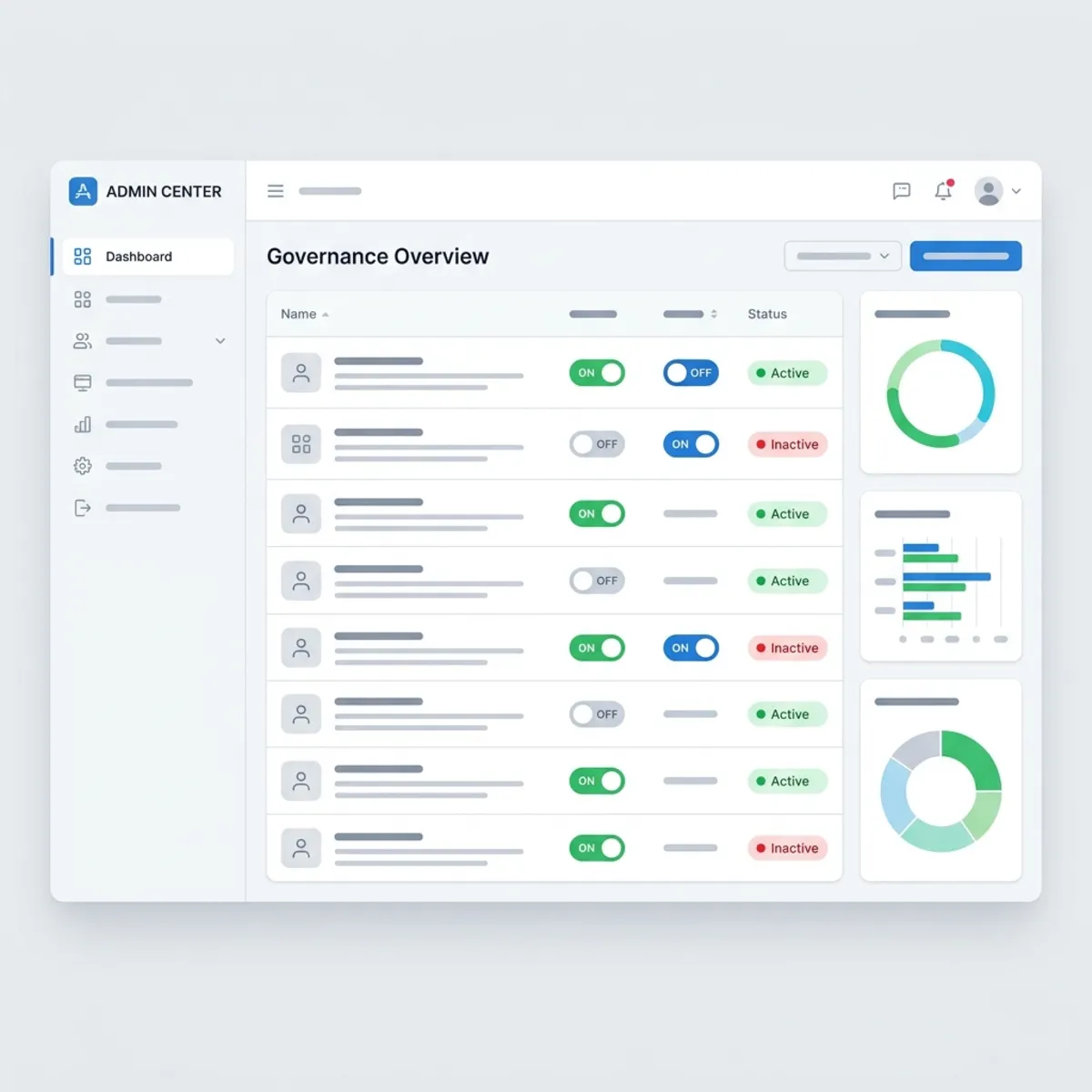
Current agent settings include controls for:
- allowed agent types;
- user access;
- agent sharing;
- security templates;
- and rule-based lifecycle actions.
This is more precise than thinking of the portal as a single global “kill switch.” Controls can differ by agent type, state, policy, and management action.
The Microsoft 365 admin center and Power Platform admin center therefore solve complementary problems:
| Administrative plane | Primary responsibility |
|---|---|
| Microsoft 365 admin center | Tenant inventory, approval, assignment, availability, agent types, sharing, and lifecycle governance |
| Power Platform admin center | Environments, Dataverse roles, users and teams, data policies, connectors, and environment-level controls |
| Copilot Studio | Agent design, sharing, publishing, authentication, tools, knowledge, channels, analytics, and selected agent-level security settings |
| Microsoft Purview and Microsoft Sentinel | Audit, investigation, compliance, monitoring, and alerting scenarios supported by each service |
Do not expect any one portal to express the entire security posture.
10. A practical access-review playbook
Suppose an analyst can open an agent but cannot download its conversation transcripts.
Work through the layers in order:
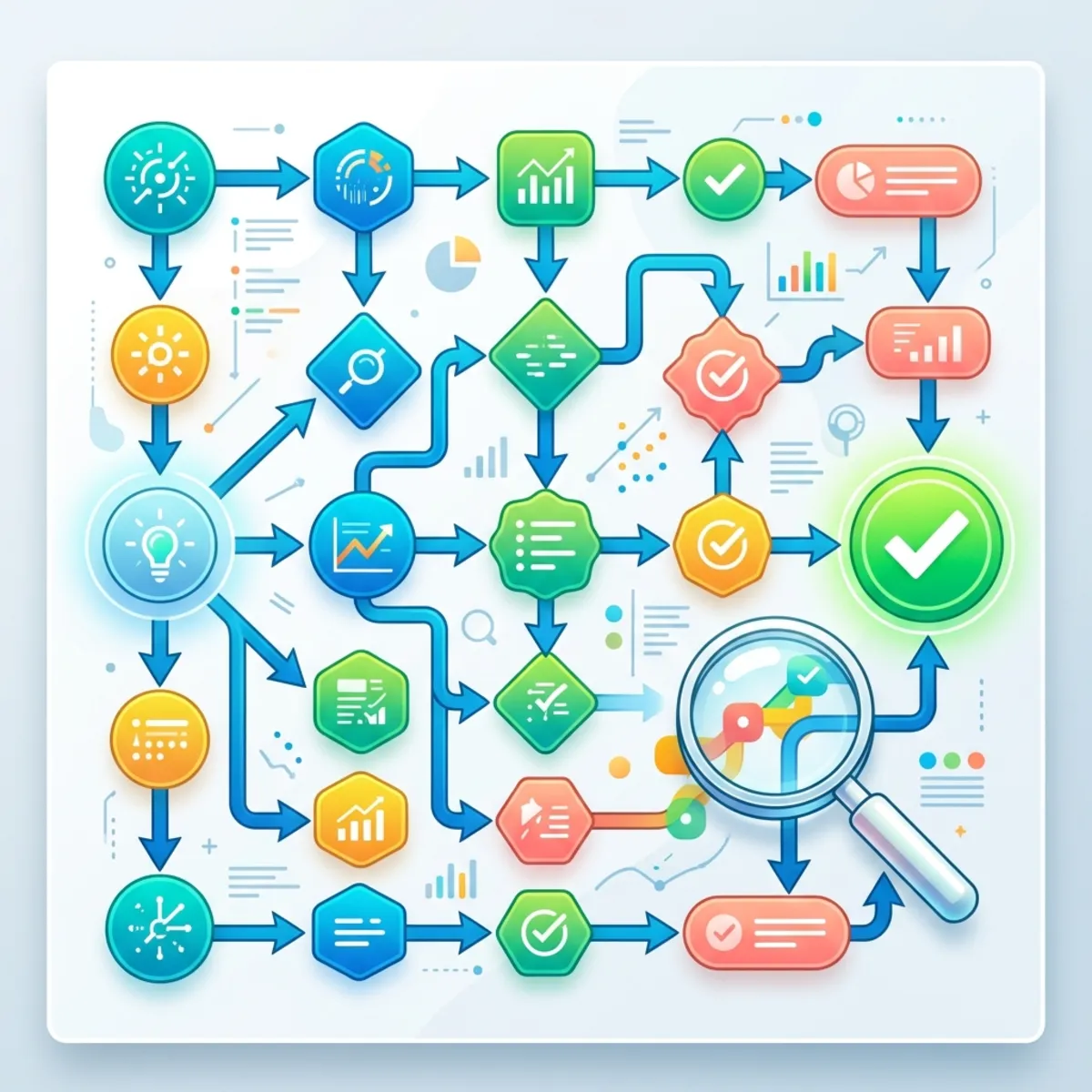
Step 1: Confirm the scenario is supported
Check whether this is a Copilot Studio agent in an environment where transcripts are written. Microsoft 365 Copilot agents, Dataverse for Teams environments, and developer environments do not use the same transcript path.
Step 2: Check transcript settings
Verify that recording and download are enabled for the environment and that retention has not removed the required data.
Step 3: Check the product entitlement
Confirm that the agent and analytics experience were shared as intended.
Step 4: Check Dataverse authorization
Verify that the user has Bot Transcript Viewer when access through Power Apps is required. Then inspect all direct and team-based roles, not just the expected one.
Step 5: Test without administrative elevation
Administrative accounts often hide missing-role problems. Reproduce the scenario with a representative non-admin identity.
Step 6: Record the decision
Document the persona, access path, business justification, granted role, environment, owner, and review date. This turns a one-off fix into a repeatable control.
The same layered method works for agent authoring, analytics, sharing, tool execution, and service-account failures.
11. Design principles for secure self-service agents
A reliable governance model follows a few durable principles:
- Separate tenant administration from data access. Do not assume one implies the other.
- Use groups and teams for scale. Reserve direct role assignment for exceptions.
- Treat transcripts as sensitive records. Restrict access, define retention, and validate download requirements.
- Prefer supported product roles before custom roles. Create a custom role only when the persona genuinely needs a different boundary.
- Do not assign application-user roles to people. Diagnose the failing principal first.
- Inspect cumulative access. The broadest grant from roles, teams, and sharing determines the result.
- Validate the current environment. Role names and managed privileges can change as solutions evolve.
- Govern across planes. Combine Microsoft 365 tenant controls, Power Platform environment controls, Copilot Studio configuration, and audit tooling.
- Test both positive and negative cases. A role is not proven safe merely because the intended task succeeds.
Final perspective
Agent governance is not one role, one portal, or one privilege matrix. It is a layered authorization system.
Dataverse provides the record-level foundation. Copilot Studio adds agent-specific sharing, authoring, transcript, and runtime controls. Microsoft 365 administration provides tenant inventory and lifecycle governance. Identity groups, teams, data policies, and audit services connect those layers into an operating model.
Once you stop treating role names as guarantees and start evaluating principal + privilege + depth + ownership + assignment path, agent-security troubleshooting becomes much more predictable. More importantly, self-service creation and enterprise control no longer have to be opposing goals.
References
- Security roles and privileges for Dataverse
- Role-based security roles for Dataverse
- Security concepts for Dataverse developers
- Create or edit a security role
- Assign security roles
- Secure your Copilot Studio projects
- Share agents with other users
- Control transcript access and retention
- Understand downloaded session data from Copilot Studio
- Manage agents in the Microsoft 365 admin center
- Manage the Agent Registry
- Agent settings in the Microsoft 365 admin center
Read next