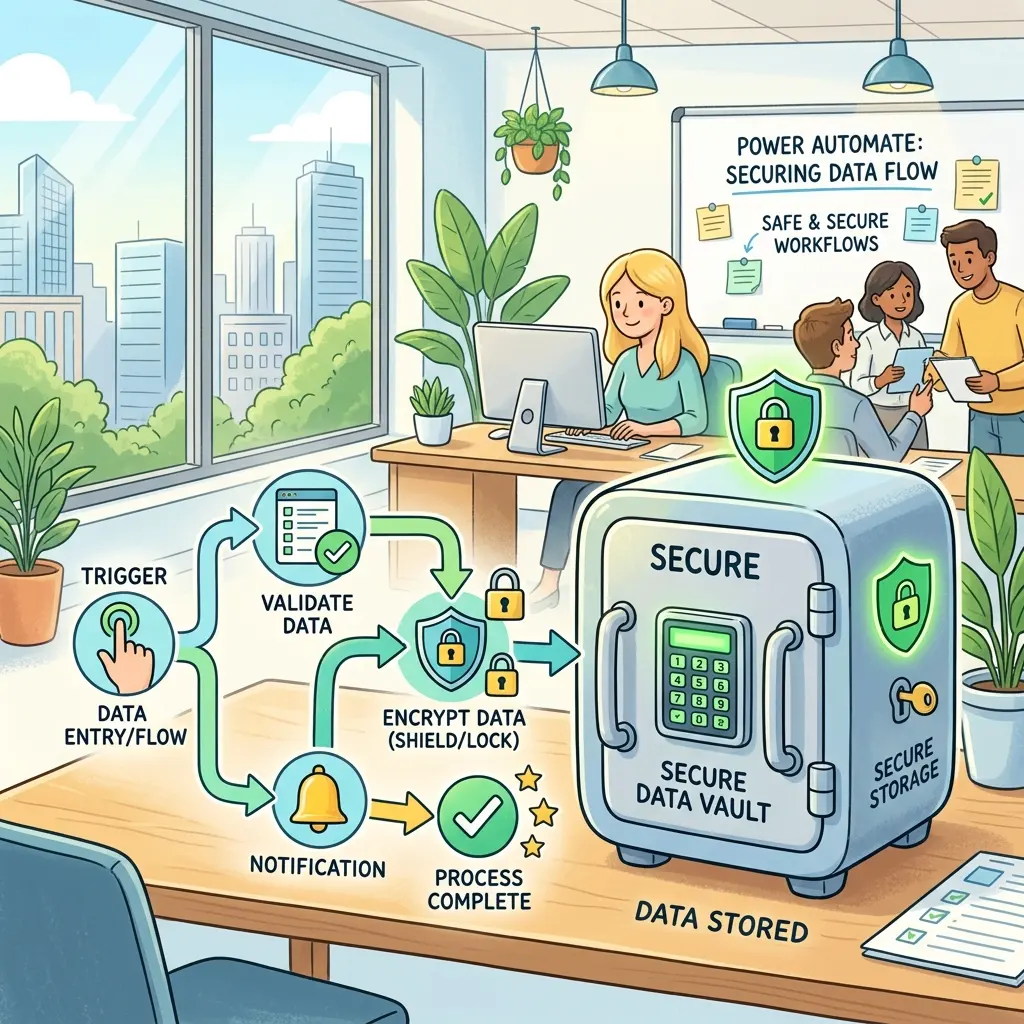
Secure Power Automate with Azure Key Vault Secrets

Writer

Hardcoded secrets in Power Automate are not a developer shortcut. They are an operating risk wearing a hoodie.
A SQL password, SAP credential, RPA credential, third-party API key, HR integration token, or connection string inside a flow may feel harmless when a team is moving fast. But at enterprise scale, that value becomes a governance problem: it can appear in flow definitions, travel between environments, leak through run history, and create emergency work every time credentials rotate.
The better model is simple:
Power Automate should know where the secret lives. Azure Key Vault should own the secret itself.
That distinction matters. For IT leaders, it reduces blast radius. For tenant administrators, it creates a repeatable control pattern. For FinOps practitioners, it prevents the slow growth of unmanaged premium automations, duplicate vault designs, and expensive remediation after an audit.
Microsoft supports this pattern in two practical ways:
- Power Platform environment variables of type Secret, backed by Azure Key Vault.
- The Azure Key Vault connector, a premium connector for direct secret, key, and certificate operations.
This guide reframes the setup as a strategic operating model, not just a configuration checklist.
The mental model: hotel safe, room key, and audit desk

Think of enterprise secret handling like a hotel.
| Concept | Hotel analogy | Platform equivalent |
|---|---|---|
| The valuable item | Passport locked in the hotel safe | API key, SQL password, connection string, SAP credential, RPA credential, HR token |
| The safe | Secure storage controlled by hotel staff | Azure Key Vault |
| The room key card | Reference that lets you request access | Secret environment variable in Dataverse |
| The front desk check | Staff validates whether you are allowed to access the safe | Azure RBAC, Microsoft Entra ID, and Dataverse service principal permissions |
| Security camera footage | Evidence of who requested access | Flow run history, Azure logs, Power Platform monitoring |
The flow should never carry the passport around in its pocket. It should request the secret only when needed, under the right identity, and with logging controls that avoid exposing the value.
That is the governance pattern.
What Azure Key Vault actually manages
Azure Key Vault is not just a password bucket. It manages three related but different object types: Secrets, Keys, and Certificates.
| Key Vault object | What it is | Power Automate example |
|---|---|---|
| Secrets | Sensitive strings such as passwords, API keys, tokens, and connection strings | Retrieve an ERP API token, SQL connection string, SAP credential, RPA credential, or HR system integration secret at runtime |
| Keys | Cryptographic keys used for operations such as signing, verification, encryption, decryption, wrapping, and unwrapping | Validate that a key exists and inspect its allowed operations before a governed process uses it |
| Certificates | Certificate objects used for certificate-based trust and lifecycle management | Support certificate-based authentication patterns where the broader architecture requires it |
For most Power Automate cloud-flow scenarios, secrets are the main event. Keys and certificates matter more when flows participate in a broader cryptographic or certificate-based integration pattern.
The governance point is the same: store the sensitive asset in Key Vault, grant access deliberately, retrieve it only when needed, and keep it out of plain-text logs and source control.
What changes when you use Secret environment variables?

Standard environment variables are great for values like URLs, feature flags, region codes, queue names, or SharePoint site addresses.
Secret environment variables are different. They do not store the secret value directly in Power Platform. Instead, the actual secret remains in Azure Key Vault, and the Power Platform environment variable stores a reference to the Key Vault secret location.
| Scenario | Traditional pattern | Governed pattern |
|---|---|---|
| API key for third-party service | Stored in a flow variable, Compose action, or plain text environment variable | Stored in Azure Key Vault and referenced by a Secret environment variable |
| SAP or ERP credential | Copied into a flow action by a maker | Stored centrally, retrieved only at runtime, and hidden from run history |
| RPA credential | Embedded into desktop-flow or automation configuration | Governed as a secret with explicit access and rotation ownership |
| HR integration token | Shared manually between business and IT teams | Controlled through Key Vault and environment-specific configuration |
| Credential rotation | Edit every flow or connection where the value was copied | Update the Key Vault secret, then test dependent flows |
| Dev/Test/Prod deployment | Risk of exporting real credentials between environments | Use environment-specific vaults or secrets with consistent logical names |
| Audit readiness | Hard to prove where secrets live and who can read them | Centralized access control and audit posture through Azure |
Rule of thumb: if the value would create a security incident if pasted into Teams, email, a screenshot, or a run history log, it belongs in Key Vault.
The strategic decision: environment variable or premium connector?
There are two main routes. Do not treat them as interchangeable. They solve different governance problems.
| Option | Best for | Governance advantage | Watch-out |
|---|---|---|---|
| Secret environment variable backed by Azure Key Vault | ALM-friendly solution configuration across Dev/Test/Prod | Keeps flows portable and avoids embedding sensitive values in solution components | Secret values do not appear in dynamic content; you retrieve them through a Dataverse unbound action |
| Azure Key Vault connector | Direct operational interaction with Key Vault from a flow | Clear, explicit actions such as Get secret, List secrets, List keys, and Get key metadata | It is a premium connector in Power Automate, so licensing and DLP policy must be planned |
My opinionated take:
Use Secret environment variables as the default enterprise pattern. Use the Azure Key Vault connector when the flow genuinely needs direct Key Vault operations.
Why? Because environment variables align better with solution lifecycle management. They make Dev/Test/Prod cleaner. They also help tenant administrators define a standard pattern that makers can follow without turning every flow into a bespoke security design.
The cost model: this is usually not a Key Vault bill problem
Here is the FinOps reality: for typical Power Automate secret retrieval, Azure Key Vault transaction cost is usually tiny. The larger cost questions are usually licensing, ownership, support, and sprawl.
Microsoft’s public Azure pricing page lists secrets operations for Key Vault vaults at $0.03 per 10,000 transactions in the displayed USD pricing. Azure pricing varies by agreement, region, currency, date, and Microsoft commercial terms, so treat the numbers below as planning intuition, not quotes.
Directional planning aid, not a quote
| Example workload | Directional monthly secret reads | Directional Key Vault transaction cost |
|---|---|---|
| 50 flows, 10 runs/day, 3 secret reads/run | 45,000 operations | About $0.14/month |
| 1,000,000 secret reads/month | 1,000,000 operations | About $3/month |
| 500 flows, 200 runs/day, 2 secret reads/run | 6,000,000 operations | About $18/month |
This is why the Key Vault line item is rarely the villain. The real budget questions are:
- Are we introducing premium connectors where we previously relied on standard connectors?
- Do the right users or processes have the right Power Automate licenses?
- Are flows owned by individuals when they should be owned by service accounts or governed teams?
- Are we creating one-off vaults, duplicate secrets, and manual support overhead?
- Are makers retrieving secrets inside high-frequency loops instead of once per run?
FinOps rule of thumb: optimize for governance first, then transaction efficiency. If your Power Automate estate is large enough for Key Vault transaction cost to matter, you should already have platform telemetry and chargeback/showback in place.
Licensing intuition: one premium action can change the economics
The Azure Key Vault connector is classified as Premium for Power Automate. That does not mean “do not use it.” It means “route it intentionally.”
Power Automate licensing depends on the flow type, the license context, and whether premium connectors are used. In practical terms, the owner, invoker, and licensing model can determine whether a flow can use premium capabilities safely and compliantly.
For governance, translate that into this plain-English model:
| Question | Why it matters |
|---|---|
| Is this a personal/team productivity flow or an enterprise business process? | Enterprise processes may be better candidates for process-level licensing and stronger ownership controls. |
| Does the flow use any premium connector? | Premium usage changes licensing requirements and should be visible to admins before rollout. |
| Is the flow invoked by many users? | User-context licensing can become expensive or non-compliant if not planned. |
| Is this a backbone automation like HR onboarding, invoice processing, or customer provisioning? | Treat it as a governed business process, not a personal maker asset. |
Rule of thumb: if a flow touches credentials, regulated data, core business systems, or premium connectors, it should be visible in your Center of Excellence inventory before it becomes business-critical.
Technical foundation: what must be in place
Before anyone builds the flow, set the foundation in Azure and Power Platform. At a minimum, you need an active Azure subscription, a resource group to hold the vault, and a deployed Azure Key Vault instance.
1. Register the Power Platform resource provider
In the Azure subscription that contains the Key Vault, register the Microsoft.PowerPlatform resource provider. Microsoft documents this as a prerequisite for using Azure Key Vault secrets with Power Platform environment variables.
If this is missing, the integration can fail in ways that look like a Power Automate issue but are really an Azure subscription configuration issue.
2. Create or select the Key Vault
Create a dedicated Azure Key Vault, preferably with an environment-aware strategy.
| Pattern | When it works | Risk |
|---|---|---|
| One shared vault for everything | Small proof of concept or tightly controlled pilot | Easy to mix Dev/Test/Prod secrets and expand blast radius |
| Separate vault per environment | Most enterprise Power Platform estates | Better isolation and clearer operational ownership |
| Separate vault per business domain | Large organizations with strong domain ownership | More governance overhead, but cleaner accountability |
My default recommendation: separate vaults for Dev, Test, and Prod, with consistent secret names across environments.
Example:
| Environment | Vault | Secret name |
|---|---|---|
| Dev | kv-hr-dev | payroll-api-key |
| Test | kv-hr-test | payroll-api-key |
| Prod | kv-hr-prod | payroll-api-key |
The name stays stable. The value changes by environment. Your ALM story gets dramatically cleaner.
3. Use least-privilege access
Access to Key Vault is strictly governed. To allow Power Automate and Power Platform solution assets to retrieve secrets, configure Azure Role-Based Access Control through the Key Vault’s IAM experience.
At minimum, plan permissions for:
| Principal | Why it needs access | Typical permission intent |
|---|---|---|
| Admin or maker configuring the environment variable | Creates and validates the Secret environment variable | Read secret value during configuration/testing |
| User or service account executing the flow or establishing the connection | Enables the automation to retrieve the required secret under the approved identity model | Vault visibility and secret retrieval as required by the design |
| Dataverse service principal | Bridges Power Platform and Azure Key Vault for Secret environment variables | Read the specific secret value |
| Operational break-glass group | Emergency support and incident response | Controlled, audited access |
In practice, many implementations assign Key Vault Reader for vault-level visibility and Key Vault Secrets User for retrieving secret contents. Microsoft’s current guidance emphasizes Key Vault Secrets User as the critical role for value retrieval; Reader alone is not enough to retrieve secret values.
The big governance move is not “give everyone access.” It is the opposite: give the right human users, service identities, and the Dataverse service principal only the access they need, then make that access auditable.
Method A: Secret environment variable backed by Azure Key Vault
Use this when you want governed, ALM-friendly secret references inside Power Platform solutions.
Why this is the better default
Secret environment variables let you separate solution design from environment-specific sensitive values.
That is exactly what tenant administrators want:
- Makers can build flows without copying production credentials.
- Admins can promote solutions without exporting real secrets.
- Security teams can control the vault instead of reviewing every flow action.
- FinOps teams can see which environments and processes are using the pattern.
Important behavior: secrets do not appear in dynamic content
This trips people up. Secret environment variables are intentionally not exposed like normal text values in the Power Automate dynamic content picker. If you try to drop a Secret environment variable into a Compose action, it simply will not appear like a standard text variable.
That is a feature, not a bug.
To retrieve the value in a cloud flow, use the Dataverse action:
- Add the Microsoft Dataverse connector.
- Choose Perform an unbound action.
- Select RetrieveEnvironmentVariableSecretValue.
- Provide the logical name of the Secret environment variable.
- Immediately secure the action’s inputs and outputs. More on that below.
This unbound action resolves the environment variable reference in Dataverse, reaches the Azure Key Vault-backed secret, and returns the value into the flow runtime.
Keep the flow simple. Avoid sprinkling this action throughout the design. Retrieve the secret once, use it where needed, and do not place it inside loops unless there is a very specific reason.
Method B: Azure Key Vault premium connector
Use the Azure Key Vault connector when you need direct Key Vault operations in the automation itself.
Common actions include:
| Action | What it returns | Strategic use | Governance note |
|---|---|---|---|
| List secrets | Metadata such as secret identifiers, versions, timestamps, and enabled state; not the raw secret value | Inventory, audit, and validation scenarios | Use for admin workflows, not high-frequency business-flow hot paths. |
| List keys | Key metadata rather than raw key material | Inventory and validation scenarios for cryptographic keys | Useful for audit and platform checks, not usually needed in standard business flows. |
| Get secret | The plaintext value of a named secret | Retrieve a secret such as SQL connection 1 2 3 at runtime for a database or API call | Secure inputs/outputs immediately; do not expose the value in Compose, email, Teams, or run history. |
| Get key metadata | Technical key properties such as algorithm or key type and allowed cryptographic operations including sign, verify, wrap, unwrap, encrypt, and decrypt | Validate that a key matches the approved cryptographic pattern | Useful when flows sit inside a broader cryptographic governance process. |
A few practical notes:
- The connector reference identifies Azure Key Vault as a Microsoft-published connector and lists it as Premium for Power Automate.
- Microsoft documents that the connector’s get/list actions for secrets and keys return a maximum of 25 items.
- Microsoft’s portal experience masks secret values by default and allows authorized users to reveal hidden values through the portal. For governance, do not treat portal masking as your security boundary; RBAC and logging controls are the real boundary.
- Microsoft also notes current authentication limitations for Microsoft Entra ID guest users and recommends service principal authentication to address that scenario.
Mandatory practice: secure the run history
Retrieving the secret safely is only half the job.
Power Automate run history can show action inputs and outputs to users who can view the flow run. That means a secret can still leak after a technically “correct” Key Vault integration if the flow logs the value in plain text.
Whenever you use RetrieveEnvironmentVariableSecretValue, Get secret, or any downstream action that receives the secret, turn on Secure Inputs and Secure Outputs in action settings.
Apply this pattern:
- Open the action that retrieves the secret.
- Go to the action settings.
- Turn on Secure Inputs.
- Turn on Secure Outputs.
- Repeat for downstream actions that consume the secret, such as HTTP calls, custom connector actions, database calls, or variables that hold the secret.
- Run a test.
- Open run history and verify the secret is masked.
A common mistake is securing the Get secret action but then passing the value into an unsecured HTTP action. Result: the secret can still appear in the downstream action’s inputs.
Rule of thumb: secure the whole secret path, not just the secret source.
The safe rollout plan for tenant administrators
Do not start by telling every maker to “use Key Vault.” That creates inconsistent patterns and support tickets.
Start with a controlled platform pattern.
Phase 1: Define the standard
Create a short internal standard that answers:
- Which environments may use Key Vault-backed secrets?
- Who can create or approve new secrets?
- What naming convention should be used?
- Which vault belongs to Dev/Test/Prod?
- When should makers use Secret environment variables vs. the Azure Key Vault connector?
- What Secure Inputs/Outputs rules are mandatory?
Phase 2: Pilot with one business process
Pick a process that is important but not catastrophic if the pilot needs adjustment.
Good candidates:
- HR onboarding flow calling a third-party HR API.
- Finance approval flow calling an ERP endpoint.
- IT service flow calling Microsoft Graph or an internal API.
- RPA-supported back-office process that needs a governed credential.
Avoid starting with 200 flows at once. You are proving the governance muscle, not just the technical integration.
Phase 3: Create a reusable solution template
Package the standard pattern:
- Environment variable definition.
- Example retrieval step.
- Secure Inputs/Outputs reminder.
- Connection reference guidance.
- Admin ownership guidance.
The goal is to make the secure path the easy path.
Phase 4: Monitor and tighten
Use your Power Platform admin and Center of Excellence processes to review:
- Flows using premium connectors.
- Flows using HTTP actions with authorization headers.
- Flows owned by individual users but supporting core business processes.
- Flows retrieving secrets repeatedly inside loops.
- Flows where run history still exposes sensitive values.
Quick decision guide
| If you need to… | Choose… | Why |
|---|---|---|
| Store one API key used by a solution across Dev/Test/Prod | Secret environment variable backed by Key Vault | Best ALM fit and clean environment separation |
| Retrieve a SQL connection string, SAP credential, RPA credential, or HR integration secret | Secret environment variable where possible; Key Vault connector when direct vault interaction is required | Keeps sensitive values centralized and governed |
| Let a governed admin flow inspect Key Vault metadata | Azure Key Vault connector | Direct operational actions are appropriate |
| Rotate a production credential without editing flow logic | Key Vault plus stable secret naming | Update the secret in the vault and validate dependent flows |
| Avoid premium connector sprawl | Prefer Secret environment variables where suitable | Reduces unnecessary direct connector usage |
| Call an API with a bearer token | Retrieve secret once, secure retrieval and downstream action | Prevents run history leakage |
| Build a high-frequency automation | Cache/reuse within the run; avoid Key Vault calls inside loops | Keeps costs and latency predictable |
What I would remove from most technical implementations
A lot of tutorials over-rotate into code and screenshots. For enterprise governance, that is not the point.
The real questions are not “which button do I click?” The real questions are:
- Who owns the vault?
- Who can read secrets?
- Which flows are allowed to retrieve secrets?
- Which environments can use premium connectors?
- How do we rotate credentials without rewriting automations?
- Can an auditor see the secret in run history?
- Can finance understand the licensing impact before adoption scales?
If your design cannot answer those questions, it is not enterprise-ready yet.
Final takeaway
Azure Key Vault is not just a safer place to put passwords. It is a control plane for Power Platform risk.
For small teams, the win is simple: stop hardcoding secrets.
For enterprises, the bigger win is strategic:
- centralize sensitive values,
- reduce audit exposure,
- make credential rotation boring,
- govern premium connector use,
- and give IT, security, and FinOps a shared operating model.
Hardcoded secrets are cheap until they are not. Key Vault-backed governance is the opposite: a little setup upfront, a lot less pain later.
Sources
- Microsoft Learn: Use environment variables for Azure Key Vault secrets — https://learn.microsoft.com/en-us/power-apps/maker/data-platform/environmentvariables-azure-key-vault-secrets
- Microsoft Learn: Secure data used in cloud flows — https://learn.microsoft.com/en-us/power-automate/guidance/coding-guidelines/use-secure-inputs-outputs-triggers
- Microsoft Learn: Azure Key Vault connector reference — https://learn.microsoft.com/en-us/connectors/keyvault/
- Microsoft Learn: Azure Key Vault keys, secrets, and certificates overview — https://learn.microsoft.com/en-us/azure/key-vault/general/about-keys-secrets-certificates
- Microsoft Azure: Azure Key Vault pricing — https://azure.microsoft.com/en-us/pricing/details/key-vault/
- Microsoft Learn: Power Automate licensing FAQ — https://learn.microsoft.com/en-us/power-platform/admin/power-automate-licensing/faqs
- Microsoft Learn: Quickstart: Set and retrieve a secret from Azure Key Vault using the Azure portal — https://learn.microsoft.com/en-us/azure/key-vault/secrets/quick-create-portal
Read next