Architecting Enterprise AI: Mastering the Four IQs

Writer

Building a demo agent is easy. Building a production-ready enterprise agent that can seamlessly navigate structured data, unstructured data, web context, and human communications is a completely different challenge.
At Microsoft Build, industry experts pulled back the curtain on a new paradigm for agentic data retrieval: The Four IQs.
If you are developing enterprise AI, the days of manually hardcoding data context into individual agents are over. Here is a deep dive into how Web IQ, Work IQ, Fabric IQ, and Foundry IQ are changing the landscape, along with critical engineering tips for system instructions and security postures.
Decoding the Four IQs
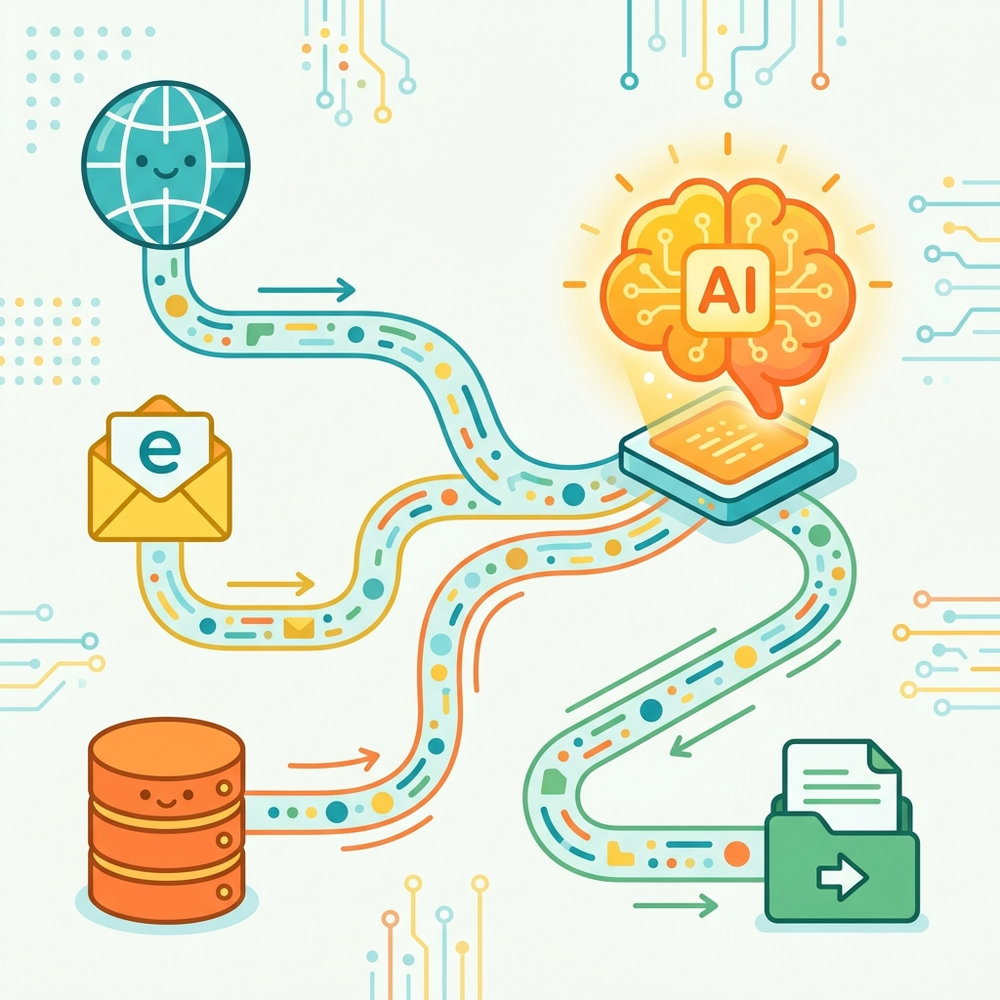
The primary architectural goal of the four IQs is to natively bring diverse data sources into an agent’s context to prevent “context rot.” Instead of constantly updating an agent’s internal prompt with the latest environmental data, these IQs act as dynamic, native pipelines to your enterprise’s ever-changing data landscape.
- Web IQ: The bridge to real-time, external web knowledge. If your agent needs to check localized information, live shipment delays, or public data streams, Web IQ provides that dynamic connection.
- Work IQ: The Microsoft 365 connector. This allows your agent to tap directly into human context—reading emails, scanning Teams messages, and accessing personal productivity data securely.
- Fabric IQ (Structured Data): Think of this as Power BI for agents. While humans use dashboards to understand structured data, agents need “headless,” programmatic access. Fabric IQ provides this agentic interface, allowing LLMs to query structured databases while maintaining the necessary relational context.
- Foundry IQ (Unstructured Data): Standard Retrieval-Augmented Generation (RAG) is quickly becoming “old-fashioned.” Foundry IQ replaces basic vector searches with true agentic retrieval across unstructured data stores like Azure Blob Storage, search indices, and SharePoint.
The Developer’s Playbook: System Instructions and Tool Mapping
Because these IQ services are bleeding-edge, simply plugging them into an LLM and hoping for the best will yield inconsistent results. Plugging them in raw works for a quick demo, but getting these tools into a production-ready state requires you to heavily fine-tune and engineer your agent’s system instructions.
According to the developers, who explicitly utilized the Copilot CLI for much of this configuration, here are the non-negotiable rules for your agent instructions:
- Explicit Tool Descriptions: Your system prompt must contain highly detailed instructions mapping out exactly what each IQ tool does and when to call it. The agent needs to know precisely when a user’s prompt requires Web IQ versus Foundry IQ.
- Action vs. Search Paradigms: For tools like Work IQ, clearly define rules separating the retrieval of information (e.g., searching an inbox) from executing actions (e.g., drafting and sending an email).
- JSON Body Formatting: Do not rely on the LLM to guess the API schema. Embed exact JSON examples inside your system instructions so the agent knows exactly how to format its queries perfectly to match the expected schema before passing them to the Work or Fabric IQ endpoints.
Copilot CLI: The Copilot CLI is the recommended tooling for configuring and fine-tuning these specific agent instructions and testing tool calls during development.
Agent Identity: Breaking Away from “On-Behalf-Of”
One of the most critical architectural shifts involves how we handle agent identity and deployment via A 365 Agent Templates.
Traditionally, many internal tools (like the internal “ClawPilot” mentioned in the talk) operate on an “on-behalf-of” security posture. This means the agent assumes the identity and permissions of the user running it.
The On-Behalf-Of Danger: If an agent runs as you, it has your permissions. If it hallucinates or goes rogue, it could theoretically delete critical files out of your OneDrive accidentally.
The A 365 Template Solution

By packaging your agents as A 365 Agent Templates, users can create an instance of that agent. This drastically shifts the architecture:
- Dedicated Identity: The newly instantiated agent is treated as a unique entity. It gets its own place in the organizational chart, reporting directly to the user who created it.
- Dedicated Communication Channels: The agent is assigned its own Teams chat instance and, crucially, its own dedicated email address and inbox. When you tell the agent, “Check your email,” it is scanning its own inbox, not yours.
- Independent Security Context: Because the instantiated agent is an independent entity, it runs in its own independent security context. You can grant it highly specific permissions—such as allowing it to read emails and send Teams messages, while explicitly blocking it from deleting files in SharePoint or OneDrive.
Under the Hood: Synchronous Execution and Tracing
When architected correctly with precise system instructions, these agents are highly autonomous. In execution traces, developers can watch the agent synchronously chain these tools together to resolve complex queries in a single execution flow.
For example, an agent might receive an email complaint in its dedicated inbox. Behind the scenes, the trace will show it calling Work IQ to read the email, bouncing to Fabric IQ to locate the structured tracking data for a package, hitting Foundry IQ to pull the unstructured PDF return policy, and finally returning to Work IQ to draft and send the refund confirmation email to the customer—all seamlessly synchronized.
Execution Tracing: Always use tracing tools during development to view the exact API calls and data passed between the agent and the IQ endpoints. It is the best way to debug unexpected agent behavior.
Get Hands-On with the IQ Series
To master these new architectural patterns, Microsoft has released the IQ Series. You can access deep-dive developer episodes and cookbooks at aka.ms/iq-series.
- Available Now: Episodes and resources for Foundry IQ and Work IQ are already live.
- Coming Soon: Fabric IQ and Web IQ resources are on the way.
Read next