Governing the Agentic Enterprise: Entra AI Administrator

Writer

Governing the Agentic Enterprise: Entra AI Administrator
AI agents are moving from novelty to operating model. They search, summarize, reason, call tools, trigger workflows, and increasingly sit between employees and enterprise systems. That is exciting. It is also exactly the kind of thing that should make tenant administrators, security teams, and FinOps practitioners sit up straight.
The new governance question is not, “Can we build agents?” Most organizations already can. The better question is:
Who is allowed to publish agents, connect them to business data, approve their permissions, route their cost, and retire them when the business no longer needs them?
That is where the Microsoft Entra AI Administrator role becomes important. Think of it as the first serious role-based access control milestone for the agentic enterprise. It helps organizations stop treating AI governance as a side job for Global Administrators and start managing it as a dedicated control plane.
This article is written for IT leaders, FinOps practitioners, tenant administrators, security leads, and governance teams. It is less about memorizing every permission and more about building the right mental model for governing Microsoft 365 Copilot, Copilot agents, consent, rollout scope, and cost exposure.
The Mental Model: AI Administration Is Air Traffic Control
A useful way to think about AI governance is air traffic control.
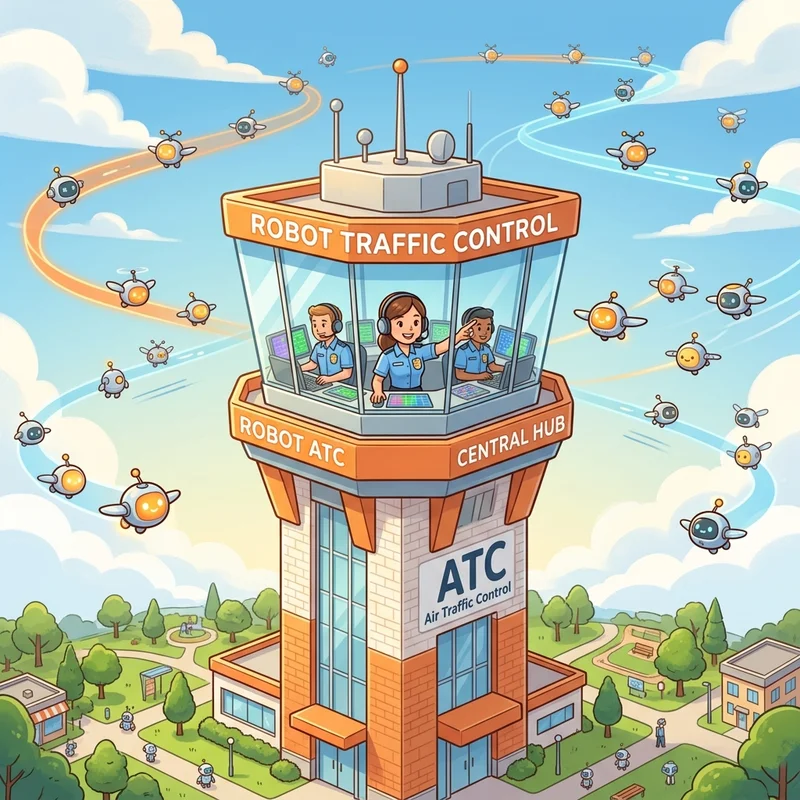
In the early days, a few teams experiment with agents. That feels like a small private airstrip. Low traffic. Low risk. Everyone knows the pilots.
Then adoption grows. HR wants a policy agent. IT wants a support agent. Finance wants a procurement assistant. Sales wants CRM-connected agents. Makers start submitting agents from Microsoft 365 Copilot, Copilot Studio, and custom development environments. Suddenly you are not managing one runway. You are managing an airport.
In that airport:
- Agents are aircraft: each one has a destination, owner, payload, and risk profile.
- Permissions are flight paths: they determine what systems and data the agent can reach.
- The organizational catalog is the terminal: users discover and board approved experiences there.
- The AI Administrator is air traffic control: not necessarily building every aircraft, but deciding what can take off, where it can fly, and when it should be grounded.
This is the right altitude for leaders. AI governance is not only a technical permission problem. It is a business control problem.
What the AI Administrator Role Actually Is
The AI Administrator is a built-in Microsoft Entra role for managing Microsoft 365 Copilot and AI-related enterprise services in Microsoft 365. Microsoft describes the role as managing Microsoft 365 Copilot and AI-related enterprise services. It appears in the Microsoft Entra built-in role permissions list with role template ID d2562ede-74db-457e-a7b6-544e236ebb61.
The practical value is simple:
Delegate AI operations without handing out Global Administrator.
That matters because Global Administrator is too broad for day-to-day AI administration. If a person only needs to review Copilot agents, manage extensibility settings, or monitor AI adoption, they should not automatically receive near-unlimited tenant power.
What This Role Is Good For
| Governance need | Why it matters | AI Administrator fit |
|---|---|---|
| Manage Microsoft 365 Copilot and AI-related enterprise services | Keeps AI settings under clear ownership | Strong fit |
| Review, approve, publish, block, or remove Copilot agents | Prevents unmanaged agent sprawl | Strong fit |
| Manage agent availability for users or groups | Enables phased rollout and blast-radius control | Strong fit |
| View usage, adoption, and organizational insights | Helps leaders connect deployment to business value | Strong fit |
| Create and manage AI-related support tickets | Gives AI operations a clear support owner | Strong fit |
| Grant every possible high-risk permission | Some permissions still need broader privileged roles | Not a universal replacement |
The important takeaway: AI Administrator is not “Global Admin for AI.” It is a scoped role for AI governance and operations. That distinction is healthy.
The Six Core Duties, in Plain English
The original blueprint breaks the role into six practical duties. The strategic version keeps all six, but frames them as governance levers rather than a permission checklist.
| Duty | What it means operationally | Governance value |
|---|---|---|
| Copilot and AI app management | Manage availability, installation, and extensibility settings for Microsoft 365 Copilot and AI apps. | Controls what AI capabilities enter the tenant and who can reach them. |
| End-to-end agent governance | Review, approve, publish, activate, deploy, block, uninstall, delete, or retire agents. | Creates a controlled lifecycle instead of agent sprawl. |
| Tenant-wide app consent | Approve appropriate AI app or agent consent requests, while escalating high-risk permissions to stronger privileged roles when needed. | Prevents data access from becoming a casual maker decision. |
| Inventory and lifecycle management | Maintain visibility over the agent registry from provisioning through retirement. | Makes ownership, risk, and cleanup explicit. |
| Usage, adoption, and analytics | Use reports, adoption metrics, and organizational insights to understand whether AI is actually being used. | Connects deployment to business value and ROI. |
| Dedicated support routing | Create, manage, and track AI-related support tickets in Azure and Microsoft 365 admin experiences. | Gives AI operations a support path instead of ad hoc escalation. |
Why This Role Matters to FinOps and Business Leaders
Many organizations still govern AI as if the main risk is “someone builds a bad chatbot.” That is too narrow.
The bigger enterprise risks are:
- Cost leakage: agents that look cheap in pilot but become expensive at scale.
- Consent sprawl: apps and agents requesting access to data without a strong review model.
- Catalog clutter: too many overlapping agents with unclear ownership.
- Value ambiguity: agents deployed widely without a measurable business outcome.
- Operational dependency on Global Administrators: every AI change requiring the highest privilege role.
From a FinOps perspective, agents are not just applications. They are variable-cost workloads dressed up as productivity tools.
That mindset is critical. A traditional SaaS feature is often licensed per user. An agent can introduce additional consumption through Copilot Studio credits, pay-as-you-go meters, Azure subscriptions, token usage, connectors, grounding, workflows, and supporting Azure services. Not every agent uses all of those meters, but enough do that finance and IT should care early.
The Control Plane: Where Agents Are Managed
Microsoft’s direction is clear: Copilot agents are increasingly managed through the Microsoft 365 admin center, especially under the Copilot and agent management experiences. Administrators can manage access, review agents submitted to the organizational catalog, and monitor agents shared across the organization.
A good governance model treats the Microsoft 365 admin center as the front door for agent operations.
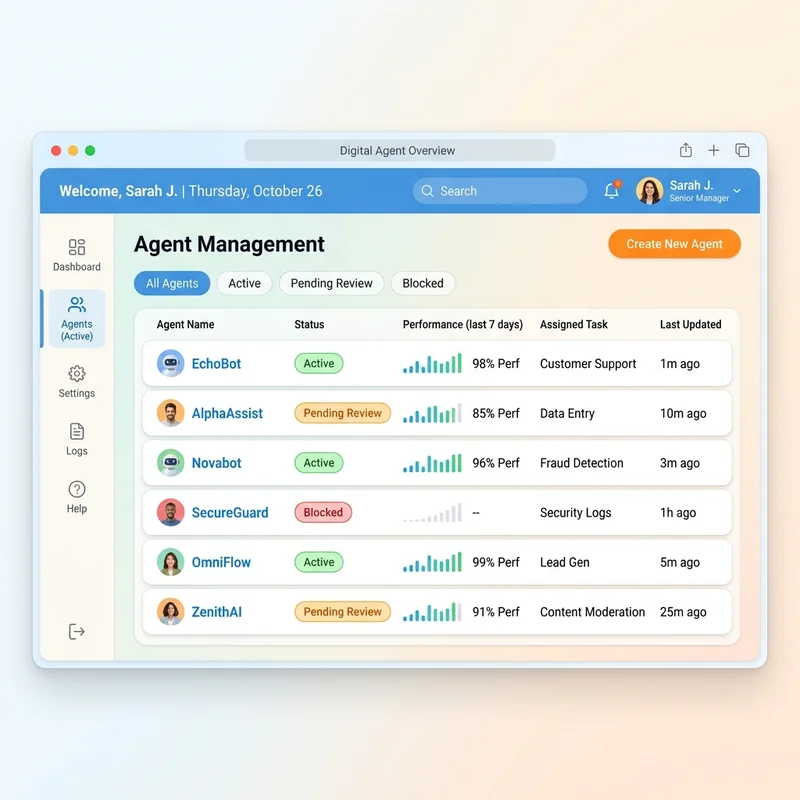
Typical AI Administrator activities include:
- Review pending agent submissions.
- Publish approved agents to the organizational catalog.
- Activate or deactivate agents at the tenant level where supported.
- Install or deploy agents for selected users or groups, including pre-installed deployment patterns or on-demand availability.
- Block agents that do not meet policy.
- Uninstall, remove, or delete agents that are obsolete, duplicative, or risky.
- Reassign ownership for orphaned agents, for example when the original maker leaves the company.
- Search the registry for specific line-of-business agents.
- Track ownership and lifecycle status.
- Monitor adoption, usage reports, and operational health.
In the Microsoft 365 admin center experience, the operational path to remember is typically:
Microsoft 365 admin center > Copilot > Agents > All agents
That path is important because it turns agent governance from an abstract policy discussion into a daily operating motion: review the queue, decide what gets published, scope who can use it, and remove what no longer belongs.
The Agent Registry Mental Model
Think of the agent registry like a fleet inventory.
You would not run a corporate vehicle fleet without knowing:
- who owns each vehicle,
- what it is used for,
- whether it is insured,
- when it was last inspected,
- who can drive it,
- and when it should be retired.
Apply the same thinking to agents.
For every approved agent, you should know:
| Registry attribute | Governance question |
|---|---|
| Business owner | Who is accountable for the outcome and risk? |
| Technical owner | Who fixes it when it breaks? |
| Audience | Who can use it today? |
| Data sources | What information can it ground on or retrieve? |
| Actions/tools | Can it only answer, or can it change business systems? |
| Cost model | Is it covered by existing licensing, usage-based billing, Azure usage, or a mix? |
| Review date | When do we revalidate value, permissions, and ownership? |
| Retirement criteria | What conditions cause us to block or remove it? |
If you cannot answer those questions, the agent is not ready for broad deployment.
Where Agents Come From
AI Administrators need to govern agents built from different origins. This is where many organizations get surprised. Agents do not come from one factory. They come from several.

| Origination path | Typical builder | Typical governance concern | Leader-friendly summary |
|---|---|---|---|
Microsoft 365 Copilot Agent Builder at m365.cloud.microsoft | Business users and power users | Oversharing, weak ownership, unclear catalog quality | Fastest path to business creativity. Users can create for themselves, share with peers or teams, or submit to the organizational catalog. Sometimes informally described as a “Copilot Studio Lite” style experience, but use that phrase as shorthand, not a product name. |
| Microsoft Copilot Studio | Makers, automation teams, Power Platform teams | Premium connectors, custom skills, tools, actions, knowledge bases, external channels, consumption | More powerful low-code agent building. Needs environment, DLP, and cost governance. |
| Microsoft 365 Agents Toolkit and custom app model | Developers | App packaging, lifecycle, permissions, supportability | Strong for engineered solutions. Needs software delivery discipline. |
Azure AI Foundry at ai.azure.com | Pro-code teams and AI engineering teams | Azure project selection, region, Large Language Model choice, token costs, Azure resources, grounding, observability | Maximum flexibility. Needs Azure FinOps and platform engineering controls. Older content may refer to Azure AI Studio, but current Microsoft branding is Azure AI Foundry. |
| Third-party or marketplace agents | Vendors and ISVs | Consent, data exposure, vendor trust, duplication | Treat like any enterprise app, but with AI-specific review. |
The strategic point: govern by risk and reach, not by where the agent was built.
A simple HR FAQ agent built in Microsoft 365 Copilot and shared with five people is low risk. A Copilot Studio agent that uses premium connectors and triggers employee record updates is not. A Foundry-based agent that calls multiple services and processes regulated data needs even stronger controls.
Legacy App Governance vs. Agent Governance
Agents behave differently from classic apps. Classic apps usually have predictable screens and workflows. Agents are conversational, dynamic, and often tool-using. That changes the governance posture.
| Dimension | Classic enterprise app | AI agent |
|---|---|---|
| User input | Structured forms and buttons | Open-ended natural language |
| Output | Mostly deterministic | Probabilistic, grounded, or generated |
| Permissions | App permissions and user delegation | App permissions, user context, connectors, tools, grounding, actions |
| Cost pattern | Often fixed license or infrastructure | Often mixed: license plus consumption plus Azure services |
| Risk review | Security, privacy, supportability | Security, privacy, grounding, action safety, cost, bias, hallucination risk |
| Lifecycle | Release-based | Iterative and behavior-sensitive |
| Governance question | “Can the app do this?” | “What could the agent infer, access, say, or trigger?” |
Rule of thumb:
If an agent can only answer questions, govern it like an information access experience. If it can take action, govern it like an automation platform.
That one sentence will save you from under-governing the wrong scenarios.
Consent: The Moment an Agent Becomes an Enterprise Risk
Agent approval and app consent are related, but they are not the same thing.
Publishing an agent answers: Should users be able to discover and use this agent?
Granting consent answers: Should this app or agent be allowed to access organizational data or perform operations?
That second question is where the stakes rise.
Microsoft documentation describes ways to delegate certain administrative rights so AI Administrators can manage Copilot connectors more independently, including app registration permission and consent privileges for connector-related Microsoft Graph permissions such as ExternalItem.ReadWrite.OwnedBy and ExternalConnection.ReadWrite.OwnedBy. However, this should not be interpreted as unlimited permission approval authority.
Consent Review Framework
Before approving an AI app or agent consent request, ask five questions:
| Question | Why it matters |
|---|---|
| What business outcome does this enable? | Prevents “because the maker asked” governance. |
| What data does it access? | Identifies privacy, compliance, and oversharing risk. |
| Is access delegated, application-level, or connector-specific? | Clarifies blast radius. |
| Can the agent take actions, or only retrieve information? | Actions increase operational risk. |
| Who owns the agent after approval? | Avoids orphaned agents and unsupported automations. |
A Practical Consent Rule
Use this rule when you are designing your operating model:
AI Administrators can run the AI governance desk. Privileged Role Administrators, Global Administrators, Security, Compliance, and data owners still need a voice for high-impact permission decisions.
This is not bureaucracy. It is separation of duties.
Directional Cost Intuition: How Agent Bills Grow
The exact price depends on your licensing agreement, geography, meter, feature mix, and product changes. So do not treat the numbers below as a quote. Treat them as planning intuition.
Directional planning aid only. Validate all pricing with your Microsoft agreement, Azure pricing calculator, Copilot Studio licensing guide, and official Microsoft pricing pages before committing budget.
The Three Cost Buckets
Most agent costs fall into three buckets:
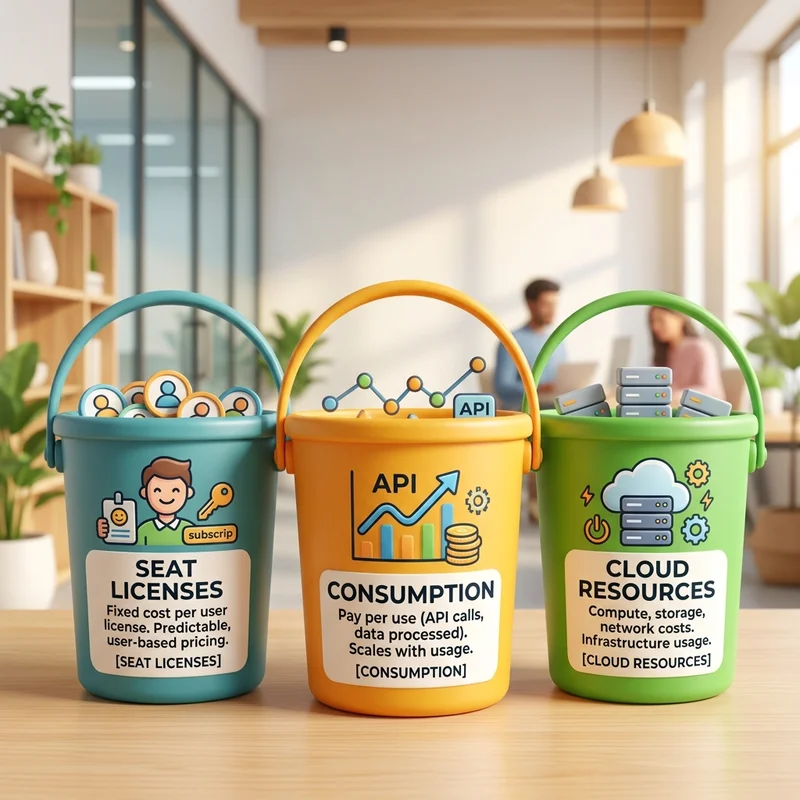
| Cost bucket | What it means | Examples |
|---|---|---|
| Seat-based entitlement | A user license unlocks access to Copilot experiences | Microsoft 365 Copilot add-on license |
| Consumption-based AI platform usage | You pay for usage events, credits, or meters | Copilot Studio Copilot Credits, pay-as-you-go |
| Azure resource usage | You pay for underlying Azure services | Foundry model tokens, Azure AI Search, storage, Logic Apps, connectors |
Copilot and Agent Cost Intuition
Microsoft’s Copilot extensibility cost documentation distinguishes between Microsoft 365 Copilot Chat and the Microsoft 365 Copilot add-on license. Microsoft 365 Copilot Chat can be included for eligible Microsoft 365 users, while usage-based billing can apply for certain work-based or shared tenant data scenarios. The Microsoft 365 Copilot add-on license is positioned for frequent users and can include access to extensibility features without extra charges for accessing or using those features, depending on the scenario.
That creates a useful planning model:
| Scenario | Cost intuition | Governance move |
|---|---|---|
| Employee uses Microsoft 365 Copilot with approved agents | Often easiest to explain financially because licensing is user-based | Focus on adoption, value, and permission governance |
| Occasional users use Copilot Chat with agents grounded in tenant data | Watch usage-based billing exposure | Pilot with a capped audience and monitor consumption |
| Copilot Studio agent with actions, flows, premium connectors, or external channels | Consumption can grow with interaction volume and feature complexity | Use estimator, budgets, and environment controls |
| Azure AI Foundry agent | Costs can include model token consumption and charges for tools, connections, memory, hosted runtime, and supporting Azure services | Treat as an Azure workload with FinOps tagging, budgets, and model governance |
Directional Math Example 1: The “Looks Cheap, Scales Fast” Agent
Imagine a lightweight internal policy agent:
- 1,000 employees in scope.
- 30% monthly active usage.
- 6 conversations per active user per month.
- 4 turns per conversation.
That is:
If each turn is covered by existing Microsoft 365 Copilot entitlement, the marginal agent cost may be low. If the same pattern triggers usage-based credits, connector usage, actions, or Azure model calls, the cost profile changes.
The governance lesson is not the exact number. It is the shape of the curve:
Agent costs scale with usage frequency, conversation length, grounding complexity, and action count.
Directional Math Example 2: Copilot Credits Planning
Microsoft’s public pricing and estimator materials describe Copilot Credits and pay-as-you-go style planning behavior. A common planning shortcut is to model credits as a variable consumption unit and estimate monthly volume before rollout.
For example, if a planned agent consumes an average of 5 credits per interaction and you expect 10,000 interactions in a month:
If your planning assumption is $0.01 per credit, that is directionally:
Again, this is not a quote. It is a way to build intuition. The real consumption pattern depends on the agent type, knowledge sources, grounding, tools, flows, and licensing context.
Directional Math Example 3: Azure AI Foundry
Foundry-native agents do not necessarily carry a separate “agent runtime” charge for prompts and workflows, but Microsoft’s pricing page makes clear that charges can apply for model token consumption and separate services such as Foundry tools, Foundry IQ connections, Azure Logic Apps connectors, Microsoft Fabric, SharePoint, Grounding with Bing Search, and licensed data. Hosted agents can also be billed based on container compute consumed per hour.
So for Foundry agents, the budgeting formula is more like:
Governance lesson:
Foundry agents should be governed like cloud workloads, not like simple M365 settings.
That means Azure budgets, cost alerts, tags, environment standards, model choice reviews, and workload ownership.
Practical Governance Levers
The AI Administrator role is useful only if you attach it to an operating model. Here are the levers that matter most.
Lever 1: Publish in Rings, Not Big Bang
Do not publish new agents to the whole tenant by default.
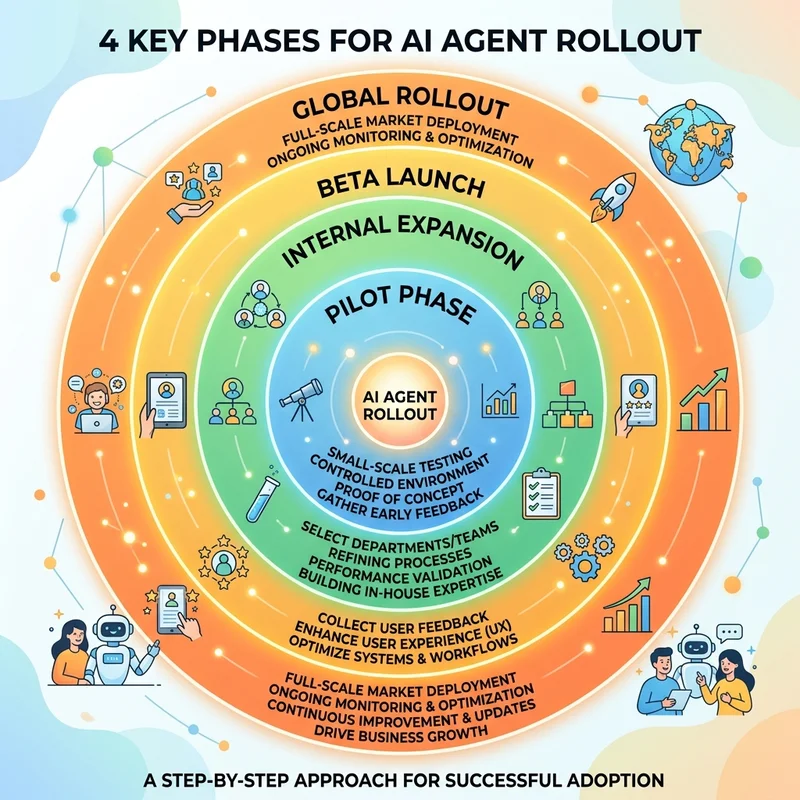
Use rollout rings:
| Ring | Audience | Purpose | Exit criteria |
|---|---|---|---|
| Ring 0 | Agent owner, IT, security, data owner | Validate permissions, behavior, and support path | No critical security or data issues |
| Ring 1 | Small business pilot group | Validate usefulness and adoption | Clear business value, manageable feedback |
| Ring 2 | Department or function | Validate scale and cost | Consumption and support stay within expected range |
| Ring 3 | Broad organization | Standard production rollout | Owner, budget, support, and review process confirmed |
A ring-based rollout gives you two things leaders love: speed and control.
Lever 2: Route by Platform
Not every agent belongs on the same platform.
Use this decision guide:
| If the use case is… | Prefer… | Why |
|---|---|---|
| A lightweight productivity assistant for a team | Microsoft 365 Copilot Agent Builder | Fastest path, lowest friction |
| A structured business process with connectors or workflows | Copilot Studio | Better maker tooling and lifecycle management |
| A custom engineered agent with specific runtime, model, or integration needs | Azure AI Foundry | More control for pro-code and Azure-native patterns |
| A vendor-provided capability | Marketplace or third-party app route | Manage like enterprise app procurement plus AI governance |
The platform choice is a cost decision as much as an architecture decision.
Lever 3: Separate Builder, Approver, and Owner
A mature operating model separates three roles:
| Role | Accountability |
|---|---|
| Builder | Creates or configures the agent |
| Approver | Reviews publication, permissions, risk, and audience |
| Owner | Owns business value, lifecycle, funding, and support |
One person may wear multiple hats in a small pilot. At scale, separation matters.
Lever 4: Require an Agent Intake Form
Before publication, require a short intake. Keep it simple enough that teams actually use it.
Minimum fields:
- Agent name.
- Business owner.
- Technical owner.
- Business outcome.
- Target audience.
- Data sources.
- Actions or tools used.
- Required permissions or consents.
- Expected usage volume.
- Expected cost model.
- Support contact.
- Review/expiry date.
The expiry date is underrated. Agents should not live forever by accident.
Lever 5: Use PIM for Privileged AI Administration
The AI Administrator role is powerful enough to deserve privileged access governance.
Where available, use Microsoft Entra Privileged Identity Management (PIM) so AI Administrators are eligible for the role and activate it just in time. PIM supports eligible and active assignments, activation workflows, justification, multifactor authentication, approvals, and time-bound access depending on configuration.
Practical recommendation:
- Use eligible assignment for most AI Administrators.
- Require MFA and justification for activation.
- Use approval for production-impacting teams.
- Review assignments regularly.
- Keep at least two trained admins for operational resilience.
Lever 6: Put a Budget Owner on Every Production Agent
If an agent has variable consumption, it needs a budget owner.
Not a theoretical one. A real one.
| Agent type | Budget owner should usually be… |
|---|---|
| Department productivity agent | Business unit owner |
| Enterprise HR or IT service agent | Service owner |
| Copilot Studio automation agent | Process owner plus Power Platform admin oversight |
| Foundry-based agent | Product owner plus Azure subscription owner |
| Customer-facing agent | Digital channel owner or service owner |
FinOps rule:
Safe Rollout Playbook
Here is a practical rollout model you can use immediately.
Step 1: Establish the AI Administration Team
Define who can do what.
| Function | Recommended role participation |
|---|---|
| AI operations | AI Administrator |
| Identity and privileged access | Privileged Role Administrator / Identity team |
| Security review | Security Administrator / security governance |
| Compliance and data risk | Compliance, privacy, or data protection team |
| Business value | Business owner or product owner |
| Cost governance | FinOps / Azure subscription owner / platform owner |
Step 2: Inventory Existing Agents
Start with what already exists.
Create a simple tracker:
| Agent | Origin | Owner | Audience | Data source | Actions | Cost model | Status |
|---|---|---|---|---|---|---|---|
| HR Policy Assistant | Agent Builder | HR Operations | HR pilot users | SharePoint HR policies | None | Licensed users / validate | Pilot |
| IT Ticket Helper | Copilot Studio | IT Service Desk | IT agents | Knowledge base, ticketing connector | Create ticket | Credits + connector | Review |
| Finance Forecast Agent | Foundry | Finance Analytics | Finance team | Data lake, model endpoint | Analysis only | Azure tokens + search | Ring 0 |
Do not wait for perfect tooling. Start with visibility.
Step 3: Classify Agents by Risk
Use a simple risk model.
| Risk tier | Description | Example | Required controls |
|---|---|---|---|
| Low | Answers from public or low-sensitivity content, no actions | Office location FAQ | Owner, review date, limited pilot |
| Medium | Uses internal business data, no write actions | HR policy search | Data owner approval, scoped audience, usage review |
| High | Uses sensitive data or performs actions | IT ticket creation, HR case update | Security review, consent review, cost owner, ringed rollout |
| Critical | External-facing, regulated, financial, or high-impact automation | Customer claims agent, finance approval agent | Formal risk review, legal/privacy input, monitoring, rollback plan |
Step 4: Set Tenant-Level Defaults
Defaults matter because users will follow the path of least resistance.
Recommended starting posture:
- Allow experimentation in controlled groups.
- Require admin review for organizational catalog publication.
- Block broad deployment for agents without ownership metadata.
- Require periodic review for production agents.
- Use groups to target availability.
- Document high-risk permission escalation paths.
Step 5: Monitor Value and Cost Together
Do not track adoption alone. High adoption of a low-value or risky agent is not success.
Track three dimensions:
| Dimension | Example metric |
|---|---|
| Adoption | Active users, conversations, repeat usage |
| Value | Ticket deflection, time saved, cycle time reduction, satisfaction |
| Cost and risk | Credits consumed, Azure spend, failures, sensitive permission usage |
A business-friendly dashboard should answer:
- Are people using it?
- Is it saving time or improving outcomes?
- Is the cost proportional to the value?
- Is risk still within tolerance?
Role Assignment Options
Because the AI Administrator role is visible across Microsoft Entra and Microsoft 365 administration experiences, organizations can assign it through several familiar workflows. The right path depends on who owns privileged access in your operating model.
Method A: Microsoft 365 Admin Center
Best for standard Microsoft 365 administrators who manage users and roles from the Microsoft 365 admin center.
- Open the Microsoft 365 admin center.
- Go to Home.
- Navigate to Users > Active users.
- Select the target user.
- Open Roles > Manage roles.
- Select AI Administrator.
- Save the role assignment.
This is the most approachable path for day-to-day Microsoft 365 operations teams.
Method B: Azure Portal with Entra ID and PIM
Best for identity architects and privileged access teams that already use Privileged Identity Management.
- Open portal.azure.com.
- Navigate to Entra ID.
- Select Roles and administrators.
- Search for and select AI Administrator.
- Choose Add assignment.
- Configure the assignment as Active or Eligible, depending on your privileged access model.
- Where PIM is used, configure start and end dates, activation settings, justification, approval, and MFA requirements as appropriate.
For production tenants, this is usually the governance-preferred route because it supports just-in-time activation instead of standing access.
Method C: Microsoft Entra Admin Center
Best for dedicated identity and access management teams.
- Open the Microsoft Entra admin center.
- Navigate to Entra ID > Users.
- Select the specific user profile.
- Open Assigned roles.
- Select Add assignments.
- Choose AI Administrator.
- Complete the assignment workflow.
Recommended Assignment Pattern
| Persona | Assignment recommendation |
|---|---|
| Primary AI platform admin | Eligible AI Administrator through PIM |
| Backup AI platform admin | Eligible AI Administrator through PIM |
| Security reviewer | Do not automatically assign AI Administrator unless operationally needed |
| Business owner | No admin role by default |
| Developer or maker | Maker access in the appropriate platform, not AI Administrator by default |
This is the least-privilege philosophy in practice.
Quick Decision Guide
Use this when a business team asks, “Can we publish this agent?”
| Question | If yes | If no |
|---|---|---|
| Does it have a named business owner? | Continue | Do not publish broadly |
| Does it use internal or sensitive data? | Require data owner review | Continue with lightweight review |
| Does it take actions in business systems? | Treat as automation and require stronger review | Continue |
| Does it require app consent or Graph permissions? | Run consent review | Continue |
| Does it have a variable cost meter? | Assign budget owner and monitor | Continue |
| Is the audience larger than a pilot group? | Use rollout rings | Keep scoped |
| Is there a support and retirement plan? | Continue | Fix before production |
If you want one punchy rule for governance boards, use this:
No owner, no audience scope, no cost model, no production rollout.
What I Would Remove from the Original Technical Version
The original article was accurate in spirit, but it leaned toward a feature-by-feature technical walkthrough. For IT leaders and FinOps practitioners, the better story is governance maturity.
I would intentionally reduce:
- Long procedural detail that duplicates Microsoft Learn.
- Deep code or API examples unless the article is specifically about automation.
- Overconfident claims about universal consent authority.
- Tooling labels like “Copilot Studio Lite” unless clearly framed as informal shorthand.
- Any statement suggesting all agents always surface in exactly one place in the same way, because admin experiences and product integration points continue to evolve.
I would emphasize instead:
- Separation of duties.
- Agent lifecycle.
- Cost visibility.
- Consent review.
- Rollout rings.
- Platform routing.
- Business ownership.
That makes the article more durable and more useful for decision-makers.
Blueprint Coverage Check
The source knowledge behind the original article is intentionally preserved in this version. The framing changed, but the concepts remain.
| Source blueprint topic | Covered in this version |
|---|---|
| AI Administrator as specialized built-in role in Microsoft Entra and Microsoft 365 admin experiences | Covered in “What the AI Administrator Role Actually Is.” |
| Primary goal of central AI governance without default Global Administrator dependency | Covered in the introduction, role section, and final takeaway. |
| Copilot and AI app management | Covered in the six duties table and governance levers. |
| Agent approval, publication, activation, deployment, pre-installed/on-demand availability | Covered in the six duties table and the Microsoft 365 admin center control plane section. |
| Tenant-wide app consent with escalation for high-risk permissions | Covered in the Consent section and six duties table. |
| Usage reports, adoption metrics, and organizational insights | Covered in the six duties table and value/cost monitoring section. |
| Inventory and lifecycle management, including tracking, uninstalling, deleting, blocking, and retiring agents | Covered in the agent registry mental model and Microsoft 365 admin center control plane section. |
| AI-related support tickets in Azure and Microsoft 365 admin center | Covered in the six duties table. |
Agent Builder at m365.cloud.microsoft, including personal, team, and org catalog submission routes | Covered in “Where Agents Come From.” |
| Microsoft Copilot Studio for skills, tools, and knowledge bases | Covered in “Where Agents Come From” and platform routing. |
Azure AI Foundry at ai.azure.com, including project, region, and LLM selection | Covered in “Where Agents Come From” and cost sections. |
| Microsoft 365 admin center path: Copilot > Agents > All agents | Covered explicitly in the control plane section. |
| Registry actions: receive/review requests, search, delete, block, reassign ownership | Covered explicitly in the control plane section. |
| Role assignment via Microsoft 365 admin center | Covered in Method A. |
| Role assignment via Azure portal, including Active vs Eligible and PIM timing | Covered in Method B. |
| Role assignment via Microsoft Entra admin center | Covered in Method C. |
| Conclusion framing as a maturity milestone for Entra and Microsoft 365 | Covered in the final takeaway. |
Final Takeaway
The AI Administrator role is more than another checkbox in Microsoft Entra. It is a signal that AI has become a first-class administrative domain.
For organizations adopting Microsoft 365 Copilot and enterprise agents, the winning pattern is not unrestricted innovation or heavy-handed lockdown. It is governed acceleration:
- Let teams build.
- Route the right use case to the right platform.
- Publish through a controlled catalog.
- Review consent like it matters, because it does.
- Put cost ownership next to business value.
- Use least privilege and PIM for the people running the control plane.
- Retire agents that no longer earn their place.
The agentic enterprise will not be governed by enthusiasm alone. It needs roles, controls, budgets, and adult supervision.
That is exactly why the AI Administrator role matters.
References and Validation Notes
The claims in this article were validated against Microsoft documentation and current public Microsoft pricing/licensing pages available as of July 2026. Pricing and licensing can change, so always validate against your Microsoft agreement and official product documentation before making purchasing or rollout decisions.
- Microsoft Entra built-in roles: AI Administrator role description and template ID: https://learn.microsoft.com/en-us/entra/identity/role-based-access-control/permissions-reference
- Microsoft 365 admin center: manage Copilot agents: https://learn.microsoft.com/en-us/microsoft-365/admin/manage/manage-copilot-agents-integrated-apps
- Manage agents for Microsoft 365 Copilot: https://learn.microsoft.com/en-us/microsoft-365/copilot/extensibility/manage
- Licensing and cost considerations for Copilot extensibility: https://learn.microsoft.com/en-us/microsoft-365/copilot/extensibility/cost-considerations
- Copilot Studio licensing: https://learn.microsoft.com/en-us/microsoft-copilot-studio/billing-licensing
- Copilot Studio pricing: https://www.microsoft.com/en-us/microsoft-365-copilot/pricing/copilot-studio
- Copilot Studio agent usage estimator: https://learn.microsoft.com/en-us/microsoft-copilot-studio/agent-usage-estimator
- Grant administrative rights to AI Administrators to manage Microsoft 365 Copilot connectors: https://learn.microsoft.com/en-us/microsoft-365/copilot/extensibility/connector-admin-delegation
- Microsoft Entra Privileged Identity Management role assignment: https://learn.microsoft.com/en-us/entra/id-governance/privileged-identity-management/pim-how-to-add-role-to-user
- Azure Foundry Agent Service pricing: https://azure.microsoft.com/en-us/pricing/details/foundry-agent-service/
Read next