Building Reusable Agent Capabilities with the Copilot Studio Skill Gallery

Writer

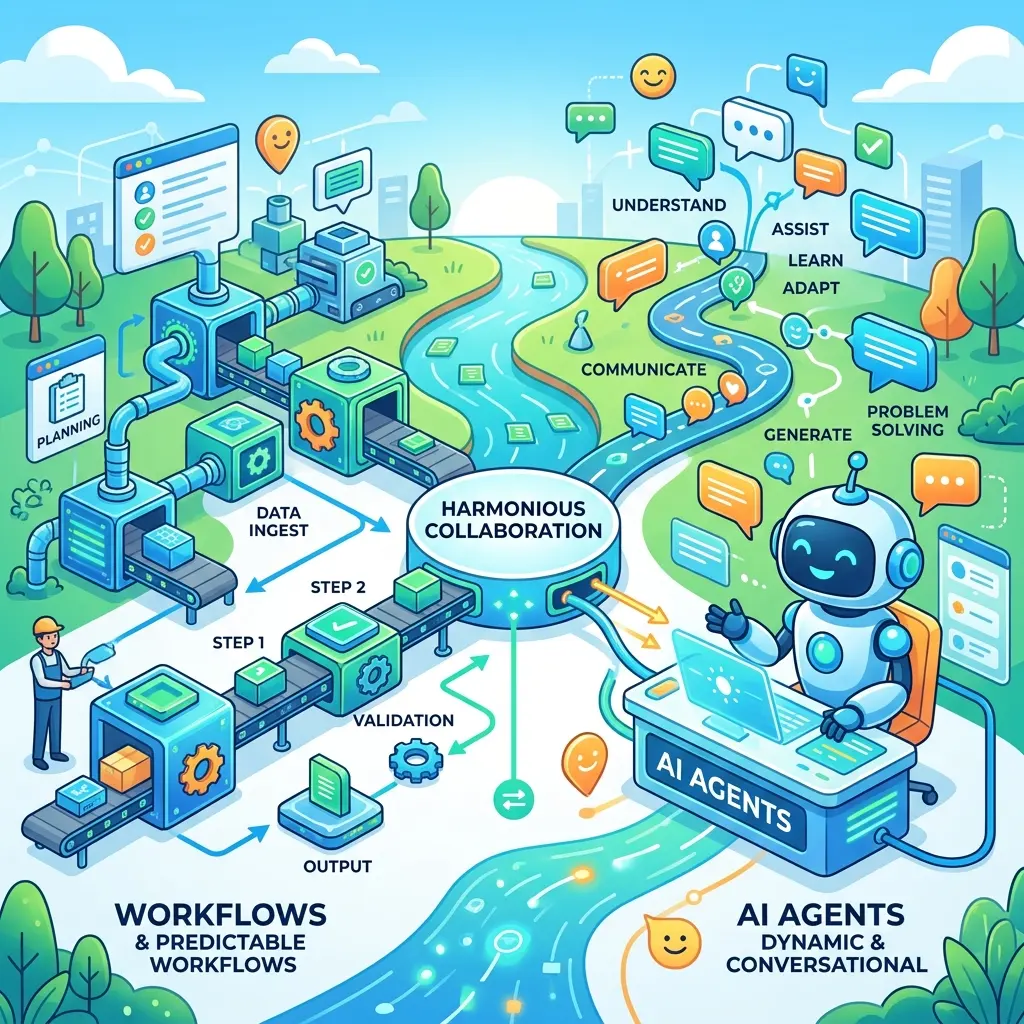
Large language models are excellent at improvisation. Enterprise systems, however, cannot rely on improvisation for every task.
Ask a general-purpose agent to turn a spreadsheet into a chart and it may inspect the data, invent plotting code, execute it, repair an error, and try again. That flexibility is useful for novel work. It is less attractive when the same task must be repeated with the same rules, templates, and quality bar.
This is the architectural problem that skills address in the new Copilot Studio agent experience. A skill packages task-specific guidance—and, when needed, supporting scripts, templates, and reference files—so an agent can reuse a known approach instead of rediscovering one on every request.
The CAT Agent Skills gallery makes that model concrete. It provides downloadable examples for Copilot Studio and other supported agent environments, including chart generation, knowledge routing, document conversion, presentation design, content review, and diagnostics.
Preview status: The skills experience described here is documented as part of the new Copilot Studio agent experience, which Microsoft currently labels a production-ready preview. The related documentation is prerelease and may change. Evaluate preview terms and test behavior before depending on it in production.
The mental model: a skill is a reusable playbook
A useful way to think about a skill is as a specialist playbook.
The agent still interprets the user’s intent and coordinates the work. The skill tells it how to handle a particular class of task. Depending on the package, that playbook may include:
- a precise task description;
- step-by-step Markdown instructions;
- scripts that perform repeatable operations;
- templates or sample files;
- reference material and constraints;
- guidance about when the skill should—or should not—be used.
In Microsoft’s current model, a skill is defined by a name, a description, and Markdown instructions. The orchestration runtime uses the user’s request and the skill description to decide when the skill is relevant. A skill can also guide the agent to use tools and knowledge sources in a specific sequence.
That distinction matters. A skill is not simply another connector, and it is not the agent’s global instruction set.
| Component | Its job |
|---|---|
| Agent instructions | Define broad behavior, identity, and response expectations. |
| Knowledge | Supplies information the agent can retrieve and reason over. |
| Tools | Connect the agent to actions and external services through connectors, APIs, or MCP servers. |
| Skills | Package reusable, task-specific instructions and supporting logic. |
A skill may tell the agent to use a tool, query a particular knowledge source, execute a bundled script, or apply a template. It is therefore best understood as an orchestration layer for a bounded capability—not as a replacement for every other agent component.
Why package a task instead of generating everything on demand?
Suppose users repeatedly ask an agent to create charts from CSV files.
Without a skill, the model may need to decide each time how to validate the file, select a chart type, write plotting code, choose colors, handle blank rows, save the image, and explain the result. Different runs may take different paths.
With a well-designed chart skill, those decisions can be encoded once:
- Inspect the input and validate required columns.
- Normalize blank values and data types.
- Select only supported chart patterns.
- Run a tested plotting script.
- Apply an approved visual theme.
- return the generated artifact and a concise explanation.
This does not make the entire system deterministic. The model still interprets intent, chooses whether to activate the skill, and may make decisions allowed by the instructions. But it moves repeatable mechanics out of ad hoc generation and into a controlled, inspectable package.
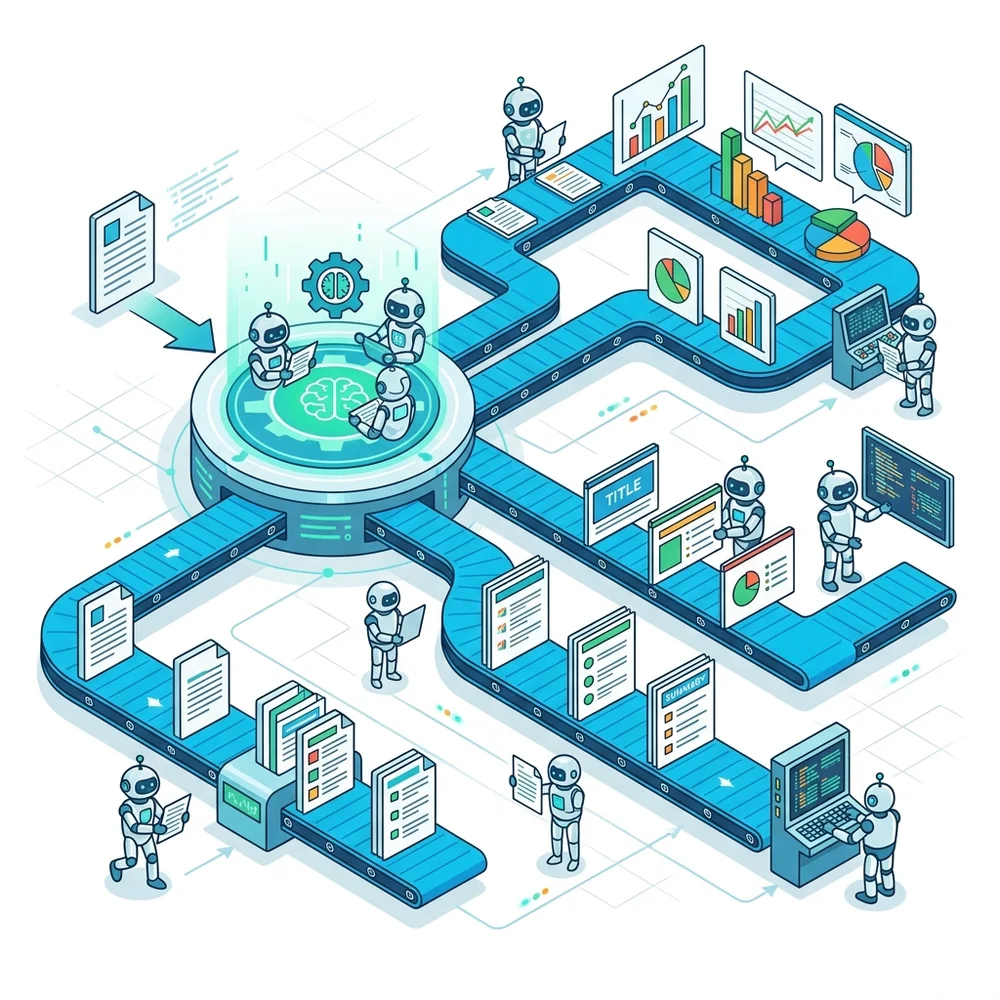
That produces four practical advantages.
1. Reuse
Build the capability once, then attach or share it across agents rather than duplicating a large block of instructions in each agent.
2. Consistency
Templates, scripts, validation rules, and formatting conventions can be kept with the capability. This is especially useful for branded documents, standardized charts, and repeatable content checks.
3. Maintainability
A focused skill is easier to inspect and update than a monolithic system prompt containing instructions for many unrelated tasks.
4. Resilience
Known edge cases can be handled explicitly. A conversion skill can reject an unsupported path; a chart skill can detect missing columns; a presentation skill can require an approved template. Errors still happen, but the expected behavior is easier to test.
What is in the CAT Agent Skills gallery?
The gallery is both a collection of reusable capabilities and a set of worked examples. At the time of writing, it lists skills and related packages contributed for environments including Copilot Studio, Cowork, and Scout. Platform labels matter: not every gallery item is intended for every runtime.
Several examples illustrate different skill patterns. The gallery also includes capabilities such as Redlining Content, which shows that the pattern extends beyond code execution into guided document review and editing workflows.
Chart Builder
The Chart Builder demonstrates the script-backed pattern. Instead of asking the model to invent plotting code for every request, the package can provide established instructions and charting logic. This is useful when repeated visualizations should follow the same conventions.
The important architectural lesson is not merely “use Python.” It is to separate interpretation from execution: let the model understand what the user wants, then hand repeatable mechanics to tested code.
Knowledge Source Router
The Knowledge Source Router is primarily an instruction-driven routing pattern. It directs a Copilot Studio agent toward an Americas, EMEA, APAC, or global knowledge source based on the user’s location.
This example corrects a common misconception: a skill does not need executable code to be valuable. Sometimes the reusable capability is a decision procedure. The package tells the agent how to select among knowledge sources that you have already configured; you still need to provide those sources and a reliable way to determine the user’s region.
Universal Document Converter
The Universal Document Converter packages offline document-conversion logic for formats such as Markdown, HTML, PDF, Word, PowerPoint, Excel/CSV, and text. Its instructions also define boundaries—for example, conversion is different from answering questions about a document’s content.
That boundary is a sign of good skill design. A dependable skill should say not only what it does, but also what it does not own.
PowerPoint Deck Designer
The PowerPoint Deck Designer shows how a skill can combine instructions, generation logic, and presentation assets. A reusable deck capability can carry an organizational template and use it as part of the production workflow rather than asking the model to recreate branding from prose every time.
Again, the broader pattern matters more than the individual example: package the organization’s reusable know-how beside the task logic.
What the agent experience looks like in practice
The source walkthrough demonstrates a simple but important end-to-end flow in Copilot Studio:
- Download the Chart Builder package from the gallery as a ZIP file.
- Open the target custom agent and add the downloaded skill by selecting or dragging in the package.
- Open the imported skill and inspect its name, description, instructions, assets, references, and scripts.
- Add an agent-level instruction that establishes the working context—for example, that the agent acts as a financial analyst and should create charts from supplied tabular data using Chart Builder.
- In the test experience, upload a CSV file and ask the agent to create suitable charts.
- Observe the orchestration path: the agent can first inspect the uploaded data and then use the skill’s chart-generation procedure to produce the artifact.
The useful lesson is not the exact demo prompt. It is the separation of responsibilities:
- the agent interprets the request and understands the uploaded file;
- the skill contributes specialized instructions and execution logic;
- the bundled script performs the repeatable chart-building work;
- the agent returns the generated chart in the context of the conversation.
Opening the imported skill is also an effective learning exercise. In the Chart Builder example, the description establishes when the skill applies—visualizing a chart, plot, or graph from a CSV table or data frame. Supporting material then shows the other layers of the package: sample data under assets, a function cheat sheet under references, and a Python charting script under scripts.
Practical tip: After importing any gallery skill, inspect every included file before testing it. This reveals both how the example is designed and which parts must be replaced for your own scenario.
Multiple skills can collaborate inside one agent
The walkthrough also adds Chart Builder and PowerPoint Deck Designer to the same custom agent. This is an important architectural point: an agent is not limited to a single specialist capability. You can compose several focused skills and let orchestration select the capability that best matches each request.
For example, one agent could:
- analyze an uploaded CSV and create charts with Chart Builder;
- accept an organizational PowerPoint template;
- use PowerPoint Deck Designer to generate a presentation about a requested topic;
- place the resulting charts into a broader reporting or presentation workflow.
This composition model is powerful, but overlapping descriptions can make selection less reliable. Each skill therefore needs a clear purpose and boundary.
Anatomy of a skill package
According to Microsoft’s preview documentation, a packaged skill is a ZIP file containing a required SKILL.md file and optional supporting files such as scripts, templates, and reference documents.
A practical package might look like this:

Only SKILL.md is fundamental to the documented package model. The supporting folders shown above are a useful convention, not a requirement that every skill must include all three.
SKILL.md: the contract with the orchestrator
The skill file contains YAML front matter with the skill’s name and description, followed by Markdown instructions. The description is especially important because the orchestrator uses it to determine when the skill matches a request.
A strong SKILL.md should answer:
- What task does this skill own?
- When should the agent use it?
- When should the agent avoid it?
- What inputs are required?
- Which script, template, tool, or knowledge source should be used?
- What validation and fallback behavior is expected?
- What output should be returned?
scripts/: repeatable execution
Scripts are appropriate when a task benefits from tested, repeatable mechanics: parsing a file, transforming data, generating an artifact, or validating an output.
The script should fail clearly rather than silently. Return actionable errors, validate inputs early, and avoid assuming that every uploaded file is clean.
references/: detailed operating knowledge
Reference files keep large decision guides, examples, schemas, or format rules out of the main instruction file. They are useful when the agent needs supporting detail but should not load every rule into its primary task description.
assets/: templates and reusable inputs
Assets can include document templates, example files, theme definitions, or other resources needed by the skill. They are particularly valuable when visual or structural consistency matters.
A practical customization workflow
The fastest way to learn the pattern is often to start from a gallery package close to your scenario and inspect how it is assembled.
1. Choose the nearest pattern
Do not select a package only because its title sounds similar. Check:
- whether it supports Copilot Studio;
- whether it is instruction-only or script-backed;
- what runtime assumptions it makes;
- which file types and dependencies it expects;
- and where its responsibility begins and ends.
2. Inspect before you trust
A gallery package is reusable code and instructions. Review it as you would any external dependency. Read SKILL.md, inspect scripts, identify bundled libraries or runtime assumptions, and test with non-sensitive sample data.
3. Replace the domain-specific pieces
Typical customizations include:
- replacing a sample template with your organization’s approved template;
- applying your chart colors and typography;
- adapting routing categories to your knowledge architecture;
- adding validation for your file schemas;
- changing output naming and storage conventions;
- tightening the skill’s scope and activation description.
You can use an AI coding assistant to help draft or refactor scripts, but generated code still requires review and testing. Moving code into a skill does not automatically make it safe, correct, or maintainable.
4. Rewrite the skill description carefully
Activation quality depends heavily on the name and description. Make them specific enough to distinguish the skill from neighboring capabilities.
Weak:
Stronger:
The stronger version describes the trigger, supported inputs, expected output, and boundary.
5. Repackage and upload
Keep SKILL.md at the expected location, preserve the paths referenced by its instructions, ZIP the package, and add the existing skill to the agent in the new Copilot Studio experience.
6. Test activation and non-activation
Do not test only the happy path. Build a small evaluation set containing:
- requests that should activate the skill;
- paraphrases that should also activate it;
- neighboring requests that should not activate it;
- missing or malformed inputs;
- unsupported formats;
- ambiguous requests that should trigger a clarifying question;
- failures from scripts or dependencies.
The goal is not simply to prove that the package can run. It is to verify that the orchestrator selects it at the right time and that the package behaves predictably once selected.
A second hands-on pattern: organization-branded presentations
The PowerPoint example follows the same packaging model but emphasizes reusable assets rather than only a data-processing script.
A practical flow is:
- Download and inspect the PowerPoint Deck Designer package.
- Extract the ZIP locally.
- Replace the supplied presentation or theme asset with an approved organizational
.pptxtemplate. - Review the Python scripts and references used to assemble the deck.
- Update
SKILL.mdso its instructions and file references match the customized package. - Re-create the ZIP and upload the complete package to the agent.
- In the test experience, provide a presentation request and the appropriate template or source material.
- Verify that the generated deck follows the expected layouts, colors, typography, and content structure.
The source demonstration uses a request for a deck about recent AI trends. The topic itself is not important; the reusable principle is. A template should carry visual structure, while SKILL.md should explain how the agent and scripts use that structure.
This also exposes an authoring reality: creating a skill from an empty interface may not make the full package structure obvious. A gallery package provides a working example of how SKILL.md, assets, references, and scripts can fit together. That is why downloading, extracting, studying, and adapting a nearby example is often a better first learning path than beginning with an empty package.
When the agent does not select the skill
Copilot Studio’s orchestrator decides whether a skill matches the user’s request. If the wrong capability is selected—or no skill is selected—the first place to look is the skill metadata and scope.
Use this troubleshooting sequence:
- Tighten the description. Include the task, expected inputs, output, and meaningful exclusions.
- Remove overlap. Two skills with broad, similar descriptions make routing harder.
- Align the agent instructions. Tell the agent which capability owns the task without duplicating the entire skill.
- Test natural phrasing. Users will not always know or type the exact skill name.
- Use explicit invocation language for diagnosis. Asking the agent to use a named skill can help verify that the package itself works, but it should not be the only production routing strategy.
Explicit prompts such as “use the Chart Builder skill” are useful for testing and controlled workflows. They are not a substitute for clear descriptions, distinct capability boundaries, and evaluation with realistic user language.
What skills change—and what they do not
Skills represent a move from one large, general instruction surface toward modular agent capabilities. That is the real architectural shift.
They do not eliminate generative reasoning. They constrain and channel it. The model still interprets the request, the orchestrator still selects a capability, and the surrounding tools and runtime still affect the result.
They also do not guarantee determinism. A better claim is that skills can reduce avoidable variance by packaging stable instructions, code, references, and templates around a bounded task.
A useful rule of thumb is:
Let the model decide what the user means. Let a well-designed skill define how a repeatable task should be performed.
Use open-ended reasoning for genuinely novel work. Use packaged skills when the task is repeated, testable, and governed by known procedures or reusable assets. The strongest agents will combine both modes rather than treating them as competitors.
Final take
The CAT Agent Skills gallery is valuable for more than its downloadable packages. It shows what a modular agent architecture looks like in practice: focused capabilities, explicit boundaries, reusable instructions, and scripts or assets only where they add value. It also presents itself as a community gallery: builders can use its Contribute a skill path to submit useful packages. The interface includes categories for skills, plugins, and automations, but visible categories should not be treated as a promise that a particular future plugin capability or package will become available in Copilot Studio.
Start with one narrow, high-frequency task. Download the nearest example, inspect it, adapt it, and test both routing and execution. If the skill consistently performs the task better than ad hoc generation, you have created more than a prompt—you have created a reusable unit of agent architecture.
Sources
Read next