Publishing Is Not the Finish Line: Governing Copilot Studio Agents Across Their Full Lifecycle

Writer
An agent can become a business dependency before anyone formally calls it production. A maker builds something useful, shares it with a team, and colleagues start relying on it. The release process never happened, but the operational responsibility already exists.
That is the governance problem worth solving. Not simply who can create an agent, but who remains accountable after it starts answering questions, invoking tools, accessing resources, and consuming capacity.
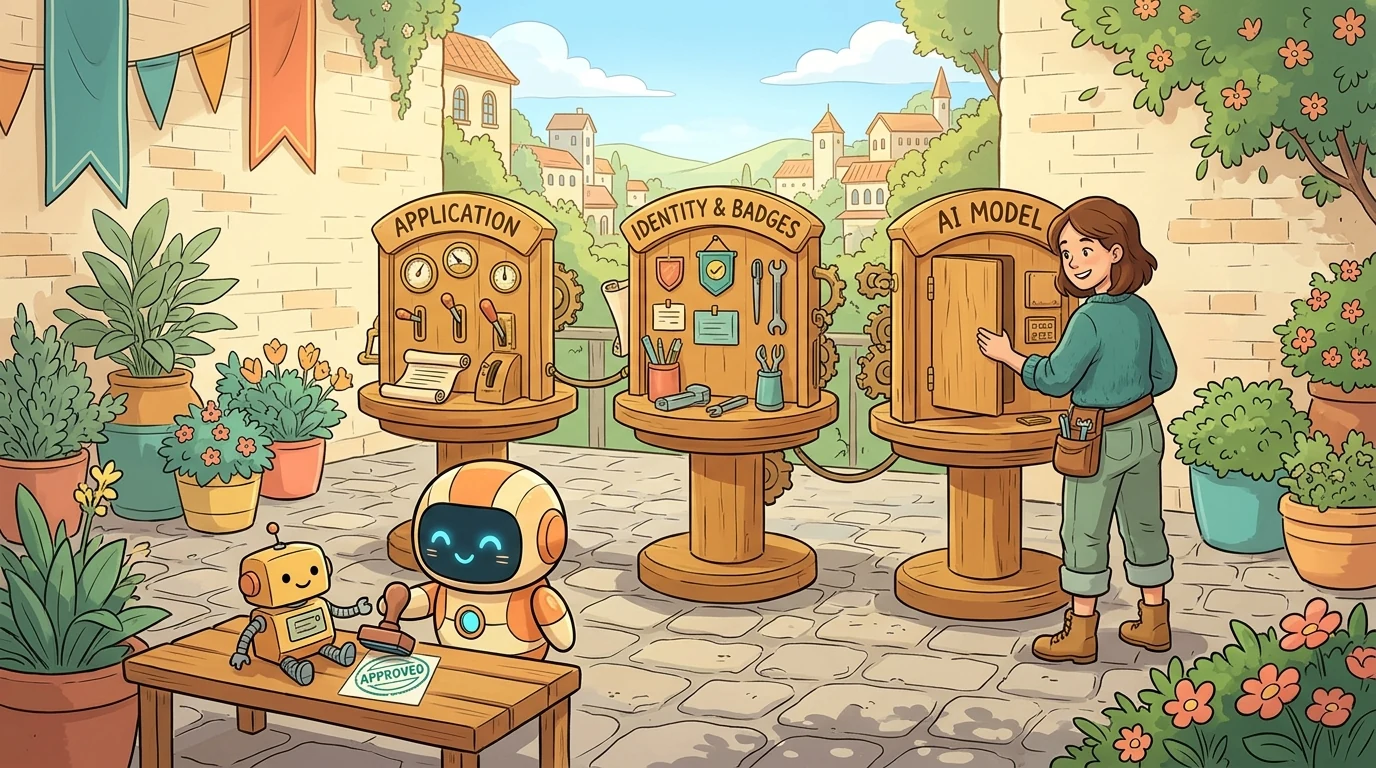
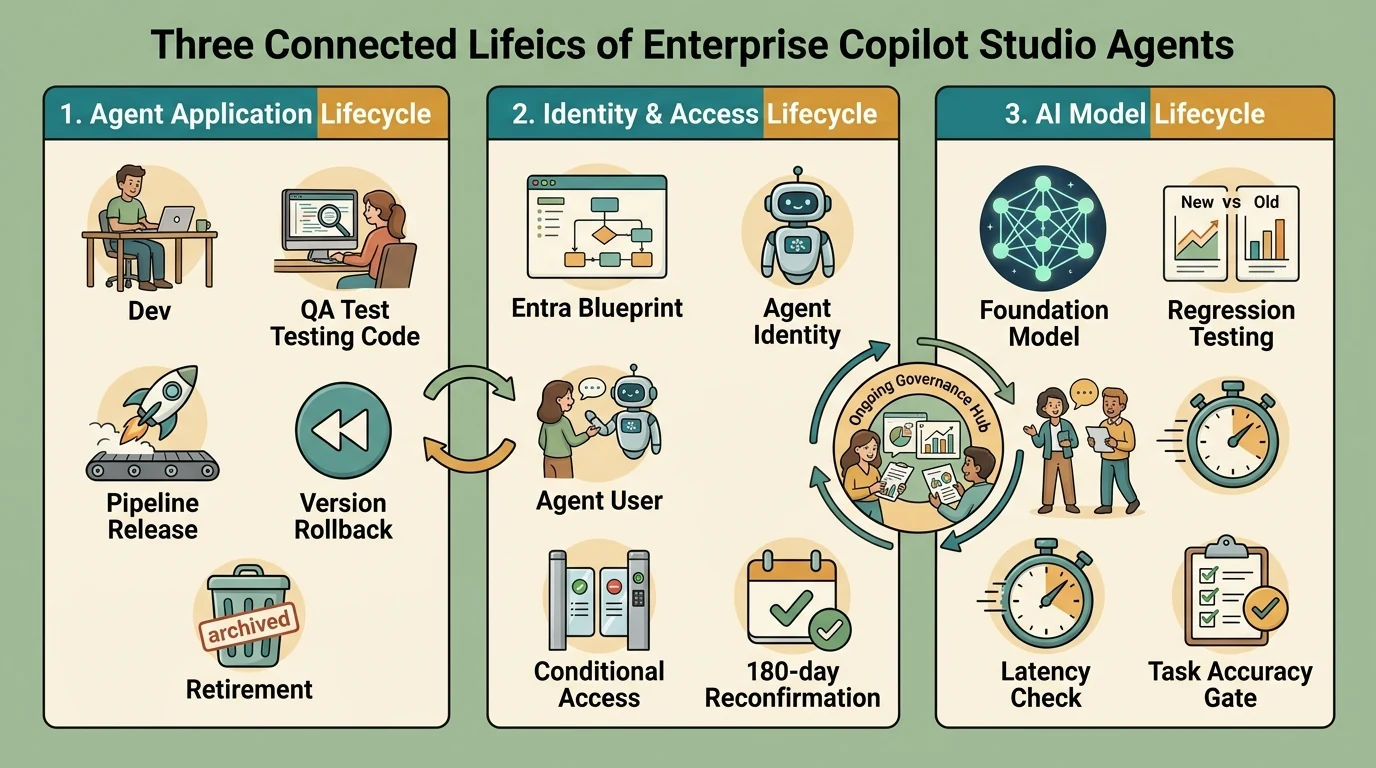
For enterprise architects, platform administrators, and identity teams, the most useful mental model is three connected lifecycles: the agent application, its identities and access, and the models that influence its behavior. Microsoft’s guidance increasingly treats agents as products with continuing ownership, monitoring, improvement, and retirement, rather than projects that end at deployment. Microsoft’s agent lifecycle guidance explains that distinction.
This article focuses on Copilot Studio and the surrounding Power Platform, Microsoft 365, and Microsoft Entra controls. Product behavior and preview qualifications reflect official documentation checked on October 26, 2026. Where a control is still in preview, that status matters to the operating model.
Three lifecycles, not one approval
An application release answers one question: Which version should users receive? It does not automatically answer whether an identity still needs access or whether a replacement model behaves acceptably.
| Lifecycle | Central question | Examples of changes to govern |
|---|---|---|
| Agent application | Should this agent be available, and in which version? | Development, testing, publishing, updates, rollback, containment, retirement |
| Identity and access | Who or what can act, with which permissions, for how long? | Ownership, sponsorship, token issuance, permission grants, reconfirmation, disablement |
| AI model | Does the underlying model still meet the workload’s requirements? | New defaults, upgrades, retirement, behavioral regression, latency, consumption |
This is an operating framework, not a claim that one portal implements all three. Microsoft documents application lifecycle management, agent identity governance, and model lifecycle management as related but distinct practices.
Think of an agent as a business service with a badge and a changing reasoning engine. Releasing the service, renewing the badge, and replacing the engine require different checks. The analogy stops at one important boundary: an agent may use several identities and models, not just one of each.
Start with the control surface, not the newest feature
Copilot Studio now spans agents, workflows, established agent flows, and a preview app-building experience. A harness is the runtime and authoring foundation behind a particular agent experience; the harness affects capabilities, testing, and billing. The Copilot Studio overview distinguishes these building blocks.
That distinction prevents a common governance mistake: assuming a setting or billing rule demonstrated for one experience applies to every other experience.
New capabilities create new dependencies
Several capabilities illustrate why governance must begin during authoring:
- Apps in preview: Natural-language authoring can generate an interface, data model, and logic. The current experience automatically routes app creation to a personal environment, and app creation is on by default unless an administrator disables it. Publishing or sharing does not grant additional access to connected organizational data. These are documented current behaviors, not evidence that all Power Apps development is moving into Copilot Studio. See Apps overview.
- Document extraction: A workflow’s extract node can turn documents into named values and tables using a sample document, a template, or manually defined fields. Those outputs become inputs to subsequent actions. See Add an extract node.
- Copilot delegation: A Copilot node can run Copilot Chat or a Cowork task and use the connected Microsoft 365 user’s content. Chat can target supported agents; Cowork can start or resume a task. The connection’s user context is therefore a substantive security dependency. See Add a Copilot node.
- Reusable skills: Agentic skills package instructions, scripts, and resources. They are not the same thing as Azure Bot Service skills used by the standard harness. See Skills overview and Azure Bot Service skills.
The governance implication is practical. An invoice-extraction workflow is not just an AI prompt: it has documents, extracted fields, downstream destinations, connections, and possibly consequential actions. Review that complete path.
For restrictive organizations, a reasonable preview policy is to enable experimentation for an approved cohort in isolated environments or a separate test tenant. That is a risk-based recommendation, not a universal requirement to disable every preview. Microsoft explicitly describes the app experience as a preview not intended for production use; its eventual environment behavior should not be predicted from a demonstration. Apps preview qualifications.
Build an inventory that can support decisions
An inventory is useful only when it helps answer operational questions:
- What business purpose does the agent serve?
- Who owns its implementation, and who sponsors its continued use?
- Which environment, harness, model, channels, tools, and connections does it use?
- Which identities and permissions support its actions?
- Is it a draft, a test workload, a production service, or a retirement candidate?
The Copilot Studio inventory includes published and unpublished agents and exposes configuration and identity metadata through supported administrative surfaces. However, configuration fields can be null, published agents’ newer draft changes are not necessarily reflected, and classic bots have a separate inventory view. Inventory is evidence, not a complete reconstruction of every runtime dependency.
The Microsoft 365 Agent Registry provides a broader organizational view. One underlying Copilot Studio agent can appear as separate creator-shared and organization-published entries. Removing one entry does not necessarily remove the other, and available actions depend on agent type and publisher state.
Do not count registry rows as unique agent applications without reconciliation. Similarly, do not assume that every externally built agent automatically has an Entra Agent ID merely because it appears in an administrative inventory. Agent 365 discovery and Entra identity management are separate concerns; the latter requires the appropriate identity integration. Agent 365 and Entra responsibilities.
Use a stable correlation record linking the business service, environment-specific agent IDs, registry entries, Entra objects, and connection dependencies. Naming conventions help humans, but identifiers make automation reliable.
Keep development from becoming accidental production
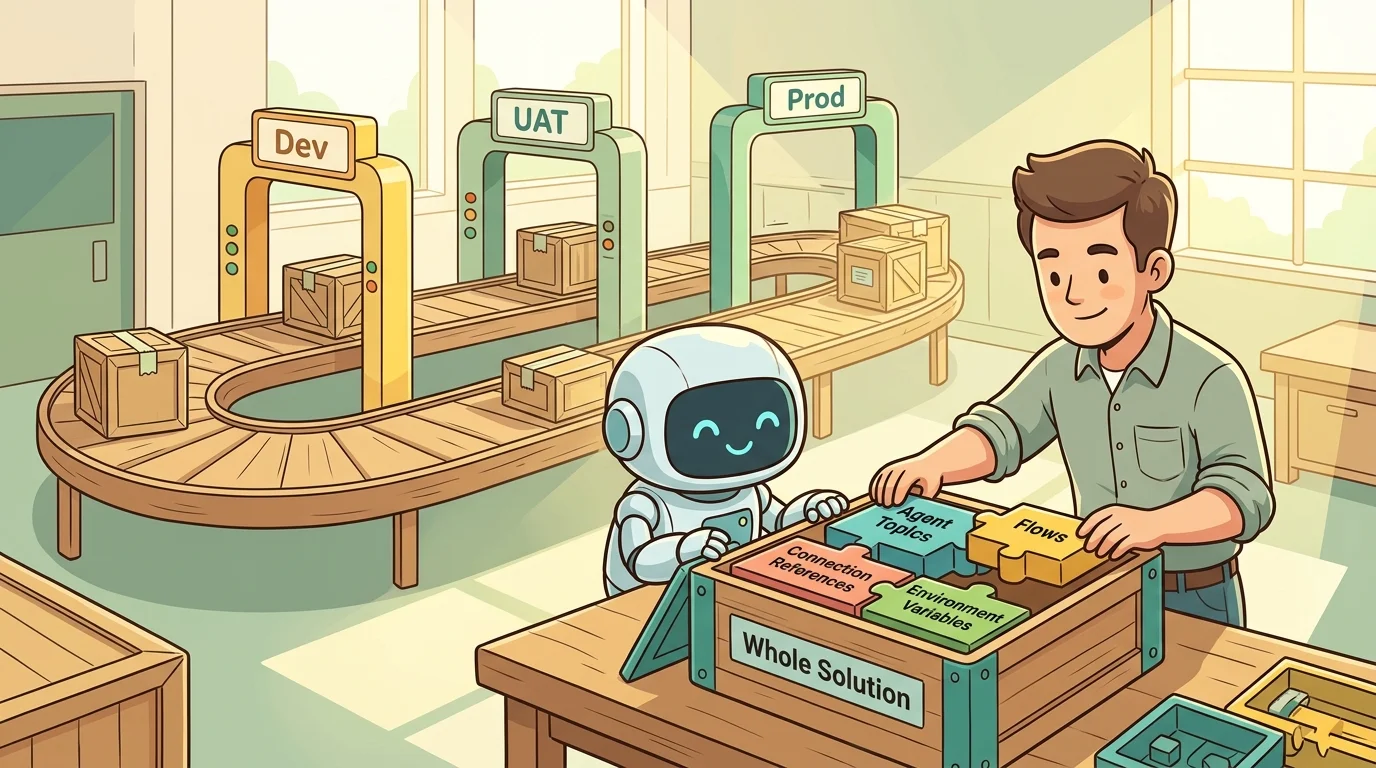
For enterprise workloads, separate development, quality assurance (QA), and production. Microsoft’s Copilot Studio ALM guidance recommends at least these three environments, with production configured as a production-type environment and shared nonproduction environments configured as sandbox-type environments.
Three terms must remain separate:
- Development can describe an environment’s purpose.
- Developer, Sandbox, and Production describe environment types.
- Managed Environments describes additional governance capabilities, not a synonym for a managed solution.
Personal developer environments fit individual experimentation; shared sandbox environments fit collaborative development and testing. Microsoft’s zoned governance guidance supports different boundaries for personal productivity, partnered development, and enterprise-grade workloads. Managed Environments also have specific licensing requirements; there is no universal separate “managed environment access license” that replaces environment roles and product entitlements.
A controlled release path
For solution-based Copilot Studio workloads, a practical release pattern is:
- Develop in a restricted environment. Assign maker permissions through approved groups and Dataverse group teams. Keep the authoring solution unmanaged.
- Package the complete dependency set. Include the agent and required components; use environment variables and connection references for environment-specific configuration.
- Promote through an approved pipeline. Require the organization’s release approvals rather than treating maker access as production deployment authority.
- Test in QA with a dedicated audience. Keep development changes separate from the version under evaluation.
- Promote the approved artifact to production. Use managed solutions downstream and verify target connections, authentication, and channel configuration.
- Complete distribution controls. For organization-wide Microsoft 365 distribution, review the submitted agent and scope its audience in the Microsoft 365 admin center.
These practices follow Power Platform ALM guidance for Copilot Studio, security role and release guidance, and Microsoft 365 agent request approval. Do not assume that every new preview artifact supports an identical solution-and-pipeline path; confirm support for the selected harness and component.
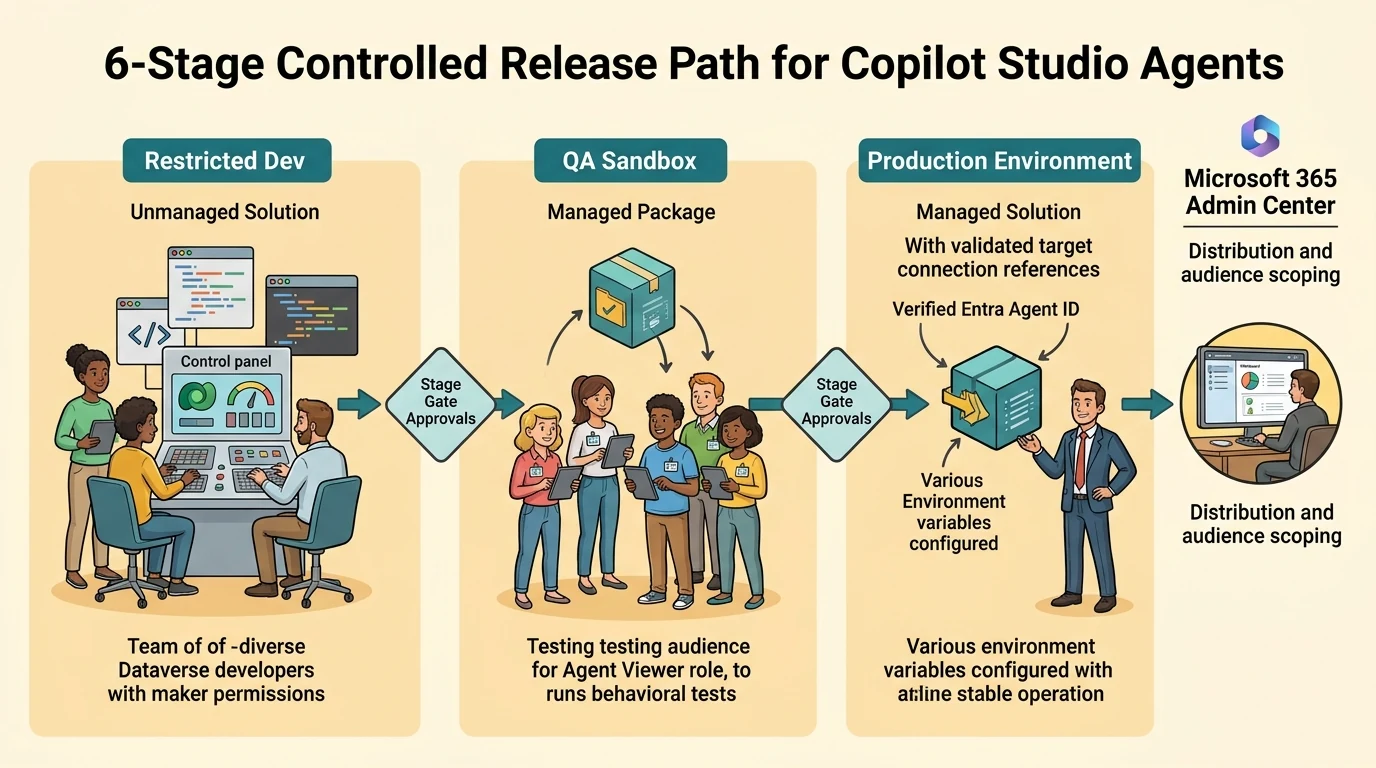
Sharing needs its own gate. A team relying on a development agent is operationally using a production service, even if the environment label says “dev.” Restrict development audiences and use the controls appropriate to that agent type. Microsoft 365’s Agent Builder sharing setting is not a universal Copilot Studio sharing switch, and its “No users” option still permits direct sharing with specific individuals. Agent settings and sharing scope.
Test without granting unnecessary editing rights
A QA group should not automatically become a coauthor group. The standard-harness evaluation experience documents sharing through an agent viewer role, rather than a universal role called “evaluation role.” Evaluation sharing.
Evaluation capabilities also differ by harness. Standard-harness methods include tool use, meaning comparison, exact match, and custom criteria with labels. The newer GitHub Copilot-harness evaluation documentation currently lists General quality as its available method, and that method does not compare responses with expected answers. A demonstration of custom labels or workflow evaluation should therefore not be generalized to every agent experience. Standard evaluation methods; new agent evaluation limitations.
Define the required evidence first. Then select supported evaluation tools, supplementing them with integration tests and human review where necessary.
Design rollback, containment, and retirement before an incident
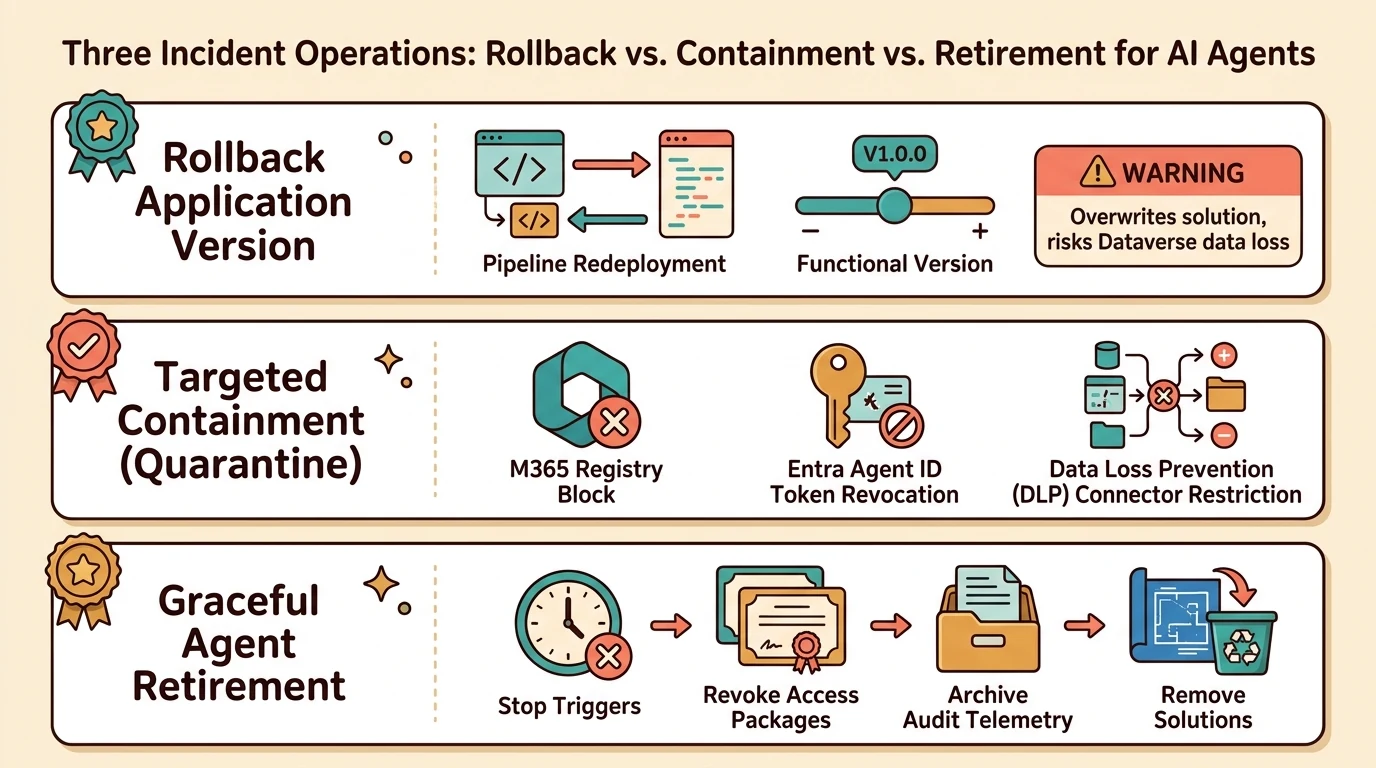
These are different operations, not interchangeable buttons.
Rollback restores an application version
Power Platform pipelines can redeploy a previous successful solution deployment when the required package version, privileges, and Allow redeployments of older versions setting are present. Redeploy past solution versions.
Pipeline redeployment is not equivalent to restoring a SharePoint document. Microsoft warns that it can overwrite the current version, remove updates including new tables, and cause unrecoverable data loss.
A rollback runbook should therefore cover solution dependencies, data recovery, target connections, publishing, and post-rollback tests. Restoring an application artifact also does not guarantee restoration of a retired model or reversal of an external API change.
Containment restricts the relevant execution path
“Quarantine” is a useful incident-response term, but not a single universal product action. Depending on the failure, containment might involve blocking an agent’s distribution, disabling an identity, restricting a connector, or stopping the underlying workload.
Microsoft documents registry blocking and lifecycle actions and identity disablement and restriction. The runbook must specify which action interrupts which path. Blocking a Microsoft 365 entry should not be assumed to stop every independently scheduled job or external channel.
For suspected prompt injection, preserve relevant logs and traces, identify affected tools and data sources, contain the exposed path, and retest before restoration. Treat automatic containment as an integration to validate, not a capability implied by the word “quarantine.” Microsoft’s extensibility security guidance explains why untrusted content and consequential actions require particular care.
Retirement closes more than the catalog entry
An event-information agent is an easy example: after the event, its purpose may disappear even if its identity remains valid.
A recommended retirement checklist is to remove distribution, stop triggers, revoke unnecessary access, review associated agent users and connections, retain required audit evidence, and remove application artifacts only after dependency review. Verify the resulting state across inventories.
Do not assume that deleting a solution cleans up every related identity, connection, or publisher record. Microsoft’s registry documentation explicitly describes multiple records and differing actions; its lifecycle action documentation describes type-specific deletion and recovery behavior.
Govern the identity actually performing the work
“An agent has an identity” is not enough information to write an access policy.
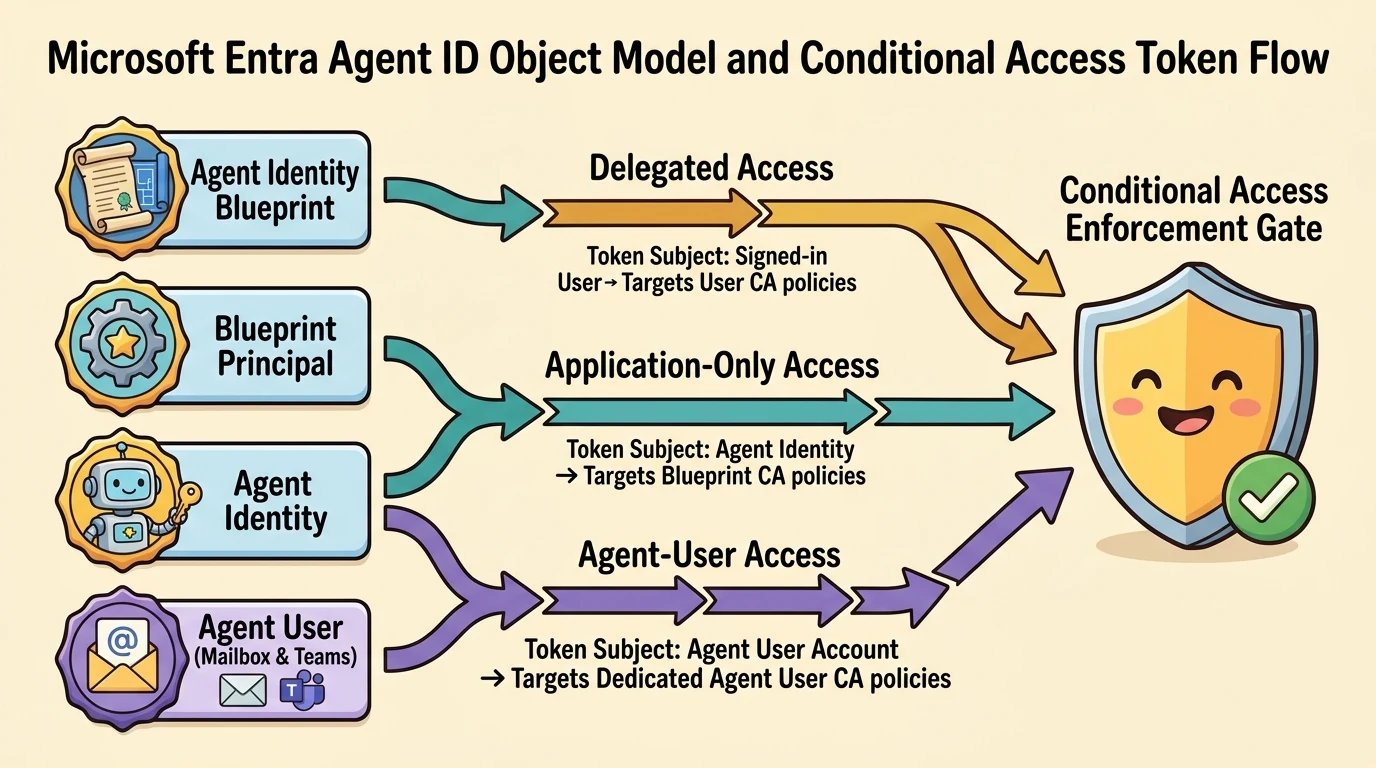
Microsoft Entra Agent ID introduces four object types: an agent identity blueprint, its blueprint principal, an agent identity, and an optional agent user. A blueprint supports creating identities for related agent instances; an agent user provides a user-like account for scenarios requiring capabilities such as a mailbox or collaborative participation. These objects can have distinct access rights. Agent identity governance concepts.
A managed identity, service principal, service account, and agent user are not synonyms. The sound operational principle is to avoid tying unattended production work to a maker’s personal credentials, then choose the authentication mechanism supported by the connector and workload. Do not promise managed-identity authentication where the integration requires a different mechanism. Microsoft recommends unique agent identities, current owners and sponsors, and secure credential management in its Agent ID best practices.
Likewise, three deployment environments do not guarantee exactly three Entra identities. Record the actual objects provisioned for each instance and dependency.
Conditional Access follows the token subject
The decisive question is: Whose identity receives the access token?
| Access pattern | Token subject | Relevant policy target |
|---|---|---|
| Delegated, on-behalf-of access | Signed-in user | User and supported user-targeting mechanisms |
| Application-only access | Agent identity | Agent identity or its blueprint |
| Agent-user access | Agent’s user account | Agent user |
Microsoft’s Conditional Access for agents documents these distinctions. A policy targeting a blueprint applies to its associated agent identities, including future ones; selecting an individual identity does not automatically cover all siblings.
Several boundaries are easy to miss:
- A policy targeting an agent identity does not also target its agent user.
- Policies assigned to ordinary users, including “All users,” do not include agent user accounts.
- Group-based Conditional Access inclusion and exclusion are not currently supported for agent users.
- Agent-user targeting is in preview.
- Conditional Access protects Entra-secured resource access, not an external API call authenticated solely with an API key.
These limitations are documented in Conditional Access boundaries and agent-user policy guidance.
Consider an illustrative meeting-assistant scenario. Before blocking a “bot user,” determine whether it is an Entra agent user, an ordinary service account, or an external meeting integration. Then identify the authentication path. Blocking one account’s Teams access is not a universal control for all third-party meeting bots.
Review sign-in logs as authentication evidence, not as a complete count of humans interacting with the agent. Autonomous token activity and delegated user activity represent different things.
Make access intentional and time-bound
Entra access packages can standardize supported agent permissions, approval, expiration, and extension. However, existing human-oriented packages cannot always be reused: Microsoft documents limitations for agent identities and service principals involving application roles, SAP roles, and direct SharePoint Online site roles. Access packages for agent identities.
Use packages for supported assignments, then review effective access and any grants made outside them. A package is a governance mechanism, not proof that every permission is covered.
Automate hygiene without confusing inactivity with irrelevance
Three signals deserve different treatment:
- Unpublished application: The maker created an artifact but never released it.
- Unused published agent: No relevant usage appears in the selected reporting scope.
- Inactive identity: No tokens have been issued for that identity within the configured period.
These are not equivalent. A seasonal agent can be valid despite low usage. A draft can still have valuable work. An agent using another authentication path can appear inactive in one identity’s telemetry.
Registry rules support reviewed bulk action
Microsoft 365 agent management rules currently document scenarios including reassignment of ownerless Agent Builder agents, blocking ownerless agents without usage, applying templates, and rejecting old publication requests. The administrator reviews affected agents before running the rule; applying a template is explicitly a one-time bulk operation, not a scheduled rule. Agent management rules.
Do not turn a demonstrated “run rule” action into a promise of continuous automatic cleanup. Also distinguish individual-agent deletion capabilities from deletion as a supported rule action.
Unpublished-agent cleanup needs a notification path
The Power Platform inventory provides a verified foundation for finding draft agents. A practical organizational pattern is to identify old drafts, contact owners, provide a retention or exception window, and remove only approved candidates.
For example, a company might review drafts older than 90 days. That threshold is an illustrative policy choice, not a Microsoft requirement. Automating owner notifications through Power Automate is reasonable, but the exact inventory API, connector action, permissions, and deletion mechanism must be verified. A loosely named “admin V2 connector” is not an implementation specification.
Entra lifecycle policies govern continued identity eligibility
Entra Agent ID lifecycle policies are currently in preview. Microsoft documents periodic reconfirmation, minimum sponsor requirements, inactivity monitoring, notifications, grace periods, and disable/delete actions. Agent lifecycle policies.
For a limited pilot:
- Open ID Governance > Lifecycle Workflows > Lifecycle Policies > Agent IDs.
- Scope the policy to specific test identities.
- Configure the required rules, such as reconfirmation every 180 days and inactivity monitoring after 90 days.
- Choose the enforcement action and a remediation grace period.
- Configure notifications and fallback recipients for identities without accountable representatives.
- Validate notification, sponsor remediation, and enforcement before expanding scope.
The example thresholds are planning choices. Microsoft allows reconfirmation intervals from 30 to 730 days and recommends validation on a limited scope. The feature requires the documented governance entitlement and an appropriate role, such as Lifecycle Workflows Administrator or AI Administrator. Policy prerequisites and verification.
Two details materially change the design. Inactivity means no tokens issued for the identity, not proof that nobody used the application. And the highest-priority matching policy applies; overlapping policies are not a sequential workflow where one sends a warning and the next disables the identity. Notifications and grace periods belong within the applicable policy’s enforcement process. Policy rules and priority.
Prefer reversible disablement as an initial organizational posture where appropriate, but validate dependencies first. Disabling an identity is not the same as deleting the agent application or stopping every external resource it uses.
Govern tools and connectors as dependencies
An approved agent can still become risky through an overprivileged connection or an unreviewed skill.
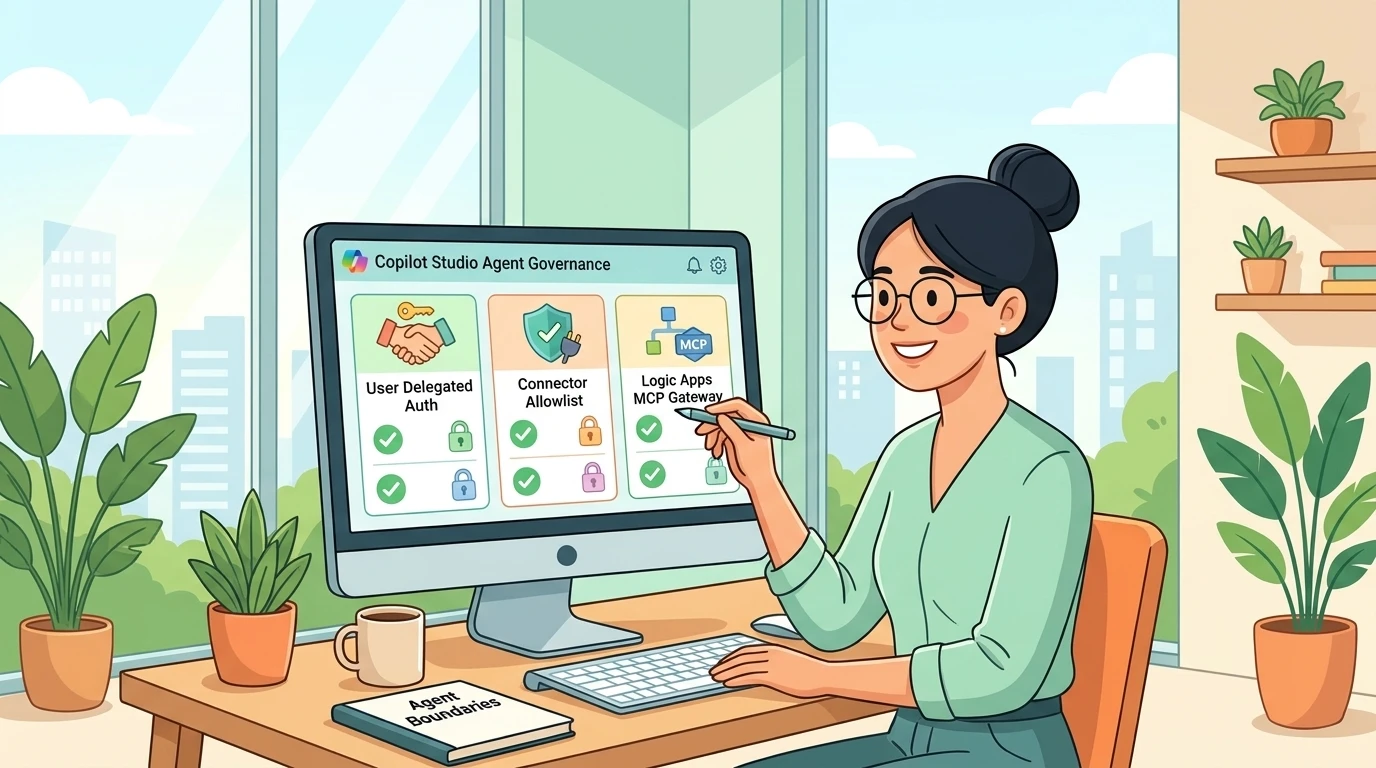
Power Platform data policies govern supported connections and capabilities, including connector grouping and real-time policy enforcement. Microsoft’s data policy documentation describes these controls. Data loss prevention (DLP) policies are not substitutes for API permission review: an allowed connector can still authenticate with excessive privileges.
For each dependency, review the operation, credential owner, delegated or application permission model, destination, and data returned. Test both permitted and prohibited paths under representative identities.
Microsoft 365 also provides plugin, skill, and MCP server administration, including availability controls and review of Model Context Protocol (MCP) capabilities. A curated internal catalog is useful, but “admin-approved” is not synonymous with “certified secure.” Review provenance, instructions, executable content, dependencies, and updates.
Control scope matters here too. Power Platform’s Skills in Copilot Studio setting replaces specified legacy virtual-connector controls, and its documentation says advanced connector policies do not support that rule. Do not assume that every capability can be blocked through the same DLP or advanced connector policy surface.
Capacity governance begins before publication
The statement “everything consumes credits” is too broad. Billing depends on harness, feature, channel, identity, and license context.
For GitHub Copilot-harness agents, building, previewing, testing, evaluating, and running can consume Copilot Credits, and that usage is not included with a user’s Microsoft 365 Copilot license. Other experiences have different coverage and exceptions. Harness cost management.
The practical consequence is important: an unpublished environment can consume capacity. Govern environments from the first experiment, not only after production approval. Credit governance guidance.
Combine three controls:
- Environment allocation: Allocate prepaid credits and review whether the environment can draw from unallocated tenant capacity.
- Agent monthly limit: Set a notification threshold and enable Stop usage when an actual stopping point is required.
- Pay-as-you-go oversight: Review linked Azure billing plans and budgets, remembering that budget alerts do not stop consumption.
An allocation alone is not a hard boundary if tenant-pool draw or pay-as-you-go remains available. Microsoft documents these interactions and the Licensing > Copilot Studio > Manage Agents > Set limit path in Manage costs.
Capacity can also be shared with supported Microsoft 365 usage-based experiences such as Cowork and Work IQ, so reconcile the Power Platform and Microsoft 365 administrative views. Do not assume that an agent limit automatically covers every app or dependent workload; verify supported controls for each artifact. Cross-admin-center capacity coordination.
For business-critical agents, stopping at a limit is an availability decision as well as a financial one. Define who can authorize additional capacity and how the service behaves when it is exhausted.
Treat a model change as a behavioral migration
An unchanged agent configuration can behave differently after a model change. Instructions may be interpreted more literally, tool choices may shift, responses may become longer, and latency may increase. Microsoft explicitly recommends treating model lifecycle management as an ongoing operating practice. Copilot Studio model lifecycle.
Avoid hard-coding a transcript’s model names as today’s defaults. GPT model identifiers are not interchangeable with the ChatGPT product name, and availability depends on the selected experience. Equally, “Copilot Studio always switches automatically” and “Foundry always gives a year to test” are not safe universal rules. Foundry upgrade behavior depends on deployment type and version-upgrade configuration; retirement still requires a migration plan. Foundry lifecycle policy; Foundry migration behavior.
Evaluate the complete task, not just the answer
A useful migration process is:
- Inventory affected agents, models, environments, and owners.
- Capture a baseline with representative test cases and user permissions.
- Define acceptance gates before testing the replacement.
- Evaluate answer quality, grounding, abstention, tool selection, output structure, and consequential actions.
- Compare latency, reliability, and consumption under equivalent conditions.
- Refine instructions or integrations where needed, approve the release, and monitor after deployment.
Microsoft’s model migration guidance recommends comparable configurations, repeated critical tests because outputs are probabilistic, and investigation of individual regressions rather than reliance on an aggregate score.
As an illustrative example, a newer model might produce a more polished response but invoke an extra tool and take longer to complete the task. That is not automatically an improvement. Measure cost per successfully completed task alongside quality and latency. Token counts, Copilot Credits, and separately billed model usage are different units; interpret them under the applicable Copilot Studio billing model.
Where the architecture supports multiple models, select them by task rather than assuming the most capable model belongs everywhere. But model routing is an architectural option to validate, not a universal control available in every Copilot Studio harness.
The operating standard: every agent must remain explainable
Good governance is not the number of policies in a tenant. It is the ability to explain, at any point, why an agent exists, which version is approved, who is accountable, what can authenticate, what it can access, how its behavior is validated, and how it can be contained or retired.
Start with one representative production workload. Reconcile its application, identity, and model dependencies. Prove its release and recovery paths. Test the permissions that should fail, not only the tasks that should succeed. Then use that evidence to build a repeatable operating pattern.
Publishing is the beginning of responsibility. A governed agent earns its place continuously, through useful behavior, justified access, and an owner who can still answer for it.
Read next