Architecting Zero Trust for People and AI Agents with Microsoft Entra

Writer
AI does not invalidate Zero Trust. It makes Zero Trust urgent.
In a conventional workflow, a person signs in, opens an application, and performs a sequence of actions at human speed. An AI agent can discover information, call tools, and modify resources in seconds. If its identity is ambiguous, its permissions are excessive, or its network activity is invisible, automation multiplies the impact of every control failure.
The architectural response is not a single “AI security” switch. It is a connected control plane in which identity determines who—or what—is acting, Conditional Access evaluates context, identity governance limits entitlement, network controls constrain communication, data security prevents inappropriate disclosure, and agent-specific controls provide accountability.
Microsoft 365 E7, generally available since May 1, 2026, packages Microsoft 365 E5, Microsoft 365 Copilot, Microsoft Entra Suite, and Microsoft Agent 365. That packaging is useful, but the more important story is architectural: these products address different layers of the same problem. They should be designed as a system rather than treated as interchangeable features.
The mental model: Identity is the control plane, the network is the enforcement fabric, data policy is the guardrail, and agent governance establishes accountability.
To make the architecture concrete, imagine Violet Martinez moving into an IoT product-marketing role. Workday signals the change overnight; a preconfigured mover workflow removes defined stale access and assigns her new baseline. She signs in with a passkey, requests a confidential on-premises pricing dashboard through My Access, and presents the required Verified ID credential with Face Check. Her manager separately requests time-bound access to the team’s sanctioned AI assistant on her behalf, selecting start and end dates and supplying the required business justification. This running scenario connects the layers that follow without implying that every control is configured automatically.
Why agentic systems change the threat model
Agents are not merely faster users. They introduce several characteristics that deserve explicit design attention:
- Machine-speed execution: A poorly scoped permission can be exercised repeatedly before a person notices.
- Tool use: An agent may read data, call APIs, upload files, or change systems rather than only generate text.
- Untrusted context: Web pages, documents, emails, and tool responses can contain malicious instructions intended to redirect the agent.
- Nonhuman identity: Autonomous agents need an identity, owner, permissions, credentials, and lifecycle independent of any one interactive user.
- Delegated authority: Interactive agents can act on behalf of a signed-in person, making the boundary between user intent and agent action important.
This changes the practical Zero Trust question. “Should this user be allowed into the network?” is no longer enough. Architects must ask:
- Which human or agent identity is making the request?
- What resource and action are being requested?
- Which device, network, risk, and session signals apply now?
- What data is entering or leaving the interaction?
- Can access be withdrawn quickly when context changes?
- Who owns the agent and remains accountable for its behavior?
Microsoft Entra Agent ID provides purpose-built identity constructs for agents, while Microsoft Agent 365 provides a broader control plane for discovering, governing, observing, and securing agents. Those roles are related but not identical: Agent 365 supplies cross-product visibility and management; Entra supplies the identity and access foundation.
Layer 1: Keep human access aligned with the identity lifecycle
Zero Trust starts before authentication. If role changes are not reflected in entitlement, a perfectly authenticated user can still have inappropriate access.
Microsoft Entra ID Governance Lifecycle Workflows organizes automation around the joiner-mover-leaver model. HR-driven provisioning can create and update accounts from authoritative HR data, while Lifecycle Workflows performs additional tasks when user attributes or lifecycle conditions change.
For a mover scenario—for example, an employee transferring from finance to sales—a designed workflow can:
- notify the manager of the move;
- request or assign the access package required by the new role;
- add the user to selected groups or teams;
- remove the user from selected groups;
- update supported user attributes; and
- invoke a custom task extension for organization-specific cleanup.
The key word is designed. Entra does not infer every stale permission and remove it automatically merely because a department value changed. The organization must define authoritative attributes, workflow scope, access packages, approval rules, and revocation behavior. Access reviews and Privileged Identity Management may still be needed for entitlements outside the workflow.
A useful model is replace, do not accumulate: a move should establish the new role baseline and deliberately remove the old one. That is stronger than continually adding permissions and hoping that periodic reviews eventually catch the residue.
Architecture rule: Treat a role change as an access transition, not as a profile update.
Layer 2: Make elevated access temporary and evidence-based
A role baseline should cover normal work. It should not provide standing access to sensitive databases, production systems, confidential pricing, or powerful administrative functions.
Microsoft Entra entitlement management allows users to request access packages through the My Access portal. Policies can define who may request an entitlement, who must approve it, when it expires, and whether periodic access reviews are required. Managers can also request access packages for direct reports when the policy and catalog configuration support that scenario.
For privileged Entra and Azure roles, Privileged Identity Management provides a more precise just-in-time model: eligible users activate a role only when needed, potentially subject to approval, multifactor authentication, justification, and a time limit. Access packages and PIM solve adjacent but different problems, so architects should not use the terms interchangeably.
Verified ID can add evidence to an access-package request. A policy can require the requester to present a verifiable credential from a trusted issuer—for example, proof of training, work authorization, or another qualification. Face Check is a premium Verified ID capability that compares a live selfie with the photograph in a presented verifiable credential and returns a match result while minimizing disclosure of identity data.
Face Check should not be described as automatically comparing every requester against a government ID “on file.” The credential, trusted issuer, photo, issuance process, and request policy must all be designed beforehand. It is identity verification infrastructure, not a universal background check.
Layer 3: Replace broad network admission with application-level access
Traditional remote-access VPNs commonly place a device onto a network segment and then depend on internal controls to prevent lateral movement. Microsoft Entra Private Access takes a Zero Trust Network Access approach: publish private applications and resources through private network connectors, route matching client traffic through Global Secure Access, and evaluate access with identity-aware policy.
This creates a better unit of control. Instead of granting “access to the corporate network,” the architecture grants a specific identity access to a defined private application or resource.
Microsoft Entra Private Access can cover TCP- and UDP-based private resources, including legacy applications that do not natively understand modern authentication. Private network connectors initiate outbound connections to the service, which normally avoids publishing the private application directly to the internet or opening inbound connections to it.
However, “replace the VPN” is a design objective, not a universal one-click outcome. Architects still need to inventory protocols, name resolution, routing, client platforms, service accounts, privileged administration paths, and applications that assume broad network adjacency. Some scenarios may require staged coexistence.
Continuous evaluation matters after sign-in

A token should not become an hour-long immunity badge.
Native Continuous Access Evaluation allows supported applications and resource APIs to respond to critical identity events and policy changes in near real time. Microsoft documents that event propagation can sometimes take up to 15 minutes, so “instant revocation” is too absolute.
Global Secure Access also provides Universal Continuous Access Evaluation. It revalidates access to the Global Secure Access edge when a connection to a new application resource is established and can extend near-real-time identity-change enforcement to traffic for applications that are not themselves CAE-aware. Strict Enforcement mode can help prevent replay of a Global Secure Access token from a different IP address.
This distinction matters:
| Control | Enforcement point | Important boundary |
|---|---|---|
| Native CAE | A CAE-aware application or resource API | Requires workload and client support |
| Universal CAE | The Global Secure Access edge | Applies to traffic routed through Global Secure Access |
| Token revocation | Microsoft Entra token and session state | Behavior still depends on token type, application, and enforcement support |
The practical lesson is not that every token disappears instantly. It is that session trust can be reevaluated much sooner than normal token expiry when the application or access path supports the relevant mechanism. If Identity Protection detects elevated user risk after a suspected hardware-backed token theft or replay attempt, Conditional Access can require the configured remediation path—such as secure password change and multifactor authentication—while supported CAE enforcement points reject continued access. The exact response depends on the risk policy, authentication method, token type, client, workload, and traffic path.
Layer 4: Protect work data on personal devices without taking over the device
Bring-your-own-device designs must separate two goals that are often conflated:
- protecting organizational data inside a work context; and
- routing selected web traffic through organizational security controls.
Microsoft Edge for Business can use Intune App Protection policies on Windows to protect work data without full device enrollment. In Violet’s case, opening the team’s SharePoint site from her personal laptop can trigger Conditional Access to require an app protection policy and prompt her to switch from her personal Edge profile to her work profile. The work profile then enrolls for mobile application management. Policies can govern actions such as clipboard transfer, downloads, printing, and movement of organizational data.
The policy is scoped to the Edge work profile. Personal browsing remains outside that managed work context, which provides a cleaner privacy boundary than applying device-wide management to a personal computer.
Microsoft Entra Internet Access Explicit Forward Proxy can complement that model by steering browser traffic through the Secure Web and AI Gateway without installing the Global Secure Access client. For lightly managed and BYOD scenarios, an Intune app-management policy can deliver the proxy configuration and trusted TLS inspection certificate to Edge. As of July 15, 2026, Explicit Forward Proxy remains a preview capability and its Intune delivery method applies only to Microsoft Edge on Windows.
These are separate configurations. Conditional Access does not, by itself, “push TLS inspection into the browser.” TLS inspection requires Microsoft Entra Internet Access configuration, a certificate authority, an inspection policy, a security profile, traffic steering, and appropriate endpoint trust. Privacy, consent, exclusions, and regulatory requirements must be reviewed before decrypting traffic.
Privacy boundary: Govern the work profile and explicitly routed corporate traffic. Do not imply that a work-profile design gives the organization unrestricted visibility into personal browsing.
Layer 5: Enforce data policy at the web and AI boundary
Network visibility alone reveals destinations and flows. It does not necessarily understand whether the content contains a customer identifier, regulated information, source code, or a confidential business plan.
Microsoft Purview Network Data Security integrates Purview classification and DLP with secure access service edge and secure-browser solutions. Its integration with Microsoft Entra Global Secure Access can inspect supported unmanaged and untrusted cloud-app interactions, including generative AI prompts, file uploads, webmail, forms, and social-media posts.
With TLS inspection and the required policies in place, an illustrative flow looks like this:
- A user signs in to a sanctioned Edge work profile.
- Internet traffic is steered through Microsoft Entra Internet Access.
- The service decrypts supported HTTPS traffic at the security edge, inspects it, and re-encrypts it toward the destination.
- Purview classifiers evaluate the content against configured collection or DLP policies.
- The policy allows, audits, or blocks the interaction before sensitive content reaches the external service.
This can protect scenarios such as pasting sensitive text into a public generative AI service, uploading a protected file to an unsanctioned storage provider, or sending sensitive information through consumer webmail.
The strongest description is content-aware network enforcement, not magic inheritance from a file label. A pasted fragment may be detected through sensitive-information types, trainable classifiers, exact-data match, or other configured inspection logic. Whether a sensitivity label remains available after content is copied out of a document depends on the data path and integration. Architects should test the precise prompt, upload, browser, application, and file scenarios they intend to protect.
At the time of writing, Microsoft documents the Purview Network Data Security integration with Entra Global Secure Access as preview. Production decisions should therefore include current service limitations, supported traffic paths, regional availability, licensing, privacy requirements, and operational testing.
Layer 6: Defend both AI usage and agent execution
“AI security” covers at least two different traffic directions:
- People using AI: A user sends prompts or files to a generative AI service.
- Agents using the network: An agent calls knowledge sources, connectors, MCP servers, APIs, or external tools.
The policies overlap, but the enforcement paths are not identical.
Prompt injection protection for enterprise AI applications
Prompt injection attempts to make a model ignore trusted instructions, reveal data, or perform unintended actions. An attack can be direct, supplied by a user, or indirect, embedded in external content that the model later processes.
Microsoft Entra Internet Access AI Gateway includes prompt-injection protection that can scan supported prompt traffic and block adversarial prompts or jailbreak attempts before they reach the model. It requires Internet Access traffic forwarding, TLS inspection, supported endpoints, device prerequisites, and configured prompt policies.
This is a valuable network guardrail, but it is not a complete defense against indirect prompt injection. An agent may retrieve malicious instructions from a document, email, website, or tool response after the original user prompt has passed inspection. Microsoft recommends defense in depth: isolate untrusted content, use prompt shields and other model-level protections, detect plan drift, constrain tools, apply least privilege, and require human approval for consequential actions.
Security principle: Prompt filtering reduces risk; it does not make an agent trustworthy.
Constrain network activity from agents
Global Secure Access for Microsoft Copilot Studio agents can forward supported agent traffic—including HTTP nodes, custom connectors, and MCP server connectors—to Microsoft’s proxy service. Administrators can then apply capabilities such as web-content filtering, threat-intelligence filtering, and network file filtering, with policy and logging at the service edge.
Global Secure Access web-content filtering now also documents two preview rule conditions that are especially relevant to agentic traffic:
- Source traffic type filtering can scope a rule to agent, browser, or application traffic. This allows the same destination to be treated differently depending on whether the request originated from a person browsing interactively or from an agent session.
- HTTP method request filtering can allow or block methods such as
GET,POST,PUT,PATCH, andDELETE. Rules can be scoped with URL or FQDN filtering.
That makes a scenario such as preventing an agent from issuing a destructive DELETE request to a shared Dropbox location technically plausible when its traffic is acquired by Global Secure Access and matches the configured source-type, method, and destination conditions. It does not mean that Entra can automatically control every locally installed AI application. The client or another supported traffic-acquisition path must capture the traffic; HTTPS inspection and protocol prerequisites still apply; and both rule conditions are preview capabilities as of July 15, 2026.
A practical blast-radius design for an agent should combine:
- a dedicated agent identity;
- narrowly scoped application and data permissions;
- short-lived credentials or tokens;
- controlled network destinations;
- file upload and download policy;
- connector and tool allowlists;
- logging and threat detection; and
- human approval for destructive or high-impact operations.
Network policy can restrict where an agent communicates. Identity policy controls what it can authenticate to. Application authorization controls what it may do after authentication. You need all three.
Layer 7: Give agents first-class identity and accountability
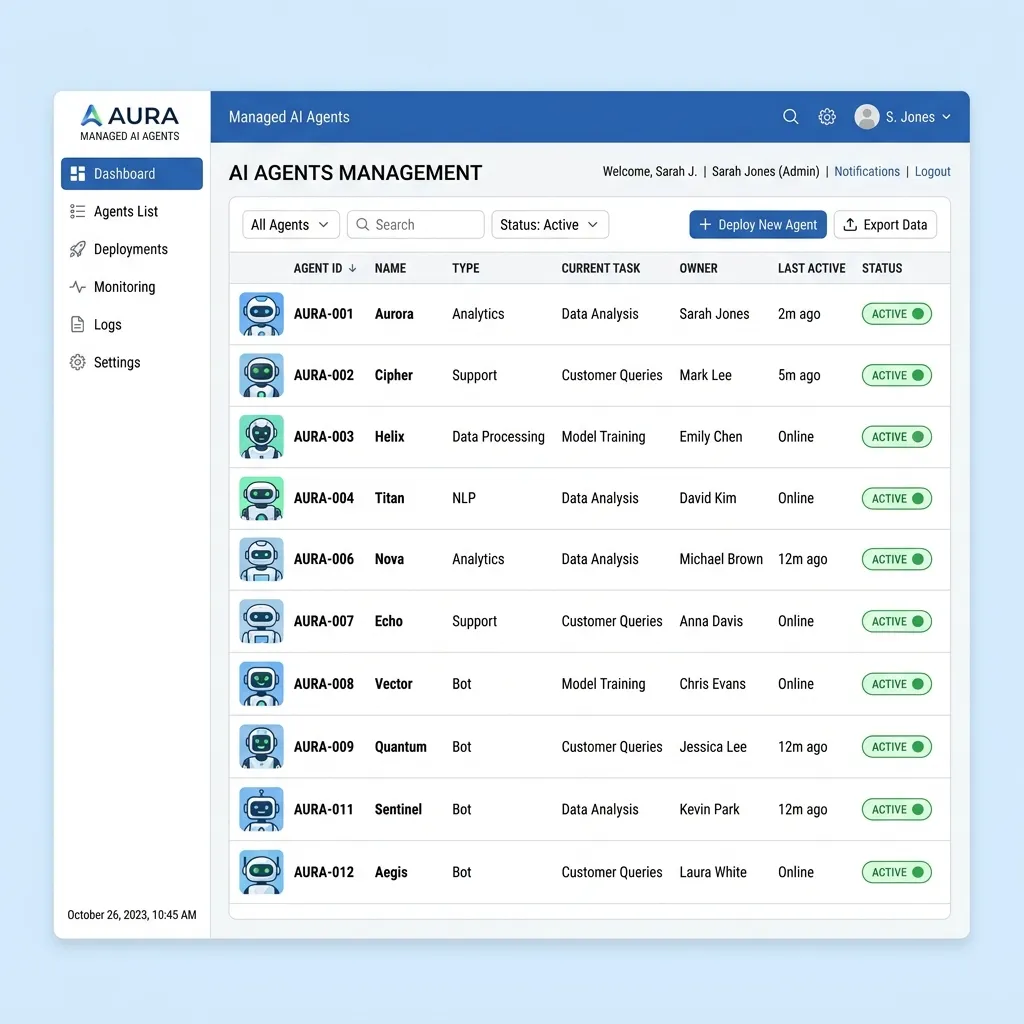
A secure agent should not hide behind a shared user account, a developer’s credentials, or an unowned service principal.
Microsoft Entra Agent ID introduces agent-specific identity objects, including agent identity blueprints and agent identities. The blueprint defines a class of agents; instances can receive distinct identities and access rights. An optional agent user can be paired with an agent identity when the workload genuinely requires user-shaped resources such as a mailbox or calendar.
This creates a chain of accountability:
Agent owner or sponsor → agent blueprint → agent identity → token → resource action → audit signal
Entra ID Governance can apply ownership, sponsorship, access packages, lifecycle controls, and reviews to agent identities. Conditional Access and Identity Protection can evaluate agent access and risk. Agent 365 adds the broader inventory and control-plane experience across Microsoft 365 security, identity, management, and compliance products.
The design goal is not to pretend that an agent is a human. It is to give the agent a first-class, attributable identity while applying controls appropriate to nonhuman behavior.
A reference architecture for Zero Trust in the AI era
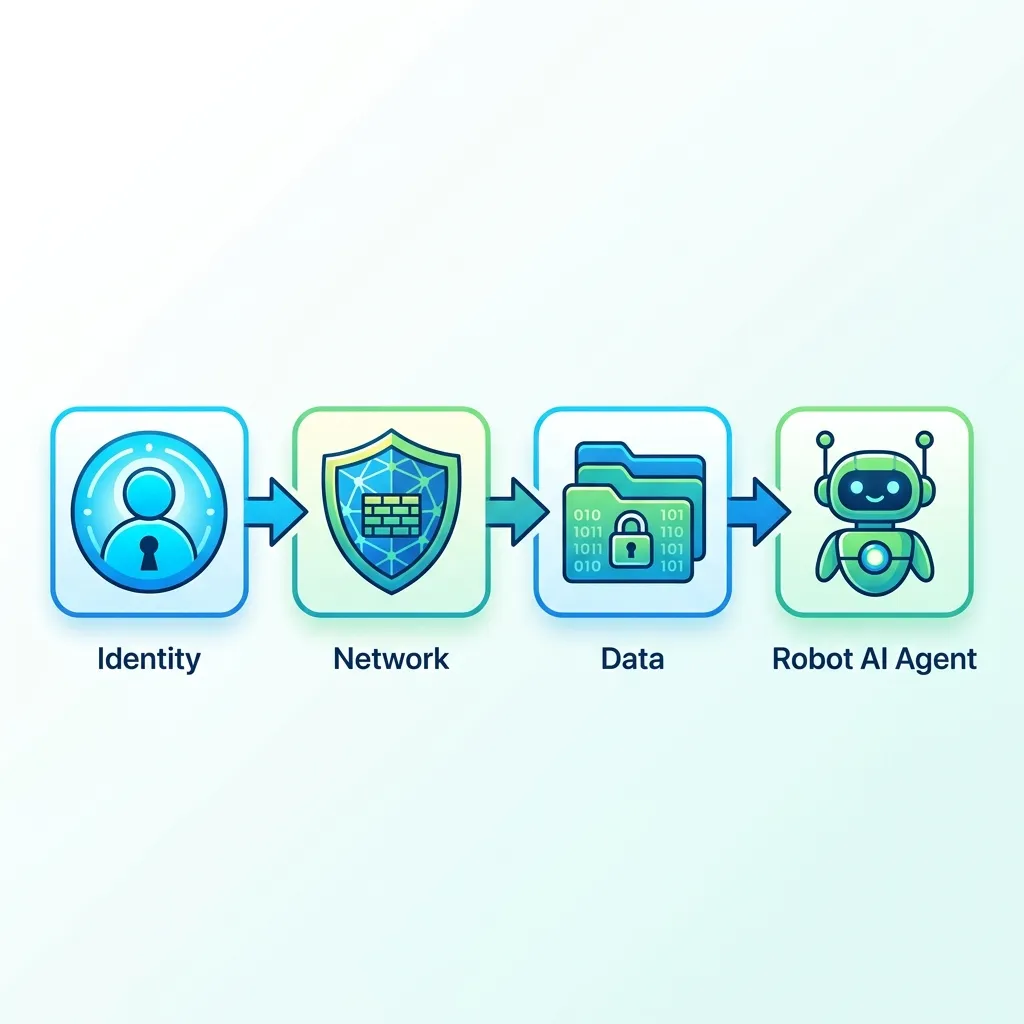
The layers can be assembled into a single request path:
- Authoritative source: HR or an agent-registration process establishes the subject and its owner.
- Identity: Microsoft Entra creates or governs the human or agent identity.
- Entitlement: Access packages, groups, application roles, and PIM determine eligible access.
- Authentication and context: Credentials, device state, risk, location, and workload context feed Conditional Access.
- Network enforcement: Entra Private Access or Internet Access routes the relevant traffic through identity-aware controls.
- Data enforcement: Purview classifiers and DLP evaluate supported content flows.
- Agent security: Agent 365, Entra Agent ID, Defender, Purview, and Global Secure Access provide inventory, identity, protection, and policy according to their respective roles.
- Continuous response: CAE, risk detection, session revocation, logging, and incident workflows respond when context changes.
No layer compensates completely for a missing one. A well-identified agent can still leak data. A network-filtered agent can still have excessive application permissions. A DLP policy cannot correct an orphaned identity. Zero Trust emerges from the composition.
Practical deployment sequence
A sensible implementation order is:
- Inventory identities, applications, agents, private resources, and AI traffic. You cannot govern what you cannot see.
- Fix lifecycle and ownership. Establish authoritative attributes, sponsors, mover/leaver behavior, and access-package design.
- Reduce standing privilege. Use PIM for privileged roles and time-bound entitlement for sensitive resources.
- Publish a narrow Private Access pilot. Start with a defined application rather than attempting immediate VPN replacement.
- Pilot Internet Access and TLS inspection. Validate traffic steering, certificate trust, exclusions, privacy, and application compatibility.
- Add Edge work-profile protection for BYOD. Test clipboard, download, printing, and profile-separation behavior.
- Introduce Purview network policies in audit mode. Measure false positives before blocking sensitive AI and web interactions.
- Assign identities and owners to agents. Eliminate shared credentials and excessive delegated access.
- Forward supported agent traffic and apply network policy. Start with visibility, then constrain destinations and file movement.
- Exercise revocation and response. Test role changes, terminated users, risky identities, stolen tokens, orphaned agents, and destructive tool calls.
What this architecture can—and cannot—promise
It can provide a coherent control system for people, agents, applications, networks, and data. It can reduce standing privilege, replace broad network admission with resource-level access, inspect supported AI traffic, and make agent activity attributable.
It cannot guarantee that every role change removes every historical permission, that every token is revoked instantaneously, that TLS inspection works with every application, or that prompt filtering defeats every indirect injection technique. Preview integrations also require additional caution and validation.
That is not a weakness in the Zero Trust model. It is the point of the model: trust is never derived from one successful check. It is continuously assembled from identity, context, least privilege, network policy, data controls, and observable behavior.
Final takeaway
The AI era does not move the security perimeter from the network to the model. It dissolves the idea that there is one perimeter at all.
The durable architecture is identity-led and layered:
- humans and agents receive explicit identities;
- access follows lifecycle and expires when no longer needed;
- private resources are exposed per application rather than per network;
- web and AI traffic is inspected where supported;
- sensitive data policy follows the interaction;
- agents operate through constrained tools, permissions, and destinations; and
- every consequential action remains attributable to an owner and an identity.
Microsoft Entra Suite provides much of the identity and network foundation. Microsoft Purview adds content-aware data protection. Microsoft Agent 365 extends governance, observability, and security to the agent estate. The architectural value comes from connecting those layers—and being precise about where each control applies.
Sources
- Microsoft 365 E7 for Enterprise
- Microsoft Entra Suite
- Understanding Lifecycle Workflows
- Lifecycle Workflow built-in tasks
- Configure Verified ID for an access package
- Use Face Check with Microsoft Entra Verified ID
- Global Secure Access documentation
- Universal Continuous Access Evaluation
- Continuous Access Evaluation in Microsoft Entra
- Protect corporate data in Edge with Intune App Protection
- Explicit Forward Proxy overview
- Configure Explicit Forward Proxy with an Intune app-management policy
- Configure TLS inspection policies
- Microsoft Purview Network Data Security
- Prompt injection protection in Global Secure Access
- Defend against indirect prompt injection attacks
- Secure Web and AI Gateway for Copilot Studio agents
- Configure Global Secure Access web content filtering
- Governing agent identities
- How Microsoft Entra supports Agent 365
Read next