Microsoft 365 Copilot Researcher: How Deep Research Works Across Your Work and the Web

Writer
Microsoft 365 Copilot Researcher is not simply a slower version of Copilot Chat. It is a research workflow built for questions that require retrieval, comparison, synthesis, and a defensible report rather than a quick response.
That distinction matters. Most knowledge-work questions are not difficult because the facts are impossible to find. They are difficult because the evidence is scattered across emails, meetings, files, chats, external websites, and connected systems. Researcher is designed to investigate across those boundaries, organize what it finds, and return a source-cited report that a human can inspect and refine. Microsoft describes it as an agent for complex, multistep research across the web and the work content a user can already access.
This article explains what Researcher is, how its research loop works, where it fits beside standard Copilot Chat, how to prompt it effectively, and where human verification remains essential.
The mental model: Copilot Chat answers, Researcher investigates
A useful mental model is to think of standard Copilot Chat as a capable colleague at your desk and Researcher as an analyst assigned a research brief.
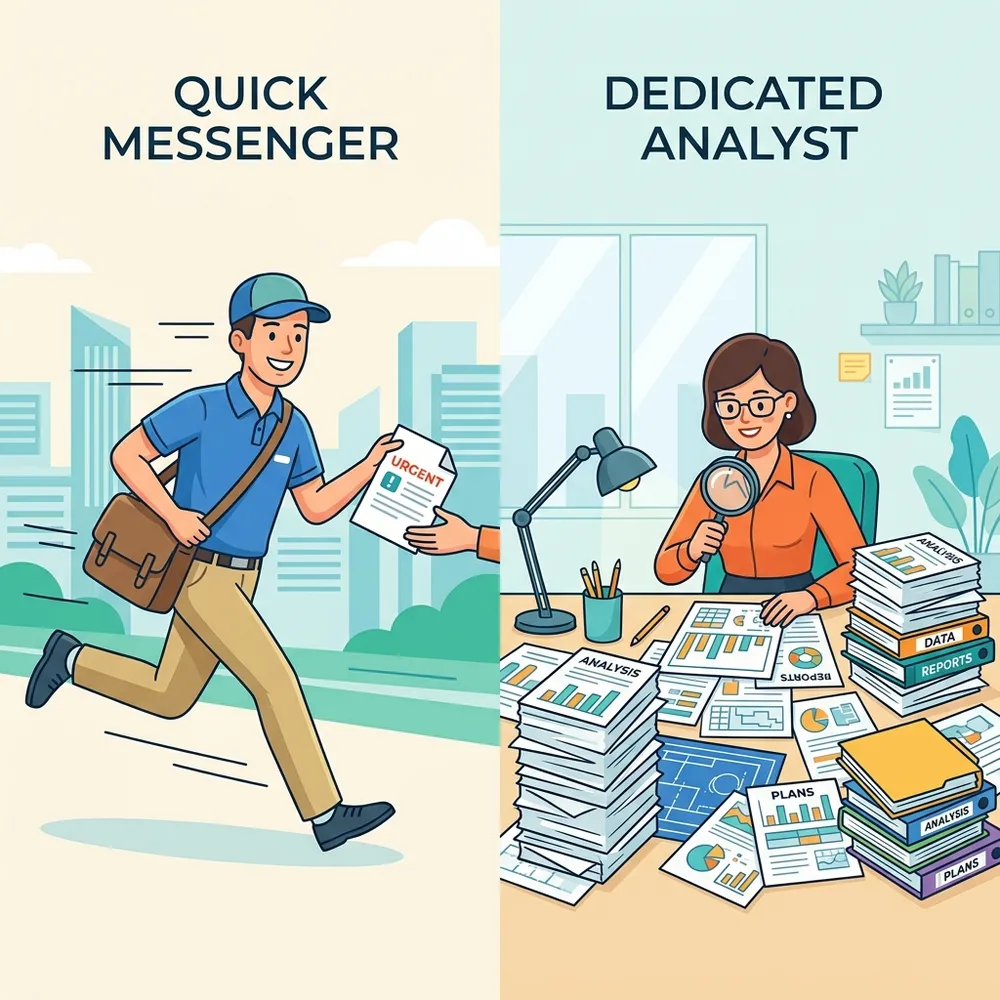
The colleague is ideal when you need a fast summary, a first draft, a quick explanation, or a short back-and-forth conversation. The analyst is the better choice when the task has several questions, requires evidence from multiple sources, contains competing claims, or must end in a structured report. Microsoft makes the same distinction in its product guidance: Copilot Chat is optimized for speed and everyday tasks, while Researcher deliberately spends more time retrieving and analyzing information.
| If you need to… | Better starting point | Why |
|---|---|---|
| Summarize an email thread | Copilot Chat | The source set is narrow and speed matters |
| Draft a short reply or brainstorm ideas | Copilot Chat | The task benefits from iteration, not a research process |
| Reconstruct a project history from meetings, messages, and files | Researcher | The evidence is distributed across work sources |
| Compare internal strategy with current market evidence | Researcher | The task requires enterprise and web grounding |
| Produce a cited briefing with findings, risks, and open questions | Researcher | The deliverable needs structure and traceability |
The important boundary is not “simple prompt versus long prompt.” It is response generation versus evidence synthesis. A short question can require deep research, while a long prompt can still be a straightforward drafting task.
Finding Researcher and starting a run
The original demonstration used copilot.microsoft.com with a work account and opened Researcher from the Agents area. Microsoft’s current guidance describes the same underlying path through the Microsoft 365 Copilot app: sign in, open Chat, and select Researcher under Agents. The precise labels and pane locations can change as Microsoft updates the interface, so treat screenshots and click paths as version-specific rather than permanent product architecture.
If you use Researcher frequently, pinning or otherwise keeping it visible in the agent list reduces friction. Depending on the current interface, the agent menu may also expose options such as information about the agent, sharing, or activity. These are navigation conveniences, not part of the research method itself.
Researcher presents a chat-style interface and may offer sample prompt cards. The source demonstration included starting points for activities such as risk assessment, crisis planning, incident investigation, sustainability, optimization, planning, and investment research. These templates are best treated as editable scaffolds. Open one, replace its generic scenario with your objective and constraints, and remove any instructions that do not apply. Microsoft’s current documentation likewise recommends beginning with a built-in prompt example when useful.
You can also ground a request in specific material rather than relying on broad retrieval. From the prompt composer, use the source or attachment controls to add work content, upload a local file, or attach a cloud file from OneDrive and other accessible locations. This is particularly useful for incident reports, witness statements, policies, research papers, or other documents that should anchor the investigation.
Practical pattern: Start from a sample prompt when it saves time, attach the authoritative documents, and then rewrite the objective, scope, evidence rules, and deliverable. A template is a starting point, not a substitute for a research brief.
What Researcher actually does
Microsoft introduced Researcher in March 2025 and made it generally available to Microsoft 365 Copilot licensed users in June 2025. Microsoft says the agent combines OpenAI deep-research technology with Microsoft 365 Copilot orchestration and deep-search capabilities.
At a high level, the workflow looks like this:
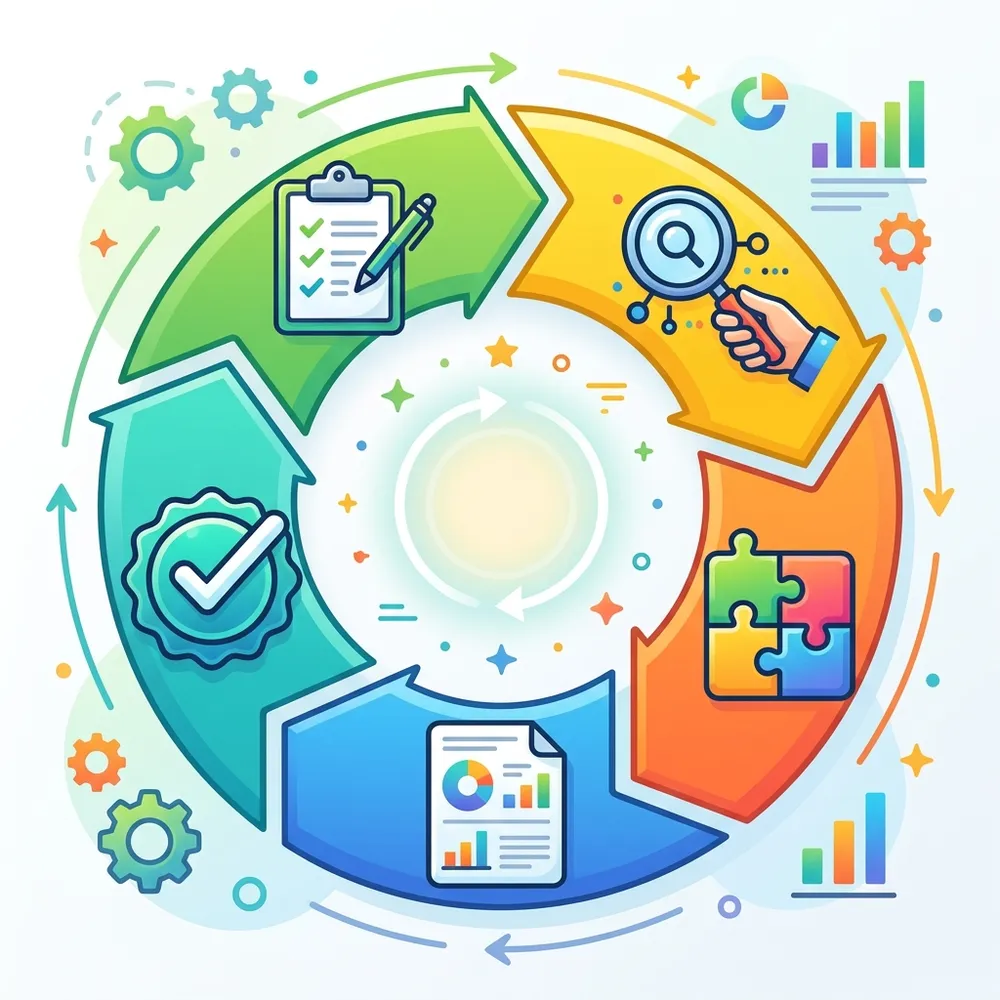
- Interpret the research brief. Researcher identifies the goal, expected deliverable, scope, time horizon, and constraints. It may ask clarifying questions when the brief leaves important choices open.
- Plan the investigation. It breaks the request into subquestions and decides which sources may contain useful evidence.
- Retrieve relevant material. Depending on the experience, license, configuration, and selected sources, this may include the public web and work content such as files, emails, meetings, and chats the user is permitted to access.
- Compare and synthesize. It looks for relationships, conflicting evidence, gaps, trends, and implications rather than merely concatenating search results.
- Compose a report. The output is organized into sections and can include citations, visuals, charts, findings, and next steps.
- Support refinement. The user can inspect sources, challenge conclusions, narrow the scope, or reuse the report as the basis for a document or presentation.
This is best understood as an iterative research loop, not a single search query. The value comes from coordinating many retrieval and reasoning steps around one objective.
Important: The activity display is useful for following progress, but it should not be treated as a complete or authoritative transcript of the model’s private reasoning. Judge the result by its evidence, citations, assumptions, and conclusions.
Work grounding: powerful, but permission-bound
Researcher can draw from Microsoft 365 work content, including files, email, meetings, and chats that the signed-in user is already allowed to access. It can also use Microsoft Graph connectors and the Bing index for recent web information. Microsoft states that Researcher operates within the Microsoft 365 commercial data-processing boundary and inherits the security, privacy, and compliance commitments of Microsoft 365 Copilot.
A simple way to think about this is:
Your prompt defines the question. Your accessible content defines the evidence boundary. Researcher organizes the investigation inside that boundary.
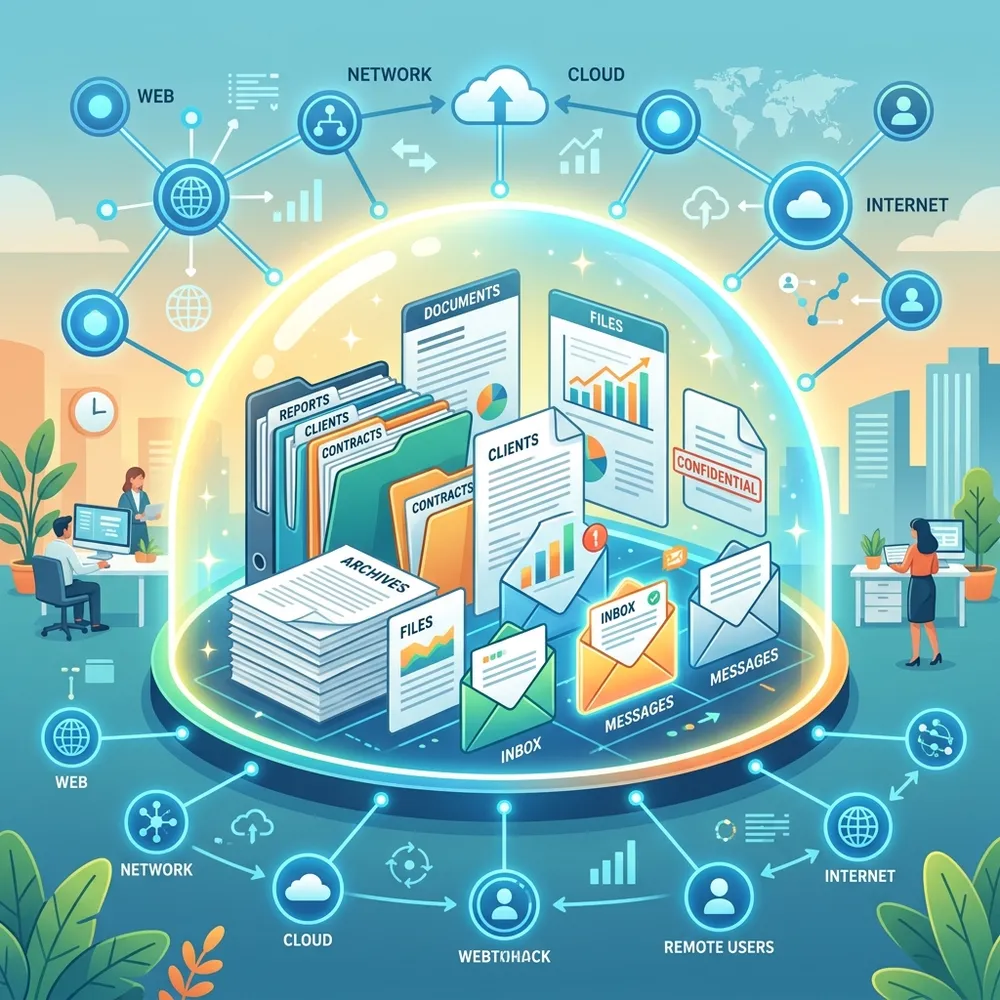
Researcher does not grant new permissions. If you cannot access a document, mailbox item, meeting artifact, or connected source through your account, the agent should not make that content available to you. Conversely, overshared content remains overshared. Copilot can surface information more efficiently, but it does not repair weak permission hygiene.
Work IQ is the intelligence layer Microsoft now uses to describe how Copilot understands work context across content, relationships, patterns, and organizational knowledge. In the Microsoft 365 Copilot experience, turning on work grounding or explicitly referencing relevant people, files, meetings, and emails helps narrow the evidence set.
Source selection is part of the research design
More sources do not automatically produce a better report. They can also introduce noise, stale material, duplicated claims, and false agreement.
Use source controls and explicit references deliberately:
- Use work sources when the answer depends on internal decisions, project history, customer context, meeting outcomes, or organizational knowledge.
- Use the web when you need current external facts, market developments, public research, regulations, competitor information, or independent corroboration.
- Attach or reference specific files when certain documents should serve as the primary evidence base.
- Use connectors when relevant knowledge sits outside Microsoft 365 and your organization has connected those systems.
Microsoft’s FAQ notes an important limitation: administrators can disable web search globally, but they do not currently have a granular allowlist or blocklist for individual websites within standard Researcher web search. That restriction applies to standard Researcher web grounding. The separate Computer Use capability has its own administrator controls for allowed and blocked websites.
The original demonstration’s Sources panel also showed a broader set of selectable or connected experiences, including Microsoft 365 content, email, meetings, Power BI, Viva, and other agents such as a sales agent. That screen should be understood as tenant- and rollout-dependent. Microsoft’s current public documentation consistently confirms web content, files, emails, meetings, chats, Microsoft Graph, and Graph connectors; the exact source catalog visible to an individual user depends on licensing, administrator configuration, connected services, and the current client experience.
From “mega prompts” to research briefs
The original article calls complex instructions “mega prompts.” The term is memorable, but it can encourage the wrong behavior. A massive prompt is not necessarily a good prompt.
Researcher performs best when you give it a research brief. The brief should state the decision or purpose, not just the topic.
A strong brief usually contains six elements:
- Objective: What question should the report answer?
- Audience: Who will read or use the result?
- Scope: Which products, business units, geographies, people, or time periods matter?
- Evidence: Which work sources, files, websites, or source types should be prioritized?
- Method: What comparisons, evaluation criteria, or counterarguments should be considered?
- Deliverable: What structure, length, tables, citations, and recommendations should the report contain?
For example:
This is better than “tell me everything about Contoso” because it supplies a decision context, an evidence window, a method, and an output contract.
Prompting rule: Ask Researcher to expose uncertainty, not hide it. Request a section for conflicting evidence, missing information, assumptions, and claims that could not be verified.
What good Researcher use cases look like
Researcher is strongest when the task requires breadth plus synthesis.
1. Meeting and account preparation
The agent can reconstruct a relationship from accessible emails, meetings, chats, and files, then combine that internal history with current public developments. This can surface prior commitments, unresolved issues, stakeholder concerns, and changes in the external environment. Microsoft lists gathering client insights before a sales call as an early-adopter scenario.
The right output is not a collection of incidental personal facts. It is a decision-ready account brief. Avoid asking the agent to hunt for irrelevant personal details, and verify any sensitive claim before using it.
2. Incident or project reconstruction
For a complex incident, Researcher can help assemble a timeline from messages, meetings, documents, and reports. Ask it to distinguish confirmed events from hypotheses, identify contradictory timestamps, and list missing evidence. The result can accelerate human investigation, but it should not replace forensic tools, authoritative logs, or formal incident procedures.
3. Risk and policy research
Researcher can compare internal policies or plans with current public guidance, research, or regulatory material. This is useful when the answer depends on both “What do we currently do?” and “What has changed outside the organization?” Require primary sources and effective dates when legal, regulatory, or policy claims matter.
4. Market and investment research
Researcher can assemble a company or market briefing, compare business models, and organize valuation or performance evidence. However, a polished report is not financial advice. Market data can change quickly, metrics can be defined differently, and a confident recommendation can still rest on incomplete assumptions. Specify an “as of” date, request primary filings, and verify every important number before acting.
5. Strategic planning
Microsoft highlights scenarios such as preparing go-to-market strategies, identifying product whitespace, assessing tariff effects, and preparing vendor negotiations. These are natural Researcher tasks because they combine internal context with external evidence and require a structured argument rather than a single fact.
Computer Use: Researcher operating a temporary virtual computer
One of the most distinctive capabilities shown in the source demonstration was Computer Use. This should not be conflated with ordinary work grounding or web search. Computer Use lets Researcher interact with websites, applications, and tools inside a secure, temporary virtual environment. It can navigate interfaces, gather information from interactive or gated sites, use a terminal for analysis, and show a live preview of the virtual environment while it works. Sensitive actions, such as signing in, require user involvement or confirmation.
A useful mental model is:
- Standard Researcher retrieves and synthesizes information through supported work and web sources.
- Researcher with Computer Use can also operate a sandboxed virtual computer when the task requires interaction with a website or tool.
The environment is isolated from the user’s device and intranet, is created for the conversation, and is ephemeral rather than a persistent personal computer. Administrators can enable the capability for selected users or groups, control whether work content can be used, and configure website access. As of the current Microsoft documentation, Computer Use is a Frontier capability and should be presented as early access rather than a universally available production feature.
The activity view can help a user follow which tool is being used and what the virtual environment is doing. This is operational visibility, not proof that every reasoning step is exposed. The source demonstration described the display as showing the agent’s reasoning step by step; a more accurate interpretation is that it shows progress, tool activity, and selected explanations that help the user monitor the run.
Model choice, Critique, and Model Council
Researcher is no longer limited to one model path. Microsoft documents support for GPT and Anthropic Claude models, subject to license, client, administrator configuration, and feature availability. Anthropic models must first be enabled by an administrator.
The available modes have different purposes:
- GPT or Claude: Generate the report with a specific model when you have a clear preference or want to compare outputs manually.
- Critique: A GPT-generated report receives a second reasoning pass from Claude to improve structure, completeness, source quality, and citation grounding.
- Model Council: Multiple research agents run the same question, preserve their standalone reports, and add a summary of agreement, disagreement, and unique contributions.
Critique and Model Council should not be described as universal, mature controls. Microsoft currently documents Model Council and newer model-choice experiences as Frontier features, meaning they are early-access capabilities that may change. Model choice is documented for the Microsoft 365 Copilot desktop and web experiences, and Claude availability depends on administrator enablement.
The deeper lesson is that more models do not create certainty. Agreement can increase confidence, but models can repeat the same weak source or share similar blind spots. Disagreement is often more useful because it reveals assumptions worth checking.
Returning to completed research
The source demonstration highlighted a History experience that listed completed runs with timestamps and allowed the presenter to reopen a previous research report. Even where the dedicated History presentation changes, Microsoft 365 Copilot maintains activity history for prompts and responses, and completed Researcher conversations can be revisited through the available conversation or activity experience. Saved downstream files, such as a Word document or PowerPoint presentation created from the work, are separate from the chat history.
History is more than a convenience. It lets you:
- reopen a completed report without rerunning a costly investigation;
- review the original brief and follow-up questions;
- inspect sources again before reusing a claim;
- continue refining the same research thread;
- compare an older report with a newer run when the evidence has changed.
Do not assume an old report is current merely because it remains accessible. For time-sensitive research, record the report’s effective date and rerun or refresh the investigation when necessary.
Reading the final report critically
A strong Researcher report may include an executive summary, organized findings, timelines, tables, charts, citations, and recommended next steps. Microsoft also supports taking the result forward for editing, sharing, or use as the starting point for a document or presentation.
Do not equate a presentation-ready format with a verified conclusion. Before sharing the report:
- open the citations behind consequential claims;
- confirm that each citation supports the exact sentence, not merely the general topic;
- check dates, currencies, units, denominators, and time zones;
- distinguish primary sources from commentary;
- look for missing stakeholders or inaccessible repositories;
- test whether the conclusion changes when a key assumption changes;
- remove personal or sensitive details that are not necessary for the purpose;
- ask a domain expert to review high-impact legal, financial, security, medical, or policy conclusions.
Citations improve inspectability. They do not outsource accountability.
Practical limitations
Deep research takes time
Researcher intentionally spends longer than standard chat on retrieval and synthesis. That delay is part of the product design, not necessarily a failure. Use Copilot Chat when immediacy matters more than depth.
Complex tasks can still fail
A broad brief can time out, retrieve weak evidence, overlook a source, or produce a report that is coherent but incomplete. If a run stalls or drifts, do not simply resend the same oversized prompt. Narrow the scope, add authoritative references, divide the investigation into phases, or ask for an outline before the full report.
Retrieval is not omniscience
The agent can only work with sources it can reach and retrieve. Missing permissions, poor metadata, inconsistent naming, inaccessible systems, weak connectors, and unrecorded decisions all create blind spots.
Citations require verification
A source-cited sentence can still overstate what the source proves. Citation quality, claim-to-source alignment, and source authority all require human review.
Limits and entitlements change
At general availability in June 2025, Microsoft documented a limit of 25 combined Researcher and Analyst queries per licensed user each month. The source demonstration further described that allowance as resetting on the first day of the month. Current Microsoft support pages focus on eligible Microsoft 365 Copilot and Microsoft 365 Premium subscriptions and do not consistently repeat the original 25-query rule or reset wording. Treat both as historical launch guidance, not timeless product guarantees, and check current tenant messaging and Microsoft documentation before planning usage.
A repeatable workflow for better results
Use this five-stage pattern for consequential research:
Stage 1: Frame
Define the decision, audience, scope, evidence window, and required output.
Stage 2: Ground
Select work and web sources deliberately. Reference the most authoritative internal files and request primary external sources.
Stage 3: Investigate
Let Researcher build the first report. For broad work, split discovery, analysis, and recommendation into separate passes.
Stage 4: Challenge
Ask the agent to identify weak claims, contradictory evidence, missing sources, and alternative explanations. If available and appropriate, use Critique or Model Council as an additional review layer, not as a replacement for human checking.
Stage 5: Verify and publish
Open the citations, validate critical numbers and dates, remove unnecessary sensitive information, and have the accountable subject-matter expert approve the final conclusions.
Sources
- Microsoft Support, Get started with Researcher in Microsoft 365 Copilot.
- Microsoft Learn, What is Researcher Agent in Microsoft 365 Copilot?
- Microsoft Learn, Microsoft 365 Copilot Researcher agent frequently asked questions.
- Microsoft 365 Blog, Introducing Researcher and Analyst in Microsoft 365 Copilot.
- Microsoft 365 Blog, Researcher and Analyst are now generally available in Microsoft 365 Copilot.
- Microsoft Support, Use model choice in the Researcher agent.
- Microsoft Support, Use Critique with Researcher agent in Microsoft 365 Copilot.
- Microsoft Support, Use Model Council with Researcher in Microsoft 365 Copilot.
- Microsoft Support, Get started using Researcher with Computer Use in Microsoft 365 Copilot (Frontier).
- Microsoft Learn, Researcher with Computer Use admin configuration.
- Microsoft Learn, Researcher with Computer Use frequently asked questions.
- Microsoft Support, Add content to Microsoft 365 Copilot Chat prompts.
- Microsoft Support, Control and review sources of Microsoft 365 Copilot Chat’s responses.
Read next