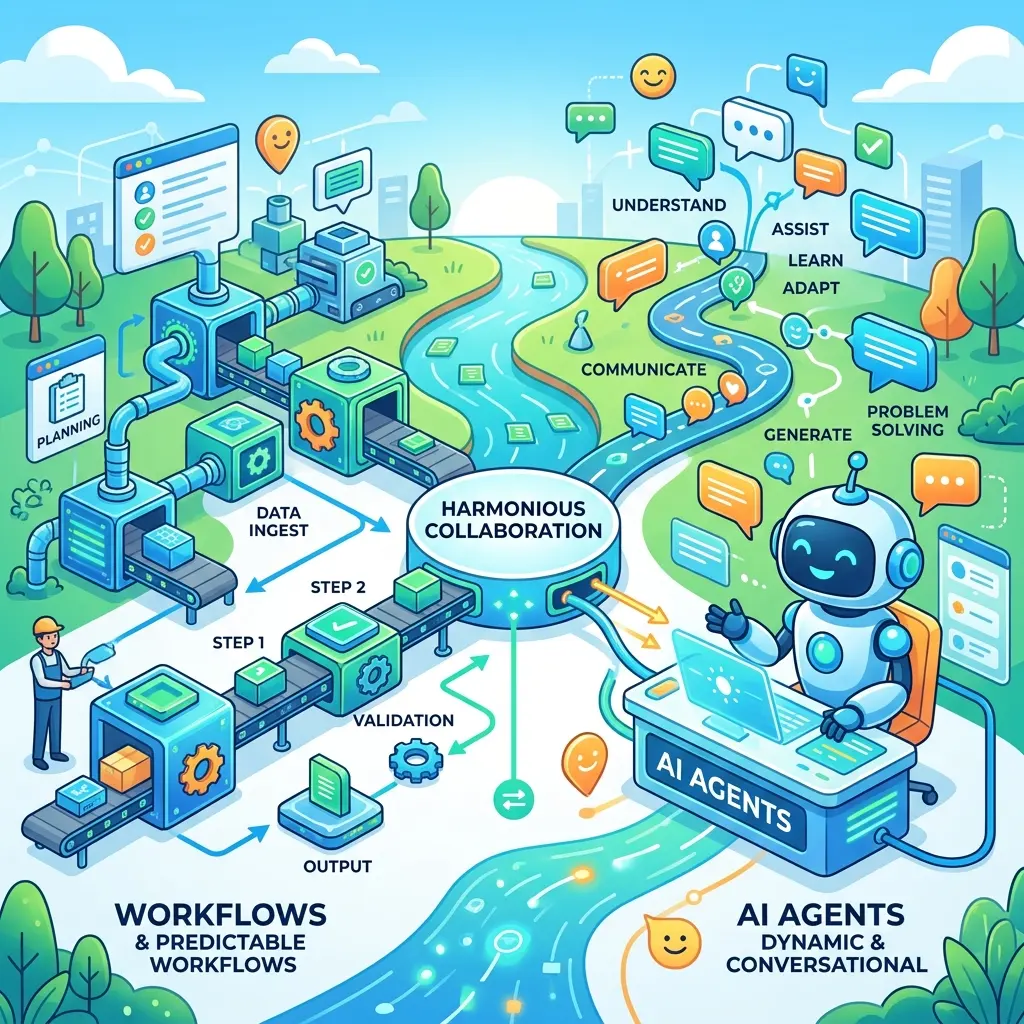
Work IQ Architecture: Unlock M365 Intelligence with MCP

Writer
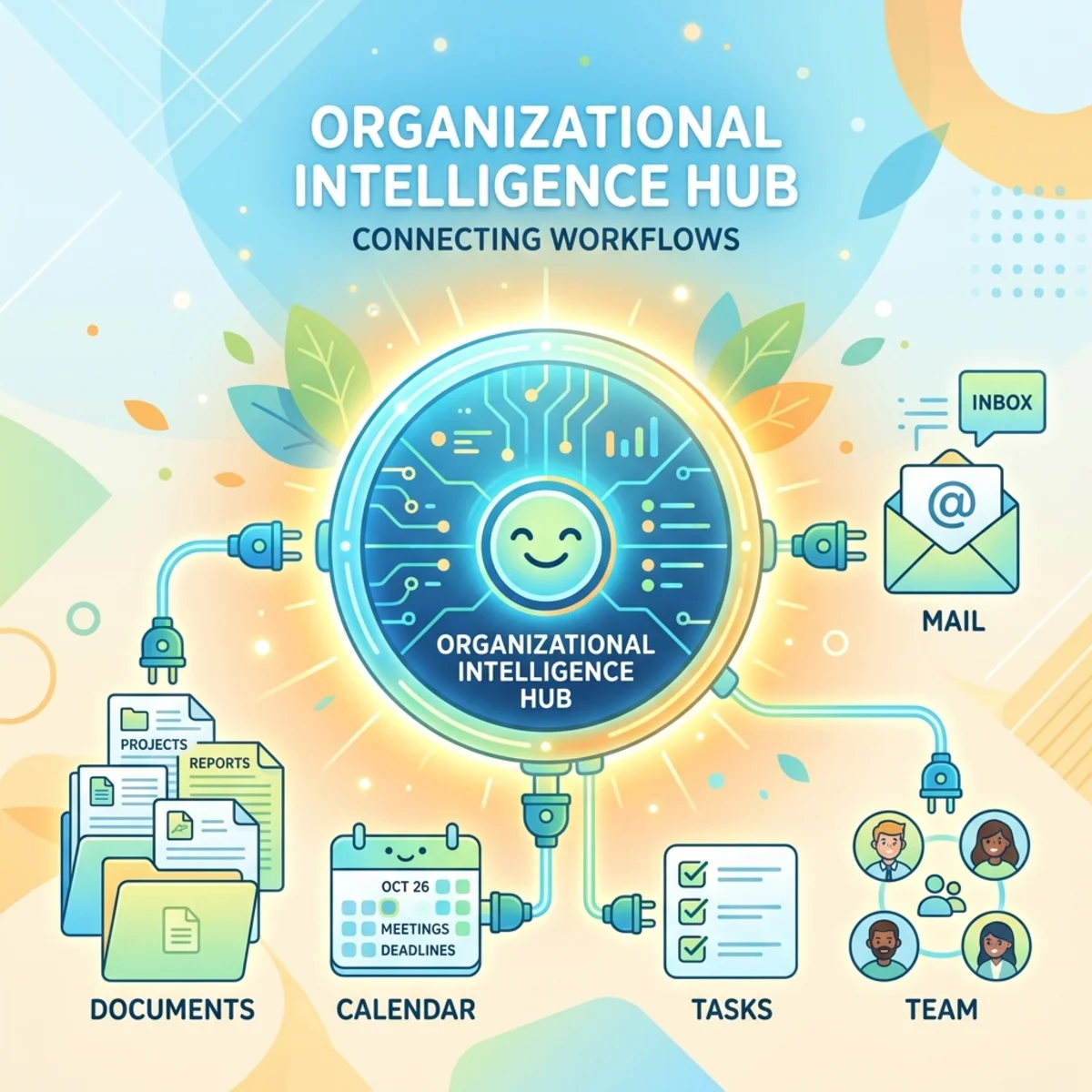
AI agents are quickly moving beyond generating text. The harder problem is giving them useful access to enterprise context—and allowing them to act on it—without building a new integration, search index, and security model for every scenario.
Microsoft Work IQ is designed to address that problem. It provides a workplace intelligence layer through which agents can reason over Microsoft 365 information such as email, meetings, files, Teams messages, calendars, people, SharePoint sites, and other collaboration artifacts. Depending on the available agents and connected services, that context can also participate in workflows involving business systems. Microsoft exposes this layer through Agent-to-Agent (A2A), REST, and Model Context Protocol (MCP) interfaces, allowing architects to choose an interaction model that fits the agent they are building.
This article focuses on the architectural role of Work IQ MCP: why its compact tool model matters, how runtime schema discovery works, how identity and permissions shape every request, and how developers can bring Microsoft 365 context into terminal- and IDE-based workflows.
The central idea: Work IQ does not simply give an agent another data connector. It gives the agent a permission-aware intelligence and execution layer over Microsoft 365.
The problem Work IQ is trying to solve
A traditional enterprise AI integration often requires several moving parts:
- Connect separately to mail, calendars, files, chat, and business systems.
- Extract and normalize data from each source.
- Build retrieval pipelines or indexes.
- Reproduce access controls in the retrieval layer.
- Assemble enough context for the model.
- Create custom functions for every action the agent might perform.
That architecture can work, but it creates orchestration overhead and a large security surface. Every additional workload introduces more API definitions, permission decisions, error handling, and maintenance.
Work IQ changes the abstraction. Microsoft describes it as a layer that assembles workplace context internally and returns information in an agent-ready form, while preserving existing permissions and policy enforcement. It therefore reduces—but does not magically eliminate—the integration work needed to build a trustworthy agent.
A useful mental model is to think of Work IQ as an enterprise context runtime:
- Microsoft 365 remains the system of record.
- Entra ID establishes who is making the request.
- Work IQ retrieves, reasons over, or acts on accessible information.
- MCP, REST, or A2A provides the contract between the calling agent and that runtime.
Four architectural building blocks
Microsoft describes Work IQ through four complementary components: Chat, Context, Tools, and Workspaces. These are not four competing products. They represent different responsibilities in the intelligence layer.

Chat: request processed as intelligence
Chat provides conversational access to Work IQ. Instead of returning only raw records, it can return a processed, Copilot-quality response. This is useful when the caller wants an answer or synthesis rather than direct control over individual entities. A2A supports agent delegation, while REST supports application-style request and response patterns.
Context: grounded inputs for another agent
Context is the situational material that makes an agent’s reasoning relevant: the right messages, files, meetings, people, and organizational signals for the signed-in user’s request. Work IQ performs context assembly so that each consuming agent does not need to recreate the same retrieval pipeline.
Tools: structured access and actions
Tools expose operations over Microsoft 365 entities. An agent can fetch information, create or update entities, invoke actions, ask Copilot a natural-language question, and discover schemas. This is where MCP becomes especially important because it gives the model a standardized way to discover and invoke those capabilities.
Workspaces: continuity for long-running work
Some tasks cannot be completed in one prompt or one tool call. Workspaces provide persistent working storage inside the Microsoft 365 tenant boundary for intermediate artifacts and outputs. Microsoft describes the storage foundation as SharePoint Embedded, supporting long-running workflows, reuse, and handoff between agents or experiences.
Why MCP matters
The Model Context Protocol is best understood as a common contract between an AI client and an external capability provider. The familiar “USB-C for AI” analogy is useful, but incomplete: MCP standardizes the connection and tool description; it does not make every server identical, guarantee safe behavior, or replace authorization.

In this architecture:
- the MCP client is the AI assistant, IDE, CLI, or agent runtime;
- the MCP server advertises tools and accepts tool calls;
- Work IQ supplies Microsoft 365-aware retrieval, reasoning, and actions behind those tools;
- Entra ID authenticates and authorizes the user-facing interaction.
This separation matters. The model does not need a hard-coded SDK for every Microsoft 365 workload. It can inspect available tools, select one, supply arguments, and process the result through a standard protocol.
MCP standardizes how the agent asks. Work IQ determines what Microsoft 365 intelligence and actions are available behind that request. Entra ID and tenant policy determine whether the request is allowed.
Ten generic tools instead of hundreds of workload-specific functions
The Work IQ MCP server uses a compact surface of 10 generic tools, organized into entity, Copilot, and schema categories. Resource paths identify the target; tools behave like verbs. Microsoft summarizes the design as “fewer tools, more paths”: new resources can add paths without continuously expanding the top-level tool catalog.
| Category | Tools | Architectural role |
|---|---|---|
| Entity operations | fetch, create_entity, update_entity, delete_entity, do_action, call_function | Read, write, and invoke operations against Microsoft 365 resources |
| Copilot operations | ask, list_agents | Request natural-language reasoning or discover available agents |
| Schema discovery | get_schema, search_paths | Find valid resource paths and inspect their OpenAPI schemas at runtime |
Consider the difference between the tool and its path:
The path identifies what the agent is addressing. The selected tool identifies how it wants to interact with that resource. This keeps the model’s initial tool context smaller than an approach that loads a separate function definition for every mail, calendar, Teams, OneDrive, and SharePoint operation.
Runtime discovery is a core design feature
The schema tools are not merely developer conveniences. They are part of the agent’s reasoning loop:
- Use
search_pathsto locate a relevant resource path. - Use
get_schemato retrieve the OpenAPI definition for that path. - Inspect required parameters and supported operations.
- Call the appropriate entity tool with a valid request.
This is introspection over enumeration. Instead of placing thousands of entity definitions into the model’s context in advance, the agent retrieves only the schema it needs. That design can improve adaptability and reduce context overhead, although the agent must still handle schema errors, ambiguous intent, and failed operations.
Two different interaction patterns: ask versus entity tools
One of the most important architectural distinctions is the choice between requesting an intelligent answer and manipulating a known resource.
Use ask when the desired output is a reasoned answer
Suppose a developer asks:
“What are the approved requirements for the Java Insurance project-management application?”
The useful answer may be scattered across an email thread, a meeting, and a document. The ask pattern delegates retrieval and synthesis to Microsoft 365 Copilot or an available agent. The caller receives a processed answer rather than a mailbox-sized data dump.
Use entity tools when the operation should be explicit
If the goal is “list unread messages from the project lead,” fetch is a better architectural match. If the goal is “create a calendar event,” the agent should use create_entity against the appropriate event path. The explicit tool-and-path approach offers more predictable control over structured reads and writes.
A practical rule:
- Use
askfor synthesis and semantic reasoning. - Use entity tools for deterministic resource operations.
- Use schema tools when the agent does not yet know the valid path or payload.
Identity is part of the context
Work IQ APIs are protected by Microsoft Entra ID and OAuth 2.0. The documented WorkIQAgent.Ask delegated permission allows an application to ask Work IQ agents questions on behalf of the signed-in user, and it requires administrator consent. The complete OAuth scope is api://workiq.svc.cloud.microsoft/WorkIQAgent.Ask.
Delegated access is important because the user’s identity is not merely an authentication detail—it shapes the available work context. Two employees can submit the same natural-language request and receive different results because they can access different mail, files, meetings, chats, and organizational information. This is the basis for permission-trimmed behavior: the agent operates in the signed-in user’s context rather than receiving a separate, unrestricted view of the tenant. Existing Microsoft 365 auditing, compliance, and governance capabilities remain relevant, but architects should verify the exact audit events and policy coverage for the endpoint and client they deploy rather than treating “compliant by design” as a universal certification.
However, “delegated” should not be interpreted as “automatically harmless.” A sound design still needs to account for:
- administrator consent and application enablement;
- least-privilege access and tenant policy;
- confirmation before consequential write actions;
- protection of tokens and confidential-client credentials;
- logging, evaluation, and monitoring;
- the possibility of prompt injection or misleading content inside retrieved enterprise data.
The official Work IQ plugin documentation explicitly warns that write operations can execute immediately and may be visible to other people or irreversible. Its agent instructions require confirmation before actions such as sending or forwarding mail, responding to meetings, or permanently deleting content. That is a valuable interaction pattern for any agent built on top of the write surface.
Inspecting the server and OAuth flow
Before embedding Work IQ into an agent, it is useful to inspect the MCP endpoint directly. MCP Inspector provides a practical environment for testing the connection, completing the interactive OAuth flow, listing the tools exposed by the server, and examining their inputs and outputs.
A typical setup involves two related pieces:
- Work IQ must be enabled and registered for the target tenant.
- A consumer application must be configured with the identifiers and redirect URI required by its OAuth flow, together with the appropriate Work IQ delegated permission and administrator consent.
The exact registration fields depend on the selected client type and authentication flow. A confidential client may use a credential such as a client secret, whereas an interactive native or public client should use an appropriate public-client flow. A client secret identifies the application; it does not replace the signed-in user required for delegated access. Avoid combining a client-credentials-only flow with a delegated permission, because delegated Work IQ access requires a user context.
The inspection flow is straightforward:
- Configure the MCP client with the Work IQ endpoint, client registration, redirect URI, and delegated scope.
- Start the OAuth authorization flow and sign in as a user in the target tenant.
- Receive an access token for the approved Work IQ scope.
- Connect to the unified Work IQ MCP server.
- List the available tools and inspect their schemas.
- Run a small, read-oriented request before testing actions that change tenant data.
A useful first prompt is “Who am I, and what is my role?” This checks more than connectivity. A successful response demonstrates that Work IQ can reason over the signed-in user’s organizational context and may return supporting references or deep links, rather than only echoing a profile record.
Next, test a retrieval-and-synthesis scenario such as asking for the approved requirements described in a project email. This validates the key distinction introduced earlier: the ask tool can locate relevant information and return a processed answer instead of forcing the consuming agent to parse the entire raw thread.
Testing principle: MCP Inspector helps you validate the protocol boundary. It does not by itself prove that the resulting agent is safe, accurate, or production-ready. Test permission boundaries, action confirmation, malformed requests, expired tokens, and misleading source content separately.
From Microsoft 365 context to code
The developer workflow becomes compelling when Work IQ is connected to an AI coding assistant.
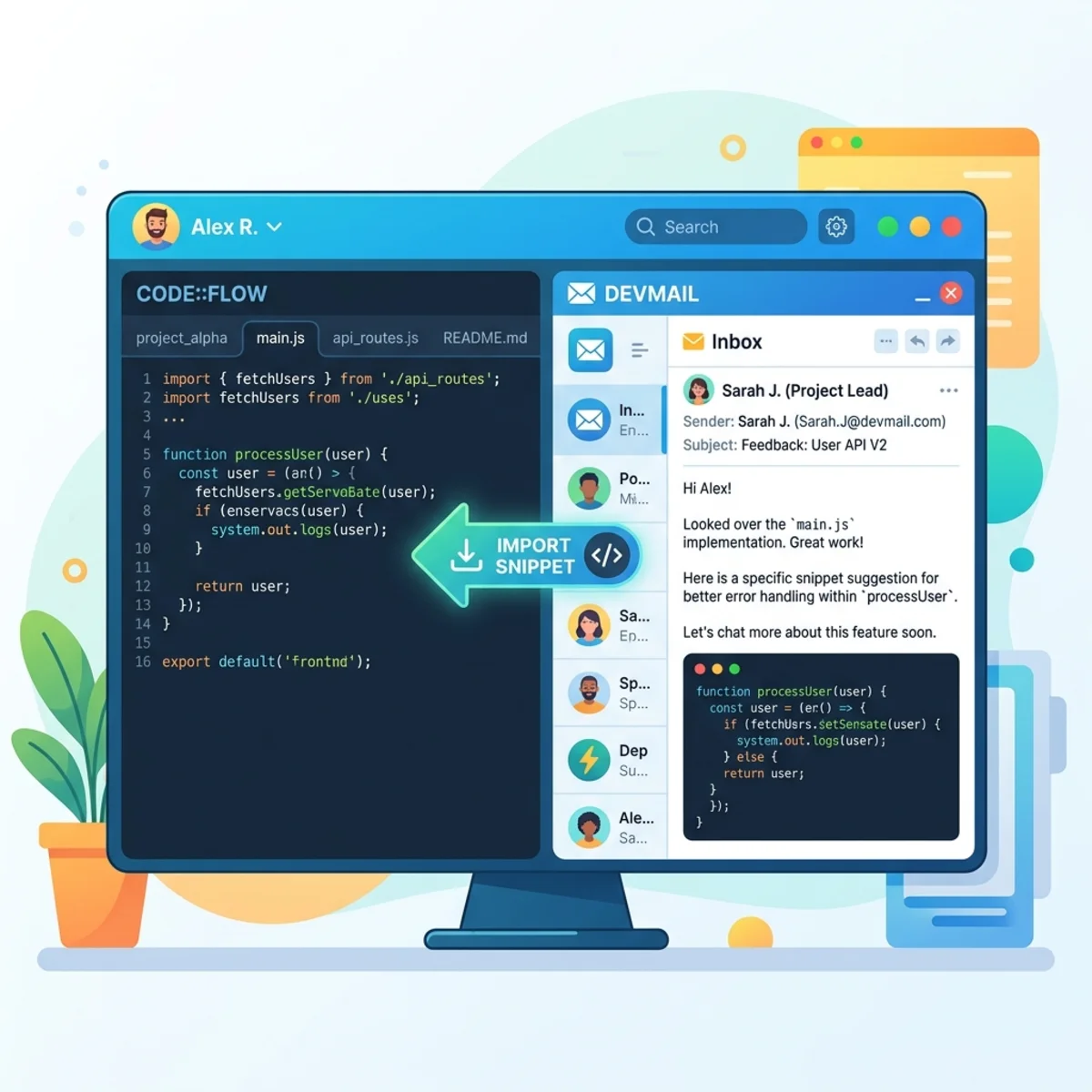
Imagine that the implementation requirements for a feature are spread across a long Outlook conversation. Without Work IQ, the developer might manually find the thread, copy the relevant passages, remove sensitive content, switch to an IDE, and then explain the requirements again.
With an MCP-enabled workflow, the sequence can instead look like this:
- The developer asks the coding assistant to locate the approved requirements.
- The assistant proposes a Work IQ MCP tool call and, where the client requires it, the developer reviews and consents to that call.
- Entra ID establishes the signed-in user’s authorized context.
- Work IQ retrieves and processes relevant Microsoft 365 information.
- The coding assistant receives grounded requirements in its working context.
- The developer reviews the interpretation and asks the assistant to scaffold the implementation.
The Work IQ CLI supports both direct terminal queries and MCP server integration. Microsoft documents commands such as workiq ask for terminal usage, while the Work IQ plugin can connect GitHub Copilot CLI to the hosted MCP endpoint for semantic queries and structured Microsoft 365 operations. GitHub Copilot CLI is one concrete example, not an architectural requirement: any compatible agent or client can potentially consume the MCP server when it supports the required protocol, authentication flow, and tenant configuration.
The workflow is powerful, but the human review step remains essential. An agent may retrieve an outdated email, misread which decision was final, or generate code from incomplete requirements. Grounding improves the evidence available to the model; it does not guarantee that the model’s interpretation or implementation is correct.
Choosing among MCP, REST, and A2A
Work IQ supports multiple protocols because not every caller is an interactive AI assistant. Microsoft positions them as architectural choices rather than strict boundaries.
| Protocol | Best fit | Mental model |
|---|---|---|
| MCP | An LLM-based client needs to discover and invoke Work IQ as tools | Give the assistant a standardized toolbox |
| REST | An application or backend needs a conventional request-response API | Call workplace intelligence as a service |
| A2A | One agent needs to delegate work to another agent | Hand a task to a specialized peer |
MCP is therefore not “the Work IQ API.” It is one way to consume Work IQ. Architects should choose it when tool discovery and model-driven invocation are central to the client experience.
Availability, prerequisites, and billing
This area requires careful wording because Work IQ appears in more than one product experience, and their rollout states and prerequisites are not identical.
Microsoft’s current Work IQ API documentation describes A2A, remote MCP, and REST endpoints as usage-based services independent of Microsoft 365 Copilot licensing. Enabling the API requires a usage-based billing plan, an assigned user, and one-time tenant setup by an administrator. Usage is managed through Copilot Credits and the Microsoft 365 admin center’s cost-management experience.
At the same time, the separate Work IQ MCP integration currently documented for Copilot Studio is still marked preview and requires a Microsoft 365 Copilot license in that experience. In other words, do not assume that licensing and availability guidance for one Work IQ entry point automatically applies to every other entry point. Verify the documentation for the specific client, endpoint, and tenant configuration you plan to use.
What Work IQ changes—and what it does not
Work IQ changes the integration boundary. Developers can work with a smaller tool surface, runtime schema discovery, permission-aware context assembly, and standard protocols instead of reconstructing the entire Microsoft 365 intelligence stack for each agent.
It does not remove the need to:
- design clear agent instructions;
- validate retrieved evidence;
- confirm high-impact actions;
- implement error handling and observability;
- evaluate the agent against realistic enterprise scenarios;
- govern which users and applications can consume the service;
- monitor usage where consumption-based billing applies.
The right mental model is not “MCP gives the model unrestricted access to Microsoft 365.” It is:
MCP gives the agent a standard tool interface; Work IQ supplies workplace intelligence and operations; Entra ID, Microsoft 365 permissions, tenant policy, and application design define the boundary.
Getting started
A practical exploration path is:
- Read the Work IQ API overview to choose between MCP, REST, and A2A.
- Review the Work IQ MCP architecture and tool model, especially the difference between
ask, entity operations, and schema discovery. - Follow the tenant enablement guidance and confirm the billing and administrator prerequisites for your chosen experience.
- Use the Work IQ CLI documentation for a terminal-based experiment.
- Inspect the official Microsoft Work IQ repository for current plugin instructions, examples, and preview notices.
- Start with a read-only scenario, inspect the returned evidence, and add write operations only after introducing explicit confirmation and testing boundaries.
Final perspective
The most interesting part of Work IQ is not that an agent can search an inbox. Microsoft Graph already gives developers rich access to Microsoft 365 resources. The architectural shift is that Work IQ presents enterprise context, reasoning, schema discovery, and actions through an agent-oriented layer.
MCP then makes that layer portable across compatible assistants and development environments. The result is a cleaner separation of concerns: the client focuses on reasoning and user interaction, Work IQ handles Microsoft 365-aware intelligence and tools, and the identity and policy layer constrains what can happen.
That combination can make enterprise agents more useful—but only when architects treat identity, evidence, and action safety as first-class parts of the design rather than details to add later.
Read next