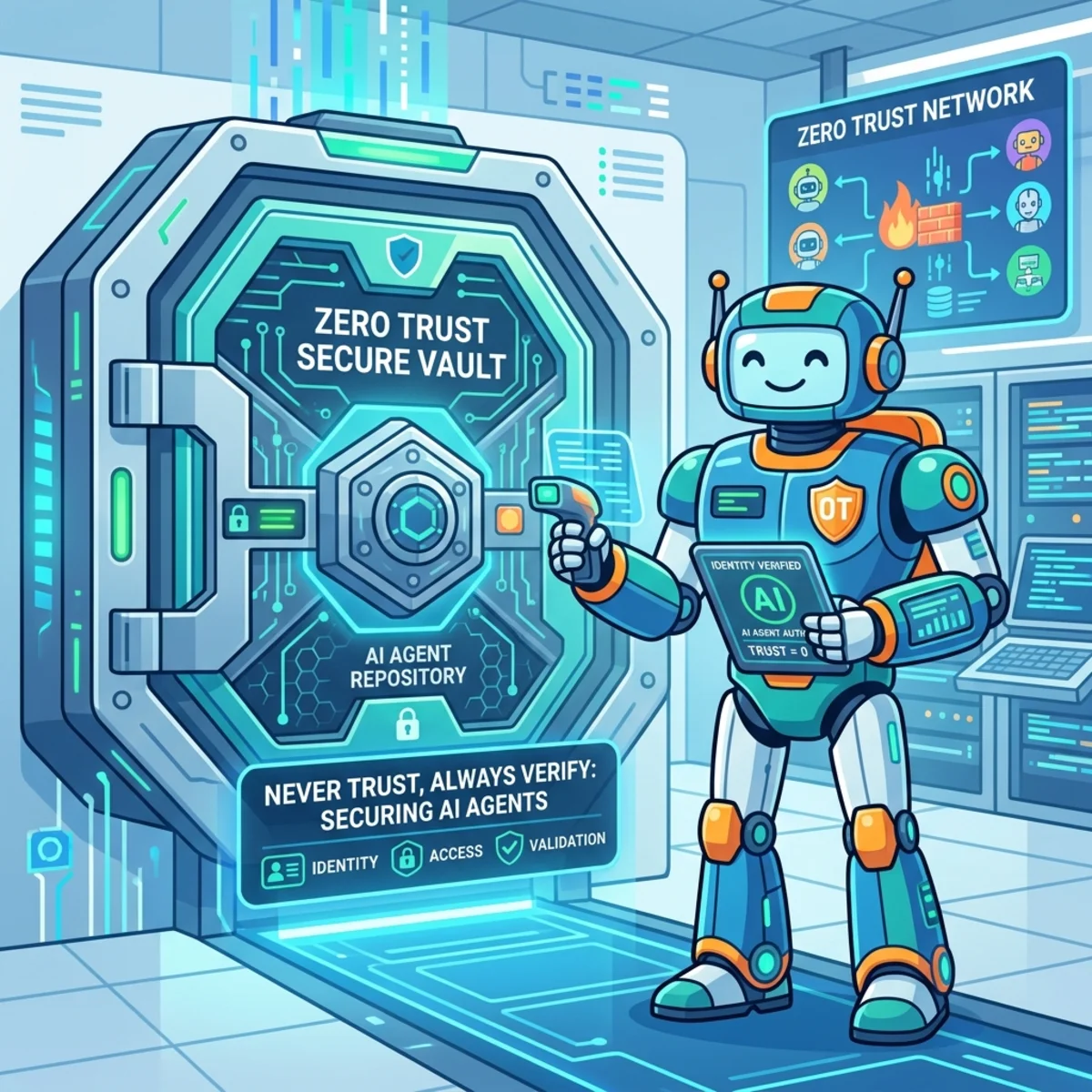
Zero Trust Architecture for AI Agents: Enterprise Governance

Writer
Zero Trust Architecture for AI Agents: Enterprise Governance
AI agents are not just smarter chatbots. They are a new class of digital worker: they can read enterprise data, reason across systems, call tools, trigger workflows, and sometimes take action on behalf of users.
That is powerful. It is also exactly why IT leaders, FinOps teams, and tenant administrators need a new governance muscle.
The old security question was:
“Can this user access the data?”
The AI-era question is sharper:
“Should this user, through this agent, using this tool, for this task, at this moment, be allowed to access or act on this data?”
That is the heart of Zero Trust for AI agents.
This article is not a developer-only checklist. It is a strategic operating model for controlling agent sprawl, cost, data exposure, and business risk before your tenant fills up with hundreds of well-intentioned but poorly governed automations.
Executive Takeaways
| If you remember one thing | Why it matters |
|---|---|
| Treat every agent like a digital employee, not a script. | Agents need identity, ownership, access boundaries, lifecycle management, and audit trails. |
| Identity is the new perimeter. | Shared service accounts and reused user tokens destroy accountability. |
| Data oversharing becomes AI oversharing. | Copilot and agents can only be as safe as the permissions, labels, and data hygiene underneath them. |
| Tool access is where agents become risky. | A prompt that only summarizes is one risk; a prompt that can invoke an MCP tool and update finance records is a different category of risk. |
| Cost governance is a control plane decision. | Licensing, agent runtime consumption, model selection, and tool-call volume all need financial guardrails. |
| Start with visibility, then enforce. | You cannot govern agents you cannot discover, classify, or assign to an owner. |
The Mental Model: Your AI Tenant Is Becoming an Airport
Think of your enterprise AI environment as an airport.

- Humans are passengers.
- Agents are aircraft.
- Tools and APIs are runways and gates.
- Microsoft Entra, Agent 365, Purview, Defender, Intune, and Sentinel are the air traffic control system.
- FinOps is the fuel-management office asking, “Why did this aircraft burn through the monthly budget in three days?”
In a small airport, informal coordination works. In a global hub, it fails instantly.
The same is true for AI agents. A few pilots can be managed manually. A fleet needs a control plane.
Microsoft positions Microsoft Agent 365 as a control plane for observing, governing, and securing agents across the enterprise, extending familiar Microsoft 365 and Microsoft Security admin tools to agent scenarios.1 Microsoft Entra Agent ID provides identity, lifecycle, Conditional Access, and governance capabilities specifically for AI agent identities.2
That direction matters. The winning architecture is not “let every team build agents however they want and clean it up later.” The winning architecture is:
- Register every agent.
- Assign an owner and sponsor.
- Give the agent a purpose-specific identity.
- Restrict what it can access.
- Route it through approved tools.
- Monitor behavior continuously.
- Kill or quarantine it when it drifts.
Zero Trust for Agents: Same Principles, New Blast Radius
Zero Trust still rests on three principles:
| Zero Trust Principle | Traditional Interpretation | AI Agent Interpretation |
|---|---|---|
| Verify explicitly | Validate user, device, location, session, and risk. | Validate the user, the agent identity, the tool being called, the data source, and the runtime context. |
| Use least privilege | Grant only the access needed for a job role. | Grant only the access needed for this agent’s declared task, for a limited time, against approved data and tools. |
| Assume breach | Design as though attackers are already inside. | Treat prompts, retrieved documents, tool metadata, plugins, MCP servers, and generated outputs as possible attack paths. |
The twist is that agents combine identity, data, reasoning, and automation. They can chain small permissions into big outcomes.
A human may accidentally see an overshared SharePoint document. An agent can summarize it, extract the sensitive parts, combine it with CRM data, draft an email, and call an external API before anyone notices.
That is why agent governance must move from “security review at launch” to “continuous control at runtime.”
1. Identity: Stop Letting Agents Wear Human Badges
The foundational mistake in many early agent deployments is identity confusion.
If an agent runs under a human user’s token, a shared service account, or a generic app registration with broad permissions, your audit trail becomes muddy. You may know that something happened, but not which agent did it, who owns it, why it acted, or whether it exceeded its intended purpose.
The Better Model: Three Identities, Three Questions
Every enterprise agent interaction should be decomposed into three layers.
| Layer | Governance Question | Example |
|---|---|---|
| Human user | Who initiated or benefits from the request? | A finance analyst asks for invoice reconciliation. |
| Workload or host application | Where is the orchestration running? | Copilot Studio, Microsoft Foundry, a custom app, or a partner platform. |
| Agent identity | Which non-human actor is executing the task? | Invoice-Reconciliation-Agent-Prod. |
This separation is not academic. It is what makes policy enforcement and incident response possible.
Microsoft Entra Agent ID is designed to manage, govern, and protect AI agent identities, including agent lifecycle, owners/sponsors, access packages, Conditional Access for agents, ID Protection, and network controls.2
Rule of Thumb: If you cannot answer “which agent did this?” in an audit, the agent is not production-ready.
Practical Governance Levers
| Lever | What to Do | Why It Matters |
|---|---|---|
| Agent naming standard | Use business-purpose names such as HR-Onboarding-Agent-Prod. | Makes ownership and purpose readable in logs. |
| Owner and sponsor assignment | Require a technical owner and business sponsor. | Prevents orphaned agents. |
| Separate dev/test/prod identities | Do not reuse the same identity across environments. | Reduces blast radius. |
| Conditional Access for agents | Apply policy based on risk, network, resource, and context where supported. | Prevents blanket access. |
| Lifecycle reviews | Review agent access at least quarterly, and after major workflow changes. | Agents drift just like human roles. |
2. Agent 365 and the Control Plane: From Agent Sprawl to Managed Fleet
Agent sprawl is the new shadow IT.
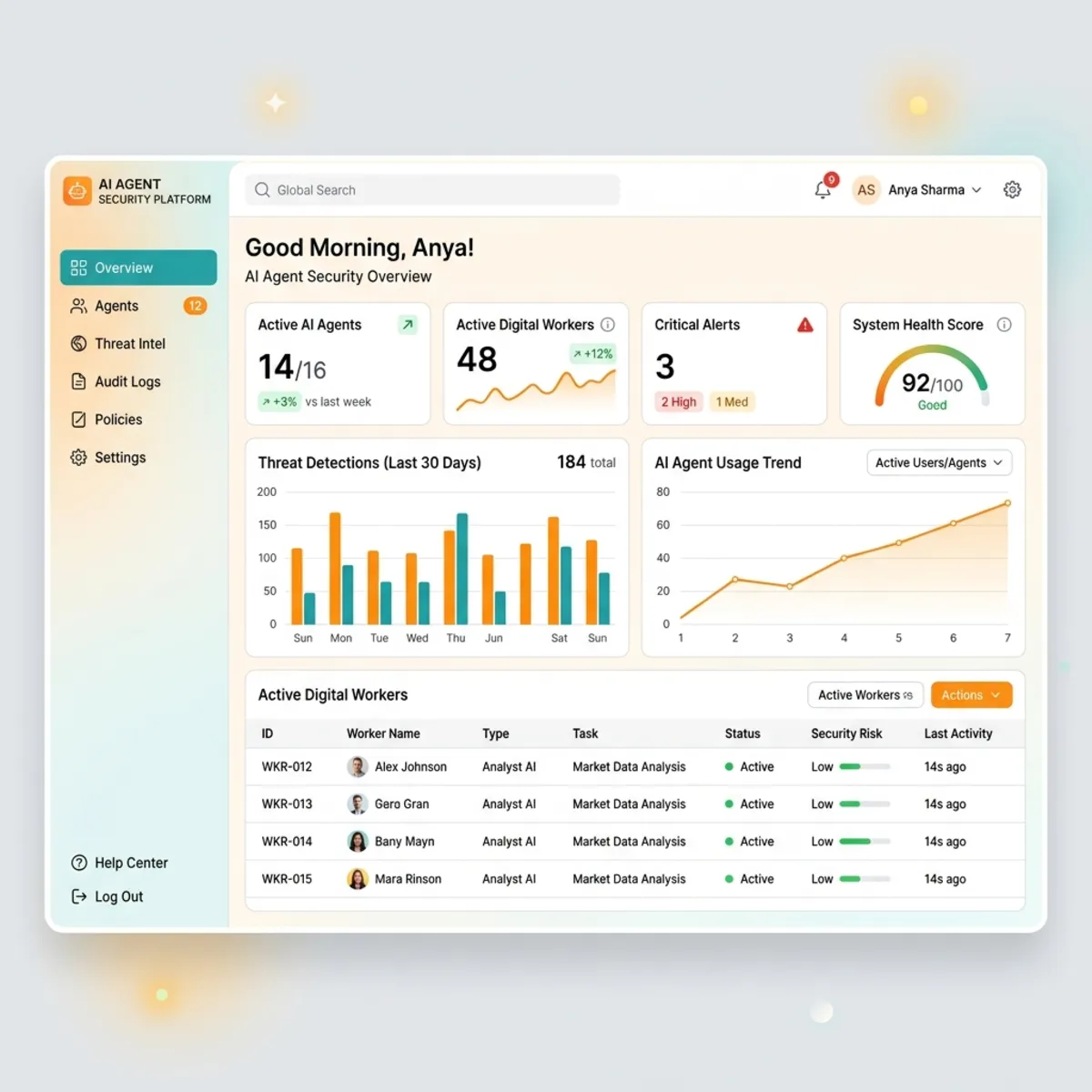
The problem is not that business teams build agents. The problem is that they build them faster than IT can answer basic questions:
- How many agents exist?
- Which ones touch sensitive data?
- Which ones are test agents accidentally left running?
- Which agents can act, not just read?
- Which users or departments are driving the highest cost?
- Which agents are owned by people who left the company?
Agent 365 is Microsoft’s emerging answer to this control-plane problem. Microsoft describes it as a way to observe, govern, and secure AI agents using admin tools such as the Microsoft 365 admin center, Microsoft Defender, Microsoft Entra, Microsoft Intune, and Microsoft Purview.1
Mental Model: Agent 365 Is the Fleet Registry
Do not think of Agent 365 as the aircraft engine. Think of it as the aircraft registry, radar screen, and governance console.
| Need | Control Plane Capability |
|---|---|
| Inventory | Discover and catalog agents. |
| Ownership | Track owners, sponsors, and lifecycle status. |
| Access governance | Connect agent identity to policies and approvals. |
| Security | Bring agent activity into security monitoring. |
| Compliance | Connect agent interactions to data protection and audit workflows. |
| FinOps | Build the inventory needed to attribute and rationalize cost. |
Directional Cost Intuition: Licensing Is the Cover Charge, Not the Whole Bill
Microsoft lists Agent 365 at $15/user/month paid yearly and Microsoft 365 E7 at $99/user/month paid yearly on public product pages at the time of writing.13
Directional planning aid, not a quote:
| Scenario | Simple Planning Math | What It Tells You |
|---|---|---|
| 500 users licensed for standalone Agent 365 | 500 × $15 × 12 = ~$90,000/year | Governance licensing becomes a meaningful line item even before runtime consumption. |
| 2,000 users licensed for standalone Agent 365 | 2,000 × $15 × 12 = ~$360,000/year | Large tenants need a rollout strategy, not blanket enablement without value tracking. |
| 1,000 users on Microsoft 365 E7 | 1,000 × $99 × 12 = ~$1.188M/year | E7 may simplify bundling, but business cases should map value to Copilot, Entra, security, and agent governance outcomes. |
The important FinOps point: agent governance licensing does not automatically include every cost associated with building and running agents. Agent builders, model inference, Copilot Studio usage, Microsoft Foundry consumption, API calls, storage, logging, and integration platforms may still create separate consumption or service costs depending on the architecture.
FinOps Rule of Thumb: Budget for agent governance, agent runtime, model consumption, tool execution, observability, and support as separate cost buckets.
Do not approve agent programs using only the per-user license price. That is like budgeting for a car by looking only at insurance and ignoring fuel.
3. Shadow AI: Discovery Before Enforcement
Shadow AI is not always malicious. Often it is a motivated employee trying to move faster.
But from a tenant administrator’s point of view, unsanctioned AI usage creates four problems:
- Sensitive data may be pasted into tools with unknown retention or training behavior.
- Business workflows may depend on unapproved SaaS services.
- Security teams lose visibility into AI-assisted decisions.
- Finance teams cannot attribute cost or value.
Microsoft guidance recommends discovering AI apps and sensitive data usage using Microsoft Entra Agent ID, Microsoft Purview DSPM for AI, Microsoft Defender for Cloud Apps, and Microsoft Defender for Cloud depending on the type of AI workload.4
Practical Discovery-to-Control Flow
| Step | Action | Tooling Pattern |
|---|---|---|
| 1 | Discover AI apps and agents. | Entra Agent ID, Agent 365, Defender for Cloud Apps, Purview DSPM. |
| 2 | Classify by risk and business value. | Sanctioned, tolerated, restricted, blocked. |
| 3 | Assign owners. | Every agent/app needs a business sponsor. |
| 4 | Apply differentiated controls. | Block high-risk tools, restrict sensitive departments, allow approved alternatives. |
| 5 | Review usage and cost monthly. | FinOps + security + platform governance review. |
Quick Decision Guide: Sanction, Restrict, or Block?
| Condition | Decision |
|---|---|
| Tool has enterprise controls, contract coverage, data protection commitments, and clear business value. | Sanction and monitor. |
| Tool is useful for a narrow team but not safe for broad use. | Restrict to a group, require training, and monitor. |
| Tool has unclear data handling, weak controls, or duplicates an approved platform. | Block or phase out. |
| Tool is experimental but promising. | Pilot with synthetic or low-sensitivity data only. |
Microsoft Defender for Cloud Apps can be used to discover, sanction, and block unsanctioned AI apps; Microsoft guidance also calls out combining this with Microsoft Entra and Intune for access and device-level restrictions.5
4. Access Governance: JIT and JEA for Digital Workers
Standing access is expensive in risk terms.
Human administrators learned this lesson years ago: permanent broad access leads to overexposure. Agents make the problem worse because they can operate quickly, repeatedly, and across systems.
The answer is to use Just-In-Time (JIT) and Just-Enough-Access (JEA) thinking for agents.
The Access Envelope Model
Every agent should have an “access envelope” that defines:
| Envelope Element | Example |
|---|---|
| Purpose | Reconcile invoices against approved purchase orders. |
| Data sources | Finance SharePoint site, ERP invoice table, vendor master API. |
| Actions allowed | Read invoices, compare records, draft exception report. |
| Actions blocked | Submit payments, create vendors, modify bank details. |
| Valid users | Finance operations group. |
| Approval | Finance systems owner. |
| Expiration | 90 days or project end date. |
| Monitoring | Log tool calls, data access, and exception activity. |
Why This Matters for Business Leaders
An agent that can read invoices is productivity.
An agent that can update vendor bank details is fraud risk.
An agent that can do both without approval is a control failure.
Practical Rollout Pattern
| Phase | Access Model | Governance Goal |
|---|---|---|
| Pilot | Read-only, low-sensitivity data, limited users. | Prove business value safely. |
| Controlled production | Read/write only where necessary, scoped users, approval workflow. | Scale with accountability. |
| Mature production | Dynamic access packages, recurring reviews, automated risk response. | Operate like a governed digital workforce. |
5. Data Security: Your AI Is Only as Safe as Your Permissions
There is a blunt truth many organizations discover during Copilot or agent rollouts:
AI does not create your data governance problem. It reveals it.
If users have access to overshared files, an agent grounded in those permissions may surface the content faster and more convincingly than a human search ever would.
Microsoft 365 Copilot is designed to honor existing Microsoft 365 access controls and sensitivity labels. Microsoft documentation states that Copilot can only summarize or reference content the user is authorized to access, and that sensitivity labels and encryption can affect whether Copilot can interact with content; when supported, generated content can inherit the highest-priority sensitivity label from labeled sources.6
The Data Governance Stack for Agents
| Control | What It Does | Why It Matters for AI |
|---|---|---|
| SharePoint/OneDrive permissions hygiene | Removes unnecessary access. | Reduces what agents can find. |
| Sensitivity labels | Classifies and protects content. | Helps preserve confidentiality through AI interactions. |
| DLP for Copilot/AI interactions | Restricts sensitive data processing or exposure. | Adds policy enforcement beyond basic permissions. |
| Purview DSPM | Finds sensitive data risk and oversharing. | Gives admins a risk map before scaling AI. |
| Insider Risk / audit / eDiscovery | Supports investigation and compliance. | Helps answer who did what, with which data, and when. |
Microsoft Purview DSPM helps organizations discover, protect, and investigate sensitive data risks across Microsoft 365, Azure, Fabric, and third-party environments, with dedicated AI app and agent risk visibility in the current DSPM experience.7
Directional Cost Intuition: Data Cleanup Is Cheaper Than Incident Response
Directional planning aid, not a quote:
Imagine a 5,000-user tenant where 10% of SharePoint sites contain sensitive overshared content. You can either:
| Option | Likely Cost Profile | Risk Profile |
|---|---|---|
| Clean up permissions before broad agent rollout. | Project cost: discovery, remediation, owner reviews, automation. | Lower exposure, fewer surprises. |
| Roll out broadly and react later. | Incident cost: investigations, legal review, communications, emergency remediation, loss of trust. | Higher exposure and unpredictable executive escalation. |
The business case for data governance is no longer theoretical. AI turns stale permissions into active discoverability.
Practical Data Rules of Thumb
- Do not connect agents to messy data estates and expect prompts to solve governance.
- Prioritize cleanup of executive, HR, finance, legal, customer, and regulated data locations first.
- Use sensitivity labels that humans can understand and systems can enforce.
- Monitor prompts, responses, and grounding activity for sensitive data patterns where supported.
- Treat “everyone except external users” as a temporary smell, not a permanent access model.
6. Runtime Observability: Logs Are Your Flight Recorder
Agents are dynamic. They do not follow one static path every time.
A user may ask the same high-level question twice and receive different tool calls depending on context, memory, data freshness, and model behavior. That makes runtime observability essential.
What to Log
| Event Type | Why It Matters |
|---|---|
| User prompt metadata | Helps reconstruct intent without necessarily storing sensitive prompt content forever. |
| Agent identity | Shows which non-human actor performed the action. |
| Tool calls | Reveals whether the agent only read data or took action. |
| Data sources accessed | Identifies exposure paths. |
| Policy decisions | Shows allow, block, warn, or approval events. |
| Output classification | Supports DLP, records, and compliance review. |
| Cost signals | Enables FinOps attribution by agent, department, and use case. |
Microsoft guidance for AI agent governance emphasizes observability, lifecycle, ownership, identity, and integration with existing security operations; Microsoft Learn also places Agent 365, Defender, Log Analytics, Application Insights, and Cost Management in the broader agent observability and governance conversation.8
SIEM Pattern
A mature pattern is to route key events into a centralized monitoring layer such as Microsoft Sentinel or an equivalent SIEM.
The goal is not to drown analysts in AI noise. The goal is to create high-signal detections:
| Detection Idea | Example |
|---|---|
| New agent accesses highly sensitive site for first time. | Possible misconfiguration or compromised workflow. |
| Agent calls an unusual external tool. | Potential tool poisoning or supply-chain issue. |
| Agent volume spikes 10× overnight. | Possible runaway workflow or abuse. |
| Agent acts outside business hours against finance systems. | Requires review. |
| Agent repeatedly hits DLP blocks. | Prompt misuse, poor design, or user training issue. |
FinOps Signal: Cost Anomaly Is Also a Security Signal
A sudden spike in token usage, tool calls, or API executions may be a budget issue. It may also be a security issue.
Do not separate cost monitoring from security monitoring too cleanly. In agentic systems, runaway cost and runaway behavior often share the same root cause: poor boundaries.
7. MCP and Tool Supply Chain: The Moment Agents Start Acting
The risk profile changes dramatically when an agent moves from reading to acting.
A summarization agent can produce a bad answer. A tool-using agent can produce a bad action.
Microsoft Incident Response recently highlighted how agents that connect to business systems through Model Context Protocol (MCP) or similar tool mechanisms introduce supply-chain and tool-misuse risks, especially when poisoned tool metadata or prompt injection influences agent behavior.9
The Tool Gateway Model
Never let agents call every tool directly just because it is technically possible.
Use a gateway model:
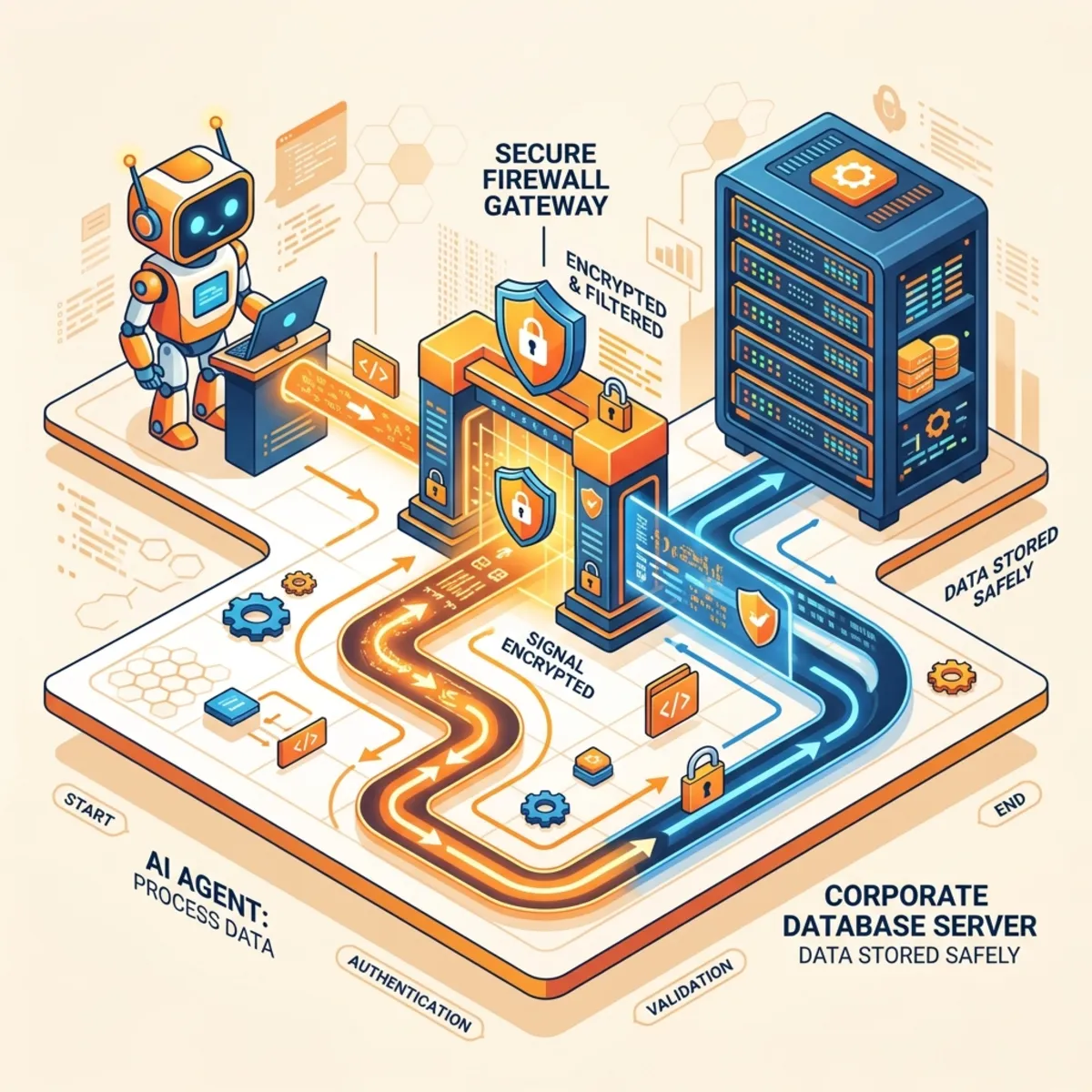
Azure API Management or equivalent API gateway patterns can help enforce rate limiting, authentication, authorization, and centralized policy controls in front of approved services. The principle is more important than the specific product: agents should not improvise their way into production systems.
Rule of Thumb: Treat MCP servers and agent tools like production APIs, not convenience plugins.
8. Guardrails: Useful Seatbelts, Not a Driver’s License
Responsible AI guardrails are necessary, but they are not a replacement for identity, data, and access governance.
Azure OpenAI in Microsoft Foundry Models includes default safety policies such as content filtering, blocklists, prompt transformation, content credentials, and protections for risks including user prompt injection attacks.10 Microsoft Foundry Prompt Shields are designed to detect and prevent user prompt attacks and document attacks, including hidden instructions in third-party content that attempt to hijack model behavior.11
That is good engineering. But seatbelts do not decide where the car is allowed to drive.
What Guardrails Are Good At
| Guardrail Capability | Helps With |
|---|---|
| Prompt attack detection | Attempts to override system instructions. |
| Document attack detection | Hidden instructions in retrieved documents, emails, or web pages. |
| Content filtering | Harmful or inappropriate outputs. |
| Protected material controls | Certain protected text/code scenarios. |
| Intervention points | Input, tool response, tool call, and output controls where supported. |
What Guardrails Do Not Replace
- Proper agent identity.
- Least-privilege permissions.
- Data classification.
- API access controls.
- Human approvals for high-impact actions.
- Runtime logging.
- Cost limits.
- Incident response.
Governance Rule: Use AI guardrails as one layer in a defense-in-depth model, not as permission to skip the rest of the model.
9. Endpoint and Browser Controls: The Front Door Still Matters
Even the best agent governance strategy can be bypassed if users paste sensitive data into consumer AI tools, install unmanaged local models, or run unsanctioned browser extensions.
Endpoint and browser controls matter because they shape the daily path of least resistance.
Practical Control Layers
| Layer | Governance Action |
|---|---|
| Browser | Configure Microsoft Edge for Business policies through Intune where appropriate. |
| SaaS discovery | Use Defender for Cloud Apps to discover and classify generative AI apps. |
| App blocking | Mark unsanctioned AI apps and enforce blocking or warnings. |
| Device management | Use Intune to restrict unapproved app installs on managed devices. |
| Endpoint detection | Use Defender for Endpoint signals to detect suspicious local tooling or behavior. |
| User education | Provide approved alternatives so users are not forced into shadow AI. |
Microsoft Intune supports Microsoft Edge configuration policies for Windows, and Microsoft guidance describes progressive Edge for Business app configuration policy levels aligned to user roles and data sensitivity.1213
The Business Reality
If the approved AI tool is slow, unavailable, or lacking basic features, users will route around governance.
Good governance is not just blocking. It is making the safe path the easy path.
10. The Safe Rollout Playbook
Here is a pragmatic rollout model for IT leaders and tenant administrators.
Phase 0: Define the AI Control Standard
| Decision | Output |
|---|---|
| What counts as an agent? | A tenant-wide definition. |
| Who can create agents? | Role-based creator policy. |
| Who approves production agents? | Governance board or platform owner. |
| What data classes can agents access? | Data access matrix. |
| What actions require human approval? | High-impact action policy. |
| What cost limits apply? | Budget thresholds and exception process. |
Phase 1: Discover and Baseline
- Inventory current agents, copilots, AI apps, plugins, and automation scripts.
- Identify sensitive data locations likely to be used for grounding.
- Review top overshared SharePoint and OneDrive locations.
- Identify high-risk departments: finance, HR, legal, security, executive office, customer data teams.
- Establish initial cost baseline for AI usage and agent runtimes.
Phase 2: Pilot with Guardrails
Pick use cases that are valuable but bounded.
Good first candidates:
| Use Case | Why It Works |
|---|---|
| Policy Q&A over curated HR documents | Read-only, scoped, measurable. |
| IT knowledge base assistant | Clear owner, controlled content. |
| Sales proposal drafting from approved templates | Human review built in. |
| Finance exception reporting without payment execution | Business value without high-risk action. |
Avoid as first pilots:
| Use Case | Why It Is Risky |
|---|---|
| Autonomous payment approvals | High fraud impact. |
| Vendor master changes | High control sensitivity. |
| Broad executive mailbox access | High confidentiality risk. |
| Agents with unrestricted internet + internal write access | Too many unknown paths. |
Phase 3: Productionize with an Agent Review Board
Create a lightweight review board with representation from:
- IT platform owner
- Security
- Compliance / privacy
- Data owner
- FinOps
- Business sponsor
The board should not become a bureaucracy tax. It should operate like cloud landing zone governance: clear standards, fast decisions, and measurable exceptions.
Phase 4: Monitor, Optimize, Retire
Monthly governance review:
| Metric | Why It Matters |
|---|---|
| Number of agents by owner and department | Detects sprawl. |
| Agents with no owner | Immediate remediation. |
| Agents touching sensitive data | Prioritize monitoring. |
| Blocked or warned AI interactions | Shows policy effectiveness and training gaps. |
| Cost by agent/use case | Enables FinOps accountability. |
| Tool-call volume | Detects runaway automation. |
| Dormant agents | Retire or disable. |
| Incidents or near misses | Improve patterns. |
11. Directional FinOps Model for AI Agents
AI agent economics are different from classic SaaS economics.
A normal SaaS license cost is relatively predictable: users × price.
Agent cost can include:
- Per-user platform licensing.
- Model inference or token consumption.
- Agent builder/runtime meters.
- Connector/API execution costs.
- Logging and observability ingestion.
- Storage for transcripts, outputs, and audit artifacts.
- Support and governance effort.
- Remediation cost if data or workflow controls are weak.
A Simple Planning Formula
Use this early-stage model:
Example: Directional Planning Aid
Assume a department wants to deploy five production agents for 300 users.
| Cost Bucket | Directional Assumption | Planning Estimate |
|---|---|---|
| Agent governance licensing | 300 users × $15 × 12 months | ~$54,000/year |
| Runtime/model consumption | Depends on volume, model, and architecture | Track during pilot; do not guess blindly. |
| API/tool calls | ERP, CRM, search, storage, workflow calls | Estimate from pilot telemetry. |
| Logging/SIEM | Based on event volume and retention | Include in SecOps budget. |
| Governance operations | Reviews, approvals, training, support | Allocate named owner time. |
The main point is not the exact number. The point is that agent cost scales with behavior, not only headcount.
FinOps Controls That Actually Work
| Control | Practical Implementation |
|---|---|
| Budget by business owner | Every production agent maps to a cost center. |
| Consumption dashboards | Track usage by agent, team, model, and tool. |
| Model routing | Use cheaper models for simple tasks; reserve premium models for high-value reasoning. |
| Rate limits | Prevent runaway workflows. |
| Prompt and retrieval optimization | Reduce unnecessary context stuffing. |
| Kill switch | Stop agents that exceed cost or risk thresholds. |
| Value reviews | Retire agents that do not save time, reduce risk, or improve revenue/service outcomes. |
12. Admin Role Model: Who Owns What?
AI governance fails when everyone assumes someone else owns it.
| Role | Primary Responsibility |
|---|---|
| Tenant administrator | Platform configuration, tenant-wide controls, role assignments. |
| Identity administrator | Agent identity, Conditional Access, lifecycle, access reviews. |
| Security operations | Detection, incident response, SIEM integration, threat hunting. |
| Compliance administrator | Labels, DLP, retention, eDiscovery, regulatory alignment. |
| Data owner | Approves data access and acceptable use. |
| Business sponsor | Owns value, risk acceptance, and funding. |
| FinOps practitioner | Tracks cost, usage, unit economics, and optimization. |
| Agent owner | Maintains the agent, reviews changes, handles operational issues. |
Minimum Production Requirement
Before any agent reaches production, you should be able to fill in this table:
| Question | Required Answer |
|---|---|
| What business process does this agent support? | Named process. |
| Who owns it? | Named person or team. |
| What data does it access? | Documented sources. |
| What tools can it call? | Approved list. |
| Can it write or trigger actions? | Yes/no with controls. |
| What is the expected monthly cost? | Pilot-based estimate. |
| What is the kill switch? | Documented disable path. |
| When is the next review? | Date. |
Conclusion: Govern Agents Like a Workforce, Fund Them Like a Product
AI agents are becoming part of the operating fabric of the enterprise.
That means they need more than clever prompts. They need identity, ownership, access boundaries, data governance, runtime observability, tool-chain controls, endpoint policy, cost accountability, and retirement discipline.
The organizations that succeed will not be the ones that block every agent. They will be the ones that make safe agent adoption easy, measurable, and financially rational.
The strategic posture is simple:
Strategic Posture: Register every agent. Verify every identity. Limit every permission. Govern every tool. Monitor every action. Attribute every cost. Retire what no longer creates value.
That is Zero Trust for AI agents.
And it is how you scale from exciting demos to governed business transformation.
Sources and Validation Notes
This article intentionally avoids unverifiable implementation claims and keeps product-specific statements aligned to public Microsoft documentation and product pages available at the time of writing.
Footnotes
-
Microsoft Agent 365 product page, describing Agent 365 as a control plane for observing, governing, and securing AI agents, with listed public pricing. https://www.microsoft.com/en-us/microsoft-agent-365 ↩ ↩2 ↩3
-
Microsoft Entra Agent ID documentation, covering agent identity management, governance, Conditional Access, lifecycle, and protection capabilities. https://learn.microsoft.com/en-us/entra/agent-id/ ↩ ↩2
-
Microsoft 365 E7 product page and Microsoft 365 enterprise pricing pages, listing E7 positioning and public pricing. https://www.microsoft.com/en-us/microsoft-365/enterprise/e7 ↩
-
Microsoft Security guidance, “Discover AI apps and data,” describing visibility across Entra Agent ID, Purview DSPM for AI, Defender for Cloud Apps, and Defender for Cloud. https://learn.microsoft.com/en-us/security/security-for-ai/discover ↩
-
Microsoft Purview deployment guidance, “Block access to unsanctioned AI apps,” describing Defender for Cloud Apps, Entra, and Intune control patterns. https://learn.microsoft.com/en-us/purview/deploymentmodels/depmod-data-leak-shadow-ai-step2 ↩
-
Microsoft 365 Copilot data protection architecture, describing authorization, sensitivity labels, encryption, and label inheritance behavior where supported. https://learn.microsoft.com/en-us/microsoft-365/copilot/microsoft-365-copilot-architecture-data-protection-auditing ↩
-
Microsoft Purview Data Security Posture Management documentation, describing sensitive data risk discovery, protection, investigation, and AI app/agent visibility. https://learn.microsoft.com/en-us/purview/data-security-posture-management-learn-about ↩
-
Microsoft Cloud Adoption Framework guidance for governing and securing AI agents across an organization. https://learn.microsoft.com/en-us/azure/cloud-adoption-framework/ai-agents/governance-security-across-organization ↩
-
Microsoft Security Blog, “Securing AI agents: When AI tools move from reading to acting,” discussing MCP tool misuse and agentic supply-chain risk. https://www.microsoft.com/en-us/security/blog/2026/06/30/securing-ai-agents-ai-tools-move-from-reading-acting/ ↩
-
Azure OpenAI in Microsoft Foundry default guardrail policies documentation. https://learn.microsoft.com/en-us/azure/foundry/openai/concepts/default-safety-policies ↩
-
Microsoft Foundry Prompt Shields documentation, covering user prompt attacks and document attacks. https://learn.microsoft.com/en-us/azure/foundry/openai/concepts/content-filter-prompt-shields ↩
-
Microsoft Intune documentation for configuring Microsoft Edge for Windows. https://learn.microsoft.com/en-us/intune/app-management/configuration/configure-edge-windows ↩
-
Microsoft Intune Secure Enterprise Browser guidance for Microsoft Edge for Business app configuration policies. https://learn.microsoft.com/en-us/intune/solutions/edge-data-security/app-configuration-step-4 ↩
Read next