Refactoring Power Automate Flows Agentically with GitHub Copilot CLI

Writer
Refactoring Power Automate Flows Agentically with GitHub Copilot CLI
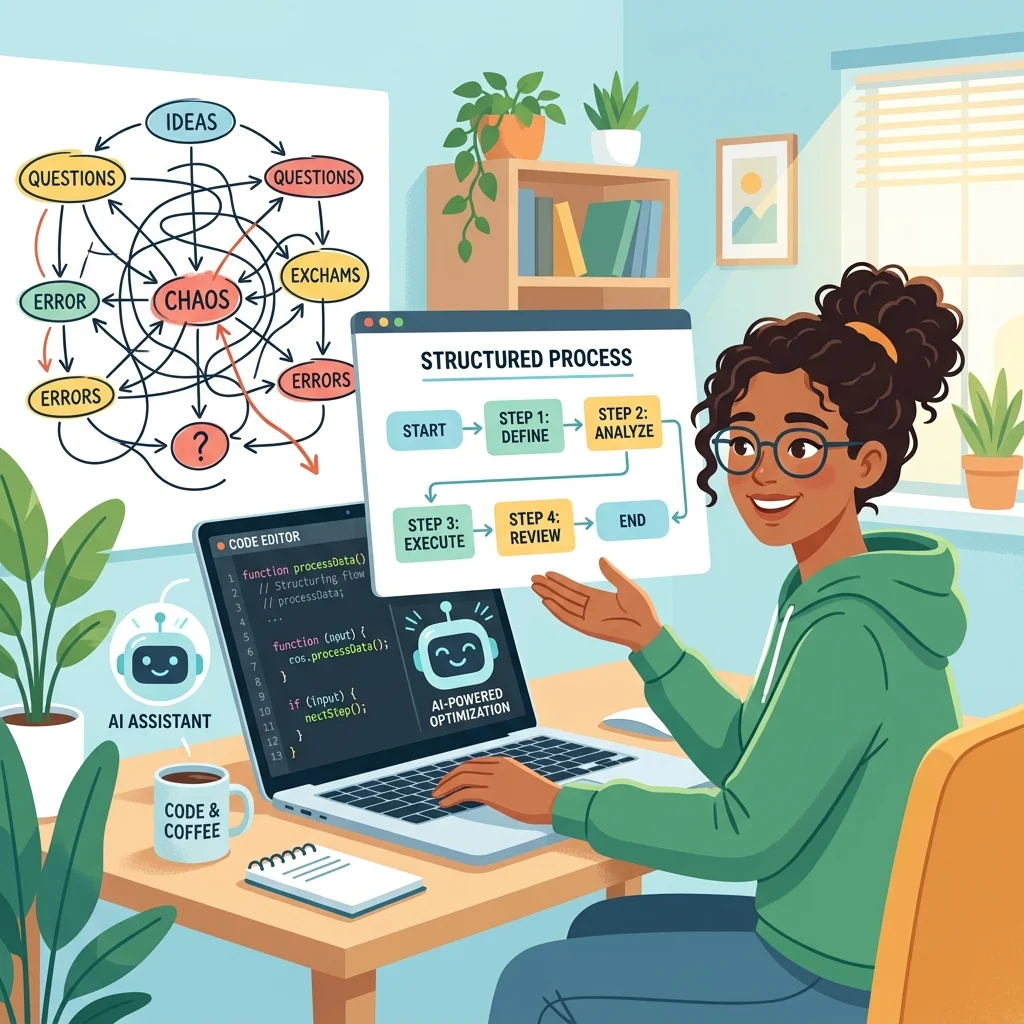
Power Automate’s visual designer is excellent for discovering connectors and assembling a flow. It is less pleasant when you need to inspect a large definition, remove dead actions, compare branches, diagnose failed runs, or apply the same engineering standard across many flows.
That is where agentic tooling changes the interaction model.
Microsoft’s Power Automate plugin for Power Platform Skills lets Claude Code or GitHub Copilot CLI call a bundled FlowAgent MCP server. The agent can inspect cloud flows, make action-level edits, validate definitions, examine run history, diagnose failures, and perform lifecycle operations from a conversational session. The plugin is self-contained: it packages the MCP engine and uses your local Azure CLI sign-in for authentication. Microsoft documents the plugin and its supported capabilities in the Power Platform Skills repository.
This is not “Power Automate without engineering.” It is Power Automate with a different control surface: natural language becomes the planning layer, MCP tools become the execution layer, and you remain the reviewer and approval boundary.
Mental model: Treat the agent like a junior automation engineer with powerful tools. Give it explicit scope, require a plan, inspect the diff, validate the result, and test both the happy path and failure path.
What the architecture actually looks like
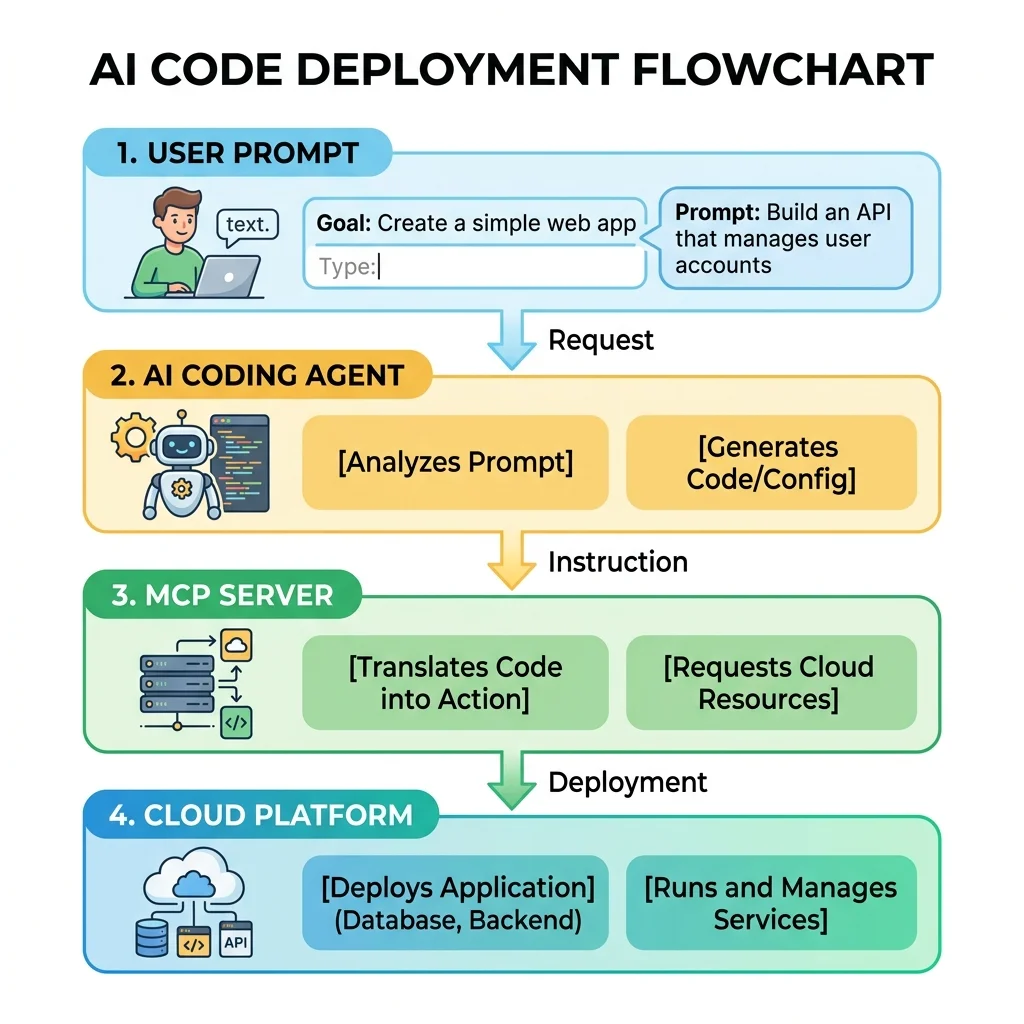
The setup has four layers:
- You describe the intent in Claude Code or GitHub Copilot CLI, optionally running inside VS Code’s integrated terminal.
- The coding agent selects a skill such as setup, flow browsing, creation, debugging, diagnosis, or lifecycle management.
- The skill calls FlowAgent MCP tools for operations such as listing environments, reading a flow, previewing an update, editing actions, validating the definition, or inspecting runs.
- The MCP server talks to Power Platform under the identity and permissions available through your local Azure CLI session.
The important distinction is that VS Code is optional as the workspace. The documented plugin runs in Claude Code or GitHub Copilot CLI; it is not installed by typing generic plugin install commands into an ordinary shell or the standard GitHub Copilot Chat panel. The plugin’s MCP server is launched locally from the bundled package. The official README describes the supported clients, installation syntax, authentication model, skills, and MCP wiring.
This is also different from Microsoft’s Dataverse MCP server. Dataverse MCP exposes tools for Dataverse data and metadata, whereas the Power Automate plugin adds flow-specific authoring and operational tools. Use the surface that matches the job. Microsoft Learn documents the Dataverse MCP endpoint and its tool set separately.
1. Prepare the local session
Before installation, make sure you have:
- Claude Code or GitHub Copilot CLI;
- Node.js, because the bundled server is launched locally;
- Azure CLI installed and authenticated;
- access to the target Power Platform environment;
- permission to read—and, if you intend to refactor, modify—the relevant cloud flows;
- a solution-aware workspace if you also keep flow artifacts under source control.
Authenticate first:
If you work across tenants, deliberately select the intended tenant and subscription context rather than assuming the current Azure CLI session is correct.
2. Install the official Power Automate plugin
Run the following inside a Claude Code or GitHub Copilot CLI session:
Then run the plugin’s setup skill:
Restart the client after setup so that it loads the MCP server and registered skills. The official plugin currently includes skills for setup, browsing flows, guided creation, autonomous building, debugging, diagnosis, lifecycle management, desktop flows, and environment routing. The current capability and skill list is maintained in the plugin README.
Tip: Plugin commands begin with /. Commands such as plugin marketplace list and plugin install Power Automate are not the documented installation
syntax for this plugin.
3. Establish context before allowing edits
An agent is only as safe as its target selection. Do not begin with “fix my flow.” Start by binding the session to a specific environment and flow, then ask the agent to restate what it found.
A useful first prompt is:
Use the Power Automate skills. Resolve the environment named Canada developer, list flows matching Create Email Group, and show me the environment ID, flow ID, state, owner, and solution before proposing any changes. Do not modify anything yet.
Then verify:
- the environment name and ID;
- the flow’s full GUID—not a shortened display value;
- the flow state;
- its solution and connection references;
- the identity under which the MCP calls will run.
If you have unpacked solution files locally, opening the repository in VS Code still helps the agent understand naming conventions, documentation, tests, and neighboring artifacts. But the local /workflows folder is not, by itself, proof that the remote MCP operation targets the correct environment. Remote identity must be verified independently.
4. Ask for analysis before mutation
Consider the source demonstration: a child flow creates an email group. Its original control flow uses failure as branching logic. It tries to create the group first; if creation fails because the group already exists, a later action finds and returns the existing group. The business outcome is correct, but the run history looks failed even when the flow recovered exactly as designed.
That implementation also hides a more serious edge case: creation can fail for reasons other than “already exists.” If the fallback lookup then returns no group, downstream actions may consume an empty result. The same flow also contains abandoned Compose content—the placeholder string JK—and later refactoring can introduce variables that are used only once.
This creates four distinct review findings:
- Expected duplicate: creation fails because the group exists, and the existing group is found. This should be modeled as an intentional branch, not a misleading failure.
- Real creation failure: creation fails for another reason and no existing group is found. This must remain a genuine, diagnosable failure.
- Dead code: obsolete Compose actions or placeholder values such as
JKshould be removed after confirming they have no consumers. - Refactoring noise: one-use variables and redundant actions may make a correct fix harder to maintain.
Do not immediately ask the agent to rewrite the flow. Ask for a structured review:
Inspect this flow without changing it. Identify unhandled empty-result paths, actions whose outputs are consumed without guards, dead or unreachable actions, placeholder content, redundant variables, and branches that can produce misleading failed runs. Return a proposed change plan with affected action names.
This separates diagnosis from execution. It also gives you a reviewable baseline: what the agent believes is wrong, why it is wrong, and which actions it intends to touch.
5. Prefer surgical edits over broad regeneration
The plugin supports action-level, or “surgical,” flow editing. That matters because a small defect rarely justifies regenerating an entire cloud-flow definition. A narrow edit reduces the chance of disturbing triggers, connection references, retry policies, secure-input settings, or unrelated branches.
A stronger modification prompt is:
Apply only the approved changes to the selected flow. Replace failure-driven branching with an explicit check for the existing group, preserve a real failure path when neither lookup nor creation succeeds, remove the confirmed dead Compose actions, and preserve the trigger, connection references, action names, retry policies, and unrelated branches. Preview the update before saving it.
After the preview, ask the agent to explain the proposed delta in plain language. Only then allow the write operation.
Some MCP operations can enable, disable, update, or delete assets. Approval prompts are therefore a safety feature, not terminal noise. Avoid blanket authorization such as “allow all” for a session that can mutate a real environment. If the client supports remembered approvals, scope them to the smallest trustworthy tool set and use a disposable developer environment for experimentation.
6. Refactor the agent’s first fix
A correct first pass is not always a clean first pass. An agent may solve an empty-result problem by adding several variables, multiple Compose actions, and a deeply nested condition. That can be logically valid while still increasing maintenance cost.
Review the result as you would review code:
Re-evaluate the changed branch. Remove variables used only once, collapse redundant Compose actions, and keep expressions readable. Do not change behavior. Show a second preview and explain why the simplified version is equivalent.
The goal is not the fewest possible actions. Over-compressed expressions can be harder to diagnose than a small number of well-named steps. Optimize for:
- explicit branching;
- readable expressions;
- stable action names;
- useful run-history diagnostics;
- minimal duplication;
- no hidden change to failure semantics.
A good agentic loop is therefore:
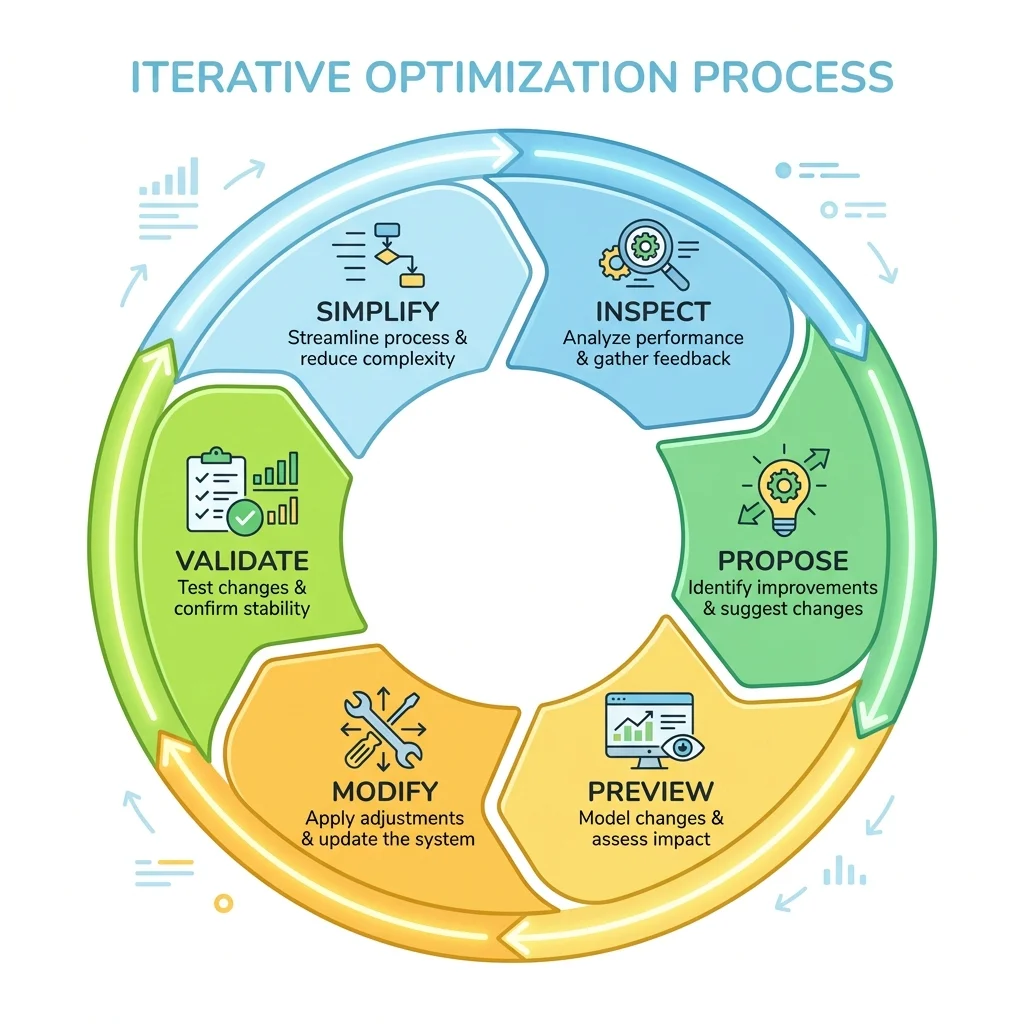
inspect → propose → preview → modify → validate → simplify → validate again
7. Trace callers and downstream impact
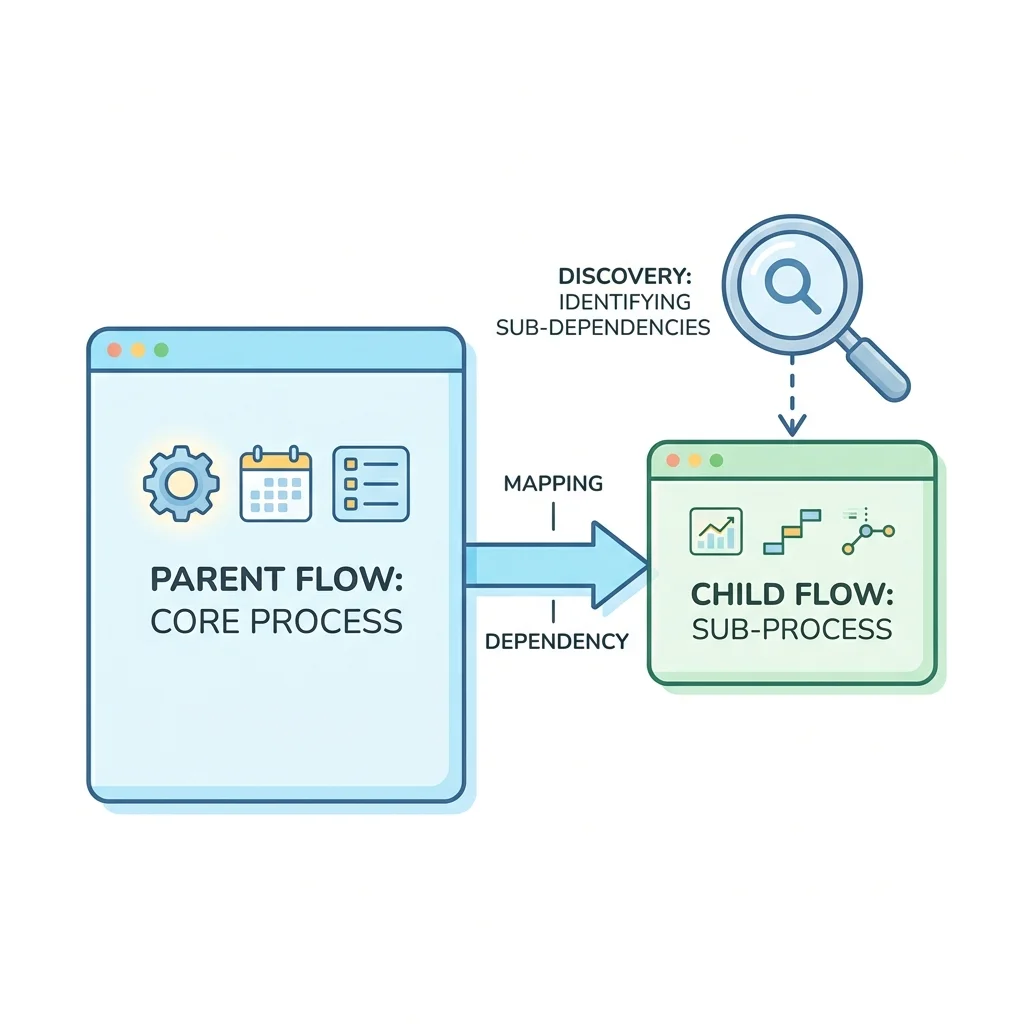
Child-flow refactoring becomes risky when you do not know who calls it. Ask the agent to identify references using the environment and flow metadata available to its tools:
Find flows in this environment that invoke the selected child flow. Return each candidate parent flow with its ID and the action that contains the reference. Do not modify anything.
In the source demonstration, the plugin identifies Mailer Upsert Group as the child-flow call inside Webhook Accelerator Purchase. That result gives the author the parent entry point needed to exercise the child flow’s other branch without manually searching the environment.
Treat the result as dependency evidence, not unquestionable truth. Dynamic invocation, environment variables, custom connectors, HTTP calls, or references outside the scanned environment may not be discoverable as a direct parent-child link. Cross-check solution dependencies and known integration documentation before changing a shared contract.
8. Validate and test both branches
Saving successfully does not prove the flow works. Use the available validation, preflight, smoke-test, and run-inspection tools where appropriate. The plugin exposes capabilities for flow validation, preflight checks, smoke tests, run history, action-level run details, diagnosis, backups, and restore workflows. The official skill definitions enumerate these tool surfaces and show how skills call them.
For the email-group example, test at least:
- Group already present: resubmit a case for an existing group. The flow should take the existing-group branch and complete without the false failure that polluted the original run history.
- Group absent: invoke the parent flow with a new value—
Brand New Groupin the source demonstration. The child flow should create it, return success, and the target email system should contain the new group. - Real dependency failure: force a connector, permission, or downstream error. The refactoring must not reinterpret every creation failure as “already exists” or silently swallow a genuine fault.
Inspect the run at action level. Confirm not only the final status but also the branch taken, inputs used, outputs produced, skipped actions, retry behavior, and any sensitive data exposed in diagnostics.
If the change is risky, take or verify a backup before editing and keep rollback steps in the work log.
9. Turn one review into a technical-debt inventory
Once the workflow is proven on one flow, the same read-only pattern can help assess a wider estate:
Review all flows I can access in the selected development environment. Do not modify them. Create
power-automate-review.mdin this repository with a prioritized inventory of failed-run patterns, disabled flows, suspicious placeholders, missing error handling, redundant actions, stale connections, and candidate child-flow dependencies. Include flow IDs and evidence for every recommendation.
The output should be treated as a triage backlog, not an automatic truth set. Large environments may require pagination, batching, or multiple passes. The agent may also lack enough run history or cross-environment visibility to rank every issue reliably.
A useful report structure is:
| Priority | Flow | Evidence | Recommended change | Confidence |
|---|---|---|---|---|
| High | Create Email Group | Existing-object branch ends as failed | Add explicit guarded branch | High |
| Medium | Purchase Webhook | Repeated inline parsing across branches | Extract or consolidate shared logic | Medium |
| Low | Notification Helper | Unused Compose action with placeholder content | Remove after dependency check | High |
Evidence and confidence matter. Without them, an AI-generated backlog becomes another form of technical debt.
Beyond refactoring: build flows and answer “how do I do this?” questions
The source demonstration makes two deliberately bold promises: that users will want to build future flows through the plugin and will rarely need to search separately for Power Automate instructions. The demo itself proves the narrower refactoring case, but the plugin’s documented skills explain where the broader claim comes from.
The same agentic surface includes:
- guided flow creation, where the agent gathers requirements and builds with the user;
- autonomous flow building, where the agent plans and assembles a flow from an outcome-oriented request;
- flow browsing and inspection, which can answer questions about existing flow structure and metadata;
- debugging and diagnosis, which can combine definition analysis with run-history evidence;
- lifecycle operations, including validation and operational management.
That means many “how do I build this expression or pattern?” questions can move from documentation search to a contextual conversation about the actual environment and flow. Still, “almost never look anything up” should be read as the presenter’s enthusiasm, not a guarantee. Official connector documentation, product limits, licensing terms, and security guidance remain authoritative when correctness depends on current platform behavior.
A practical creation prompt would be:
Use guided flow creation. I need a solution-aware child flow that receives a group name, returns an existing group if found, creates it otherwise, and fails with a useful error for every other creation failure. Show the proposed trigger, inputs, outputs, connections, and exception paths before building anything.
The same safety pattern applies to greenfield creation as to refactoring: establish context, review the plan, preview the definition, approve narrowly, validate, and test.
What this approach improves—and what it does not
The plugin changes the mechanics of maintenance:
- large definitions become queryable through conversation;
- run failures can be inspected without manually opening every action;
- edits can be planned and previewed before application;
- repeated review criteria can be applied across multiple flows;
- findings can be written into version-controlled Markdown.
But it does not remove the need for:
- least-privilege access;
- environment and flow-ID verification;
- human review of mutations;
- solution-aware ALM;
- connection-reference management;
- test data and rollback planning;
- production change control.
The agent accelerates analysis and execution. It does not inherit accountability.
Where end-to-end testing fits
MCP-level validation should be the first line of testing because it can inspect definitions and runs directly. Browser automation frameworks such as Playwright are useful when you must verify a user-facing journey that spans portals or applications, but they should not be the default way to validate flow logic. DOM-driven tests are more brittle and can couple your pipeline to UI changes.
A sensible progression is:
- validate the flow definition;
- run targeted smoke tests;
- inspect action-level run results;
- test parent-child contracts;
- add API- or event-driven integration tests;
- use browser automation only for genuinely end-to-end user scenarios.
Final takeaway
The real breakthrough is not that an AI can edit a Power Automate flow. It is that flow maintenance can become a disciplined, conversational engineering loop.
Give the agent a bounded target. Ask for evidence. Preview surgical changes. Keep approvals narrow. Validate the definition. Exercise every meaningful branch. Record the outcome in source control.
That is how “agentic refactoring” becomes more than a flashy demo: it becomes a practical way to reduce Power Automate technical debt without surrendering engineering control.
Sources
Read next