Microsoft 365 Copilot Cowork: Billing & Governance

Writer

Microsoft 365 Copilot Cowork changes the financial conversation around enterprise AI.
For the first wave of Microsoft 365 Copilot adoption, most organizations could think in a familiar way: seat count multiplied by a predictable monthly license cost. That model is still important. But Cowork introduces a second motion: usage-based AI work measured in Copilot Credits.
That is not automatically bad news. In fact, it can be a very good thing.
Fixed licensing is great when people are using Copilot interactively throughout the day. Usage-based billing is better when the work is bigger, more automated, and more outcome-driven. The trick is knowing which model you are stepping into, who is allowed to use it, what business outcome justifies the spend, and where your administrative guardrails sit.
The mental model I recommend is simple:
Microsoft 365 Copilot is the company car. Cowork is the hired project team.
The company car is already budgeted. Use it as much as possible for day-to-day work. The hired project team can create serious leverage, but you do not give everyone an unlimited purchase order on day one.
This guide is written for IT leaders, FinOps practitioners, tenant administrators, and adoption owners who need to turn Cowork from an exciting demo into a governed, measurable business capability.
Executive Takeaways
| Question | Short Answer |
|---|---|
| Is Cowork just another Microsoft 365 Copilot feature? | No. Cowork is an agentic experience that can carry out tasks across Microsoft 365 on the user’s behalf, and its usage is metered. |
| Is the Microsoft 365 Copilot license still relevant? | Yes. Think of the license as the baseline access layer. Cowork usage sits on top as consumption. |
| What is the billing unit? | Copilot Credits. Microsoft describes Copilot Credits as the common currency for eligible usage-based AI services. |
| Which services are currently covered by this Microsoft 365 admin center cost-management experience? | Microsoft documentation currently calls out Cowork and Work IQ API. |
| What is the most important governance control? | Spending policies in the Microsoft 365 admin center Cost Management experience: scope users/groups, set monthly limits, set per-user limits, select services, and configure alerts. |
| What should IT do before broad rollout? | Run a controlled pilot, classify use cases, apply group-based policies, monitor consumption, then expand by business value. |
The Baseline: Use the Seat Before You Burn Credits
Before talking about Copilot Credits, get the baseline right.
A Microsoft 365 Copilot license gives users access to the core Copilot experience across Microsoft 365. Microsoft currently lists Microsoft 365 Copilot enterprise pricing at $30 per user/month, paid yearly, with a qualifying Microsoft 365 plan required. Pricing varies by program, geography, offer, and commercial agreement, so treat public list pricing as a planning input rather than your final negotiated number.
For leaders and FinOps teams, that license is your predictable floor. You can budget it with normal seat-based discipline:
Directional Planning Aid: Seat Cost Intuition
These examples are for financial intuition only. They are not quotes and do not replace your Microsoft agreement, regional pricing, or procurement terms.
| Licensed Users | Directional Microsoft 365 Copilot Seat Cost at $30/User/Month | Annualized Directional Cost |
|---|---|---|
| 100 | $3,000/month | $36,000/year |
| 500 | $15,000/month | $180,000/year |
| 1,000 | $30,000/month | $360,000/year |
| 5,000 | $150,000/month | $1,800,000/year |
That number is the baseline investment. Your first governance principle should be:
Maximize value from the fixed license before routing work into metered execution.
Use the standard Copilot experience for interactive work: drafting, summarizing, meeting recap, document reasoning, brainstorming, Q&A, and app-embedded productivity. Do not send every task to Cowork just because it feels more powerful.
The right question is not, “Can Cowork do this?” The better question is:
Does this task require delegated execution, multiple steps, tool use, scheduling, or artifact creation that justifies metered consumption?
If not, stay in the predictable license lane.
What Cowork Really Is: Delegated Work, Not Just Chat
Standard Copilot helps users think, draft, summarize, and decide. Cowork goes further: it can carry out tasks on behalf of the user across Microsoft 365.
Microsoft documentation describes Cowork as an experience that can send emails, schedule meetings, create documents, post in Teams, search across organizational resources, manage files, conduct deep research, prepare briefings, draft communications, and run scheduled prompts. It also asks users to approve important actions before they happen.
That is a materially different operating model.
| Scenario | Better Fit | Why |
|---|---|---|
| Summarize a Teams meeting | Microsoft 365 Copilot | Interactive, bounded, already part of the Copilot productivity flow. |
| Draft a first version of an email | Microsoft 365 Copilot | Low-complexity, user remains in control. |
| Analyze several documents and produce a stakeholder-ready briefing | Cowork | Multi-source, multi-step, outcome-oriented. |
| Create a PowerPoint deck from several inputs, then refine it | Cowork | Artifact creation plus iterative execution. |
| Schedule a recurring prompt to prepare a weekly update | Cowork | Scheduled, delegated work. |
| Ask a quick policy question | Microsoft 365 Copilot | Better handled as normal chat/search unless it becomes a larger workflow. |
Here is the mental model:
Copilot is a smart colleague sitting next to you. Cowork is a delegated operator working through a task list.
That distinction matters because delegated work consumes more than text. It may involve context retrieval, planning, tool calls, document generation, and runtime orchestration. That is why the billing model changes.
Billing Architecture: Two Layers, Two Behaviors
For planning purposes, split the financial model into two layers.
| Layer | What It Pays For | Cost Behavior | Governance Motion |
|---|---|---|---|
| Microsoft 365 Copilot license | Baseline Copilot access and productivity experiences | Predictable per-user subscription | License assignment, adoption measurement, value tracking |
| Cowork usage | Metered delegated AI work | Variable consumption using Copilot Credits | Spending policies, limits, alerts, service selection, monitoring |
The mistake I see organizations make is blending the two together.
Do not do that.
The license is a capacity-to-participate cost. Cowork is a work-performed cost. One scales with users. The other scales with behavior.
That makes Cowork a FinOps topic, not just an IT feature toggle.
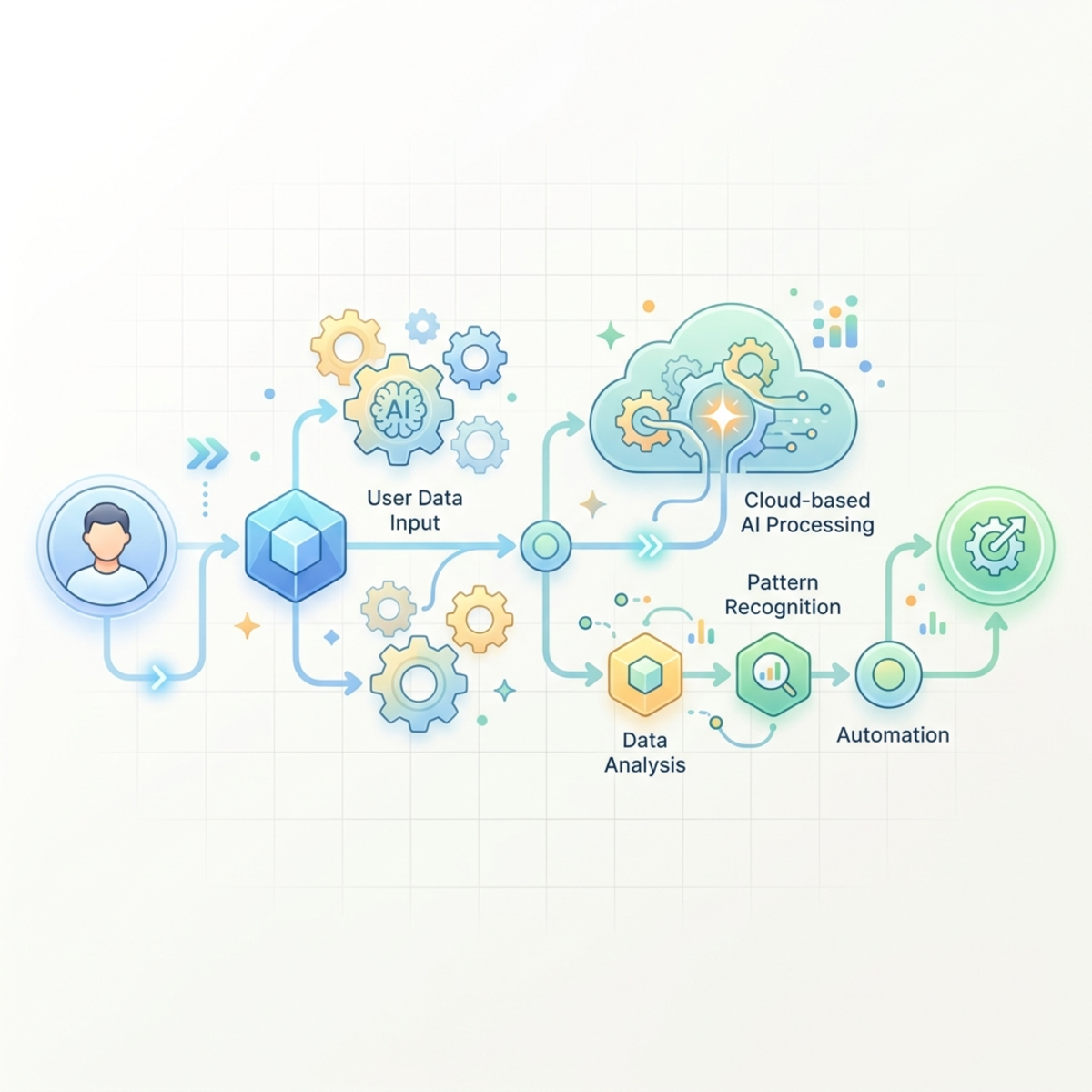
Copilot Credits: The Currency of Metered AI Work
Microsoft describes Copilot Credits as a common currency for eligible Microsoft services with usage-based billing. In the Microsoft 365 admin center cost-management experience, Microsoft’s documentation currently focuses on Cowork and Work IQ API, with more services expected over time.
Think of Copilot Credits like electricity units for AI work:
- A small task is like charging a phone.
- A medium task is like running a dishwasher.
- A heavy task is like turning on industrial equipment.
All three use the same utility meter. The difference is intensity, duration, and what the system has to power behind the scenes.
Microsoft’s public documentation explains that the cost-management experience helps administrators allocate credits, apply access policies and limits, use prepaid purchase plans or pay-as-you-go billing, and rely on budgets, alerts, and hard caps to prevent overspending.
What Drives Consumption?
Microsoft does not publish a simple universal formula for every Cowork task, and you should be skeptical of anyone pretending there is one. But strategically, four drivers are the right way to reason about cost:
| Cost Driver | Plain-English Meaning | Cost Intuition |
|---|---|---|
| Model work | How much reasoning and generation the task requires | More complex reasoning usually costs more. |
| Context | How much organizational data must be retrieved and grounded | More files, emails, chats, and history increase workload. |
| Tools and skills | Actions Cowork performs across apps, skills, or connected services | More tool calls usually mean more orchestration. |
| Runtime | How long the agentic workflow runs | Longer tasks have more opportunity to consume credits. |
This is why “make me a board-ready market analysis using these 40 files and turn it into a deck” should not be priced in your head like “summarize this page.” They are different animals.
Directional Cost Intuition: Build a Budget Before You Build Hype
Public Microsoft examples for Copilot Credit planning commonly use $0.01 per Copilot Credit as a pay-as-you-go reference point. Treat that as a directional planning assumption only. Your actual commercial terms, currency, discounts, taxes, region, and agreement structure may differ.
Directional Planning Aid: Credit-to-Dollar Intuition
| Monthly Credits Consumed | Directional Cost at $0.01/Credit | What It Means |
|---|---|---|
| 10,000 | $100 | Small pilot or tightly controlled use. |
| 100,000 | $1,000 | Department-level experimentation. |
| 1,000,000 | $10,000 | Serious adoption across multiple teams. |
| 5,000,000 | $50,000 | Enterprise-scale usage requiring active FinOps governance. |
| 10,000,000 | $100,000 | Executive visibility required; treat as a managed AI budget line. |
The point is not that these numbers will match your tenant. The point is to build instinct.
At one cent per credit, every million credits is roughly ten thousand dollars. That is the anchor.
Rule of thumb: If a use case can plausibly hit millions of credits per month, it deserves the same governance discipline as a cloud workload.
A Simple Forecasting Model
Start with this model before you over-engineer anything:
Example for directional planning only:
| Input | Assumption |
|---|---|
| Pilot users | 100 |
| Cowork tasks per user/month | 20 |
| Average credits per task | 500 |
| Directional price per credit | $0.01 |
| Estimated monthly cost | $10,000 |
That does not mean your real usage will land there. It means you now have a financial conversation before the rollout, not after the invoice.
Microsoft also provides a Customer Cowork Estimator for modeling expected usage. Use it before broad enablement, but do not treat one spreadsheet pass as governance. Pilot telemetry should replace assumptions as quickly as possible.
Payment Models: Pay-As-You-Go vs. Pre-Purchase Plan
Microsoft documents two important financial motions: pay-as-you-go billing and Copilot Credit pre-purchase plans, commonly referred to as P3.
| Model | Best For | Strength | Watch-Out |
|---|---|---|---|
| Pay-as-you-go | Pilots, uncertain demand, early adoption | Maximum flexibility; pay for actual usage | Budget risk if limits and alerts are weak. |
| Copilot Credit Pre-Purchase Plan (P3) | Predictable baseline usage | Discounted commit units for eligible Copilot Credit usage | Annual commitment; all purchases are final according to Microsoft documentation. |
| Hybrid approach | Mature deployments | Use P3 for predictable baseline, pay-as-you-go for overage | Requires active forecasting and periodic right-sizing. |
Microsoft documentation states that P3 is layered on top of pay-as-you-go rather than being a separate billing option. It also notes that prepaid credits are used before pay-as-you-go overage in relevant configurations.
Directional Planning Aid: When P3 Starts to Make Sense
P3 is not a magic discount button. It is a commitment strategy.
Use it when you have enough real consumption data to say:
- This usage is recurring, not novelty-driven.
- The business value is clear.
- The responsible cost center is known.
- The consumption pattern is stable enough to commit.
- The organization understands that overage can still continue through pay-as-you-go if configured.
A good pattern is:
- Start with pay-as-you-go plus hard limits.
- Run a controlled pilot for 30-60 days.
- Identify baseline monthly consumption by group and use case.
- Commit only the predictable floor to P3.
- Keep pay-as-you-go for controlled overflow.
In FinOps language: commit the baseline, meter the burst.
Governance: The Three Levers That Actually Matter
Cowork governance is not one checkbox. It is a control plane.
Microsoft’s cost-management documentation points to centralized controls in the Microsoft 365 admin center, including billing setup, spending policies, budgets, alerts, limits, and consumption reporting.
For practical rollout, focus on three levers.
Lever 1: Discovery Control
Microsoft provides an AI experiences enabled by usage-based billing setting. This controls whether users can see AI experiences that rely on usage-based billing.
Important nuance: discovery is about visibility and adoption readiness. Microsoft documentation distinguishes discovery from access and spending control. Cost Management under the Copilot node is where access and spending are governed through setup and policies.
| Setting Area | What It Controls | How to Think About It |
|---|---|---|
| Discovery setting | Whether users can see usage-based AI experiences | Marketing/display control. Useful before launch. |
| Cost Management setup | Whether users can consume credits through policies | Financial and access control. Required for governance. |
| Spending policies | Who can use what, how much, and against which billing method | Operational control. This is where FinOps lives. |
Lever 2: Spending Policies
Spending policies are the main operating mechanism. Microsoft documentation says administrators can create policies scoped to all users or specific groups, define monthly policy limits, define optional per-user limits, select agents and services, configure billing methods, and set alerts.
A practical policy model might look like this:
| Group | Monthly Policy Limit | Per-User Limit | Services Enabled | Governance Intent |
|---|---|---|---|---|
| Pilot users | Low | Low | Cowork only | Learn safely. |
| Executive office | Medium | Medium | Cowork | High-value briefings and communications. |
| Finance transformation team | Medium/High | Medium | Cowork, selected APIs if needed | Business-case-backed automation. |
| Developers/solution team | Medium | Low/Medium | Cowork and Work IQ API where justified | Controlled experimentation. |
| All users default | Very low or disabled | Very low | Minimal | Prevent accidental broad consumption. |
The key design principle is simple:
Never let your default policy become your production strategy.
Create named policies that map to business ownership, not just technical access.
Lever 3: Alerts, Hard Caps, and Review Cadence
Microsoft documentation describes alerts, monthly limits, per-user limits, and visibility into users, groups, agents, services, and consumption trends. Use them aggressively.
A safe setup should include:
- Monthly policy budgets.
- Optional per-user monthly credit ceilings.
- Alerts before limits are exhausted.
- Named business owners for each policy.
- Weekly review during pilot.
- Monthly review after production rollout.
- Exception process for temporary increases.
Do not wait for finance to ask why the Azure bill changed. Build the review motion first.
Role Design: Least Privilege Is a Cost-Control Strategy
Microsoft documentation separates responsibilities across roles. Global administrators and Billing administrators can add, select, and change billing methods. AI administrators and License administrators can create spending policies, manage limits and alerts, and view the Cost Management dashboard, but cannot set or modify billing methods.
That separation is useful.
| Role | Good Fit For | Avoid Using It For |
|---|---|---|
| Global administrator | Emergency setup or exceptional configuration | Day-to-day cost operations. Too privileged. |
| Billing administrator | Billing method configuration and subscription alignment | Broad AI governance decisions without IT partnership. |
| AI administrator | Managing AI policies, limits, alerts, and operational governance | Changing billing methods if not allowed by role. |
| License administrator | License assignment and policy support | Owning the entire FinOps model alone. |
The governance pattern I recommend:
- Billing admin owns the payment rail.
- AI admin owns the AI experience policy.
- Tenant admin/security validates exposure and least privilege.
- FinOps owns budget review and variance analysis.
- Business owner owns value realization.
If nobody owns value, all you have is spend.
Observability: What to Watch After Enablement
Microsoft’s Cost Management dashboard includes an Overview tab and Consumption tab. Documentation describes visibility into total Copilot Credits used, remaining capacity, active users, prepaid and pay-as-you-go usage, spending trends, user-level usage, group-level spending, and agents/services consumption.
That gives you the telemetry needed to move from opinion to evidence.
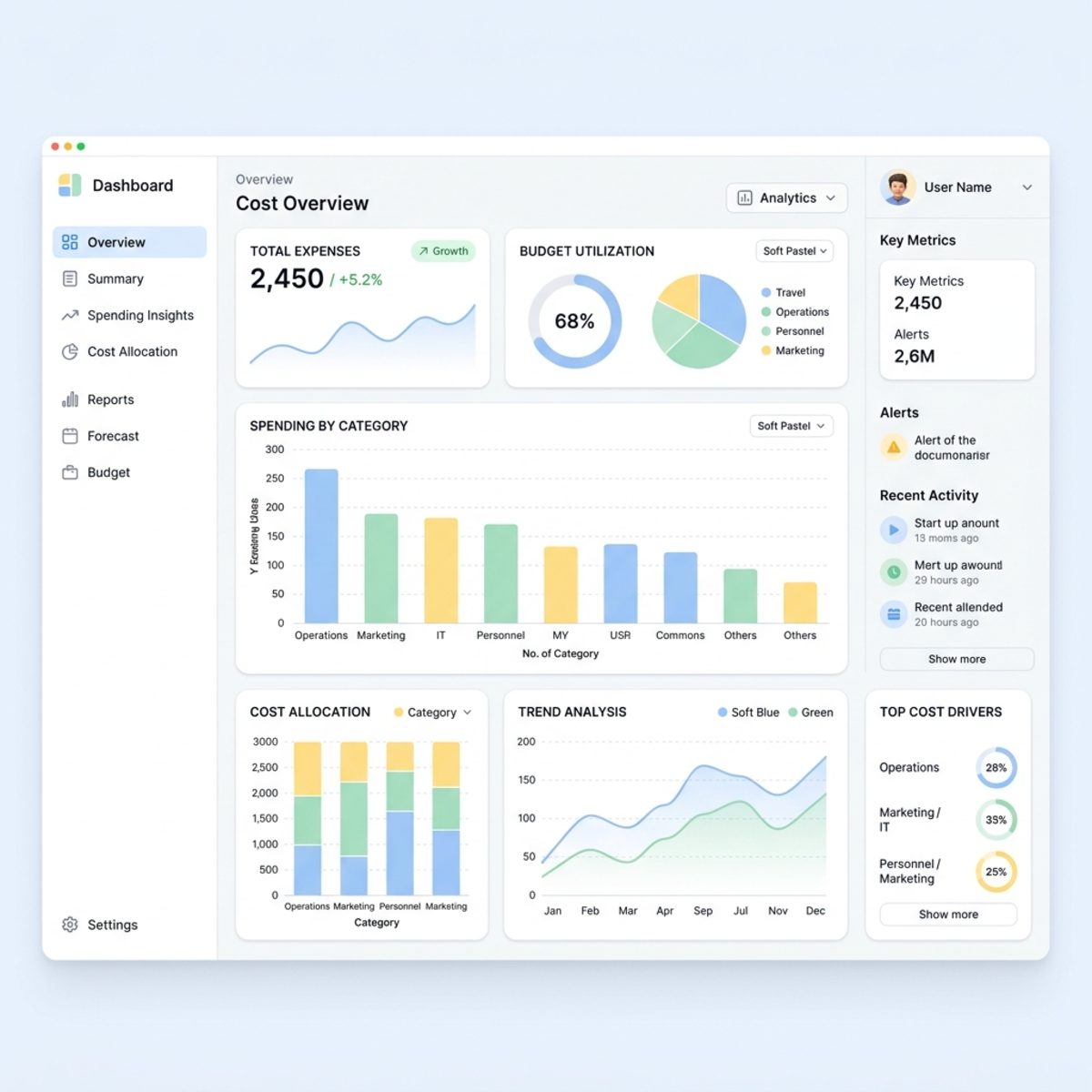
The Dashboard Questions That Matter
| Dashboard Question | Why It Matters | Action |
|---|---|---|
| Which groups are consuming the most credits? | Shows where adoption and cost are concentrated. | Validate business value and adjust budgets. |
| Which users are outliers? | Prevents one person from draining shared capacity. | Coach, cap, or move to a different policy. |
| Which services or agents drive usage? | Separates productive patterns from expensive experiments. | Route investment to high-value workloads. |
| Are we consuming prepaid credits faster than expected? | Prevents surprise overage. | Reforecast and adjust limits. |
| Are users requesting more credits? | Reveals demand and blocked value. | Approve selectively based on use case. |
What “Good” Looks Like
Good governance does not mean low usage. Low usage might mean poor adoption.
Good governance means:
- Consumption is tied to named business scenarios.
- Growth is intentional, not accidental.
- Heavy users are explainable.
- Budget owners know what they are funding.
- Limits are adjusted based on evidence.
- Cowork is used when delegated execution creates value beyond regular Copilot interaction.
Safe Rollout Plan: From Curiosity to Controlled Scale
Here is the rollout model I would use with most enterprise tenants.
Phase 1: Prepare the Control Plane
Before enabling meaningful usage:
- Confirm licensing prerequisites and eligible user groups.
- Decide which Azure subscription or billing method should carry usage.
- Configure the Cost Management experience in the Microsoft 365 admin center.
- Keep discovery limited until policy design is ready.
- Create a default restrictive policy.
- Create pilot policies for named groups.
- Set monthly policy limits, per-user limits, and alerts.
- Define who reviews consumption and how often.
Phase 2: Run a Business-Scenario Pilot
Do not pilot Cowork with random prompts. Pilot it with use cases.
Good pilot candidates:
| Use Case | Why It Works |
|---|---|
| Weekly executive briefing | Recurring, measurable, high-value. |
| Proposal or tender summary | Multi-document synthesis with business impact. |
| Customer meeting preparation | Time-saving and easy to validate. |
| Finance variance narrative | Strong FinOps story if data boundaries are clear. |
| Project status pack generation | Repeatable, artifact-heavy, measurable. |
For each use case, capture:
- Time saved.
- Output quality.
- Credit consumption.
- User satisfaction.
- Risk issues or approval friction.
- Whether regular Microsoft 365 Copilot would have been sufficient.
Phase 3: Build a Routing Strategy
This is where many organizations miss the point. You need to teach users where to send work.
| If the user needs… | Route To |
|---|---|
| A quick answer, rewrite, summary, or brainstorm | Microsoft 365 Copilot |
| Help inside Word, PowerPoint, Excel, Outlook, or Teams | Microsoft 365 Copilot in-app experience |
| Multi-step execution across apps | Cowork |
| A scheduled recurring task | Cowork |
| A controlled API-driven integration | Work IQ API, only with explicit governance |
| A custom business process agent | Evaluate against Copilot Studio, Cowork skills, or approved agent strategy |
Your adoption message should be punchy:
Chat for thinking. Cowork for doing. APIs for systems. Policies for control.
Phase 4: Expand by Value, Not Enthusiasm
After 30-60 days, expand only where the value is obvious.
Approve scale-up when:
- The use case has a business owner.
- The cost per outcome is acceptable.
- Users understand when not to use Cowork.
- Consumption is stable enough to forecast.
- Security and compliance stakeholders are comfortable.
- The policy has clear limits and alerts.
Do not approve scale-up just because the demo was impressive.
Practical Rules of Thumb for IT and FinOps
Use these as operating principles:
- Do not launch Cowork tenant-wide on day one. Start with named groups and tighter limits.
- Treat default access as a risk surface. Default should be restrictive until you have telemetry.
- Put every high-consumption group in a named policy. If a group has meaningful spend, it needs an owner.
- Set per-user limits even when policy limits exist. Group caps do not prevent individual outliers.
- Use alerts as management signals, not noise. If nobody acts on alerts, they are decoration.
- Review consumption by scenario, not only by user. The goal is cost per business outcome.
- Use prepaid credits only after you understand baseline demand. Commitment before telemetry is guesswork.
- Keep regular Copilot as the default for interactive work. Cowork should be a deliberate escalation path.
- Document the routing strategy. Users need simple guidance, not licensing theory.
- Expect governance to evolve. Your first policy model will be wrong. Design it to be adjustable.
The Bottom Line
Cowork is not just another AI button. It is a shift from licensed assistance to metered delegated work.
That shift is powerful because it lets organizations automate higher-value tasks without pretending every user has the same needs. But it also means IT, finance, and business teams must operate together.
The winning pattern is not to suppress usage. The winning pattern is to route the right work to the right model:
- Use Microsoft 365 Copilot for everyday productivity.
- Use Cowork for delegated, multi-step, outcome-driven work.
- Use Work IQ API and other extensibility options only where system-level integration is justified.
- Use spending policies, limits, alerts, and dashboards to keep the economics visible.
The goal is not cheap AI. The goal is AI spend that can defend itself in a business review.
If you can show that a Cowork workflow saved executive time, accelerated proposal delivery, compressed research cycles, or improved operational throughput, the credit consumption becomes a strategic investment.
If you cannot explain the outcome, it is just another line item.
Sources Consulted
- Microsoft Learn: Understand usage-based billing and cost management for Copilot Credits
- Microsoft Learn: Managing AI experiences enabled by usage-based billing
- Microsoft Learn: Copilot Cowork overview
- Microsoft Learn: Discovery setting for AI experiences enabled by usage-based billing
- Microsoft Learn: Optimize Copilot Credit costs with a pre-purchase plan
- Microsoft 365 Copilot enterprise pricing page
Read next