Copilot Studio Workflows: Governance & Cost Control

Writer

Copilot Studio Workflows: Deterministic Automation, Cost Control, and Governance
AI agents are excellent at reasoning through messy inputs. They are not excellent at being your finance policy, your approval matrix, or your production control plane.
That is the mental model IT leaders need for Copilot Studio Workflows: let AI interpret, but let workflows decide.
Microsoft’s new Workflows experience in Copilot Studio gives organizations a more deterministic automation layer inside the agent platform. Instead of asking an LLM to guess the next step every time, you can route work through explicit triggers, actions, variables, conditions, human-in-the-loop steps, connectors, and termination paths. Microsoft describes Workflows as the new automation experience in Copilot Studio, built on a redesigned visual canvas with native AI actions, agent handoffs, and node-level testing. It is currently documented as a public preview capability, so production use should be planned with the usual preview caution and change-management discipline. Source: Microsoft Learn, Workflows overview
This matters because the next wave of agent adoption will not be won by whoever creates the most agents. It will be won by whoever can answer three uncomfortable questions:
- What business process does this agent actually control?
- What does every run cost, roughly, at scale?
- Who can stop or limit it before it becomes a budget, compliance, or reliability problem?
Workflows are not just a better canvas for makers. They are a governance lever.
The mental model: agents are interns, workflows are operating procedures
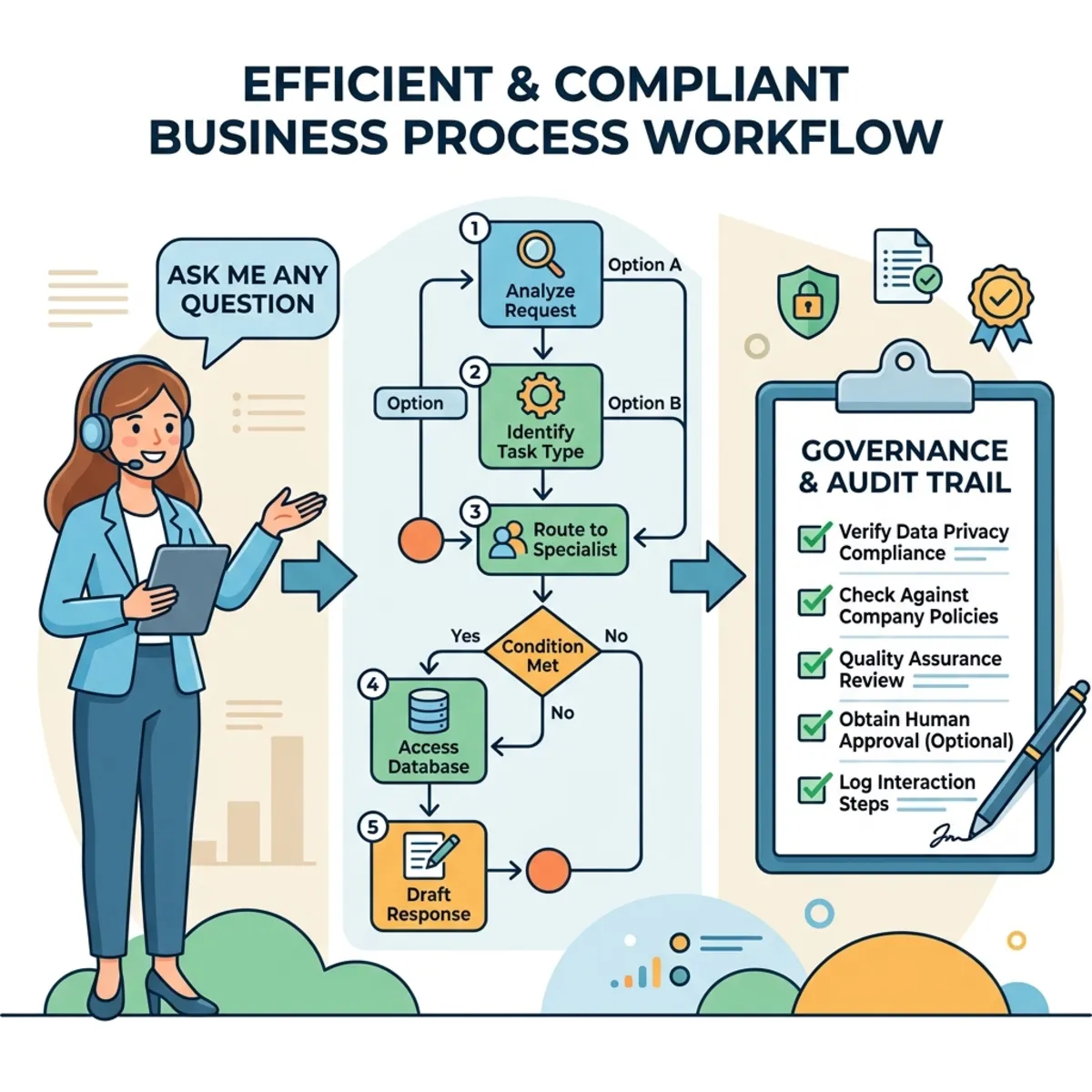
A useful way to explain Copilot Studio architecture to executives is this:
| Layer | Simple analogy | Best used for | Governance question |
|---|---|---|---|
| Conversational agent | A knowledgeable intern | Understanding user intent, answering questions, summarizing context | What data can it see and who can use it? |
| AI action or prompt | A specialist analyst | Classification, extraction, drafting, enrichment | How often is it called and what model/capability does it use? |
| Workflow | A standard operating procedure | Deterministic routing, approvals, state changes, API calls, fallbacks | What path runs, what does it cost, and where does it stop? |
| Admin capacity controls | A budget and circuit breaker | Allocating credits, setting monthly limits, managing overage | Who owns spend and continuity? |
The dangerous pattern is to make the conversational layer responsible for everything. That is how you end up with agents that are impressive in demos and unpredictable in the real world.
The healthier pattern is simple:
- Use the agent to understand the request.
- Use the workflow to execute governed steps.
- Use admin controls to allocate capacity, monitor usage, and apply limits.
- Use analytics to decide whether the automation is worth scaling.
Workflows vs. classic agent flows: what changed strategically?
Microsoft distinguishes between the classic automation experience, called agent flows, which many makers recognize as closer to a Power Automate-style UI, and the newer Workflows experience. The new Workflows experience is built in the newer Copilot Studio authoring experience and uses a redesigned visual canvas. Microsoft also notes that agents and workflows created in the new experience cannot be converted to the classic experience. Source: Microsoft Learn, Workflows overview
For admins and FinOps teams, the key point is not just UI polish. It is operating model clarity.
| Dimension | Classic agent flows | New Workflows experience | Strategic takeaway |
|---|---|---|---|
| Authoring model | Classic Copilot Studio automation experience | New canvas experience with native AI actions, handoffs, and node-level testing | Better fit for complex business processes that need visual traceability |
| Determinism | Rule-based execution | Rule-based execution with a more modern workflow canvas | Keep deterministic business logic out of free-form LLM reasoning |
| Testing | More traditional flow testing patterns | In-canvas and node-level testing are part of the new experience | Faster validation before rollout |
| Lifecycle compatibility | Classic experience | New experience | Do not assume automatic conversion between experiences |
| Capacity behavior | Consumes Copilot Studio capacity for actions | Consumes Copilot Studio capacity for actions | Treat workflows as metered runtime assets, not free background plumbing |
The practical advice: do not migrate business-critical automations just because the new designer looks better. Start with net-new controlled pilots, build cost instrumentation, and only then decide whether a classic flow should be redesigned.
What the new canvas changes for operators
The video walkthrough spends important time on the interface upgrade, and that detail deserves to stay in the article because it affects governance and supportability. A cleaner canvas is not just maker convenience. It makes complex logic easier to review with security, platform, and business stakeholders.
| Canvas capability | What it means in practice | Why IT and FinOps should care |
|---|---|---|
| Drag-and-drop infinite canvas | Makers can drag, drop, and pan across larger logic trees without forcing everything into a cramped linear layout | Reviewers can see the whole process instead of hunting through disconnected configuration screens |
| Vertical and horizontal layout switching | The same workflow can be shaped as a pipeline, decision tree, or exception-routing map | Architecture reviews become easier because the visual model can match the business process |
| Fit to view | The full workflow can be brought into one screen quickly | Useful during design reviews, troubleshooting, and handover sessions |
| Tidy Up auto-alignment | Messy node layouts can be snapped into a more readable flowchart | Reduces operational risk caused by hard-to-read automation logic |
| Floating nodes and manual rerouting | Nodes can be left disconnected while being built, then connected once their outputs are verified | Encourages safer incremental design instead of wiring half-tested steps into the main path |
| Native AI actions beside connectors and data operations | Prompt execution, entity extraction, intent classification, connector calls, MCP-adjacent payload preparation, and data operations can sit in one orchestration model | Makes the workflow the control plane for both AI reasoning and deterministic business actions |
My recommendation: Treat visual clarity as a production-readiness requirement. If another admin cannot understand the workflow in five minutes, the workflow is not ready to own a business process.
Trigger strategy: not every workflow should start the same way
The source video also calls out the main trigger patterns. This is worth making explicit because the trigger is where cost, risk, and ownership begin.
| Trigger type | Good fit | Governance guidance |
|---|---|---|
| Manual | Admin-run checks, controlled tests, one-off remediation | Keep for low-volume operational tasks where a named user intentionally starts the run |
| Recurrence | Scheduled syncs, cleanup jobs, daily checks, periodic reporting | Model monthly run volume before enabling because scheduled automation spends even when nobody is chatting |
| Connector | Events from Microsoft 365, Dataverse, or third-party systems | Validate connector DLP policy, owner identity, and retry behavior |
| HTTP request | Headless execution, webhooks, external systems, API-style triggers | Treat as higher risk: require authentication design, abuse controls, and strict capacity limits |
The FinOps rule is simple: Manual triggers create human-paced cost; recurrence and HTTP triggers can create machine-paced cost. Machine-paced cost needs stronger guardrails.
Structural actions: the small nodes that prevent big incidents
The video mentions three structural mechanics that are easy to skip but important for production design.
| Structural mechanic | Practical use | Governance value |
|---|---|---|
| Compose node | Shape output, prepare payloads, concatenate strings, or normalize values before the next action | Makes data transformation visible and easier to troubleshoot |
| Terminate or End block | Stop a branch intentionally after success, rejection, missing input, or an unsafe condition | Prevents accidental continuation into downstream actions |
| Disconnect and reroute links | Rebuild paths without deleting logic while testing branches independently | Supports safer iterative design and cleaner peer review |
These are not cosmetic nodes. They are the workflow equivalent of brakes, mirrors, and lane markings.
The cost model: every action is a little meter tick
Copilot Studio now uses Copilot Credits as the common unit for measuring agent usage. Microsoft states that credits measure the usage of agent capabilities, and total cost is based on the sum of credits consumed. The number of credits depends on agent design, usage volume, and features used. Source: Microsoft Learn, Billing rates and management
Think of credits like electricity in a building. One light bulb is harmless. A whole floor of lights, HVAC, elevators, and machinery running all day becomes a facilities budget.
That is exactly how agent economics work. A single workflow run may look tiny. But a scheduled workflow, a high-volume service desk agent, or an external customer-facing agent can turn tiny per-run charges into meaningful monthly spend.
Directional planning aid, not a quote
The Azure pricing page lists pay-as-you-go Copilot Studio pricing at $0.01 per Copilot Credit, while also warning that prices are estimates and actual pricing varies by agreement, date, currency, and other commercial factors. Use this only as a directional planning aid, not as a procurement quote. Source: Azure pricing, Copilot Studio
| Agent or workflow activity | Published credit rate | Directional intuition at $0.01/credit | What to watch |
|---|---|---|---|
| Classic answer | 1 credit | About $0.01 | Good for controlled, authored responses |
| Generative answer | 2 credits | About $0.02 | Cheap individually, expensive at high volume |
| Tenant graph grounding for messages | 10 credits | About $0.10 | Valuable, but should be intentional |
| Agent action | 5 credits | About $0.05 | Actions multiply quickly in multi-step processes |
| Agent flow actions | 13 credits per 100 actions | About $0.13 per 100 actions | Great for deterministic execution, but monitor volume |
| Premium text and generative AI tools | 100 credits per 10 responses | About $1.00 per 10 responses | Use where quality justifies the premium |
Microsoft also notes that one interaction may use multiple feature types. For example, a tenant graph grounded generative answer can combine the generative answer rate and graph grounding rate. Source: Microsoft Learn, Billing rates and management
A quick cost intuition example
Imagine an internal order-status agent that runs a deterministic workflow after classifying a request.
Assume one average request uses:
- 1 generative answer to understand and respond: 2 credits
- 1 tenant graph grounding step: 10 credits
- 3 agent actions: 15 credits
- 20 workflow actions: about 2.6 credits, based on 13 credits per 100 actions
That is roughly 29.6 credits per request.
At the directional $0.01 per credit planning rate, that is about $0.30 per request. At 10,000 requests per month, your planning estimate is about 296,000 credits, or about $2,960 if billed purely at that directional PAYG rate.
Again, this is not a quote. It is a thinking tool. The real lesson is that cost is not driven by “having an agent.” Cost is driven by how much work the agent performs per interaction and how often the interaction happens.
The licensing distinction that trips people up
The most common budget surprise is assuming that “we have Microsoft 365 Copilot” means “all Copilot Studio runtime is free.” That is not the right mental model.
Microsoft states that for Microsoft 365 Copilot licensed users, certain employee-facing usage scenarios of Copilot Studio agents and tools are included when the agent operates using the authenticated Microsoft 365 Copilot user’s identity, subject to fair usage limits. Microsoft also states that usage in Copilot Chat, Teams, or SharePoint for classic answers, generative answers, and Microsoft Graph tenant grounding can be zero-rated for Microsoft 365 Copilot licensed users. Source: Microsoft Learn, Billing rates and management, Source: Microsoft Learn, Copilot Studio licensing
But that does not automatically cover every execution pattern.
| Scenario | Cost posture | Admin interpretation |
|---|---|---|
| Authenticated Microsoft 365 Copilot user interacting with an agent inside Microsoft 365 surfaces | Often zero-rated for covered capabilities, subject to fair usage and scope | Good candidate for broad internal adoption, but still monitor usage |
| External customer-facing agent | Expect Copilot Credit consumption | Budget as a customer-service digital channel |
| Anonymous or unauthenticated usage | Expect Copilot Credit consumption | Put behind strict capacity and abuse controls |
| Scheduled or autonomous workflow | Expect metered consumption unless explicitly covered by licensing behavior | Treat as background compute, not chat usage |
| Bring-your-own-model or Azure Foundry model usage | Billed separately from Copilot Studio-provided model rates | Include Azure AI costs in the total business case |
Rule of thumb: If the agent is acting outside a covered Microsoft 365 Copilot user scenario, assume the meter can run until proven otherwise.
Capacity governance: your real control plane lives in the admin center
The governance story gets much better when IT stops treating Copilot Studio as a maker-only tool and starts treating it as a metered platform.

Microsoft documents a Copilot Studio capacity management experience in the Power Platform admin center. Administrators can view prepaid and pay-as-you-go capacity, monitor consumption by environment, allocate prepaid capacity across environments, and review daily and monthly usage trends. Source: Microsoft Learn, Manage Copilot Studio credits and capacity
More importantly, admins can define monthly consumption limits for individual Copilot Studio agents. The admin experience can show month-to-date billed credits, the environment an agent belongs to, the configured limit, and status such as nearing limit, over limit, or within limit. Admins can also configure notifications and a hard stop so an agent is turned off once it reaches the defined limit. Source: Microsoft Learn, Manage Copilot Studio credits and capacity
That gives tenant administrators three strategic levers:
| Lever | What it controls | When to use it |
|---|---|---|
| Environment allocation | How much prepaid capacity an environment can consume | Separate production, pilot, and innovation workloads |
| Pay-as-you-go billing policy | Whether overage can flow to Azure billing | Useful for business continuity, risky without limits |
| Agent monthly limit | How much an individual agent can consume | Essential for pilots, external agents, and high-risk automations |
The best governance posture is not “block everything.” It is route, observe, cap, and scale.
The safe rollout model: from experiment to governed production
Here is a practical rollout pattern I recommend for IT leaders and platform owners.
Phase 1: Prove the process, not the technology
Start with one workflow that has a real owner, a measurable business outcome, and a contained blast radius.
Good examples:
- Internal IT ticket triage
- HR policy clarification with escalation
- Order-status enrichment before human review
- Finance exception routing
- Knowledge article freshness checks
Avoid starting with:
- Anonymous public agents
- High-volume customer support
- Autonomous workflows that modify critical systems
- Anything that approves payments, deletes data, or changes access without human review
Phase 2: Put the workflow in a controlled environment
Use environment strategy as your first governance boundary.
| Environment type | Purpose | Recommended controls |
|---|---|---|
| Sandbox | Maker experimentation | Low capacity allocation, no production connectors, short-lived assets |
| Pilot | Business validation | Named owners, monthly agent limits, monitored credit usage |
| Production | Business-critical execution | Formal ALM, DLP policies, capacity allocation, alerting, support owner |
| External-facing | Customer or partner access | Separate environment, strict limits, abuse monitoring, strong data review |
Phase 3: Design cost into the architecture
Ask these questions before publishing:
- How many times can this workflow run per day?
- How many actions execute in a normal run?
- What happens in the worst case, such as retry storms or bad input loops?
- Does it use graph grounding, premium AI tools, or reasoning models?
- Is usage covered by Microsoft 365 Copilot licensing, or does it draw from Copilot Credits?
- What monthly limit should stop the agent before it becomes a budget incident?
If nobody can answer those questions, the workflow is not ready for production.
Phase 4: Set the circuit breakers
At minimum:
- Allocate Copilot Credits intentionally by environment.
- Use agent-level monthly limits for pilots and production agents.
- Enable notifications for approaching limits.
- Decide when to use pay-as-you-go for continuity.
- Review the Agent flow actions line item in capacity reporting.
- Document who can approve increasing a limit.
Microsoft notes that when prepaid capacity is exhausted, new workflow or flow runs can be blocked until capacity is available, while running workflows complete normally. Testing in the designer or from test chat does not consume flow capacity. Source: Microsoft Learn, Workflows overview
Why the If/Else component matters more than it looks
The If/Else component sounds like a maker feature. It is actually a governance feature.

In business automation, most failures do not happen because the happy path is wrong. They happen because nobody designed the unhappy path.
The original walkthrough showed the If/Else component acting more like a switch statement than a simple binary condition. Keep that concept because it helps readers understand why this matters: one decision block can represent a complete policy table.
Examples from the video, translated into a governance lens:
| Condition pattern | Example from the walkthrough | Business interpretation |
|---|---|---|
| Exact match | x = 320 | Route a known status code, category, or approval tier to a specific path |
| Range with AND | x >= 400 and x <= 500 | Treat a band of values as one exception category, such as medium-risk spend |
| Grouped OR logic | x is between 300 and 400 OR x > 8000 | Combine normal policy thresholds with outlier handling in one branch |
| Exclusion | x != 600 | Continue only when a disallowed or special-case value is not present |
| Fallback Else | No condition matches | Catch nulls, malformed values, unexpected codes, and future changes |
For leaders, the point is not the variable x. The point is that business policy can be made explicit, testable, and reviewable.
A missing else branch is not a cosmetic issue. It is an operational risk.
Use If/Else logic to encode policy boundaries:
| Business condition | Workflow branch | Governance value |
|---|---|---|
| Request value is below approval threshold | Auto-approve or route to standard processing | Reduces manual work |
| Request value is above threshold | Route to manager or finance approval | Enforces policy |
| User is in a restricted region or role | Terminate or escalate | Reduces compliance risk |
| Required data is missing | Ask for clarification or stop | Prevents bad downstream actions |
| Input does not match any known condition | Else branch to terminate safely | Prevents runaway execution |
My opinionated rule: Every workflow needs an explicit Else branch, and every Else branch needs a deliberate outcome.
That outcome might be:
- Terminate cleanly
- Notify an owner
- Create an exception ticket
- Ask the user for missing information
- Route to human review
What it should not do is silently continue.
State management: variables are your audit-friendly memory
Variables in workflows are easy to underestimate. For tenant administrators, they are important because they make business state visible.
The video used a simple example: initialize an integer such as x = 10, then update it later with Set Variable to x = 100. That example is intentionally basic, but the pattern is powerful. In a real tenant, x becomes approvalAmount, riskScore, retryCount, or routingPriority.
A variable such as approvalAmount, riskScore, region, or requestType is not just a technical value. It is a control point.
Good variables create explainability:
| Variable | Why it matters |
|---|---|
requestType | Shows why the workflow chose a particular path |
approvalAmount | Supports financial threshold routing |
riskScore | Helps justify escalation or human review |
sourceSystem | Helps trace where the request originated |
terminationReason | Helps operations teams understand failures and exceptions |
This is where deterministic workflows beat pure LLM orchestration. A model can explain what it thinks it did. A workflow can show exactly what path ran.
Testing and traceability: do not ship what you cannot replay
Microsoft highlights node-level testing and visual execution tracing in the new Workflows experience. The strategic value is simple: platform teams can validate individual steps before the whole process is promoted. Source: Microsoft Learn, Workflows overview
The walkthrough also highlights a very practical troubleshooting flow: run the test in the canvas, watch the executed branch light up visually, then open the executed node output to inspect the raw JSON payload. That is especially useful when mapping schemas for identity-driven operations such as Entra ID token handling, or when validating payloads before handing a result back to an agent for a final generative response.
Do not bury this capability in the appendix. For operations teams, visual traceability plus raw output inspection is the difference between “the agent did something weird” and “branch three executed because the input value was 100, the first two branches failed, and the exclusion branch matched.”
Workflow analytics should then be used after publishing to monitor execution history, success rates, and bottlenecks over time. Testing tells you whether the workflow can work. Analytics tells you whether it is working reliably at scale.
For governance, test these scenarios before rollout:
| Test case | Why it matters |
|---|---|
| Happy path | Confirms the intended process works |
| Missing data | Confirms the workflow does not hallucinate or proceed blindly |
| Out-of-range values | Confirms thresholds and branch logic hold |
| Unauthorized user | Confirms identity and access assumptions |
| Connector failure | Confirms downstream resilience |
| Capacity warning or limit | Confirms owners know what happens near budget boundaries |
| Unexpected input | Confirms the Else branch catches messy reality |
The goal is not just technical correctness. The goal is auditability. If an executive asks, “Why did the agent approve this?” you should be able to show the path, conditions, inputs, and outputs.
Quotas and limits: guardrails are part of the product
Copilot Studio has quotas and limits that admins should understand before broad deployment. Microsoft documents default request-per-minute and request-per-hour limits, explains that quotas protect against unexpected usage surges, and lists limits such as knowledge sources per agent, instruction length, connector payload, skills per agent, and topics per agent. Source: Microsoft Learn, Quotas and limits
Do not treat these as annoying constraints. Treat them as design signals.
| Limit or quota category | What it tells you as an architect |
|---|---|
| Requests per minute/hour | Design for bursts, not just average load |
| Instruction length | Put complex rules into workflows and policies, not giant prompts |
| Connector payload size | Keep payloads focused and avoid dumping unnecessary data into actions |
| Skills/tools per agent | Build focused agents instead of one giant agent that does everything |
| Knowledge source limits | Curate data sources instead of connecting the entire enterprise blindly |
Rule of thumb: When you hit a platform limit, the answer is usually better architecture, not louder prompts.
Practical routing strategy: match the work to the cheapest reliable path
FinOps does not mean always choosing the cheapest feature. It means choosing the cheapest feature that reliably meets the business requirement.
| Workload pattern | Recommended path | Why |
|---|---|---|
| Known FAQ with stable answer | Classic answer | Lowest complexity and highest control |
| User asks open-ended question over approved knowledge | Generative answer | Good balance of flexibility and effort |
| Employee question needs Microsoft Graph context | Graph-grounded answer | Higher value, higher credit use, use intentionally |
| Business process with fixed steps | Workflow | Deterministic, testable, traceable |
| Risky or regulated decision | Workflow plus human approval | Keeps accountability with the business |
| Complex reasoning or premium model use | Premium AI tool only where justified | Higher cost should map to higher value |
| External anonymous usage | Isolated agent and environment with strict monthly limit | Reduces budget and abuse exposure |
My rule: Use AI where judgment is needed; use workflows where policy is needed.
A quick decision guide for leaders
Use this when a business team asks, “Can we build an agent for this?”
| Question | If yes | If no |
|---|---|---|
| Is the business outcome measurable? | Continue | Do not fund yet |
| Is the process owner named? | Continue | Assign ownership first |
| Can the data sources be governed? | Continue | Fix data access first |
| Can the workflow safely stop on bad input? | Continue | Add Else and termination paths |
| Can we estimate monthly usage? | Continue | Run a pilot with strict limits |
| Is there a monthly budget or credit limit? | Continue | Define the limit before publishing |
| Does the agent require premium reasoning? | Justify the value | Use a cheaper deterministic path |
| Is the workload external-facing? | Isolate and cap it | Internal controls may be sufficient |
The admin checklist before publishing
Before a workflow-backed agent goes live, tenant administrators should confirm:
- The agent and workflow are in the correct environment.
- The owner, support contact, and business sponsor are documented.
- Data sources and connectors are approved under the organization’s DLP policies.
- The expected monthly credit consumption is estimated.
- Agent-level monthly limits are configured where appropriate.
- Notifications are configured for approaching limits.
- Pay-as-you-go is enabled only where business continuity justifies it.
- The workflow has explicit Else and Terminate paths.
- Node-level testing covers happy path, exception path, and malformed inputs.
- Analytics and capacity reports will be reviewed after launch.
If that feels heavy, good. Production automation should feel heavier than a demo.
The business value story
The best business case for Copilot Studio Workflows is not “we made an AI agent.” That is not a business outcome.
The better story is:
- We reduced manual routing effort by 40%.
- We shortened approval cycle time from three days to four hours.
- We deflected repetitive HR or IT questions without losing policy control.
- We created a governed automation pattern that business teams can reuse.
- We can forecast cost before scaling adoption.
- We can shut down or limit an agent before it becomes a financial incident.
That is the shift from AI experimentation to AI operations.
Final take: deterministic workflows are how agents grow up
Copilot Studio Workflows are not interesting because they add another canvas. They are interesting because they give IT leaders a way to make agentic systems more predictable, governable, and financially manageable.
The future of enterprise AI is not pure autonomy. It is bounded autonomy.
Let the agent reason. Let the workflow enforce. Let the admin center govern. Let FinOps measure.
That is how you scale agents without turning your tenant into a very expensive science fair.
Sources and validation notes
- Microsoft Learn: Workflows overview in Copilot Studio
- Microsoft Learn: Billing rates and management for Copilot Studio
- Microsoft Learn: Copilot Studio licensing
- Microsoft Learn: Manage Copilot Studio credits and capacity
- Microsoft Learn: Copilot Studio quotas and limits
- Azure Pricing: Microsoft Copilot Studio pay-as-you-go pricing
Read next